
Billie Pascual
Principal Consultant
Chose Kure
Kure can optimize the process. The other items are tools used as part of the process.

| Product | Rating | Most Used By | Product Summary | Starting Price |
|---|---|---|---|---|
 Kure | N/A | Kure is a web-based app that helps teams collaborate to complete process optimization projects. The Kure app is powered by the Process Optimization Path™. The Process Optimization Path (POP) is powered by artificial intelligence that guides users step-by-step – through improving any process – so teams are empowered to efficiently and effectively scale business improvements and create growth for the user's organization. | $49 per month per user | |
 Microsoft To Do | N/A | Microsoft To Do replaces the former Wunderlist task management tool. | N/A |
| Kure | Microsoft To Do | |||||||||||||||
|---|---|---|---|---|---|---|---|---|---|---|---|---|---|---|---|---|
| Editions & Modules |
| No answers on this topic | ||||||||||||||
| Offerings |
| |||||||||||||||
| Entry-level Setup Fee | No setup fee | No setup fee | ||||||||||||||
| Additional Details | — | — | ||||||||||||||
| More Pricing Information | ||||||||||||||||
| Kure | Microsoft To Do | |
|---|---|---|
| Considered Both Products |  Kure Billie Pascual Principal Consultant Chose Kure Kure can optimize the process. The other items are tools used as part of the process.  Melissa Clary Managing Member Chose Kure Trello didn't allow us to assign as many tasks or upload images as easily as Kure. The cards in which you create are small so it's hard to put as much detail on those in order to completely communicate with the team. The organization of the cards got a little overwhelming and … |  Microsoft To Do  Quratulain Habib, PMP Partner / Director / Head of Projects Chose Microsoft To Do I am a fan of to-do lists. Previously they were all pen and paper though, which is fine for chores but not so much when you consistently receive emails and chat messages with various tasks mentioned in there. To Do helps keeping track of them. Chose Microsoft To Do Wunderlist is overly simplistic and a bit outdated compared to competing tools. Trello and Microsoft To-Dos and Planner accomplish the same things better.  Nicholas De Salvo Chief Executive Officer Chose Microsoft To Do I started using Wunderlist purely to keep track of my to-dos and organize my time around the general tasks I have to complete. Attempts I have made to extend Wunderlist into project management or other broader tasks have been largely unsuccessful because it feels like there …  Joel Tanzi Business Owner Chose Microsoft To Do Both Trello and Remember the Milk offer their own value in managing tasks and projects. Wunderlist is the best simple task manager I've come across in that it focuses on the critical features you'd want in a task manager - great interface, ease of use, and accessible anywhere. …  Paul Weber Manager, Digital Media Services Chose Microsoft To Do Wunderlist was a good starting point, but we now use Todoist, and I definitely wouldn't look back. It is more complicated, but with that comes much more control than you get in Wunderlist - rather than simple search tags you have filters that can run across projects, human …  Mark Cohen President Chose Microsoft To Do Any.do had a nicer interface but was not as easy to use as Wunderlist.  Anna Jacobs Project Coordinator Chose Microsoft To Do It is more simple, direct, and easy to manage. Also, the price point is much less than most, if not all CRM's on the market.  Tish Cator Office Manager Chose Microsoft To Do I think they merged or something—I don’t remember—but it was not as easy as this one was. We love that it is simple and easy.  Sarah Lightman Singer/Songwriter Chose Microsoft To Do Google drive is another helpful way to share to-do's with other parties and help share ideas. It can help share goal lists. I also use notes on my iPhone and it's been great too, but I really like Wunderlist because if I'm making a list and sharing it, it's pretty …  Anthony Zurica Owner Chose Microsoft To Do Wunderlist has a much simpler layout than the other software we have tried. Others are too complex when reminders and note-taking should not be this complex. Their homepage layouts are even more convoluting and unnecessary. Simpler is normally better for something like this. … |
| Kure | Microsoft To Do | |||||||||||||||||||||||||||||||||||||||||||||
|---|---|---|---|---|---|---|---|---|---|---|---|---|---|---|---|---|---|---|---|---|---|---|---|---|---|---|---|---|---|---|---|---|---|---|---|---|---|---|---|---|---|---|---|---|---|---|
| Project Management |
| |||||||||||||||||||||||||||||||||||||||||||||
| Professional Services Automation |
|
| Kure | Microsoft To Do | |
|---|---|---|
| Small Businesses |  Stackby Score 9.0 out of 10 | Stackby Score 9.0 out of 10 |
| Medium-sized Companies |  InEight Score 8.3 out of 10 | InEight Score 8.3 out of 10 |
| Enterprises | InEight Score 8.3 out of 10 | InEight Score 8.3 out of 10 |
| All Alternatives | View all alternatives | View all alternatives |
| Kure | Microsoft To Do | |
|---|---|---|
| Likelihood to Recommend | 8.8 (0 ratings) | 10.0 (0 ratings) |
| Likelihood to Renew | - (0 ratings) | 8.0 (0 ratings) |
| Usability | - (0 ratings) | 8.0 (0 ratings) |
| Support Rating | - (0 ratings) | 7.6 (0 ratings) |
| Implementation Rating | - (0 ratings) | 10.0 (0 ratings) |
| Kure | Microsoft To Do | |
|---|---|---|
| Likelihood to Recommend |
|
 Brian Spatz Staff Pastor - Students |
| Pros |
|
 Jeremiah Alexander Systems Manager |
| Cons |
Melissa Clary Managing Member |
|
| Likelihood to Renew | No answers on this topic |
 Mohammed Anzil Founder and Chief Editor |
| Usability | No answers on this topic |
|
| Support Rating | No answers on this topic |
|
| Implementation Rating | No answers on this topic |
 Abdul Hakkim Founder |
| Alternatives Considered |
Melissa Clary Managing Member |
|
| Return on Investment |
Billie Pascual Principal Consultant |
 Oleg Galimov Руководитель проектов |
| ScreenShots | Kure Screenshots 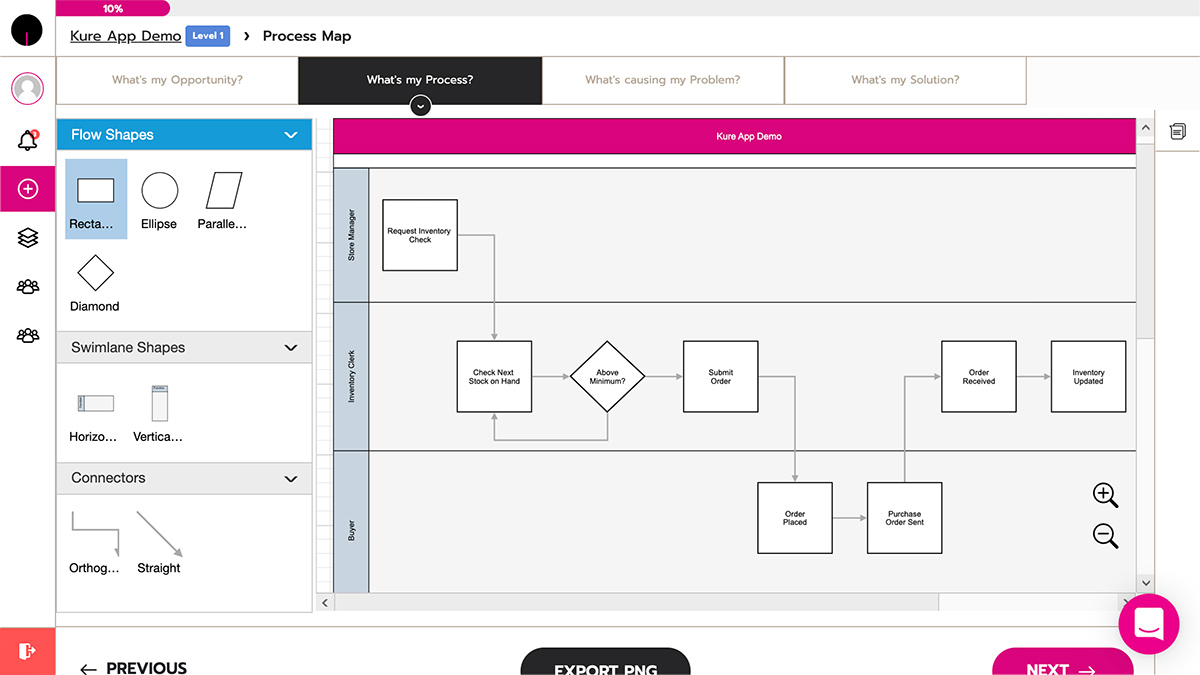  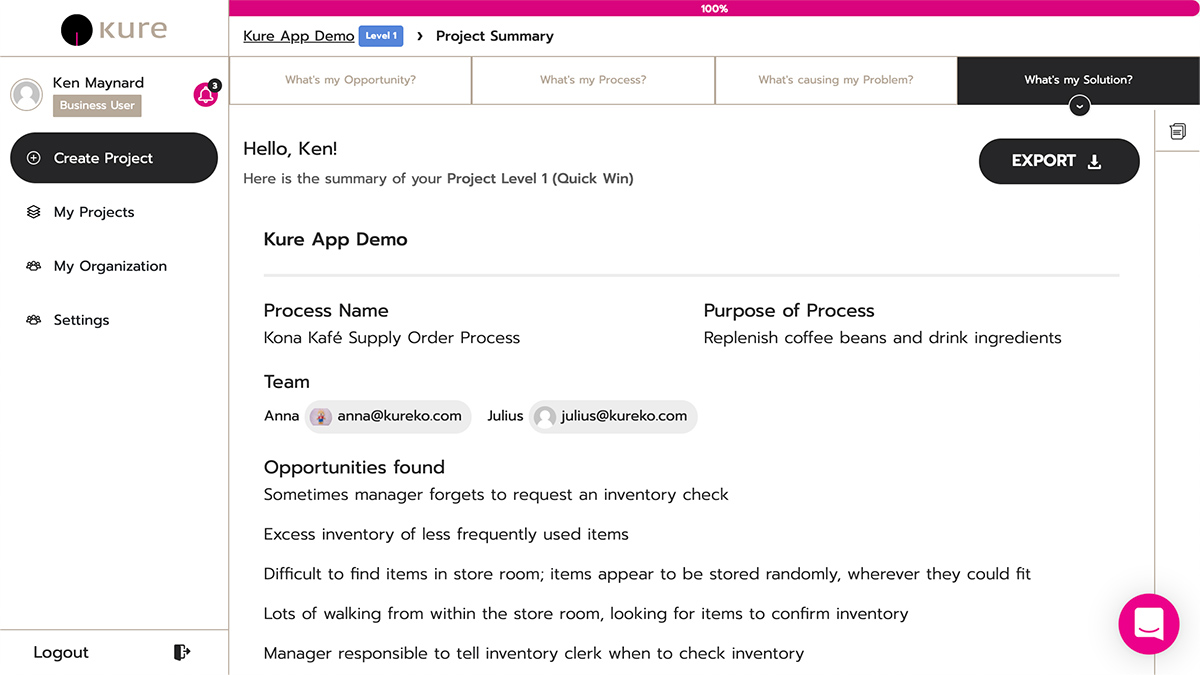 |