
Florante Roa
Director, Systems Management & MIS Operations
Chose Laserfiche
Similar in features and pricing

| Product | Rating | Most Used By | Product Summary | Starting Price |
|---|---|---|---|---|
 Laserfiche | N/A | Laserfiche has two main editions: Rio and Avante: Laserfiche Rio is designed to meet the needs of large organizations that have more than 100 users. It combines content management functionality with business process management (BPM), security and auditing, unlimited servers and a thin-client interface. Add-ons include records management functionality, public Web portals and production-level document capture and processing. Laserfiche Avante is an ECM suite for small to medium organizations with… | $540 per year per user | |
 SharePoint | N/A | Microsoft's SharePoint is an Intranet solution that enables users to share and manage content, knowledge, and applications to empower teamwork, quickly find information, and collaborate across the organization. | $5 Per User Per Month |
| Laserfiche | Microsoft SharePoint | |||||||||||||||
|---|---|---|---|---|---|---|---|---|---|---|---|---|---|---|---|---|
| Editions & Modules |
|
| ||||||||||||||
| Offerings |
| |||||||||||||||
| Entry-level Setup Fee | No setup fee | No setup fee | ||||||||||||||
| Additional Details | — | — | ||||||||||||||
| More Pricing Information | ||||||||||||||||
| Laserfiche | Microsoft SharePoint | |
|---|---|---|
| Considered Both Products |  Laserfiche Florante Roa Director, Systems Management & MIS Operations Chose Laserfiche Similar in features and pricing  Rashad Guliyev Junior Specialist Chose Laserfiche Primarily, the ease of the user comes for our colleagues as not losing time is our priority. Besides, comfortable administration is also striking to benefit from using Laserfiche. The form creation of Laserfiche in contrast to DocuWare is doing great that provides amazing …  Stephen Green Accreditation Manager Chose Laserfiche Laserfiche is a much more focused product that simply and accurately fills our need for routine reporting and record keeping. By taking time to work on the design of the form you can anticipate the user's needs and possible areas where further explanation may be required. By …  Shreshthi Mehta, PMP®, PHR® HRIS Manager Chose Laserfiche The Laserfiche interface is very easy to use. It is very similar to uploading files on your Windows computer. With close to no training and less implementation time, it was a clear choice. Like other systems, Laserfiche does not have fancy designs or interface. This makes it …  Dean Vasquez Vice President Chose Laserfiche It was selected prior to my joining the company.  Heather MacLean Administrative Assistant Chose Laserfiche I would pick Laserfiche over Procore in a heart beat. Procore claims to be documents storage and user friendly but they are complete opposite software.  Alexa Siebert Records Management Technician, Public Works and Utilities Chose Laserfiche Alaris is efficient for scanning and editing, but does not provide all of the advanced capabilities that Laserfiche offers. Laserfiche also provides top-notch training to users. Alaris is a more simple software that can be easily self-taught. Laserfiche has more than just …  Glen Murie Laserfiche Application Specialist Chose Laserfiche The core infrastructure of Laserfiche, and the end user experience, is vastly superior. OnBase has a TERRIBLE UI and administration console by comparison. The core architecture of OnBase is also more scattered, while all Laserfiche processes go through a single service. …  Joy Beddingfield PMO Analyst / Resource Manager / Project Manager Chose Laserfiche I did not compare Laserfiche against other products because the City of Roanoke, Virginia had already purchased Laserfiche 6 years prior. Once I learned how to use Laserfiche and the benefits, I decided that we needed to upgrade to Laserfiche RIO to be able to use some of the …  Mark Ellickson Senior Account Manager Chose Laserfiche Laserfiche is the leader in the ECM industry, and I believe will stand toe to toe with any competitor on the market. Not only is it on of the most advanced systems for an enterprise wide solution, but the cost is also very competitive. I also do not believe there is any …  Mike McCauley, MCP, A+, CDRE System Support Chose Laserfiche N/A  Tim Nolan Sr Application Manager Chose Laserfiche Laserfiche solved our original government document retention concerns. Collin County has integrated Laserfiche retention rules with our Criminal Integrated Justice System for closed cases. We have also integrated Laserfiche with our Property Tax System. We are able to process …  Judy Nie Finance Clerk Chose Laserfiche Laserfiche is much faster and the optical character recognition is more accurate than Adobe Acrobat Capture. It took approximately 4 times as long to scan and store a document in Acrobat Capture as in Laserfiche. Reviewing every scan was essential in Adobe Acrobat Capture … |  SharePoint  Kayla Jane McLaughlin DIRECTOR Chose SharePoint We don't have to pay for SharePoint, unlike Dropbox, and SharePoint integrates our existing email addresses, which is convenient for sharing.  Clarence White Chief Information Officer Chose SharePoint Microsoft SharePoint shares many of the same pros and cons as HCL Notes. It does a lot. Maybe too much to understand.  Erin Gracyalny Customer Success Manager Chose SharePoint Egnyte is the superior solution due to the way it segments data and provides a holistic approach to sharing and access. Microsoft SharePoint provides this a bit but could improve but the value of Microsoft SharePoint is greater given it is included in our subscription.  Siddharth Nair Customer Service Chose SharePoint Google Drive  Helmi Tatanaki Data Management Consultant Chose SharePoint The reasons for selecting MS SharePoint are: SharePoint provides ease of use and web design assistance and support SharePoint helps you schedule your content for publishing. enables users to share documents with external parties and offers a better internal structure of the …  Thushitha A. Chandrasiri ERP Consultant Chose SharePoint Since Microsoft SharePoint comes with the MS business office package, it is fully integrated with other office products and really works together with other MS Office products like Word, PowerPoint, Excel, Access, Publisher, etc.. in real-time, so it's really easy to maintain …  Damon Darling Engineering Manager Chose SharePoint I prefer Atlassian Confluence for file sharing, wiki markups, and as a better tool for engineering documentation. Microsoft SharePoint is the tool that was chosen for my current organization, and I do miss using Confluence. Both tools get the job done and it is largely a …  Puneet Pandey Procurement Specialist Chose SharePoint MS Sharepoint is much more simpler way to use if we compare it with BOX, Box is very slow loading app not that user friendly. Box need really good quality of connectivity. MS Sharepoint provide good after sales support. Query resolution time is really fast in case of MS …  Mst Rahima Khatun Marketing Product Management Chose SharePoint Both Confluence and Sharepoint have similarities, but they also have significant differences. In both cases, people can use the wiki to exchange information with each other. Many platforms, including Mac, are easier to use with Confluence's better user interface. Compared to …  Adam Friedli System Administrator Chose SharePoint I have not personally used any direct competitors to SharePoint as a whole. However, I have used Dropbox Business and Google Drive. While these do work well for file collaboration, they do not offer the website structure that SharePoint does. SharePoint also integrates …  Stephanie W Director, Digital Strategy & Engagement Chose SharePoint Slack is not great for document sharing, but it does integrate with SharePoint and One Drive when we need to post links. Slack is better at the chat function though, which is definitely missed from SharePoint. |
| Laserfiche | Microsoft SharePoint | |||||||||||||||||||||||||||||||||||||||
|---|---|---|---|---|---|---|---|---|---|---|---|---|---|---|---|---|---|---|---|---|---|---|---|---|---|---|---|---|---|---|---|---|---|---|---|---|---|---|---|---|
| Enterprise Content Management |
|
| Laserfiche | Microsoft SharePoint | |
|---|---|---|
| Small Businesses |  Square 9 Softworks Score 9.1 out of 10 |  HCL Connections Score 9.0 out of 10 |
| Medium-sized Companies |  MediaValet Score 9.1 out of 10 |  RWS Tridion Sites Score 9.0 out of 10 |
| Enterprises | MediaValet Score 9.1 out of 10 | RWS Tridion Sites Score 9.0 out of 10 |
| All Alternatives | View all alternatives | View all alternatives |
| Laserfiche | Microsoft SharePoint | |
|---|---|---|
| Likelihood to Recommend | 8.5 (0 ratings) | 9.4 (0 ratings) |
| Likelihood to Renew | 8.6 (0 ratings) | 9.8 (0 ratings) |
| Usability | 9.0 (0 ratings) | 8.2 (0 ratings) |
| Availability | 10.0 (0 ratings) | - (0 ratings) |
| Performance | 9.0 (0 ratings) | - (0 ratings) |
| Support Rating | 9.4 (0 ratings) | 8.6 (0 ratings) |
| In-Person Training | - (0 ratings) | 4.5 (0 ratings) |
| Online Training | 10.0 (0 ratings) | 6.4 (0 ratings) |
| Implementation Rating | - (0 ratings) | 6.0 (0 ratings) |
| Ease of integration | 8.0 (0 ratings) | - (0 ratings) |
| Laserfiche | Microsoft SharePoint | |
|---|---|---|
| Likelihood to Recommend |
 Angela Jordan Dept. Head Secretary for Building & Planning |
|
| Pros |
Glen Murie Laserfiche Application Specialist |
 RIDWAN AHAMMAD Training Manager |
| Cons |
Mark Ellickson Senior Account Manager |
Mst Rahima Khatun Marketing Product Management |
| Likelihood to Renew |
Judy Nie Finance Clerk |
 Chris Carpenter Staff Project Manager, Awesomizer, Fixer, Maker, Collaboration Enabler |
| Usability |
 Ramsey Oklah Lead Solutions Architect |
|
| Reliability and Availability |
Tim Nolan Sr Application Manager | No answers on this topic |
| Performance |
| No answers on this topic |
| Support Rating |
Alexa Siebert Records Management Technician, Public Works and Utilities |
|
| In-Person Training | No answers on this topic |
|
| Online Training |
 Sheree Montgomery Facilities Plans Coordinator/Laserfiche Administrator |
|
| Implementation Rating | No answers on this topic |
 Christopher Corbett Database Administrator |
| Alternatives Considered |
Stephen Green Accreditation Manager |
Helmi Tatanaki Data Management Consultant |
| Return on Investment |
|
 Jimmy Harrell IT Manager |
| ScreenShots | Laserfiche Screenshots   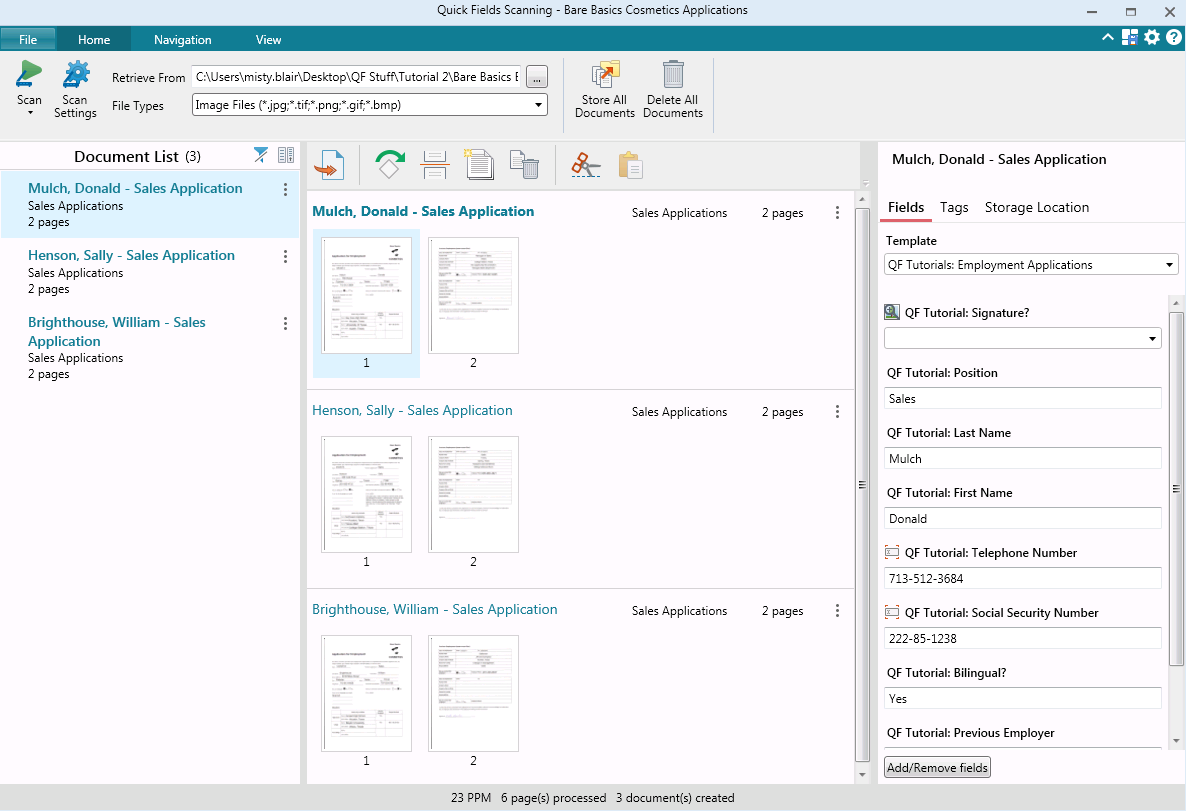  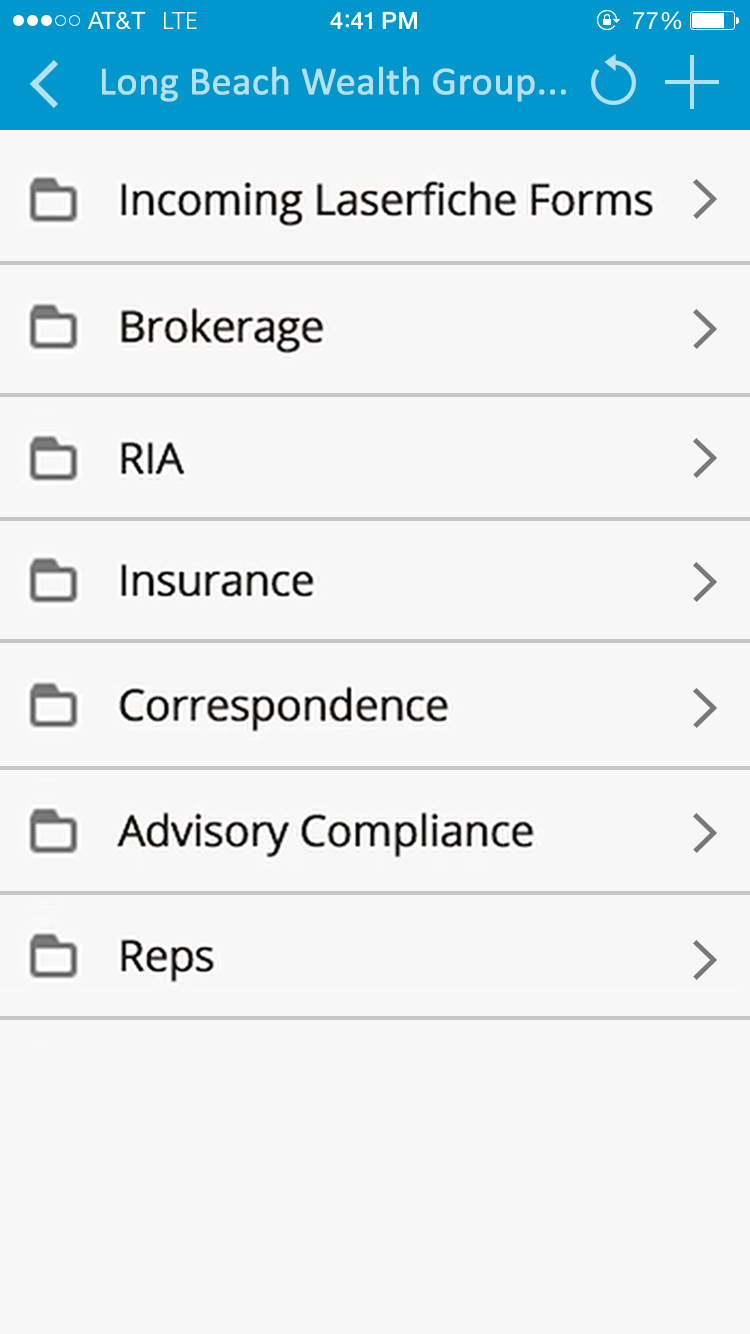 |