
Matthew Bernstein
Account Executive
Chose LinkedIn Sales Navigator

| Product | Rating | Most Used By | Product Summary | Starting Price |
|---|---|---|---|---|
 LinkedIn Sales Navigator | N/A | LinkedIn Sales Navigator is a sales intelligence software solution offered by LinkedIn. | $79.99 per month | |
 Winmo | Mid-Size Companies (51-1,000 employees) | Winmo is a sales intelligence solution that is a resource for advertiser-agency relationships and marketing decision-maker contact information. This solution includes personalized email alerts, lead recommendations, | N/A |
| LinkedIn Sales Navigator | Winmo | |||||||||||||||
|---|---|---|---|---|---|---|---|---|---|---|---|---|---|---|---|---|
| Editions & Modules |
| No answers on this topic | ||||||||||||||
| Offerings |
| |||||||||||||||
| Entry-level Setup Fee | No setup fee | No setup fee | ||||||||||||||
| Additional Details | — | — | ||||||||||||||
| More Pricing Information | ||||||||||||||||
| LinkedIn Sales Navigator | Winmo | |
|---|---|---|
| Considered Both Products | LinkedIn Sales Navigator Matthew Bernstein Account Executive Chose LinkedIn Sales Navigator  Christian Banach VP, Group Account Director Chose LinkedIn Sales Navigator LinkedIn Sales Navigator has the largest and most up-to-date database as compared to other similar firms, however, the platform does not provide contact information which means you need to source that elsewhere. |  Winmo  Steve Govern Growth Manager - Financial Services, B2B & Healthcare Chose Winmo We use both actually. Christian Banach VP, Group Account Director Chose Winmo If you're targeting marketers, Winmo's data is much more accurate and complete as compared to competitors. The data integrations far exceed any competitors I have worked with previously. |
| LinkedIn Sales Navigator | Winmo | ||||||||||||||||||||||||||||||
|---|---|---|---|---|---|---|---|---|---|---|---|---|---|---|---|---|---|---|---|---|---|---|---|---|---|---|---|---|---|---|---|
| Prospecting |
| ||||||||||||||||||||||||||||||
| Sales Intelligence Data Standards |
| ||||||||||||||||||||||||||||||
| Data Augmentation & Lead Qualification |
| ||||||||||||||||||||||||||||||
| Sales Intelligence Email Features |
|
| LinkedIn Sales Navigator | Winmo | |
|---|---|---|
| Small Businesses |  Lead411 Score 9.1 out of 10 | Lead411 Score 9.1 out of 10 |
| Medium-sized Companies | Lead411 Score 9.1 out of 10 | Lead411 Score 9.1 out of 10 |
| Enterprises |  TechTarget Priority Engine Score 9.9 out of 10 | TechTarget Priority Engine Score 9.9 out of 10 |
| All Alternatives | View all alternatives | View all alternatives |
| LinkedIn Sales Navigator | Winmo | |
|---|---|---|
| Likelihood to Recommend | 7.9 (0 ratings) | 8.6 (0 ratings) |
| Likelihood to Renew | 8.0 (0 ratings) | - (0 ratings) |
| Usability | 6.2 (0 ratings) | - (0 ratings) |
| Support Rating | 9.0 (0 ratings) | - (0 ratings) |
| Implementation Rating | 8.0 (0 ratings) | - (0 ratings) |
| LinkedIn Sales Navigator | Winmo | |
|---|---|---|
| Likelihood to Recommend |
|
Matthew Bernstein Account Executive |
| Pros |
|
|
| Cons |
|
Steve Govern Growth Manager - Financial Services, B2B & Healthcare |
| Likelihood to Renew |
 Michael J. Towle Corporate Sales Executive, Strategic Accounts | No answers on this topic |
| Usability |
 Vishakha Rao Student Life Student Assistant | No answers on this topic |
| Support Rating |
Vishakha Rao Student Life Student Assistant | No answers on this topic |
| Implementation Rating |
Michael J. Towle Corporate Sales Executive, Strategic Accounts | No answers on this topic |
| Alternatives Considered |
|
 Keaton Ranger Solution Specialist |
| Return on Investment |
|
 Melanie Tobiasson SVP Infrastructure & Operations |
| ScreenShots | Winmo Screenshots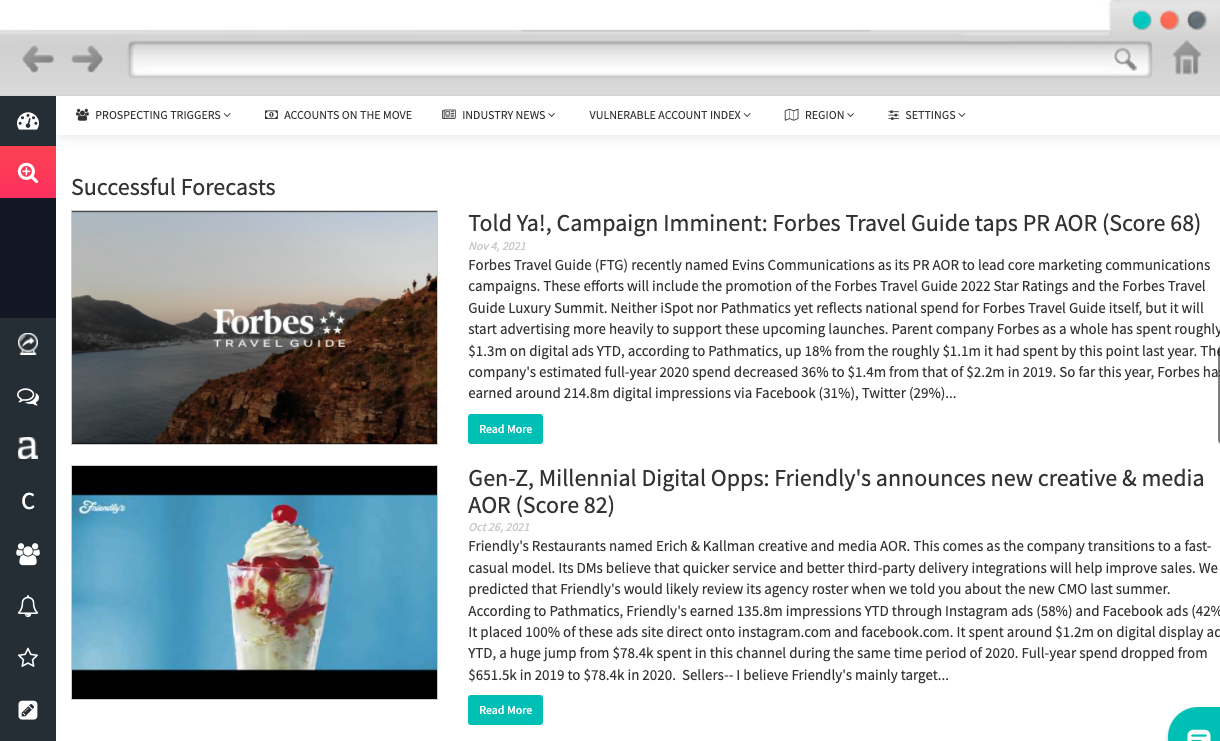   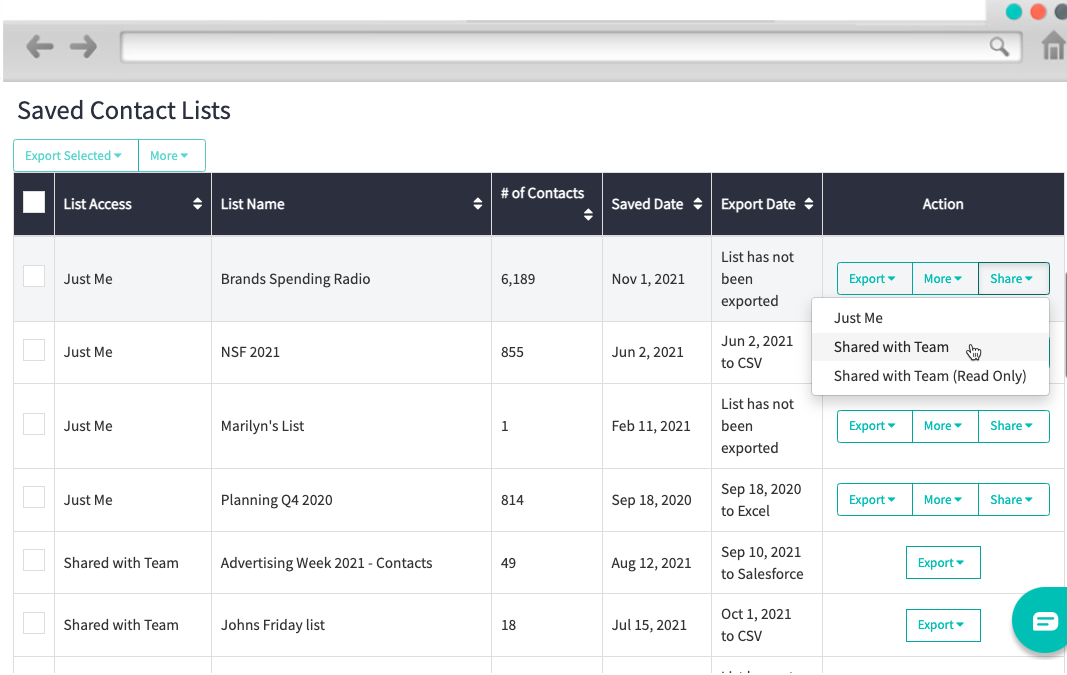 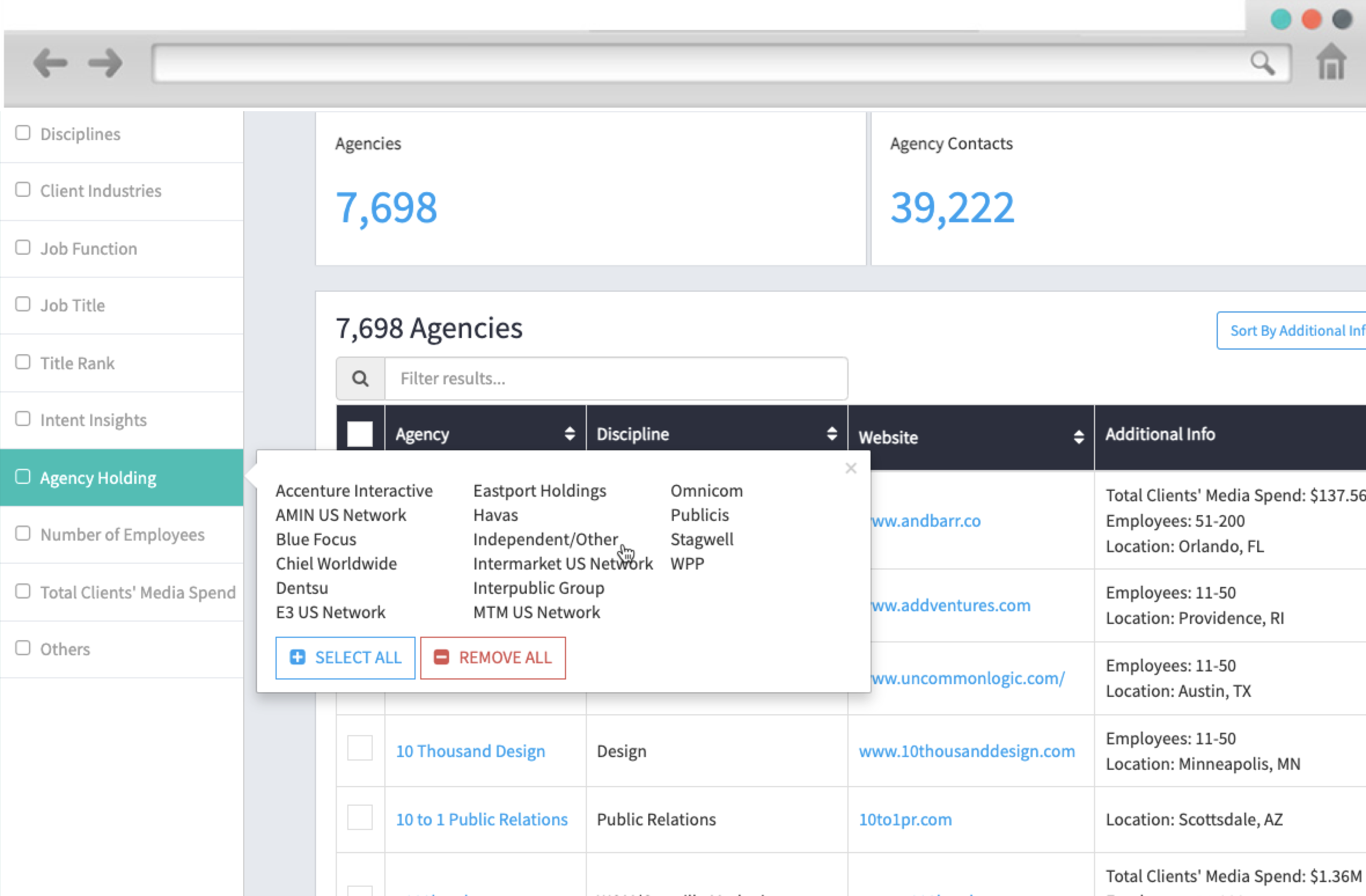 |