Livefyre (discontinued) vs. Zoho Desk

Overview
ProductRatingMost Used ByProduct SummaryStarting Price
Livefyre (discontinued)
Score 7.8 out of 10
Enterprise companies (1,001+ employees)
Livefyre was acquired in 2016 and became part of the Adobe Experience Manager suite of products. The product has since been discontinued, and is no longer available for sale.N/A
Zoho Desk
Score 7.7 out of 10
N/A
Zoho Support is a Saas help desk / ticketing system aimed at SMBs. I competes most often with Zendesk, and Desk.com.
$0
Pricing
Livefyre (discontinued)Zoho Desk
Editions & Modules
No answers on this topic
Free
$0
Express
$9
per month per user
Standard
$20
per month per user
Professional
$35
per month per user
Enterprise
$50
per month per user
Offerings
Pricing Offerings
Livefyre (discontinued)Zoho Desk
Free Trial
NoYes
Free/Freemium Version
YesYes
Premium Consulting/Integration Services
NoNo
Entry-level Setup FeeRequiredRequired
Additional DetailsA discount is offered for yearly billing.
More Pricing Information
Community Pulse
Livefyre (discontinued)Zoho Desk
Considered Both Products
Livefyre (discontinued)
Chose Livefyre (discontinued)
I used Disqus about 5-6 years ago, but I've wanted to try the Livefyre app, and it was really quite a good experience for me.
Chose Livefyre (discontinued)
  • Secure and spam-free.
  • AI-powered delivery and insight
Chose Livefyre (discontinued)
We felt Livefyre was more innovative and better at SEO. It felt like we were working with a partner for the long haul who was interested in our business and how to improve it.
Zoho Desk
Chose Zoho Desk
We used HubSpot before, and it didn’t work very well for our needs. Zoho Desk is part of a much larger Zoho implementation. We’d like to have everything in one place, and Zoho provides that ability.
Chose Zoho Desk
Zoho provides more bells and whistles comparted to the other platforms I have tried. The setup was easier and the transition was smoother. The support was much better as well. Whenever we would get stuck on something, support was a chat away and we always got the solution we …
Chose Zoho Desk
I have used Asana and Zoho desk and decided to go with Zoho due to the ease of intergration into other applications and platforms, the more affordable costing, a faster mobile application and for the slightly better automation capabilities. Asana is nice but the cost and …
Chose Zoho Desk
We selected Zoho Desk as we needed a platform that was going to allow the business to grow through both usage and staffing numbers. We wanted something cost-effective but still offered standard features in an effective cloud-delivered solution but would still allow …
Chose Zoho Desk
Zoho Desk is easily a winner for trouble ticket handling as Bitrix24 was not offering any dedicated trouble ticketing tool and we had no option but to use the Tasks section of Bitrix24 to handle our existing customers. Also Bitrix24 neither did have any dedicated mobile …
Chose Zoho Desk
Zoho Desk is always good at building different platforms for automation, so this one is also the best help desk platform available in the market. I can easily add the feedback with a report to easily convey the message accordingly. It can easily integrate with your existing …
Chose Zoho Desk
Zoho Desk has an interface that is extremely simple and practical to use, for even clients who are not skilled. Again, Zoho Desk has no lead time, when customers air their views or complaints. Finally, Zoho Desk works/integrates effectively with several other products for …
Chose Zoho Desk
Over the years I have used a few different support software applications. One being Remedy software. That was pretty nice, but they lacked an isp version. I am currently a user of Atlassian Jira and am not a big fan at this point. It is very cumbersome to use.
Chose Zoho Desk
After trialing and using Zoho Desk, we decided to move onto another product. Zoho has many features that make it a great product, but ease and intuitiveness of use was lacking for us.
Chose Zoho Desk
We evaluated products that were not free, but due to budget reasons we could not justify a purchase. So this free solution stacks up among the best in my opinion for no cost.
Chose Zoho Desk
The quality of support provided by Zoho Desk is brilliant. Ease of setup is a very easy process. Also it meets all the requirements that can be expected from such kind of software. Zoho Desk is a company that can be easy to do business with. It is really headed in the right …
Chose Zoho Desk
Zoho [Desk] has much more quality of the information we required for our business than FreshDesk.
It was also easy to work with Zohos different modules albeit based on department specific products than it was when we used Freshdesk.
The Project management module was a …
Chose Zoho Desk
• In the acquisition of Zoho Desk I did not have the final decision but I have contributed as my analysis in the implementation. We decided to switch services since this tool is much more complete in terms of functionalities that help us to easily resolve and follow up on our …
Chose Zoho Desk
Value for money simply beats the rest. Also, as part of the Zoho Suite, integrations are wonderful, for example to CRM or consolidating Reporting with other apps such as Zoho Projects. Integration to advanced Analytics is also very helpful. In terms of features, they are pretty …
Chose Zoho Desk
Atera had a lot of features. You could install an agent to monitor updates, and you could deploy AV. Zoho Desk was easier to go through tickets and replies. It felt like Atera had more features, so it was slower. At times you would want to search for an old ticket in Atera, and …
Chose Zoho Desk
Zoho Desk is easy to set up for small business needs, and its dashboard is well-suited for our organization's needs. We are on a social network, which also helps us to get users' and applicants' queries through the social platform.
Another factor to start with it is its trial …
Chose Zoho Desk
Desk.com was too complicated and was cost prohibitive. We had switched from Desk by Salesforce to Zoho Desk
Chose Zoho Desk
Zoho Desk comes at a better price, and it offers integration with other Zoho applications so you can keep your information in a single place. Their support is good and will guide you through many things. Also their API is similar to other Zoho platforms, so employees can …
Features
Livefyre (discontinued)Zoho Desk
Incident and problem management
Comparison of Incident and problem management features of Product A and Product B
Livefyre (discontinued)
-
Ratings
Zoho Desk
8.6
Ratings
7% above category average
Organize and prioritize service tickets00 Ratings8.90 Ratings
Expert directory00 Ratings7.90 Ratings
Subscription-based notifications00 Ratings7.90 Ratings
ITSM collaboration and documentation00 Ratings10.00 Ratings
Ticket creation and submission00 Ratings8.50 Ratings
Ticket response00 Ratings8.50 Ratings
Self Help Community
Comparison of Self Help Community features of Product A and Product B
Livefyre (discontinued)
-
Ratings
Zoho Desk
8.9
Ratings
13% above category average
External knowledge base00 Ratings8.90 Ratings
Internal knowledge base00 Ratings8.90 Ratings
Multi-Channel Help
Comparison of Multi-Channel Help features of Product A and Product B
Livefyre (discontinued)
-
Ratings
Zoho Desk
7.4
Ratings
5% below category average
Customer portal00 Ratings8.00 Ratings
Social integration00 Ratings6.00 Ratings
Email support00 Ratings6.60 Ratings
Help Desk CRM integration00 Ratings8.90 Ratings
Best Alternatives
Livefyre (discontinued)Zoho Desk
Small Businesses
Growave
Growave
Score 9.7 out of 10
Agiloft Service Desk (discontinued)
Score 9.0 out of 10
Medium-sized Companies
Echobox Social
Echobox Social
Score 9.7 out of 10
Agiloft Service Desk (discontinued)
Score 9.0 out of 10
Enterprises
Sprout Social
Sprout Social
Score 8.6 out of 10
SysAid
SysAid
Score 9.1 out of 10
All AlternativesView all alternativesView all alternatives
User Ratings
Livefyre (discontinued)Zoho Desk
Likelihood to Recommend
8.0
(0 ratings)
7.8
(0 ratings)
Likelihood to Renew
8.8
(0 ratings)
-
(0 ratings)
Usability
7.3
(0 ratings)
9.4
(0 ratings)
Support Rating
8.2
(0 ratings)
8.7
(0 ratings)
User Testimonials
Livefyre (discontinued)Zoho Desk
Likelihood to Recommend
I was strictly the implementor of Livefyre (for my company only). That task alone was at least 3 weeks worth of work. From a user standpoint, Livefyre is a good product which is why this review is strictly about how difficult it was to implement. Therefore, if a colleague was to ask me if I recommend Livefyre, it's not a straight answer. Questions like, 'how fast do you need it?', 'how centralized is your user database?', 'do you want social login?', all come into question and were details that made my job not easy (hence, my review of 5/10 for suggesting it to others). Once implemented, Livefyre is a great product (notice my overall review is higher), but based on my experience with implementation, it certainly requires a senior developer's dedicated time and patience to set up exactly as desired. For smaller companies with small/simple user bases and websites, the process may be more straightforward, but from my experience, it wasn't out-of-the-box at all.
Read full review
Zoho Desk is a great customer service tool. It is very easy to track the ability to receive tickets and send responses in Zoho Desk. There are lots of options for customization. The knowledge base feature is very extensive and powerful. It makes creating internal and external FAQs easy.
Read full review
Pros
  • It's pretty flexible. There were only a few things we found that were too specific to our environment and could not be easily done.
  • The out-of-the-box GUI design was decent. It was also configurable with limited custom CSS, anticipating the need for each company to customize the look and feel to suit their own needs.
  • Basic interface is good, providing the necessary data points like total comment count. Visual effects are good too, with fade-in effects for new comments.
  • They also provide back-end APIs to gather information about the "hottest" threads. We used this to construct our own "Hot Topics" section that could link users to the related article so they could comment themselves.
  • Good support, even after implementation. They were always available by phone and even through realtime IM chats direct to their developers, skipping awkward non-technical middlemen.
Read full review
  • Report features give the all insights of the customer team and customer support which enables us to make changes according to it.
  • The best thing about Zoho Desk is that it has a very beautiful and fully designed dashboard.
  • I have been using this software for a very long time in my organization, it is very easy to use with having the interface created on a very advanced module.
  • It is completely a feature rich platform.
Read full review
Cons
  • Obviously we all want it all free! So make it all free and woohoo!
  • A complaint about the price point leaps is that they are pretty steep, goes from free to pricey real fast.
  • The comment management tools although easy and fast are a bit limited.
Read full review
  • When utilizing as a ticketing system, it would be nice to have a better way to monitor when something is due. It's just a little cumbersome.
  • Search Functionality - The search functionality could use a tweak or two. Too many times I am unable to find tickets. This would also be very helpful for the "Recycle Bin" when you just need to find that ticket you accidentally deleted (we are all human!). :)
Read full review
Likelihood to Renew
We are planning to continue using Livefyre comments on several of our blog properties due to its simplicity, transparency and speed of operation. We are actively researching it's more advanced features for some other platforms that need higher end results. Keep up the good work Livefyre.
Read full review
No answers on this topic
Usability
It's really easy to implement that app but should improve some analytics.
Read full review
Zoho Desk on operational capacity is the most effective help desk we have come across, as it is suitable for businesses of all forms and shapes, from large to small. Again, Zoho Desk captures the attention of all clients, and on time, offers solutions to their demands without failing. Lastly, Zoho Desk requires no extra skill to execute the program.
Read full review
Support Rating
From purchasing to implementation, the customer service/support was really perfect!
Read full review
Their support is excellent. They are always available to answer all your queries and doubts. Be it a call or email or even live chat. You will always get a prompt response from their customer support executives. They are very much familiar with the product and all its functionality. Sometimes you get stuck and don’t know what to do. They are always there for your questions
Read full review
Alternatives Considered
I used Disqus about 5-6 years ago, but I've wanted to try the Livefyre app, and it was really quite a good experience for me.
Read full review
Zoho Desk is easily a winner for trouble ticket handling as Bitrix24 was not offering any dedicated trouble ticketing tool and we had no option but to use the Tasks section of Bitrix24 to handle our existing customers. Also Bitrix24 neither did have any dedicated mobile application for on the go usage which Zoho Desk has easily handled with applications for both Android and IOS devices.
Read full review
Return on Investment
  • The heavy work is already done given that we take the time to implement.
  • Very useful insights and AI powered delivery.
Read full review
  • By running reports based on ticket, we can see how much time is spent on each customer and can manage these customers better based on what we see are there issues
  • We can also run reports based on the types of queries customers are coming in with which allows us to develop our product based on actual customers needs as a whole.
  • Automatic reporting once set up saves many man hours as new customers can be added automatically if required, and it saves having to build these reports monthly or possibly weekly

Read full review
ScreenShots

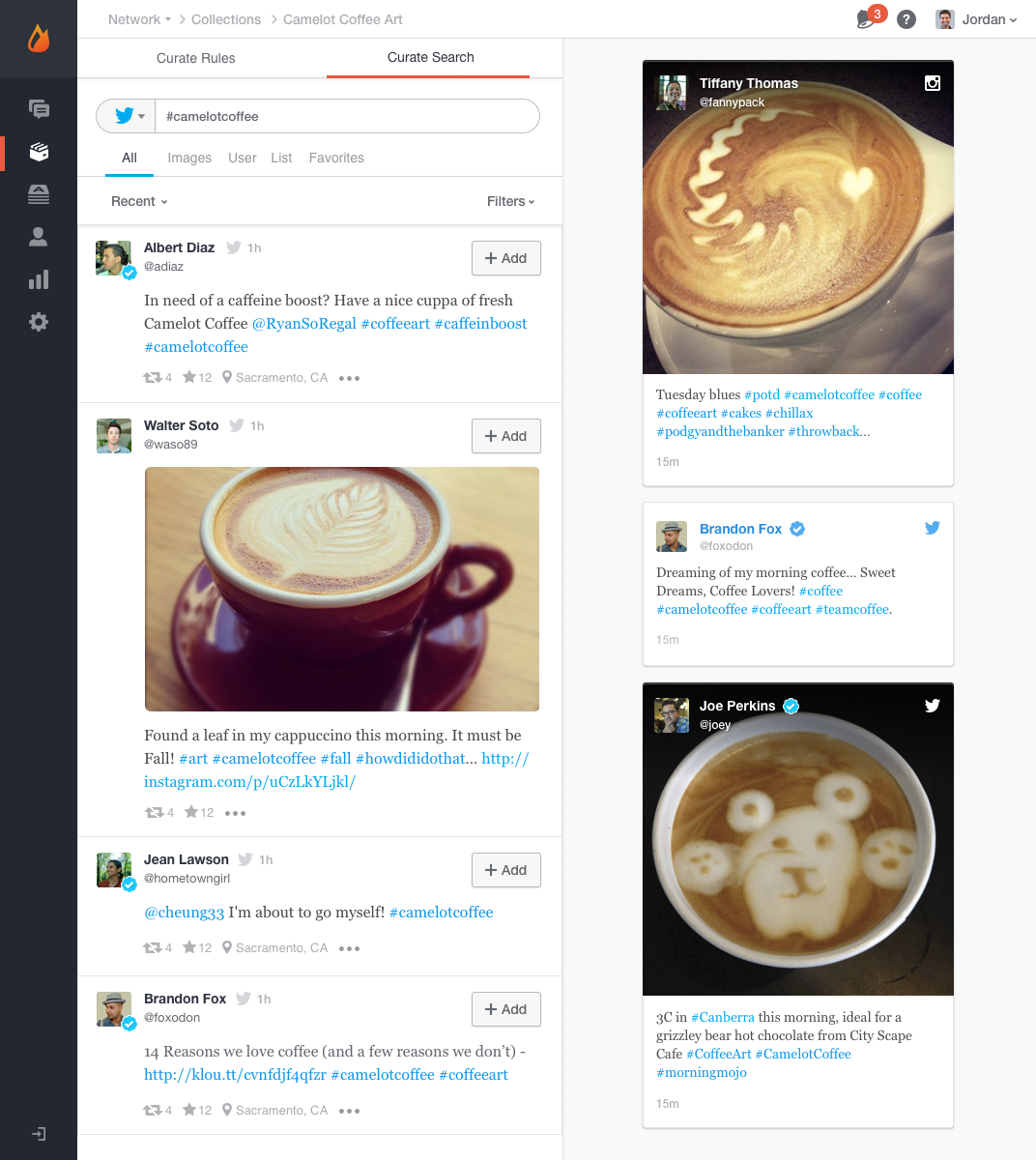
Livefyre (discontinued) Screenshots

Screenshot of

Zoho Desk Screenshots

Screenshot of Log and monitor phone conversations, convert them into new tickets, or attach them to existing ones. Convert social media interactions and live chat into tickets at the click of a button.Screenshot of Bring a Help Center directly into a website to strengthen self-service. Chat with Zia, an AI-powered conversation assistant. Customers can chat with Zia right from a mobile app or website. Zia processes their questions and suggests appropriate solutions from the Knowledge Base.Screenshot of With advanced process automation, internal processes can be setup within the help desk, implement them automatically, and make sure that all processes are followed precisely.Screenshot of Instant responses for instant happiness. Respond to customers the minute they reach out with Zoho Desk's embeddable chat widget. Customers can get in touch with agents instantly, right from the Help Center, so agents can respond and help them find answers faster.Screenshot of Monitor a team's performance, customize and schedule reports. Custom dashboards can be created.Screenshot of Zia brings together predictions across anomalies, sentiment, trending ticket tags, and more into a common dashboard for decision-makers to consume. They can drill down further into the details from the same dashboard to investigate further.