ELEARNINGFORCE in Edgewater brings learning management to Office 365 and SharePoint. LMS365 blends with the Microsoft infrastructure and is designed to eliminate expensive integration, time-consuming development, and unwanted complexity. Learners access learning plans, courses, personal progress reports, and certificates from within the SharePoint business process.
N/A
Paycom
Score 7.5 out of 10
N/A
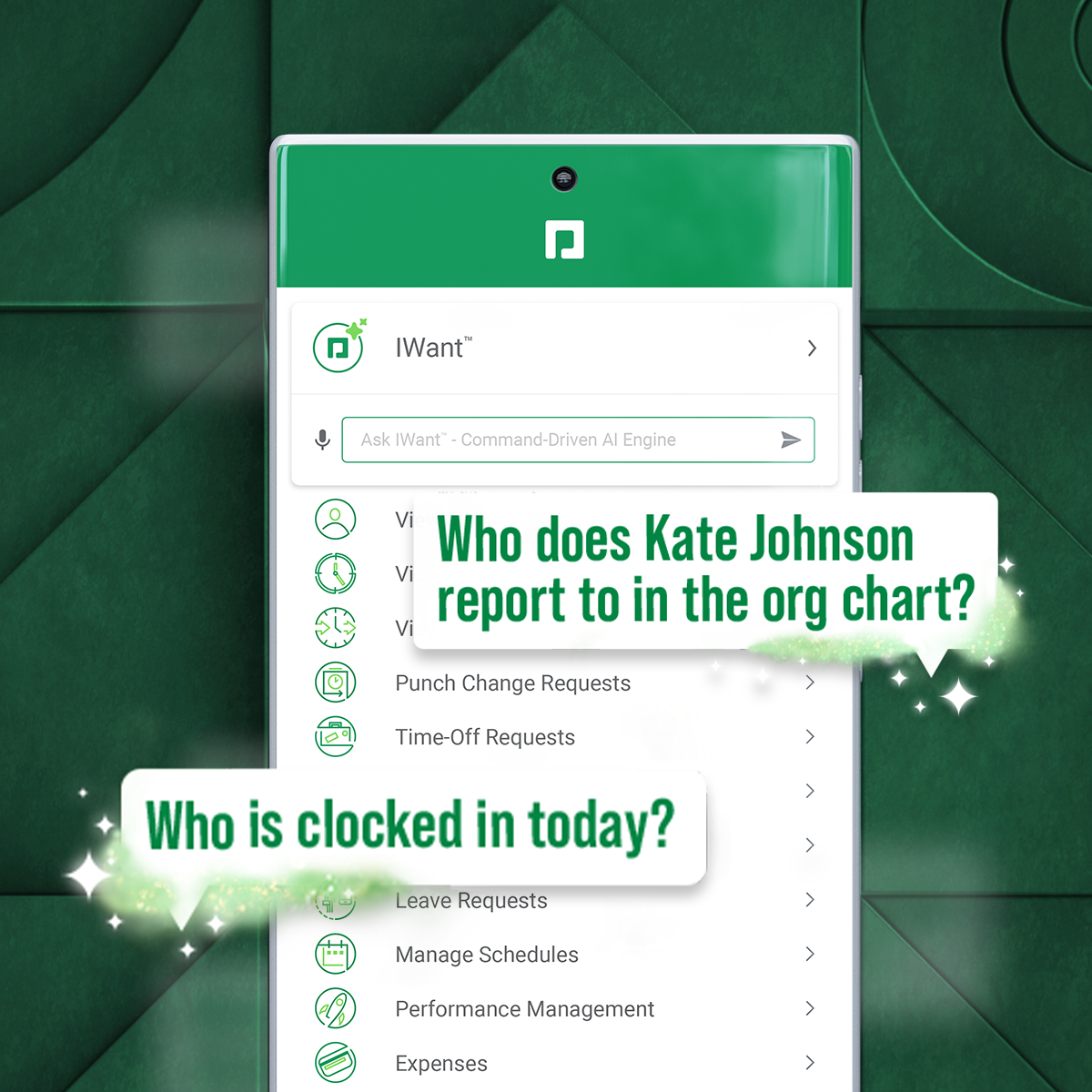
Paycom supports HR and payroll with automated, employee-first technology that supports every stage of employment. Its single database enables seamless data management, to reduce errors, endless data entry and time-consuming administrative tasks.
I will pick Edapp or Totara if you're after an all-in-one LMS solution that is feature-rich. For a university educational setting, moodle continues to make sense. Safety Culture now owns Edapp, so over time, these platforms will likely be merged. LMS needs a huge overhaul to …
Throughout my career I came across many different solutions for Knowledge and Collaboration and LMS systems. This includes Lotus Notes, Documentum, Live Link, LMS solutions from Oracle, ADP, another SharePoint based solution. Many years back, with the intro of Microsoft …
Manager of Credentialing and Organization Development
Chose LMS365
As a not for profit, we have to keep cost in mind in all decisions. After demos with various software we found LMS365 to be the most cost effective with the most ease of use.
Paycor was our previous provider, and we had an incredible amount of issues. There was so much manual work to keep information correct, and the flow of information was tedious. Paycom had all of the features we were looking for.
Paycom has a much wider range of functionality and the site is user friendly. The app is also better organized and easier to use with the self service portal and manager access in one place. The reviews and goal tracking is much more efficient than the other competitors I’ve …
Over all it came down to functionality and price. ADP didn't come well reviewed by other [...]'s and Paylocity didn't seem as intuitive as Paycom. Our Paycom rep also took a lot of time with us, explaining things and showing us how the system would help us. We felt like she …
In my opinion, Paycom is leaps and bounds ahead of Paylocity. Paycom is a much more sophisticated piece of software that has made the entire employee experience so much more palatable.
ADP Workflow, Paylocity, BambooHR, Worklio - Paycom has a superior feature set and reporting tools. Rippling, Gusto, PlanSource - Paycom is less preferred due to its overly complex feature set.
Paycom works well with our employee population and size. They are customizable and able to fit our unique needs. Benefit administration and open enrollment can be done in a breeze. Paycom has lived up to their sales and marketing promises.
Paycom was able to provide better customer service support as well as the data being a single database of information allowed for greater flexibility in report writing function. Additionally, being able to have different modalities of recording time worked, via the computer, …
We had a lot of technical issues with Paycor due to the fact that they purchased separate software platforms and cobbled them into one system that did not flow as seamlessly as we would have liked. Our staff were constantly complaining that the app would glitch or that punches …
Paycom stacks up well overall against other providers in the same realm. There are areas of improvement that other companies are handling better, but overall, they are very similar. Paycom could improve on two major components: intersystem communication and ATS. Betti, however, …
Much more user friendly. Easier and more responsive web time clock. If I had a problem with Paychex I waited days for a response and was rerouted through 6 different departments, now with Paycom I wait minutes for a helpful answer to my questions.
All of the HCMs are pretty much the same, they all just have different modes of applications. The only negative about Paycom is their reporting structures (somewhat) but that is based upon how your organization sets things up. It was already set up when I arrived. I would also …
I honestly believe I chose Paycom because of the relationship I had with our sales rep. I felt comfortable discussing issues with him and I trusted that he was going to be a man of his word. Blain was wonderful to work with and if I had any issues, I called him and he took …
Paycom is very user-friendly. Managers can review and approve employee timecards easily. The entire HRIS system allows information to flow together seamlessly. Your general ledger is tailored to your payroll and reporting needs. You no longer need multiple systems, you can do …
The customer service for starters. I used ADP for years and the customer service was awful. Their software is not user friendly either. When they upgrade something, they do not train you. The last straw I had with ADP was when they made complete chaos out of our open enrollment …
For smaller businesses who only need a basic LMS, already use SharePoint, Entra ID, and Microsoft products, and are going to use Articulate 360 to author eLearning courses, LMS365 is a great solution as it's been used by many businesses for a long time. Unfortunately, if a lot of customization is required, it would require a lot of work to get going.
It's very mobile friendly, especially for people that aren't tech savvy. We have an aged workforce where we were really concerned about how they would adapt, going from the comfort of using paper to a mobile and online application. But the training was really easy and the adaptation has been simple for us as a company.
I think that it's just really user friendly on both sides, the employer and the employee side. I think from the employer side, once you get a niche of it and how it works, it's really easy to troubleshoot on your own. At least from my experience, you rarely have to call your contact because it's just so easy to try to figure out on your own. And on the employee side, I feel like the fact that we get to see what employees see, but before we put anything out really helps us help them if they are running into any issues. But typically when we do send something out, we just did our performance reviews, no issues whatsoever. It kind of takes you step by step. I feel like it just does a really good job of seamlessly taking people step by step in every process throughout whatever they're doing in Paycom.
We wish that Paycom would offer more hands-on help. A lot of our specialist is great in helping us to resolve whatever issues that we have. However, it's just a list of steps to get there. It's not necessarily like, "hey, here you go, here's the resolution to your problem." So if we don't already understand how to do something, providing steps doesn't necessarily clear that understanding up or provide any clarification.
Additionally, I find that for our organization in particular, we have specific niches within it that Paycom doesn't really address or has any solution on how to address it. It just remains unresolved to this day and we continue to have errors in that area.
It is very simple for me: As I said, I am (we are) selling and consulting around SharePoint LMS. SharePoint LMS is a killer application which needs to be in every company which has a vision and mission to deliver and create knowledge. So you can say Thomas (me) is biased, but I only encourage you to check out the solution to hear what we have to say and stack our solution against the other solutions out there.
Because it has everything that we need and as we grow, we are learning how robust Paycom can actually be but we need to be willing to spend the money. It's not expensive but we, as a company, are not used to spending that much on a system for HR and payroll.
Ultimately, in my opinion LMS365 is a bit clunky to use. It has most of the features you need, but most need to be configured by your technology department, e.g., SSO, user groups in Entra ID, notifications through Slack, teams, etc. If you're looking for an all-in-one solution, look elsewhere, as lms365 has several catches to its proposition.
The interface is very intuitive, you can navigate it pretty well. Everything's pretty much spelled out and the features just flow really well. They make it easy for you to go back and forth with the UX/UI type of interface. So I think it was built pretty well.
The few times we actually needed support generally were during major upgrades of the system and getting a quick handle on how the configuration changed were the primary reasons.
Our TSR has been wonderful to work with. Every step of the way he was quick to respond and answer any questions we had. I knew I could reach him at any time (day or night) and he would be available to assist. Implementing a new HRIS system is obviously a huge task and I contribute all our success to our rep Kurt! Of course, with any implementation, there were bumps along the way and issues. But I always knew we would work as a team to get those issues figured out. Working in the Paycom system has been smooth and easy to learn and I enjoy the employee self-service interface. Our managers have had positive things to say and are all excited about the changes we have been able to make to our organization due to Paycom being implemented.
It was good, but hard to know what questions you need to ask until you actually get in there and start working with a live product. But Paycom is also very helpful every time I call and can't figure something out. Nathan has been very friendly and helpful no matter what I call him about. He is always eager to help out.
Not at all satisfied it was a nightmare we spent over 8 months with the implementation team having issues after issues all related to the Puerto Rico regulations (half my employees are in Puerto Rico) and at the end we were moved over from the implementation team to the production team without all the issues being resolved
Throughout my career I came across many different solutions for Knowledge and Collaboration and LMS systems. This includes Lotus Notes, Documentum, Live Link, LMS solutions from Oracle, ADP, another SharePoint based solution. Many years back, with the intro of Microsoft SharePoint, I was drawn to that product and solutions based on SharePoint. SharePoint is very powerful and in it current version, 2013, it is the without a doubt the most feature rich and broad solution platform out there. SharePoint LMS is in my eyes a killer application and if a company, institution or educational entity looks to create, expand, change up their training efforts for employees, customer, partners, students, SharePoint LMS is the tool to look at. If you have SharePoint already installed, it is a must look at, period. SharePoint LMS became the tool of choice, I recommended when I was a consultant, when I worked as a Director for Learning Management Systems at a local University. I am now part of a team which not only sells, but as well consults around SharePoint LMS.
We really only had Paychecks and that was our biggest problem is that with several different companies, it was very hard If you had a salary employee and didn't terminate them in the prior company, they get paid twice, so this has really been definitely a big help for us.
I would think the most time would come from applicant tracking and I don't think that's a Paycom issue necessarily. I think it was a training issue during implementation. I would say that that has improved now that we had onsite training. But initially the applicant tracking piece can be difficult when you're used to just using an ATS. That's specifically for talent acquisition because there's a lot of nuances that goes into the system that Paycom bills.