Logi Symphony vs. OpenText Magellan

Overview
ProductRatingMost Used ByProduct SummaryStarting Price
Logi Symphony
Score 8.9 out of 10
N/A
Logi Symphony is a business intelligence and data visualization software that includes customizable dashboards, reporting, and visual data analytics. It can be integrated into users’ existing business applications and its visualization and reporting tools can be customized.N/A
OpenText Magellan
Score 9.0 out of 10
N/A
OpenText Magellan Analytics Suite leverages a comprehensive set of data analytics software to identify patterns, relationships and trends through data visualizations and interactive dashboards.N/A
Pricing
Logi SymphonyOpenText Magellan
Editions & Modules
No answers on this topic
Offerings
Pricing Offerings
Logi SymphonyOpenText Magellan
Free Trial
YesNo
Free/Freemium Version
NoNo
Premium Consulting/Integration Services
NoNo
Entry-level Setup FeeNo setup feeNo setup fee
Additional Details
More Pricing Information
Community Pulse
Logi SymphonyOpenText Magellan
Considered Both Products
Logi Symphony
Chose Logi Symphony
The feature set is richer, and price is reasonable. We felt we were paying more for Tableau's name than their features, as updates are slow.

Chose Logi Symphony
Dundas ticks all the relevant boxes:
- set up actually easy and works (was not the case for Pentaho)
- you do not need one license per email address you want to send reports to (as for Tableau)
Chose Logi Symphony
Dundas is an easier GUI overall to navigate and is a lot more visually configurable. The number of data connectors available also allows us to use it as a solution for many projects. The support provided is quick and prompt, with great technical depth when required.
Chose Logi Symphony
We have tested Tableau prior to Dundas BI and though Tableau is a great package in itself, Dundas BI is much more cost-effective for our needs and requirements and hence zeroed in on Dundas BI.

We have also tried Microstrategy but it has a very dated UI and doesn't suit our …
Chose Logi Symphony
Per dollar spent, it offers the widest range of features of the tools that we evaluated. It offers lots of options for how to configure your environment, though they are not always intuitive to figure out. Having an ETL layer was a must have for us, as well as the ability to …
Chose Logi Symphony
Much better for multi-tenancy. Power bi just doesn't have many features and is just lackluster. telerik doesn't look as good although slightly more powerful with data manipulation. Too many BI reporting tools out there don't offer multi-tenancy and I have no idea why. It is …
Chose Logi Symphony
We were comparing Dundas BI against several other programs and eventually decided to go with Oracle as we were already using a host of their other products. Dundas was just as robust, we were just using more Oracle products and they all fit together very smoothly.
Chose Logi Symphony
Personally as a dashboard software I use Qlik Sense more because I consider it a very simple product to use, but this is a personal choice. However, for some things, it does not satisfy me fully. In my opinion, they are software that are alternated depending on the customer in …
Chose Logi Symphony
It is the Powerful bi tool with many features to quickly build up reports, dashboard etc. You can customize everything and it is easy to use.
Chose Logi Symphony
It is easy to develop and re-visualize the reports and the license is too less expensive compared to other tools which are overpriced.
Chose Logi Symphony

I have used dozens of BI tools, a ew for many years like IBM Cognos and other for several months POCs like microstrategy, Panorama, Tableau etc...

For our industry and our daily use Dundas BI wins since it is very flexible and can bring us the greater value we can achieve from a …

Chose Logi Symphony
It is a very good tool for dashboard and scorecard design. It looks great. However, it requires a lot of work regarding renaming components, deploying between different environments, and scripting customized functionalities.
Chose Logi Symphony
Dundas has a newer feel to the software and gives us more flexibility than the other products.
Chose Logi Symphony
These other products tend to do quite a poor job of allowing you to embed them into other products. Either the architecture is not suited to embedding or they make it too expensive to do this. Dundas is designed and priced to do this (embedding) well. We found Dundas …
Chose Logi Symphony
Found Tableau was powerful, but did not have some of the more beneficial feature sets (like sharing links, and notes) that Dundas BI offers.
Chose Logi Symphony
Dundas and Sisense are very similar. Both are very powerful and flexible with an eye toward further innovation. I expect both will do well as we enter a major transition period for BI.

Periscope Data and Dundas differ substantially and seem to have different paths forward. …
Chose Logi Symphony
Dundas BI offers a high level of visual customization in the dashboards if required (through CSS, JavaScript, HTML) as well data customization (C#) in the data cubes. We are an organization that believes in doing as much as possible for ourselves and not replying on …
Chose Logi Symphony
Dundas is the only tool I've had to use for report viewing. Before I used libraries to develop my own report.

Chose Logi Symphony
We were a user of Dundas Dashboard previously. We had explored other tools, but we ended up upgrading to Dundas BI because of the HTML 5 compliance (no more Silverlight requirement), ease of use and time to market. The other tools could do the job, but they were not as flexible …
Chose Logi Symphony
I selected Dundas BI to be our preferred partner since we saw that it the most flexible tool that allows our customers to design their dashboards in they way that they are not restricted in their development process.
Chose Logi Symphony
We found that Dundas BI struck the perfect balance between ease of use and flexibility, while still remaining within a reasonable budget. Other products were either to technical, lacked functionality, or "broke the bank".
Chose Logi Symphony
It is much more powerful to build more interactive and feature rich dashboards. Most of the above are great at ad hoc analysis but not for providing a full feature and rich guided dashboard experience. Dundas BI is great to build a suite of dashboards and easy to deploy …
Chose Logi Symphony
We looked into Tableau, Qlikview also. These tools are doing all the same basically. There are some items which DundasBi does do really well. Next to the product the organzation behind is really dedicated and commited with their customers. They treat you as a customer and just …
OpenText Magellan
Chose OpenText Magellan
There is multiple software available in the market to do the reporting and text analytics. Generally, analysts prefer using Python or R. Or we try to use any API available. This software can fulfill almost 80% of those needs without writing the codes. It has the integration …
Chose OpenText Magellan
OpenText Magellan can produce reports that are much more elaborate than PowerBI, which is ideal for users that just need to see a report. On the other hand, PowerBI seems to be better at allowing users to interact with data.
Chose OpenText Magellan
It is vastly superior to these in many ways, for complex reporting it is a much more sophisticated solution. Visualizations are very good. Javascript extensibility is very powerful, others don't support this or as well. Pentaho and MS are both OLAP oriented. Pentaho is moving …
Chose OpenText Magellan
Actuate has been in the industry a while and the open source community make going with Actuate's BIRT a stable decision. Changing report engines can be expensive, so going with a company with a good reputation helps long-term.
Chose OpenText Magellan
I've used JReports and Actuate is very similar but seems to have a lot more customization features for the end user of BIRT reports.
Chose OpenText Magellan
Actuate has a HUGE number of features that can tie nicely into almost any ERP but it takes some time to learn and the development community was relatively small compared to the Crystal Reports alternative. Crystal was far easier to learn and had a massive support base. Probably …
Chose OpenText Magellan
We looked at a few other competitor's products but based on value for features chose Actuate for its total cost of ownership.
Features
Logi SymphonyOpenText Magellan
BI Standard Reporting
Comparison of BI Standard Reporting features of Product A and Product B
Logi Symphony
8.4
Ratings
3% above category average
OpenText Magellan
7.0
Ratings
15% below category average
Pixel Perfect reports8.40 Ratings00 Ratings
Customizable dashboards8.60 Ratings7.00 Ratings
Report Formatting Templates8.10 Ratings7.00 Ratings
Ad-hoc Reporting
Comparison of Ad-hoc Reporting features of Product A and Product B
Logi Symphony
8.1
Ratings
1% above category average
OpenText Magellan
8.3
Ratings
3% above category average
Drill-down analysis7.90 Ratings8.00 Ratings
Formatting capabilities8.20 Ratings8.00 Ratings
Integration with R or other statistical packages7.60 Ratings9.00 Ratings
Report sharing and collaboration8.60 Ratings8.00 Ratings
Report Output and Scheduling
Comparison of Report Output and Scheduling features of Product A and Product B
Logi Symphony
7.9
Ratings
5% below category average
OpenText Magellan
8.3
Ratings
0% below category average
Publish to Web8.40 Ratings8.00 Ratings
Publish to PDF7.80 Ratings8.00 Ratings
Report Versioning7.80 Ratings9.00 Ratings
Report Delivery Scheduling8.30 Ratings8.00 Ratings
Delivery to Remote Servers7.20 Ratings00 Ratings
Data Discovery and Visualization
Comparison of Data Discovery and Visualization features of Product A and Product B
Logi Symphony
7.8
Ratings
2% below category average
OpenText Magellan
8.0
Ratings
0% above category average
Pre-built visualization formats (heatmaps, scatter plots etc.)8.10 Ratings9.00 Ratings
Location Analytics / Geographic Visualization7.90 Ratings00 Ratings
Predictive Analytics7.40 Ratings7.00 Ratings
Access Control and Security
Comparison of Access Control and Security features of Product A and Product B
Logi Symphony
8.2
Ratings
3% below category average
OpenText Magellan
9.0
Ratings
6% above category average
Multi-User Support (named login)8.60 Ratings00 Ratings
Role-Based Security Model8.00 Ratings9.00 Ratings
Multiple Access Permission Levels (Create, Read, Delete)8.20 Ratings9.00 Ratings
Single Sign-On (SSO)8.20 Ratings9.00 Ratings
Mobile Capabilities
Comparison of Mobile Capabilities features of Product A and Product B
Logi Symphony
8.2
Ratings
4% above category average
OpenText Magellan
7.0
Ratings
11% below category average
Responsive Design for Web Access8.30 Ratings7.00 Ratings
Dashboard / Report / Visualization Interactivity on Mobile8.10 Ratings7.00 Ratings
Application Program Interfaces (APIs) / Embedding
Comparison of Application Program Interfaces (APIs) / Embedding features of Product A and Product B
Logi Symphony
7.8
Ratings
0% above category average
OpenText Magellan
6.2
Ratings
23% below category average
REST API8.20 Ratings5.00 Ratings
Javascript API8.60 Ratings9.00 Ratings
iFrames7.00 Ratings00 Ratings
Themeable User Interface (UI)7.70 Ratings7.00 Ratings
Customizable Platform (Open Source)7.50 Ratings5.00 Ratings
Java API00 Ratings5.00 Ratings
Best Alternatives
Logi SymphonyOpenText Magellan
Small Businesses
BrightGauge
BrightGauge
Score 9.1 out of 10
BrightGauge
BrightGauge
Score 9.1 out of 10
Medium-sized Companies
Reveal
Reveal
Score 10.0 out of 10
Reveal
Reveal
Score 10.0 out of 10
Enterprises
Kyvos Semantic Intelligence Layer
Score 9.9 out of 10
Kyvos Semantic Intelligence Layer
Score 9.9 out of 10
All AlternativesView all alternativesView all alternatives
User Ratings
Logi SymphonyOpenText Magellan
Likelihood to Recommend
8.3
(0 ratings)
9.0
(0 ratings)
Likelihood to Renew
7.0
(0 ratings)
3.9
(0 ratings)
Usability
8.0
(0 ratings)
9.0
(0 ratings)
Support Rating
8.8
(0 ratings)
9.0
(0 ratings)
Implementation Rating
7.3
(0 ratings)
-
(0 ratings)
User Testimonials
Logi SymphonyOpenText Magellan
Likelihood to Recommend
Considering it's price point in the market, Dundas BI offers a lot of functionality. They are constantly adding features and bug fixes which is great, but also means there are always updates to take if you want everything to work as expected. The standard user interface is pretty easy to understand, but it takes a while for developers and power users to become independent of documentation.
Read full review
It depends on extensibility, set-up, access & style. Actuate performs fairly well, but has performance issues because it sits on top of eclipse, which sits on top of Java. Extensibility usually comes at that price. Set-up is fairly straightforward and it can be secured.
Read full review
Pros
  • Project organization from Development to Production, you get a production and development license but I think the best way to do it is with DEV and Prod project in the Production box. Use the development box for testing updates and really crazy things. With the Dev and Prod projects on the same box, you just publish from Dev to Prod and you are done. Users only have access to the Prod projects so no one can mess up what you are working on.
  • Security - If you have a hierarchy (subsidiaries, divisions, department, teams) and you want each group to see only their data, then Security hierarchies are for you!
  • Dependent filters! What's this you ask? Here is an example of how it can be used, in your company you have departments and who works for what department is in your database. You make a dashboard that has a department filter (only show these departments), a managers filter, and employee filter. Not every manager or employee is in multiple departments usually only one. With dependent filters you can say that the manager and employee filter are dependent on what is selected in the departments filter so when you go to filter them they only show the managers or employees that are part of that department, and you can even it do so employees are not only dependent on department but on manager as well. Then it gets even better as it can be done in reverse as well so when you select a manager then go to the department it only shows the departments he works for (there are better situations where this is more useful).
  • It is scriptable! From calculate columns, null replacements, button actions, load actions, hover over events there a way to do what you want.
  • They are constantly improving and listens to your suggestions.
Read full review
  • Ability to connect to different kinds of sources, including web services, and customize those queries to the extend needed
  • Provide tools to customize the look & feel of the reports as much as needed, even being able to choose different appearances for different outputs
  • Allowing scripting in the reports extends the functionality available
  • Allowing to embed reports without further licensing and maintaining all the functionality
Read full review
Cons
  • Not too many cons for how we use the application. It really is easy and powerful. Very powerful.
  • Licensing is one thing that could be looked into. It is simple, but a little confusing. For example, if I get a license today, but a new release comes out tomorrow, it seems that the license doesn't work with the new release. Maybe that is by design, but it would be nice to clearly understand.
Read full review
  • Report rendering can take a long time for large reports (250,000+ pages) - we run these in batch over night
  • The deployment of production code from development to test to production enviroments can be complex due to the number of components that must compile
Read full review
Likelihood to Renew
No answers on this topic
I am no longer working for the company that was using Actuate but I believe they would continue to use it because the stitching costs would be to high. It would require a complete rewrite of the reports and the never version of Actuate (BIRT) even required an almost complete report rewrite
Read full review
Usability
We are still in the implementation phase, but so far we are finding it to be easy to use and learn. The eLearning courses that they have made available for free, as well as User Forums and other training videos have made even difficult concepts easier to understand.
Read full review
It is quite intuitive to use. It is fit specifically for doing sentiment, emotion, and intention analysis as well as text classification and text summarization. I would have given 10 if it is fit for the purpose of doing image processing and analysis as well. There is a huge market to analyze video and image data.
Read full review
Support Rating
We have bi-weekly calls with our Success Manager, as well as access to support as needed. Any question that I have had, multiple people have been willing and able to jump on a call to talk me through it, or send an email with the solution
Read full review
Always there on the front and backend for us and the client.
Read full review
Implementation Rating
Providing that you have the client's needs well known, creating BI content using Dundas BI is a walk in the park!
Read full review
No answers on this topic
Alternatives Considered
We have tested Tableau prior to Dundas BI and though Tableau is a great package in itself, Dundas BI is much more cost-effective for our needs and requirements and hence zeroed in on Dundas BI. We have also tried microstrategy but it has a very dated UI and doesn't suit our needs in today's more modern world
Read full review
It is vastly superior to these in many ways, for complex reporting it is a much more sophisticated solution. Visualizations are very good. Javascript extensibility is very powerful, others don't support this or as well. Pentaho and MS are both OLAP oriented. Pentaho is moving more toward big data, which was not our primary focus. Others are stuck in the Crystal Reports Band metaphor.
Read full review
Return on Investment
  • Coming from an SQL based standard delivery model, Dundas BI has provided a fantastic rate of ROI.
  • The preparation and delivery time has reduced from weeks to just a few hours.
Read full review
  • Actuate can handle 50 to 60 sub reports inside a report very well.
  • Dynamically creating the datasource, chart, graph, reports are the main advantages. We can do any level of drilling, and can create a performance matrix dashboard efficiently.
Read full review
ScreenShots

Logi Symphony Screenshots

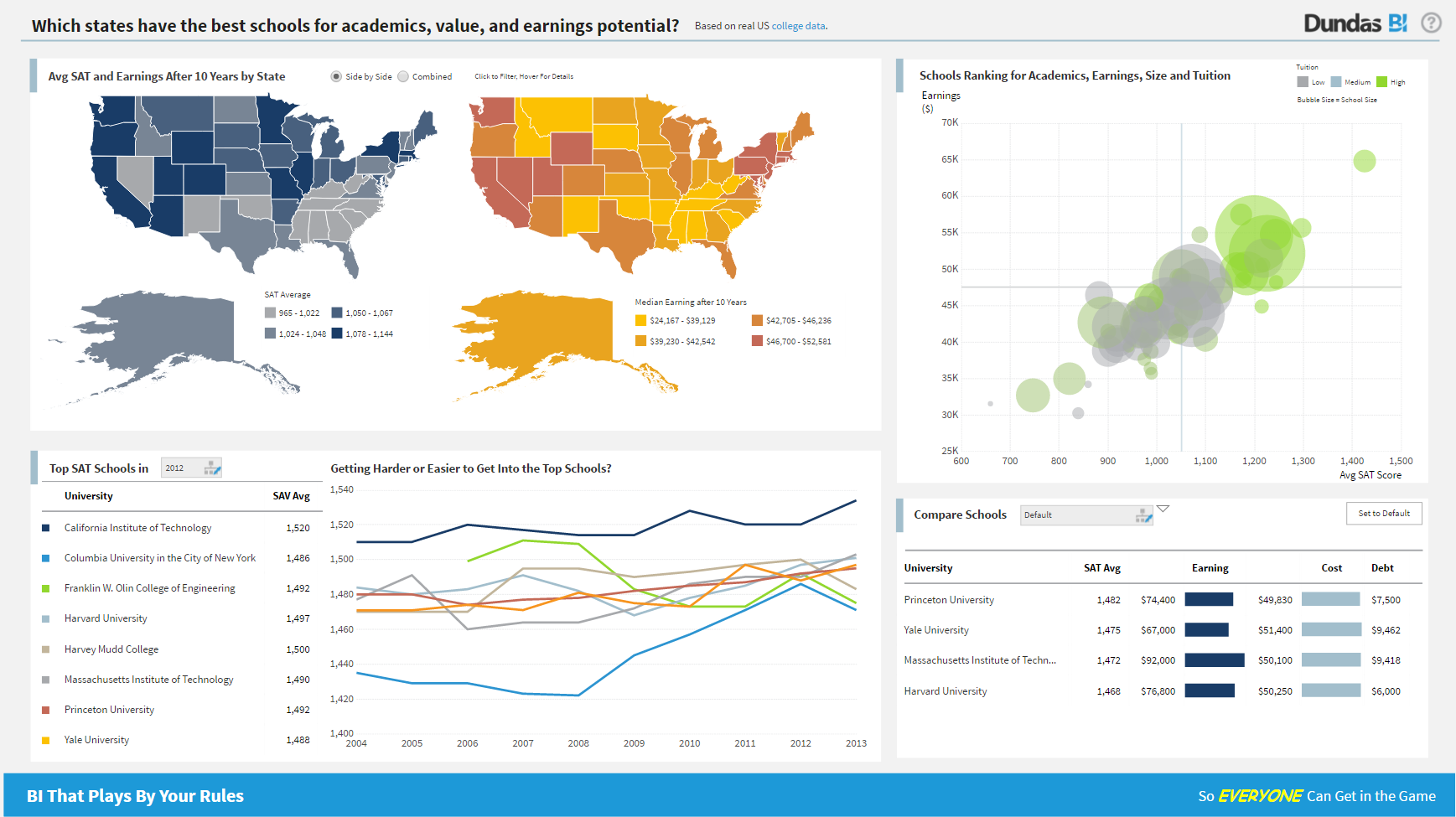
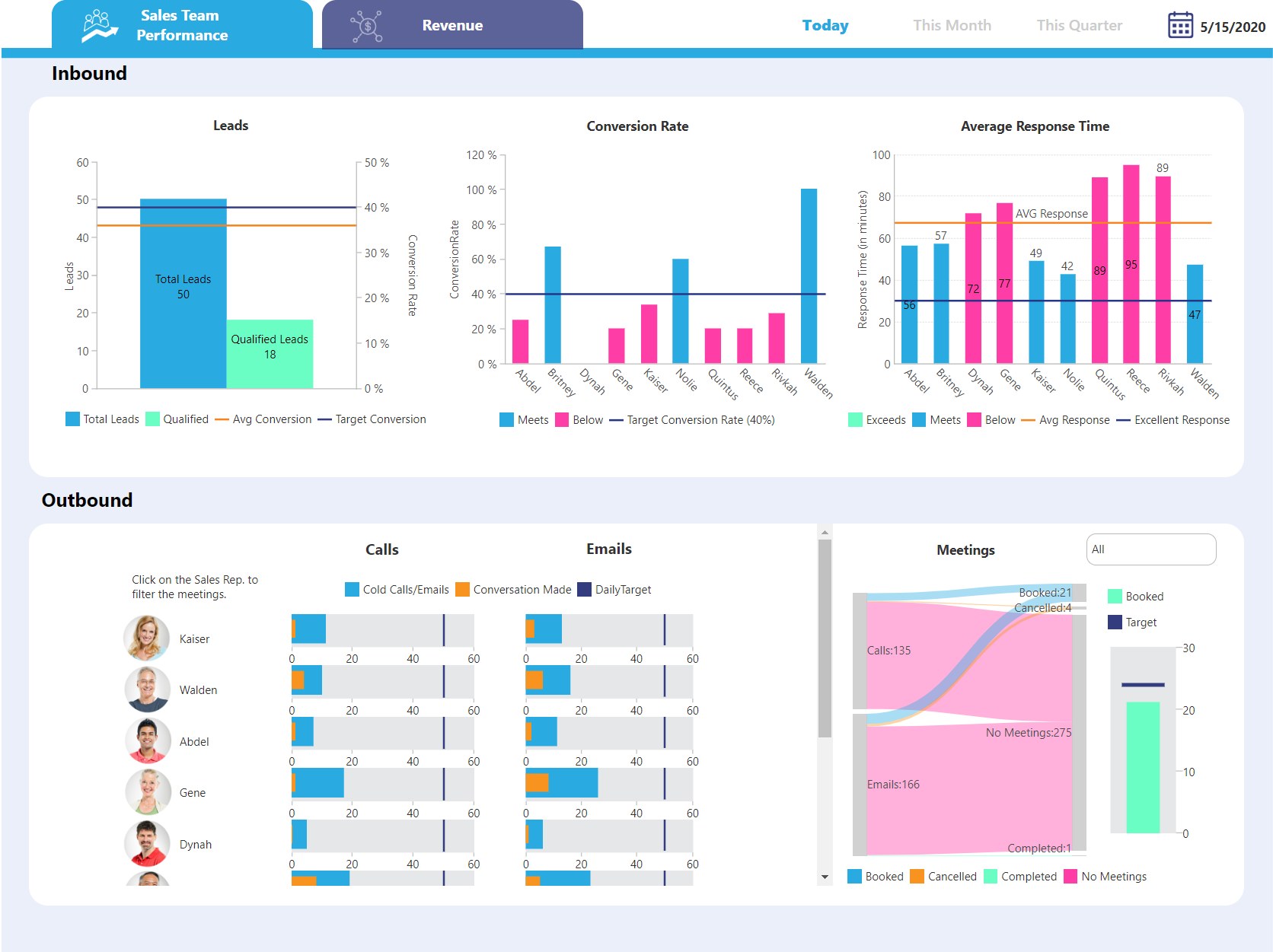
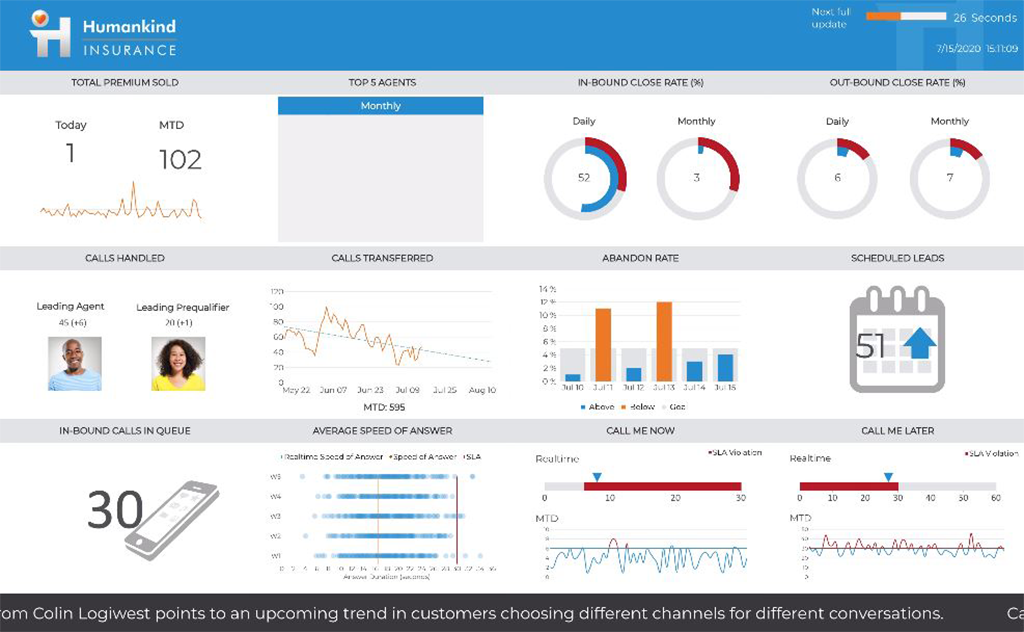
Screenshot of Dundas BI Dashboard Sample - EducationScreenshot of Dundas BI Dashboard Sample - Sales Team PerformanceScreenshot of Dundas BI Dahsboard Sample - Sales PerformanceScreenshot of Dundas BI Dashboard Sample - InsuranceScreenshot of Dundas BI Dashboard Sample - EmbeddedScreenshot of Dundas BI Dashboard Sample - Sales and Marketing

OpenText Magellan Screenshots

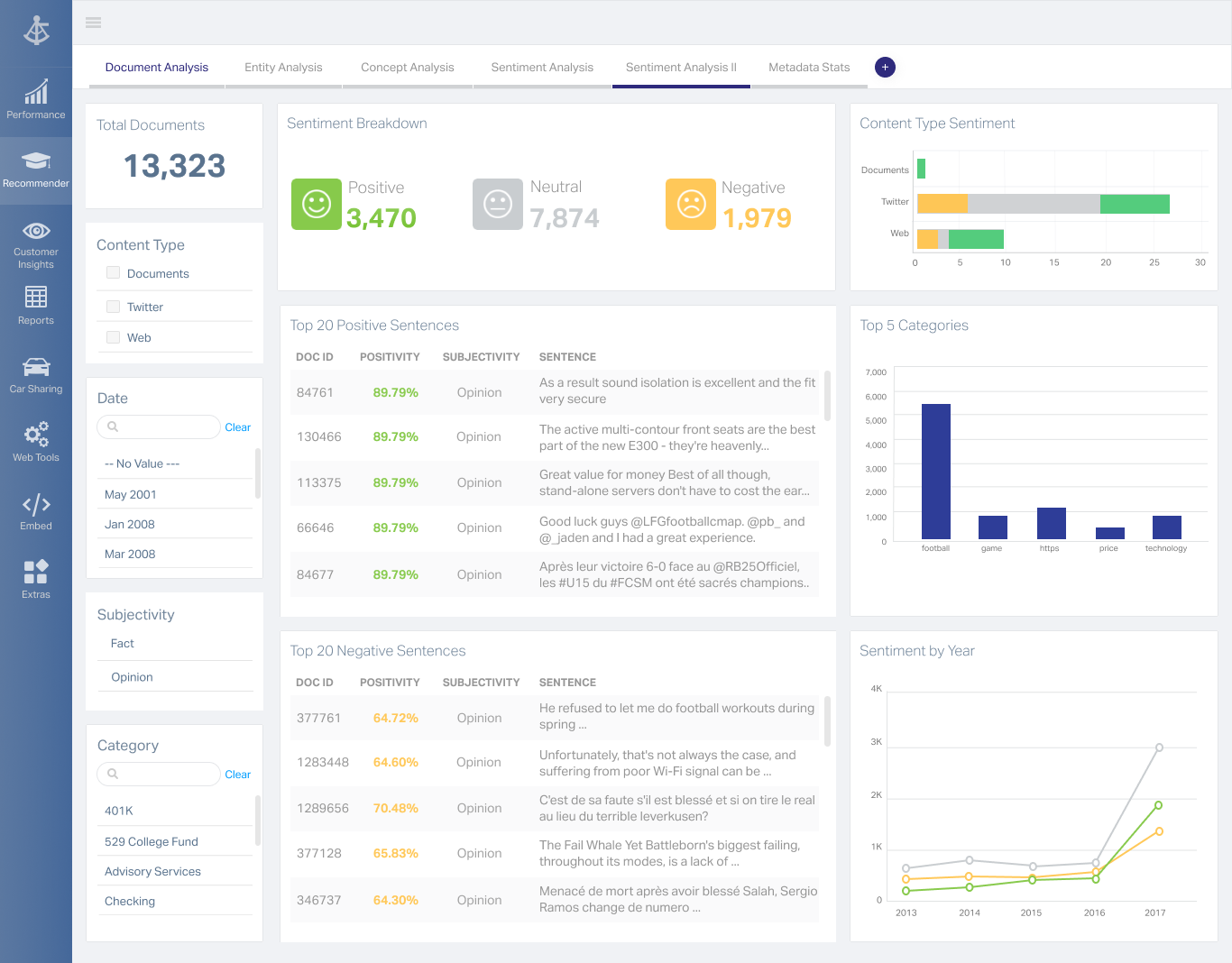
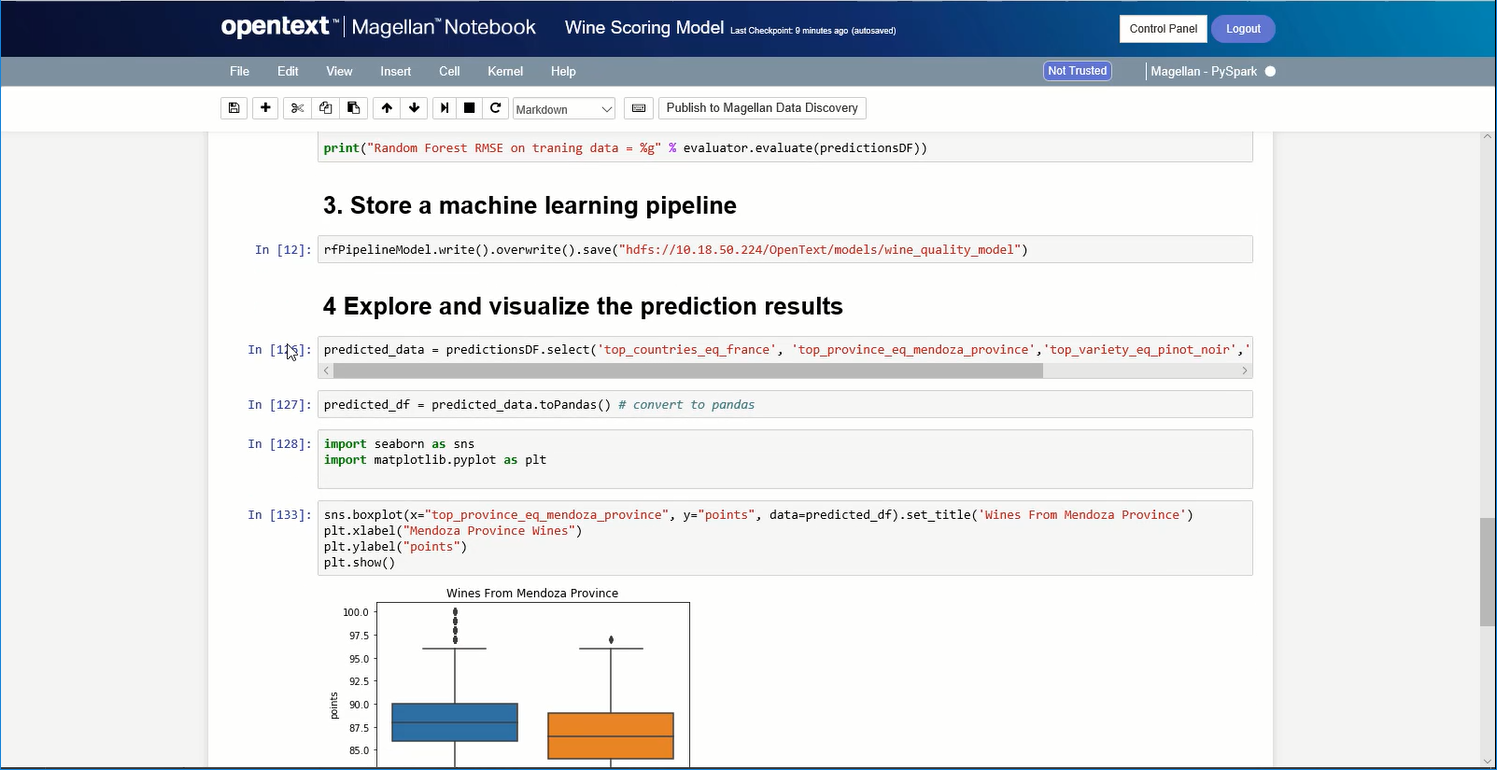
Screenshot of A Magellan BI & Reporting dashboard that an individual can interact with and personalize to their needs, such as changing chart types or computations.Screenshot of Magellan Data Discovery provides a Smart User Interface, designed to equip new users and users seeking a more streamlined set of features for insightsScreenshot of Magellan Data Discovery provides an Advanced User Interface that allows data analytics pros to leverage its breadth of sophisticated capabilities for insightsScreenshot of Magellan Text Mining insights can be displayed within easy-to-use dashboards.Screenshot of Data scientists can create visualizations within the Magellan Notebook and see it dynamically update as they write changes to it.