LogMeIn Resolve vs. N-able N-central

Overview
ProductRatingMost Used ByProduct SummaryStarting Price
LogMeIn Resolve
Score 8.0 out of 10
N/A
LogMeIn Resolve is an IT management and support solution designed to help organizations take control of their IT infrastructure. The platform combines features like remote monitoring, access, and support with tools such as ticketing, AI-assisted task automation, and patch management.
$29
per month
N-able N-central
Score 8.9 out of 10
N/A
MSPs and IT professionals use N-able™ N-central® to monitor and manage devices and complex networks remotely. N-central provides visibility and efficiency as the user's needs scale. N-central can help users: 1. Proactively monitor everything on a customer network—not just servers and workstations—and troubleshoot. 2. Stay on top of threats with features like MFA, antivirus, integrated endpoint detection and response, data backup, disk encryption, email protection,…N/A
Pricing
LogMeIn ResolveN-able N-central
Editions & Modules
Remote Access
$29
per month
Remote Support Plus
$55
per month
Standard Endpoint Management
$70
per month
Premium Endpoint Management
$78
per month
Premium
Contact Sales
No answers on this topic
Offerings
Pricing Offerings
LogMeIn ResolveN-able N-central
Free Trial
YesNo
Free/Freemium Version
YesNo
Premium Consulting/Integration Services
NoNo
Entry-level Setup FeeNo setup feeNo setup fee
Additional DetailsDiscount available for annual pricing. MDM is available as a standalone or as an add-on. Additional endpoints and agents and save up to 20%
More Pricing Information
Community Pulse
LogMeIn ResolveN-able N-central
Considered Both Products
LogMeIn Resolve
Chose LogMeIn Resolve
Since ability to control a remote computer was removed from GoToMeeting, Resolve is only LogMeIn product that meets my needs.
Chose LogMeIn Resolve
LogMeln has one-stop solutions and reduces multiple tool needs. Integrations with 3rd party tools like Teams & Outlook.
Chose LogMeIn Resolve
We looked at several alternatives but due to are small size we were not able to use their services. ConnectWise, AnyDesk, ect
Chose LogMeIn Resolve
It is better in every way. Intuitively designed, great UI, easy to install and go live, great out of box training videos and features are constantly being improved and supported
Chose LogMeIn Resolve
Teamviewer is a lot simpler and quicker to use.
Chose LogMeIn Resolve
LogMeIn Resolve represents a distilled and clean RMM and ticket management system. Autotask has a lot of great features that might be unnecessary for a smaller organization's internal use. Sometimes a team just needs to get in and have that higher overview without setting up a …
Chose LogMeIn Resolve
At the time that we tested and selected a remote access tool, GoTo was superior to the other options tested. Then came the issues with ctrl+key and shift+key combos which detracted from all of the things that made GoTo the best option. Until these are fixed GoTo will remain …
Chose LogMeIn Resolve
LogMeIn Resolve has a much cleaner interface to organize assets and initiate support sessions than other platforms used in the past.
Chose LogMeIn Resolve
We choose GoTo Resolve over Anydesk due to attractive pricing and All-in-one IT support feature.
Chose LogMeIn Resolve
We traditionally utilize all related products to support our end users in a remote environment. This requires that we have access to their systems, typically monitored, via a screen share session where we can use built in functionality such as file sharing. This allows us to …
Chose LogMeIn Resolve
GoTo resolve is less costly but not as feature based.
Chose LogMeIn Resolve
Go to offer all-in-one functionalities without compromising organizational security and policy. Go-to is versatile compared to other systems like JIRA and is suitable for medium organizations. It has all the support options required. Like web meetings, conversational ticketing, …
Chose LogMeIn Resolve
GoTo Resolve has more features that are easier to use.
Chose LogMeIn Resolve
GoTo Resolve is not necessarily an app that I personally chose to use in my organization; this is just one of many that I have interacted with and experienced through the different organizations that I have worked at over the years. However, I will say that I enjoy the engaging …
Chose LogMeIn Resolve
Intune does not have remote desktop. Intune also does not do 3rd party patching very well. Manage Engine Desktop Central requires a VPN Client to access the remote clients. It also requires quite a bit of configuration to work well. GoTo Resolve is the most complete tool I …
Chose LogMeIn Resolve
In NinjaOne, The ticketing system may benefit from additional features like the option to use a custom domain for the support email address, as it is currently rather basic. Additionally, it has issues with correctly displaying photos, either not showing up at all or removing …
Chose LogMeIn Resolve
ServiceNow is robust and highly scalable, often favored by larger enterprises, while Zendesk and Freshservice offer user-friendly interfaces and customizable workflows that cater to smaller to mid-sized businesses.
Now, comparing GoTo Resolve to these platforms, it stands out …
Chose LogMeIn Resolve
Most friendly in the usage, and most detailed information.
Chose LogMeIn Resolve
It's one of the tool which can function in the same lines like above tools and is user friendly and cost effective
Chose LogMeIn Resolve
GoTo Resolve allowed us to consolidate our product suite in half, saving us nearly 80% of the cost annually. While there are certain features that felt smoother with their other products, such as the file transfer simplicity found with GoTo Assist... those small road bumps are …
Chose LogMeIn Resolve
Transferring large files using TeamViewer is practically impossible. During unstable internet connectivity, GoTo Resolve behaves fairly well when compared to TeamViewer.
Chose LogMeIn Resolve
As GoTo Resolve gives all in one package and its more user friendly hence it was chosen.
N-able N-central
Chose N-able N-central
Most advanced, and other technicians in the business already used it before. NinjaOne was a close competitor, but lacked some features that we ideally need. ITarian was too basic but was MUCH cheaper. For a startup MSP, it would be much more attractive. Splashtop was just for …
Chose N-able N-central
Tried another MSP software provider however the cost was not justified.
Chose N-able N-central
I selected N-able N-central as I liked the idea of easy-to-work with pricing that integrates with other PSAs (specifically Connectwise PSA aka Connectwise Manage). I did not succeed with that. I'd use any of the other tools instead. The integration is problematic as the default …
Chose N-able N-central
Our version of SolarWinds was old and running on old hardware, but it was way easier to setup and do things with. It did not do everything N-able does such as patch management, or at least we didn't have a module to do so if one existed. However it definitely seemed easier to …
Chose N-able N-central
In regards to the above, they are more concentrated on Cybersecurity and AV management whereas N-able N-central covers these areas but has the added advantage of IT management, whereby the IT environment can be managed directly from N-able N-central
Chose N-able N-central
N-able N-central was cheaper than Connectwise RMM as the poor NOC monitoring inflated costs but was not useful. Kaseya VSA was terrible contracts and poor product all around.
Chose N-able N-central
NinjaOne has been a breath of fresh air. Moving away from N-Able to NinjaOne has been the best decision we've made in this department.
Highly recommend.
Chose N-able N-central
In my eyes, if I could I would have switched to automate, but this is a distant second or third.
Chose N-able N-central
N-Central has automation manager, which allows you to automate multiple tasks, thereby saving time and effort through Automated patching. AV and Backups are built into the system, and can be deployed by checking a box. It's easy to update and keep secure. File transfer and …
Chose N-able N-central
Solarwinds seemed less complicated and less expensive and would have the least impact on our staff as far as training and setup time.
Chose N-able N-central
I feel it's much more robust then Kaseya which is the only other RMM solution I have tried. I like the remote support and the fact that in N-central I can deploy patches at the click of a button.
Chose N-able N-central
It's much pricier than other remote support fools.
Chose N-able N-central
SolarWinds N-central is on the more unique side of tools because it can do so many things, and do most of them quite well. For patching, it is much easier to use than SCCM. In terms of monitoring, it is not great out of the box and requires tweaking to take full advantage. …
Chose N-able N-central
All three systems integrate with Connectwise Manage. All systems have integration to active directory. Automation does configuration deployment better. Ninja is a SaaS, N-central is a Saas, whereas Automate is on-premise. Automate is more scalable. Pricing and seat deployment …
Chose N-able N-central
Automate has the best scripting engine. There is no conversation there, the scripting is taken to another level. N-central and VSA both have the ability to run scripts, but Automate runs away with it. Automate also has the best remote access tool. VSA and N-central remote …
Chose N-able N-central
With Bomgar there are codes and/or a website that the user has to login to before we can connect remotely. N-central allows us to click on the machine and log in. We can set it to prompt the user to accept the connection, or on some computers, we can just log right into it.
Chose N-able N-central
We chose SolarWinds N-Central because of the integration with ConnectWise Manage, it allows us to automatically create tickets and helps us be more efficient. We really liked the engineers that were able to coach us in migrating from our old system and teach us all the best …
Chose N-able N-central
N-Central has all of the features of previous software I have used all rolled into one package. I can push software and check anything and everything about every machine on our network in one place now instead of multiple interfaces and programs. N-Central saves us time and …
Chose N-able N-central
Overall, for the Average MSP, none of the RMM solutions is going to be perfect, they will all have their strengths and weaknesses and N-Able is no exception. It is a great solution if you are looking for something that is not super cryptic to use and want something relatively …
Chose N-able N-central
Since I came in to manage the product, we have only tested one other product. The main reason for not switching was that it would take a considerable amount of time and resources to convert everything to a new service. Additionally N-able's interface, while it does have much …
Features
LogMeIn ResolveN-able N-central
Monitoring Tasks
Comparison of Monitoring Tasks features of Product A and Product B
LogMeIn Resolve
-
Ratings
N-able N-central
7.4
Ratings
0% below category average
Remote monitoring00 Ratings9.70 Ratings
Network device monitoring00 Ratings8.30 Ratings
Management Tasks
Comparison of Management Tasks features of Product A and Product B
LogMeIn Resolve
-
Ratings
N-able N-central
9.0
Ratings
19% above category average
Patch Management00 Ratings9.00 Ratings
Best Alternatives
LogMeIn ResolveN-able N-central
Small Businesses
Avast CloudCare
Avast CloudCare
Score 10.0 out of 10
Panda Systems Management
Score 9.8 out of 10
Medium-sized Companies
KACE Systems Management Appliance
Score 10.0 out of 10
Action1
Action1
Score 9.5 out of 10
Enterprises
KACE Systems Management Appliance
Score 10.0 out of 10
TeamViewer
TeamViewer
Score 8.5 out of 10
All AlternativesView all alternativesView all alternatives
User Ratings
LogMeIn ResolveN-able N-central
Likelihood to Recommend
7.5
(0 ratings)
8.7
(0 ratings)
Likelihood to Renew
9.0
(0 ratings)
9.1
(0 ratings)
Usability
7.7
(0 ratings)
7.3
(0 ratings)
Availability
8.9
(0 ratings)
-
(0 ratings)
Performance
9.0
(0 ratings)
-
(0 ratings)
Support Rating
8.7
(0 ratings)
1.0
(0 ratings)
Implementation Rating
9.1
(0 ratings)
8.4
(0 ratings)
User Testimonials
LogMeIn ResolveN-able N-central
Likelihood to Recommend
I don't think I have ever encountered a scenario where LogMeIn is inappropriate. I work directly with customers 80% of the time, and even when I need to help a fellow IT professional out, LogMeIn is my go-to option. Viewing and reviewing all the units I manage is very helpful; it saves me a lot of time, especially after the frequent long-term power outages (where it surpasses the USP's protection) we often experience in our area.
Read full review
In my opinion, N-able N-central is a good "learn your lesson and move onto something better" tool. I've used many RMM tools over the years and I feel that this one is slow, does a terrible job with reporting, alerting, monitoring, software deployments, etc. The ability to turn on services like AV, backup, etc easily is cute, but you're not going to be able to use your own tools with this easily. In my experience, if you do turn those tools on for testing during the trial, you'll be charged later (despite it being a trial). They also turn off your ability to monitor these increased costs or to turn them off yourself. As a company, I found that they were impossible to work with. The sales team is right there if you want to buy something - but if you need anything other than to buy something, in my experience, they take days or weeks to navigate. I found that they are not a terribly ethical company and are more concerned with making a few dollars than creating a partnerships with MSPs. I can see value is in the advertised price of $99 for a hundred endpoints. However, you need to remember to not trial any other tools (like AV, backup, etc).
Read full review
Pros
  • The summary of the pending tickets and how long are they due.
  • Graphical representation of the tickets section wise.
  • Performance review at glance of the action owners.
  • Excel export of the report.
  • It helps in planning and utilizing the resources.
  • The notification of the update via email.
Read full review
  • Robust patch management: it is easy to set up patching groups via tags, and configures patch management profiles and maintenance windows.
  • Remote Control: as long as the agent checks in, it is very quick and easy to take control of an endpoint, either in a separate session (RDP, kick the current user out), or to join the existing session of the current user, to provide desktop support or collaborate remotely.
Read full review
Cons
  • It would be nice to have a one-click launch capability. There are times when walking through a user who isn't experienced that they have a hard time launching the program.
  • A batch file that launches a network connection and the program at the same time.
Read full review
  • Expensive software
  • The support team are terrible
  • Sales team will promise the world to get you over the line
  • Subscription management is tedious
  • Old software with very little development and the support team will not provide any further information on this - no roadmap
  • Integrations galore - but none of them are effective
Read full review
Likelihood to Renew
To us, it just works. and it is what our users are comfortable with. It covers all the remote issues that we as an IT department encounter. We have grown to like it and we also have grown to like the Citrix product family. We really can't find anything that would keep us from renewing.
Read full review
Overall we have liked our solar winds experience, however, as our company has grown to support larger enterprises, this product does not have the functionality that our teams need in order to fully support them. The lack of granularity with backups and lack of ability to support nutanix environments is slowly drawing us into the use of other tools.
Read full review
Usability
From a receiving perspective, this software has been really easy to use. There is also the capability to have mobile device management so this is applicable to a variety of platforms and devices that may need troubleshooting. The reason I am not rating it a full 10 points is because I notice the lag time for the mouse is a little delayed on a consistent basis.
Read full review
The user interface is fairly straight forward, with logic groupings for objects. I did not deploy this software, but am one of the daily administrators. Once you get the correct agent package (Which can be a challenge) the integration into AD is not bad. The UI could be more customized, but that may have been a design choice.
Read full review
Reliability and Availability
Usually available without a problem, although sometimes calls get dropped or users sit in empty meeting rooms while waiting for an admin to arrive, while the call is actually going on.
Read full review
No answers on this topic
Performance
If you are connected to someone with proper bandwidth, there are no issues at all. With all things, if you connect to someone with dial-up (yes, it still exists), the performance is terrible.
Read full review
No answers on this topic
Support Rating
The software runs well overall once installed. It is easy to use and very intuitive from both the technician standpoint and the customer standpoint. There are not a lot of problems or issues with the software, and it doesn't have a big effect on system resources once installed, or when running. It would not be a 10 since the cost of the licensing is one drawback
Read full review
Every time we have reached out to SolarWinds they are quick to respond, even offering support chat 24/7. Their support team is great and works with you to find solutions to issues. They have taken items we had issues with before and used those to create updates so that the issue is handled better in the future.
Read full review
In-Person Training
we did not have in person training
Read full review
No answers on this topic
Online Training
n/a - wasnt in attendance
Read full review
No answers on this topic
Implementation Rating
GoToAssist SeeIt was very easy to implement. As long as your techs have a basic understanding of most remote support tools they will be able to understand this product easily.
Read full review
Make sure if you your using a vm you follow the instructions for provisioning to the letter or it will be starting from square one
Read full review
Alternatives Considered
At the time that we tested and selected a remote access tool, GoTo was superior to the other options tested. Then came the issues with ctrl+key and shift+key combos which detracted from all of the things that made GoTo the best option. Until these are fixed GoTo will remain inferior in functionality compared to other options where these items work the same as they do in Windows.
Read full review
Most advanced, and other technicians in the business already used it before. NinjaOne was a close competitor, but lacked some features that we ideally need. ITarian was too basic but was MUCH cheaper. For a startup MSP, it would be much more attractive. Splashtop was just for remote connections, which we used for some time before realizing full RMMs were a better fit for our requirements.
Read full review
Scalability
The system was implemented quite quickly and easily.
Read full review
No answers on this topic
Return on Investment
  • LogMeIn Resolve has increased productivity for our support teams with the addition of camera share. Not only are we able to remote into workstations, but with camera share we can utilize end user and customer phones to visually see physical setups to troubleshoot some situations on the fly.
  • Unattended support now requires the agent to enter in a signature key as an extra layer of security before accessing a device, which further improves the safety of all devices registered for unattended.
Read full review
  • The product definitely increases productivity. Technicians can spend a few seconds to take care of remote tasks with a few clicks as opposed to minutes to get a user to start a remote control session, or worse, going on site to work on a piece of equipment.
  • The packaging of the features makes selling and pricing the product fairly straight-forward and convenient. This saves our sales team time from trying to work with add-ons when pricing our services - the product makes it easy to just have an "all you can eat" package at a set price.
  • When something goes wrong with the product, our business and our customers suffer. If for example, a bug causes all managed computers to reboot, our customers call in, resulting in our technicians being booked solid doing damage control. This also causes loss of trust with our customers - we can't simply blame the product, the customer trusts us to provide them a service and if the product fails, we fail.

Read full review
ScreenShots

LogMeIn Resolve Screenshots

Screenshot of LogMeIn Resolve Device QuickviewScreenshot of LogMeIn Resolve - DevicesScreenshot of LogMeIn Resolve - Guided Agent FlowScreenshot of LogMeIn Resolve MS Teams TicketingScreenshot of LogMeIn Resolve Support SessionScreenshot of LogMeIn Resolve Tickets Board

N-able N-central Screenshots

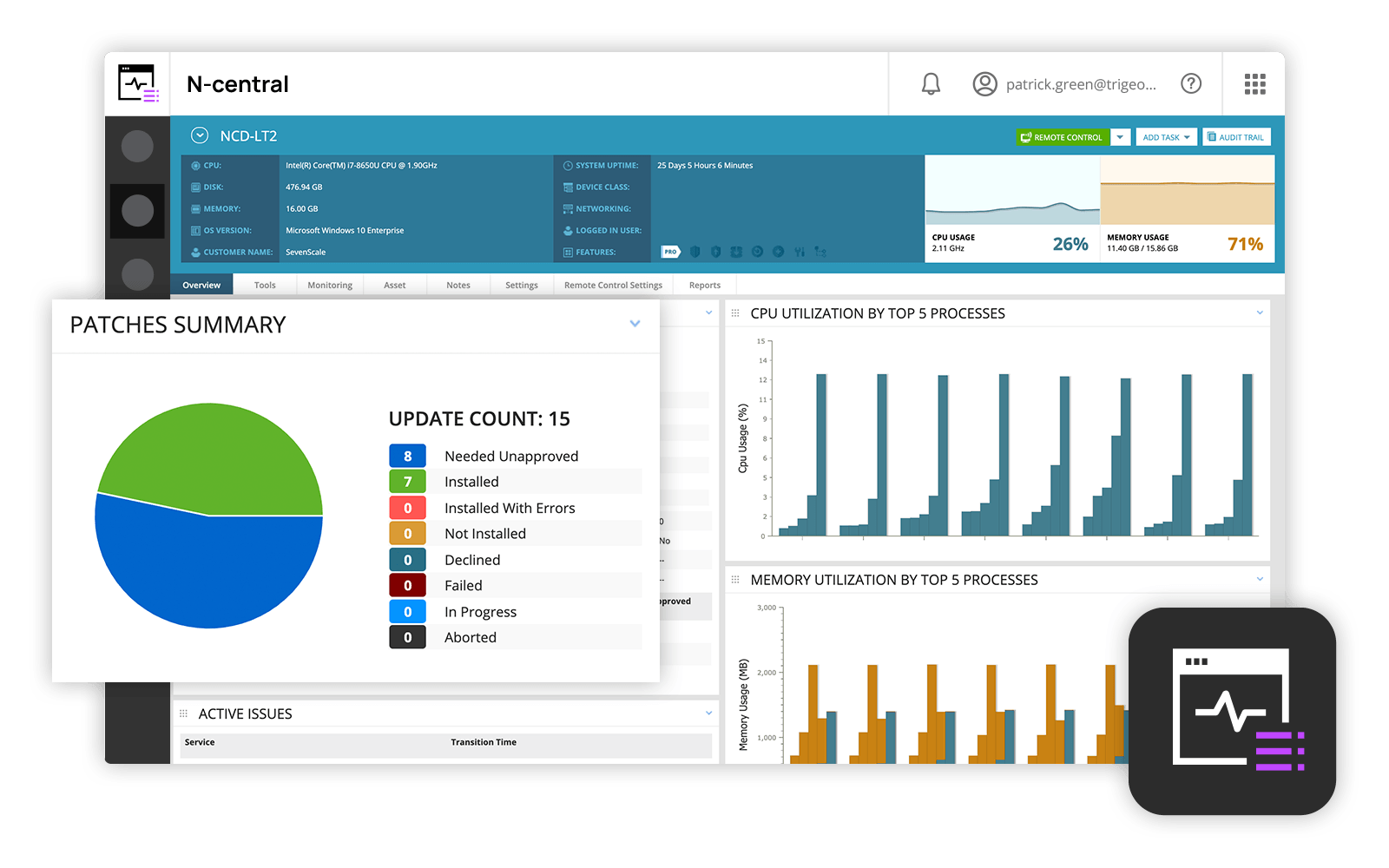
Screenshot of N-able N-central DashboardScreenshot of Remote desktop access with Take Control