M3 Labor Management Software vs. Paymo

Overview
ProductRatingMost Used ByProduct SummaryStarting Price
M3 Labor Management Software
Score 0.0 out of 10
N/A
M3’s Labor Management enables hoteliers to monitor daily labor costs with features, including attendance tracking and labor management reporting, which enables hoteliers to design custom reports to manage hours and overtime. Hoteliers can also access and manage labor data on-the-go with the M3 mobile app, M3 Labor.N/A
Paymo
Score 8.5 out of 10
N/A
Paymo is a collaborative work management platform that helps track team progress, collaborate in context, and make smarter decisions. It acts as a single source of truth, where project planning, resource scheduling, file proofing, time tracking, and billing feed into each other to co-exist under the same roof.
$0
Up to 10 users
Pricing
M3 Labor Management SoftwarePaymo
Editions & Modules
No answers on this topic
Free
$0
Up to 10 users
Small Office
$11.95
per user/per month
Business
$18.95
per user/per month
Offerings
Pricing Offerings
M3 Labor Management SoftwarePaymo
Free Trial
NoYes
Free/Freemium Version
NoYes
Premium Consulting/Integration Services
NoNo
Entry-level Setup FeeOptionalNo setup fee
Additional DetailsFree version available for freelancers.
More Pricing Information
Community Pulse
M3 Labor Management SoftwarePaymo
Features
M3 Labor Management SoftwarePaymo
Project Management
Comparison of Project Management features of Product A and Product B
M3 Labor Management Software
-
Ratings
Paymo
5.9
Ratings
26% below category average
Task Management00 Ratings3.50 Ratings
Resource Management00 Ratings5.30 Ratings
Gantt Charts00 Ratings4.40 Ratings
Scheduling00 Ratings7.00 Ratings
Team Collaboration00 Ratings4.10 Ratings
Support for Waterfall Methodology00 Ratings7.80 Ratings
Document Management00 Ratings5.00 Ratings
Email integration00 Ratings5.00 Ratings
Mobile Access00 Ratings5.30 Ratings
Timesheet Tracking00 Ratings9.00 Ratings
Budget and Expense Management00 Ratings8.80 Ratings
Professional Services Automation
Comparison of Professional Services Automation features of Product A and Product B
M3 Labor Management Software
-
Ratings
Paymo
9.2
Ratings
20% above category average
Quotes/estimates00 Ratings8.90 Ratings
Invoicing00 Ratings9.90 Ratings
Project & financial reporting00 Ratings8.90 Ratings
User Ratings
M3 Labor Management SoftwarePaymo
Likelihood to Recommend
-
(0 ratings)
8.0
(0 ratings)
Usability
-
(0 ratings)
9.0
(0 ratings)
Support Rating
-
(0 ratings)
8.9
(0 ratings)
User Testimonials
M3 Labor Management SoftwarePaymo
Likelihood to Recommend
No answers on this topic
Well suited: tracking time, making notes to share with clients, live reporting. Less so: tracking and bookkeeping - they don't market it as a bookkeeping app, though they do allow for invoicing through it. Still, my needs are such that I use a separate app for tracking receipts against a project and then invoicing clients.
Read full review
Pros
No answers on this topic
  • Time tracking. As long as you set up everything correctly on the front end, you don't have to think about it again and it will run in the background.
  • Job management. Organizes jobs intuitively and can easily archive jobs.
  • Support. If you ever have an issue or questions, they have a chat feature and will usually respond in a couple hours.
Read full review
Cons
No answers on this topic
  • The main area for improvement is exportability of data. It's tough to get full data out of Paymo. You can export most things in CSV format, but if you were to start with Paymo and want to switch to another project management and accounting platform, there would be substantial manual effort involved.
  • There also aren't as many integrations for Paymo as some of the more mainstream project management suites. This isn't necessarily Paymo's fault. It's just a function of them still being one of the "little guys." Something to be aware of before you select this platform though.
Read full review
Usability
No answers on this topic
It is a complete, a bit overambitious app but with many features that are needed. I didn't need most of the features but managed to make the most of the two I was using. Also, I think it is a well-rounded app and I am considering moving some team collab there.
Read full review
Support Rating
No answers on this topic
Good! Fast, excellent, speedy responses. They always wanted to know why and how they could improve on something (good on receiving feedback, too). Not that they were much needed, but my limited experience with them is good; they were really keen to understand what the problem was really about and how they could help with it.
Read full review
Alternatives Considered
No answers on this topic
Similar in almost all project management aspects... Paymo seems to have a slight edge in invoicing and reporting. They are also adding new features regularly so that (in our opinion) makes the investment worth it. Customer support has also been terrific. Easy onboarding process and we found this solution the easiest to get started doing actual work with.
Read full review
Return on Investment
No answers on this topic
  • It helped us to realize that our actual spend for events like trade shows was actually higher with our manpower included
Read full review
ScreenShots

Paymo Screenshots

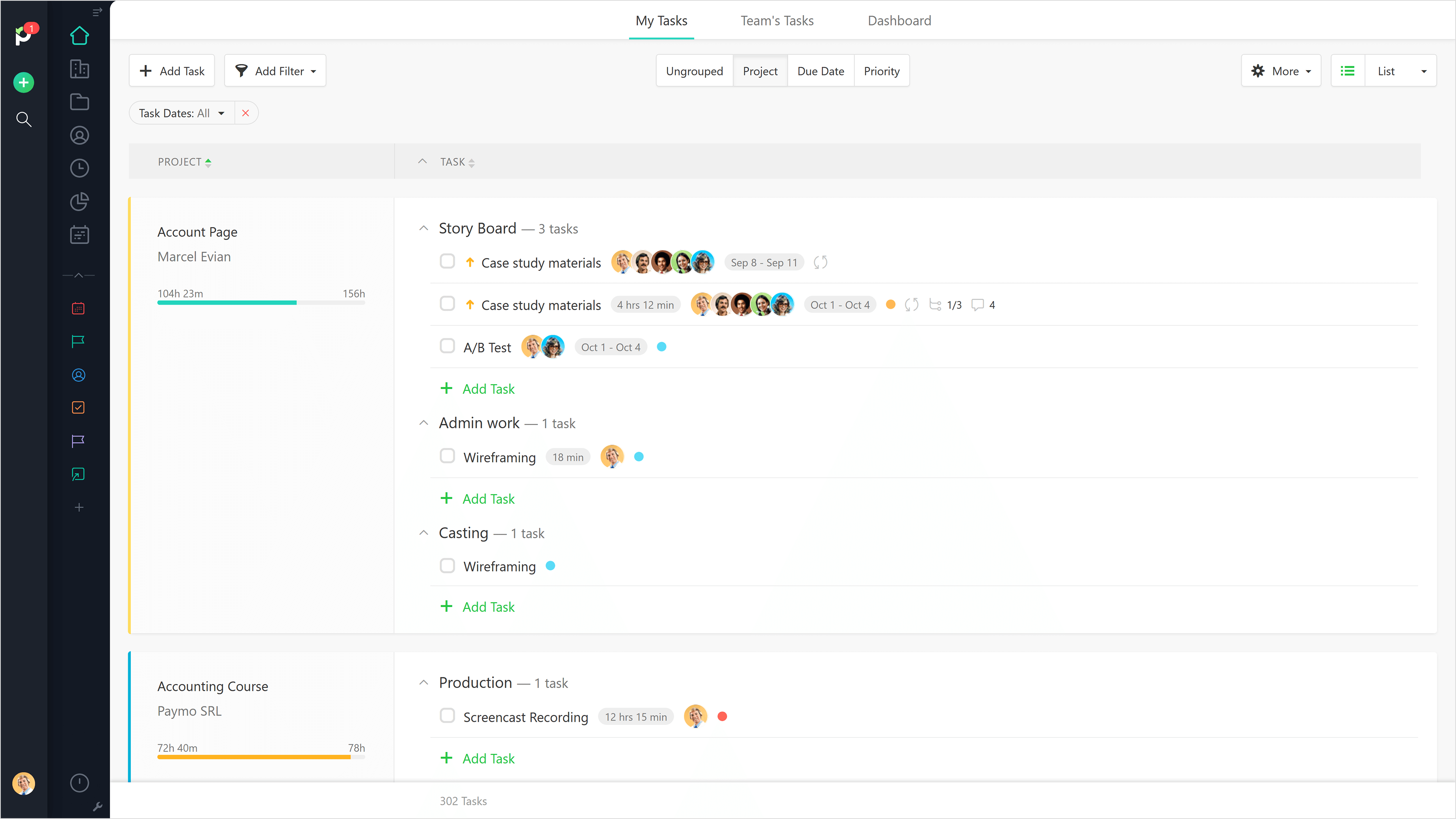
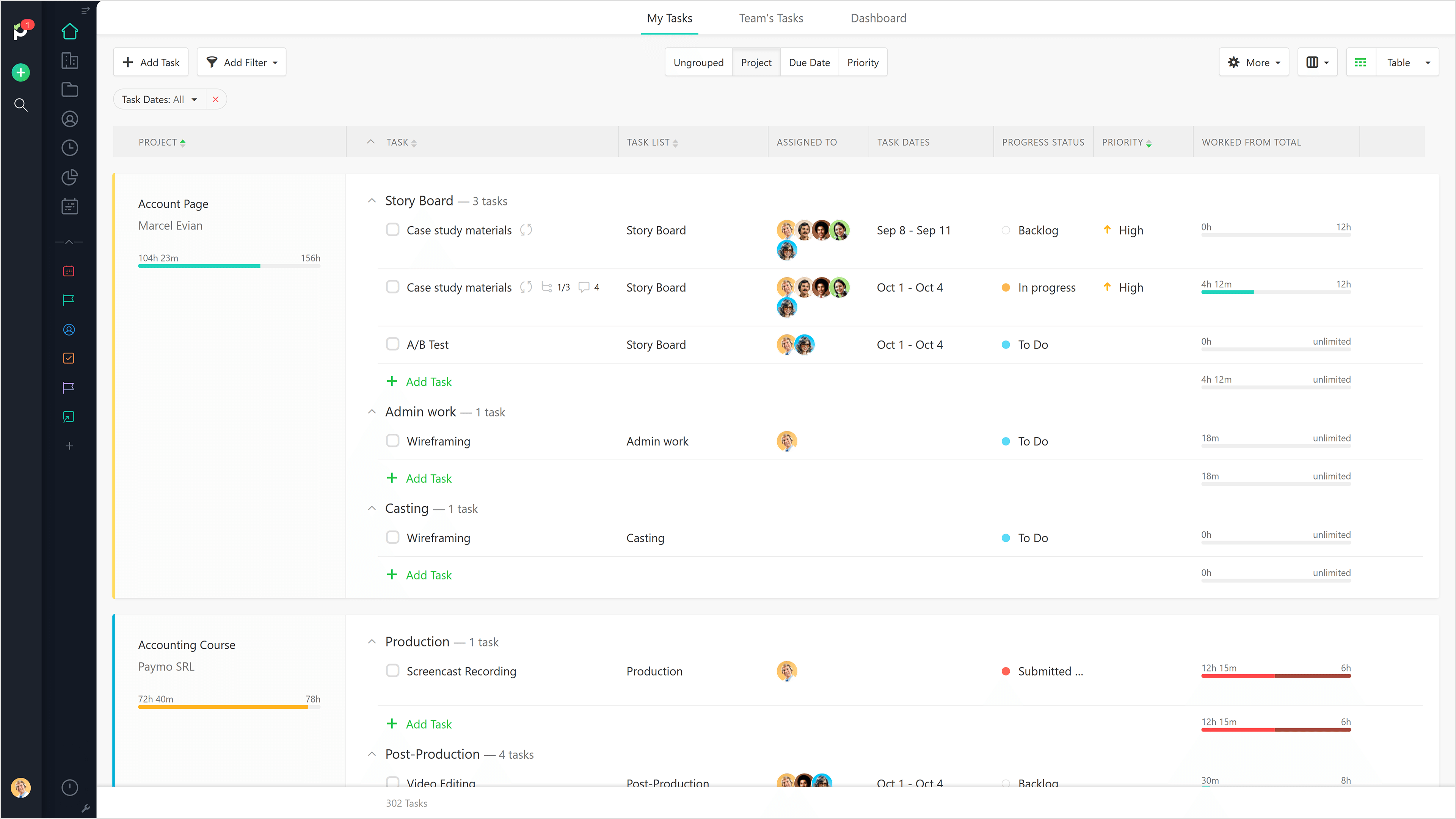
Screenshot of List View.Screenshot of Table View.Screenshot of Gantt Chart View.Screenshot of Full Task Details.Screenshot of Team Scheduling.Screenshot of Leave Planner.