
Hitesh Gautam
Cloud engineer
Chose Microsoft Power Automate
Power Apps

| Product | Rating | Most Used By | Product Summary | Starting Price |
|---|---|---|---|---|
 Microsoft Power Automate | N/A | Microsoft Power Automate is an advanced automation platform offering a range of features, including AI-powered automation, robotic process automation (RPA), business process automation (BPA), digital process automation (DPA), and process/task mining. The platform aims to empower organizations to securely automate their operations at scale by leveraging low-code and AI technologies. | $15 per month per user | |
 airSlate SignNow | N/A | signNow is an eSignature solution with mobile apps for iOS and Android. signNow can be integrated into popular platforms and offers SaaS, public cloud, and private cloud deployment options with the same underlying API. This enables customers to leverage the power and usability of the signNow eSignature platform, while meeting their particular security and compliance requirements. | $1.50 one-time fee per signature invite |
| Microsoft Power Automate | airSlate SignNow | |||||||||||||||
|---|---|---|---|---|---|---|---|---|---|---|---|---|---|---|---|---|
| Editions & Modules |
|
| ||||||||||||||
| Offerings |
| |||||||||||||||
| Entry-level Setup Fee | No setup fee | -$8 per user/month | ||||||||||||||
| Additional Details | — | All subscriptions include unlimited number of users. Up to a 60% discount available for annual pricing. | ||||||||||||||
| More Pricing Information | ||||||||||||||||
| Microsoft Power Automate | airSlate SignNow | |
|---|---|---|
| Considered Both Products |  Microsoft Power Automate Hitesh Gautam Cloud engineer Chose Microsoft Power Automate Power Apps  Anthony Estrada Business Intelligence Developer Chose Microsoft Power Automate none. I only use Microsoft Power Automate. It is strong enough  David Hofmann, MSMOT Senior Advisor Chose Microsoft Power Automate In our experience, Microsoft Power Automate fails with throttling and became unusable to meet our client deadlines. Nintex did not experience throttling issues for us.  Dhruv Sharma Analyst Chose Microsoft Power Automate Firstly, it came with organizational license, so it was available to everyone, for some of the automations that we're not able to do so when we took license for other tools it was more difficult and tedious to do hence, we had to shift back to Microsoft Power Automate. License …  Naseem Ahmad Sr Technical Architect Chose Microsoft Power Automate
 Shine Nazeer RPA Developer Chose Microsoft Power Automate Microsoft Power Automate is a Low-Code,No-Code approach making it easy for a beginner to learn and understand. The integration with microsoft ecosystem is an advantage. The cost is less when compared to uipath. There are pre built templates available and the AI integration is …  Dineshkumar Rajendran Applications Developer Chose Microsoft Power Automate Power Automate is very well integrated with Microsoft office 365 suit, Teams channel and SharePoint online. The workflow UI is very user-friendly and the users from non-technical background can easily understand the tool and start automating any simple and complex workflows. …  Faizal Ansari Office 365 Specialist Chose Microsoft Power Automate Both have their use cases. Nintex Automation Cloud allows external users to submit forms, which Microsoft PowerAutomate or PowerApps doesn't allow. (Power Pages is very costly)  Ikbal Miah Senior Digital Transformation Business Analyst Chose Microsoft Power Automate The only other similar product I have used is Excel with advanced formular and macros, PA is by far more superior and easier for the laymen  Abhijith Prasannakumar Automation Engineer Chose Microsoft Power Automate It is easy touse tools and integration with other Microsoft tools is easier. |  airSlate SignNow  Christopher Mafra Budget Analyst Chose airSlate SignNow In addition to SignNow, I've seen or used DocuSign, Adobe Sign, and DropBox. DocuSign is the most famous, but I found it a bit complicated to use at first. Adobe Sign is also good, but I felt it was more "heavy", with more stuff than we really need. I found Drobox to be very …  Rachelle Smith Principal & Chief Positivity Officer, Professional Speaker & Author Chose airSlate SignNow Docusign was robust and great, but was expensive.  Grant Millar Financial Planner and Money Coach Chose airSlate SignNow SignNow doesn't offer 3 x free documents to be signed monthly, and requires a subscription vs a pay-per-use, which is where Secured Signing shines. Secured Signing also has video verification and additional security measures that SignNow doesn't have. However, I find SignNow to …  Olivia Capizzi Office Manager Chose airSlate SignNow The most cost-effective platform for our size and needs. Some had barriers such as needing to download an application or not a household name, and thus, needed some more "pointing out" and following up with. SignNow also has a great, Incognito Alerts setting where you can …  Gabe Hirsch Director of Strategy and Business Development Chose airSlate SignNow Have stuck with SignNow over the last few years for the price and covering of basic functionality. Does what it needs to do on a daily basis. DocuSign is super pricey (they charge on a cost per send model, which baffles me). SignNow is unlimited. HelloSign was also a good cheap …  Jon Soucy President Chose airSlate SignNow The biggest difference between DocuSign and SignNow is the price! SignNow is so very affordable as compared to DocuSign which was the initial draw. I do not have any loyalty to another software just because it may be popular or widely used by others, I'm looking for a …  Chris Ammann Exec. Vice President Chose airSlate SignNow SignNow was cheaper and offered the same features that I needed.  Ryan Spaulding Membership Account Executive Chose airSlate SignNow I currently use eSign Genie because it offers per use pricing options. However, I find the interface to be more confusing. It is more confusing for me and more confusing for the recipient signing documents.  Robert Brown Designer Chose airSlate SignNow DocuSign has benefits as well but the pricing is prohibitive for what I need on a day to day basis. SignNow gets the job done at a price I can afford. Its value proposition is good and I have very few issues with it.  Jason Kolleda Branch Coordinator/Technology Specialist Chose airSlate SignNow We were comparing the two and in the end, we liked the ability to use the kiosk mode provided by SignNow and the pricing structure seemed more reasonable.  Will Paccione Owner Chose airSlate SignNow I liked EchoSign when I had signed up. I moved to SignNow (which was CudaSign when I signed up) and paid a lot less. It was inexpensive enough at the time where I could overlook the bad design since AdobeSign (then EchoSign) had a great interface. Fields were easier top place … |
| Microsoft Power Automate | airSlate SignNow | |
|---|---|---|
| Small Businesses |  Stackby Score 9.0 out of 10 |  Foxit eSign Score 9.8 out of 10 |
| Medium-sized Companies |  CMW Platform Score 8.9 out of 10 |  MSB Docs Score 9.4 out of 10 |
| Enterprises | CMW Platform Score 8.9 out of 10 |  DocuSign Score 8.3 out of 10 |
| All Alternatives | View all alternatives | View all alternatives |
| Microsoft Power Automate | airSlate SignNow | |
|---|---|---|
| Likelihood to Recommend | 7.8 (0 ratings) | 8.4 (0 ratings) |
| Likelihood to Renew | 9.3 (0 ratings) | 9.8 (0 ratings) |
| Usability | 9.0 (0 ratings) | 7.3 (0 ratings) |
| Availability | - (0 ratings) | 10.0 (0 ratings) |
| Performance | - (0 ratings) | 10.0 (0 ratings) |
| Support Rating | 7.9 (0 ratings) | 7.0 (0 ratings) |
| In-Person Training | 9.0 (0 ratings) | - (0 ratings) |
| Online Training | 8.9 (0 ratings) | 10.0 (0 ratings) |
| Implementation Rating | 7.5 (0 ratings) | 10.0 (0 ratings) |
| Configurability | 9.0 (0 ratings) | - (0 ratings) |
| Ease of integration | 8.5 (0 ratings) | - (0 ratings) |
| Product Scalability | - (0 ratings) | 10.0 (0 ratings) |
| Vendor post-sale | 9.0 (0 ratings) | - (0 ratings) |
| Vendor pre-sale | 10.0 (0 ratings) | - (0 ratings) |
| Microsoft Power Automate | airSlate SignNow | |
|---|---|---|
| Likelihood to Recommend |
|
|
| Pros |
 Ankit Bilone Data Analyst |
|
| Cons |
Dineshkumar Rajendran Applications Developer |
|
| Likelihood to Renew |
|
|
| Usability |
|
Christopher Mafra Budget Analyst |
| Reliability and Availability | No answers on this topic |
|
| Support Rating |
|
Olivia Capizzi Office Manager |
| In-Person Training |
| No answers on this topic |
| Online Training |
|
|
| Implementation Rating |
Shine Nazeer RPA Developer |
|
| Alternatives Considered |
 Matt Aldridge L&D + Automation Lead |
Grant Millar Financial Planner and Money Coach |
| Return on Investment |
|
|
| ScreenShots | Microsoft Power Automate Screenshots      | airSlate SignNow Screenshots   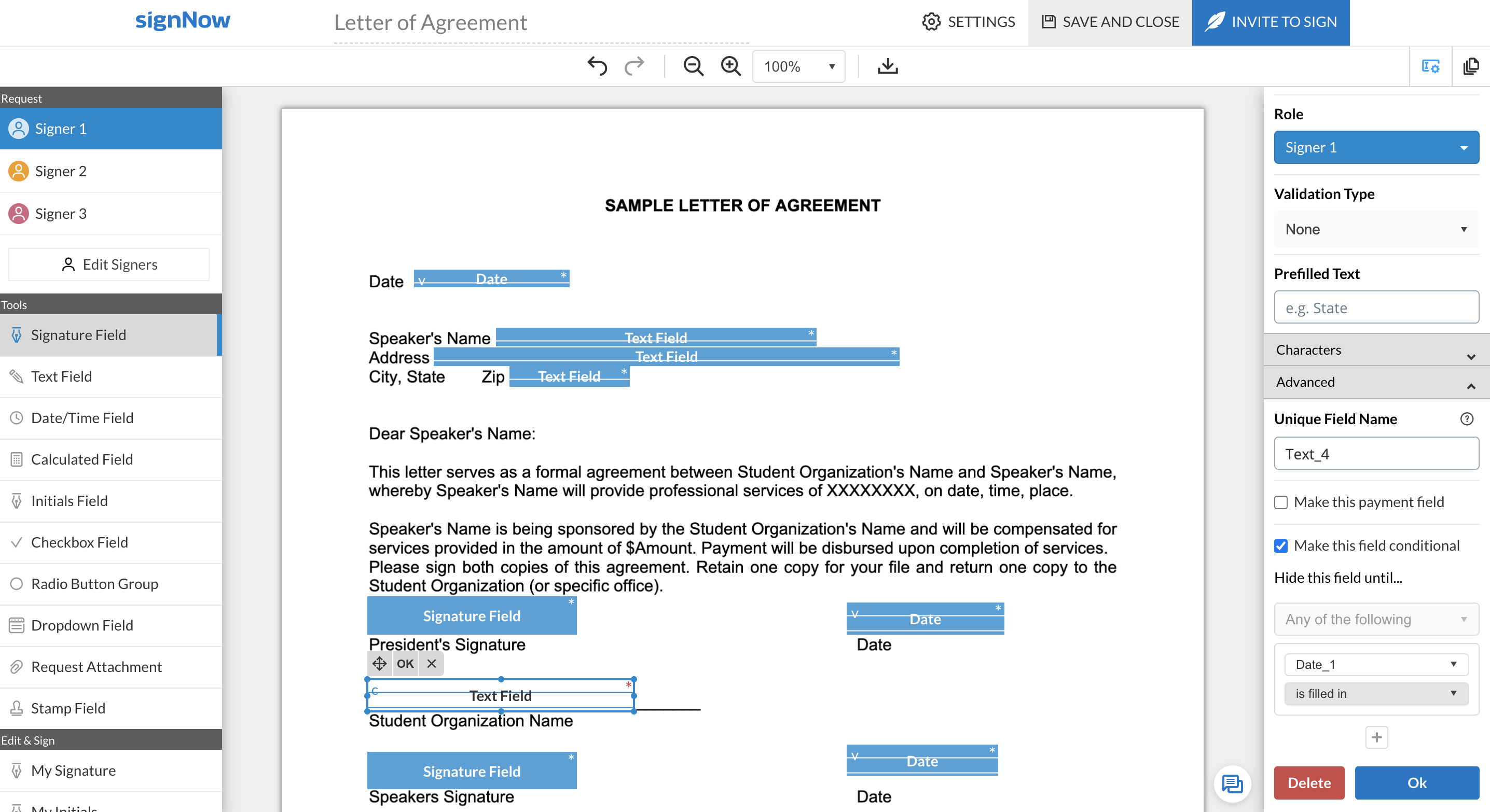 |