Microsoft To Do replaces the former Wunderlist task management tool.
N/A
Deltek TrafficLIVE
Score 4.0 out of 10
N/A
Deltek’s TrafficLIVE is a cloud-based agency management
software solution. The vendor says that the solution provides unmatched
visibility into an agency’s entire business; improves business processes and
drives efficiency that sets an agency up for success and increased
profitability. TrafficLIVE is designed to help agencies to be more connected,
productive and profitable. The vendor says that with TrafficLIVE agencies can start:
Attacking
Over…
N/A
Pricing
Microsoft To Do
Deltek TrafficLIVE
Editions & Modules
No answers on this topic
No answers on this topic
Offerings
Pricing Offerings
Microsoft To Do
Deltek TrafficLIVE
Free Trial
No
No
Free/Freemium Version
No
No
Premium Consulting/Integration Services
No
No
Entry-level Setup Fee
No setup fee
Required
Additional Details
—
TrafficLIVE offers solutions for small to large agencies. Our prices range based on number of users and requirements.
More Pricing Information
Community Pulse
Microsoft To Do
Deltek TrafficLIVE
Features
Microsoft To Do
Deltek TrafficLIVE
Project Management
Comparison of Project Management features of Product A and Product B
Microsoft To Do
7.0
Ratings
9% below category average
Deltek TrafficLIVE
5.8
Ratings
28% below category average
Task Management
8.00 Ratings
5.00 Ratings
Resource Management
7.00 Ratings
6.00 Ratings
Gantt Charts
4.50 Ratings
2.00 Ratings
Scheduling
5.00 Ratings
8.00 Ratings
Workflow Automation
6.40 Ratings
7.30 Ratings
Team Collaboration
7.80 Ratings
6.00 Ratings
Support for Agile Methodology
5.10 Ratings
00 Ratings
Support for Waterfall Methodology
6.30 Ratings
7.10 Ratings
Document Management
6.90 Ratings
3.00 Ratings
Email integration
6.00 Ratings
5.50 Ratings
Mobile Access
10.00 Ratings
00 Ratings
Timesheet Tracking
6.60 Ratings
8.00 Ratings
Change request and Case Management
9.00 Ratings
7.30 Ratings
Budget and Expense Management
9.00 Ratings
5.00 Ratings
Professional Services Automation
Comparison of Professional Services Automation features of Product A and Product B
Wunderlist is a fantastic task management system, not the best project management system. For a long time, I tried to use Wunderlist to plan large events with multiple users and it wasn't as effective. But, once we simplified our desired outcome to accomplishing tasks that repeat or are unique to a given work-week, we had much more success. Now my assistant can manage her weekly tasks and give feedback through this app. I can also add tasks, assign them and see what is being accomplished
On a scale between 1-10, I would score Deltek TrafficLIVE as a 4 in terms of recommendations. This is due to the fact that as a Finance Analyst, I found it a very difficult system to use when all I could get from the system was raw data. It was almost impossible to create reports within the system. It was good, however, for users to input their time.
Smart due dates are the greatest thing about Wunderlist. I can tell it to "print past due reports on Monday" and then set that up as a repeating event.
It's clutter free. When I'm creating or assigning tasks I like to have a distraction free area to think, and the simplicity of Wunderlist gives me that.
The fact that I can look at it on my phone, on the web, and on my PC and it always looks the same is great. I can always tell what I'm doing b/c of their consistent design choices.
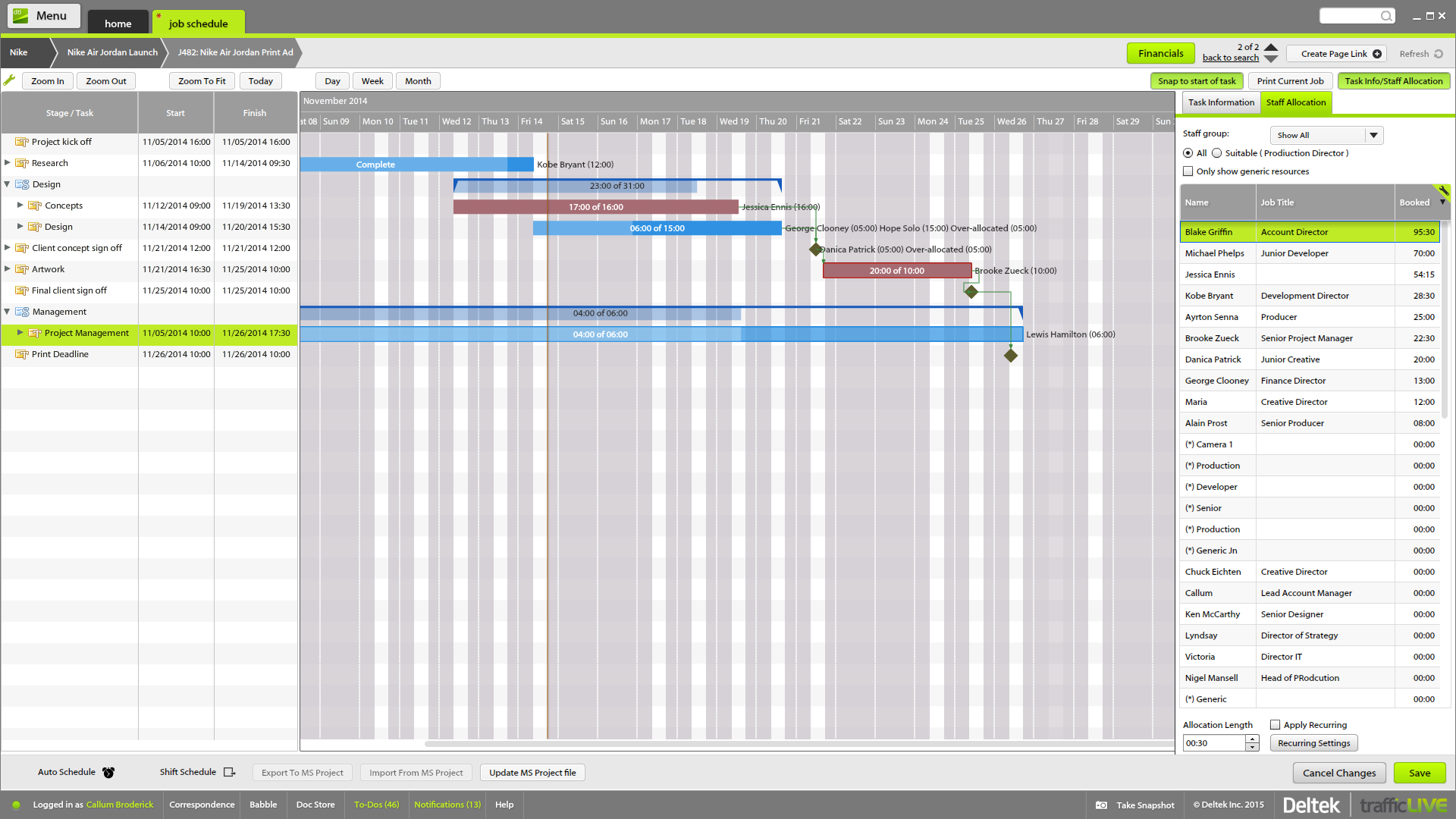
The time sheet area is really good - it's easy to drag and drop and fill in time sheets with allocated tasks quickly, which makes it more likely that people will actually do it!
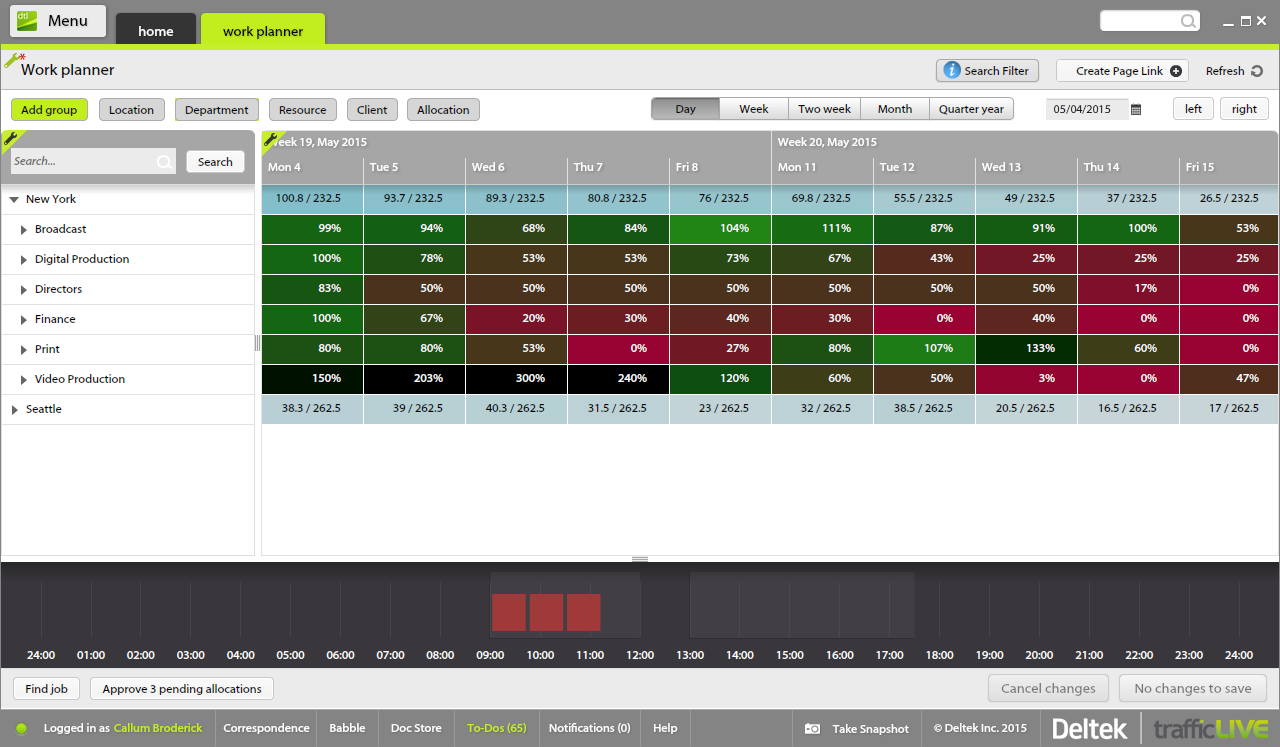
It's invaluable to be able to see the time spent on different tasks across a job - both for keeping track of ongoing projects, but also to plan resourcing and costs for the next time.
It's useful to be able to mark parts of a job as 'complete' before the full job is finished - this makes it easier to track which tasks still have to be finished, and makes sure that people are tracking time to the correct task within the job.
Job templates are very useful to make sure the same set of tasks is added to each job automatically.
Sub-tasks should have their own separate due dates
The main list needs some more intuitive tools to sort the list in any way I choose
Hovering over links should show a description of how to use it. For example, it would have been nice to know right away that double-clicking on a task is the way to open the details list.
One of the main features I would like to see added is another permissions option that allows Studio/Traffic Managers to the see the 'blue' time added that currently only the user can see when they have added their actual hourly time. This would give the option to view quickly the progress of a job, and to see if its still live or completed. There is the option to look at the 'weekly timesheet' but this in my opinion is not nearly as user friendly as being able to look at a glance each calendar.
It would be hugely beneficial if along the grey bar on the bottom of the homepage another notification is added that a job had been added to Deltek TrafficLIVE. A simple number would alert you that a new job has been added and needs your immediate attention.
The job search has been conveyed to me by a number of users as not working efficiently enough. If you have the job number then it works perfectly but if you try to locate a job by the account managers name or project name it will not reliably respond in your search.
The actual user interface and the way to navigate around the app is very intuitive and easy to learn/use which would make me give it a high ranking, but the syncing issues drop down my rating because there are times where you add an item to the list and then it just disappears. Then when you add it again the sync will happen and now you have duplicates. The other negative with the usability is adding extra information to an item, such as files or comments or assignments. You can do it but it's difficult to tell which items have this information from the main screen. You have to click on them individually.
I have not had an issue where I needed to reach out to Wunderlist, but I know their contact and online chat is easy to access and feel confident that they would be helpful. My only worry is Wunderlist is becoming Microsoft to-do in May 2020, and I believe the app will become worse after that.
It's a small tool compared to bigger project management software, but we found that they work perfectly together. It helps you declutter the larger PM tools, keep your smaller tasks in-line and make sure they get completed. When you're working in a creative agency, ideas and tasks are flying around, so having a tool like this that keeps you accountable and reminds you of your tasks is a must!
Synergist - does the same thing, but the interface was far more complicated to use. Looked like a bit of a nightmare to use. Didn't get too far reviewing this one. Was too concerned about on boarding with our workforce.
Paprika - saw a demo, looked 'OK', heard bad reviews from friends in the same industry. Appeared to be plagued with the same issues as Synergistic. Paint to use.
Streamtime - Tested this thoroughly. Loved the interface, and very nearly bought this software over TrafficLIVE for that very reason. In the end it did not allow us to separate time into distinct categories such as 'estimated', 'quoted', 'scheduled', and 'actual'. In Streamtime, if you stretched the time next to a task, it seemed to also adjust the estimate as well. In contrast, Traffic separated time into these dimensions for every task, resulting in a far more useful data set for reporting.
Finally, Traffic was cloud based, which meant that I didn't need the added hassle of hosting and maintenance. In my opinion, Streamtime is suited to a smaller business, maybe 5-20 employees. It might have improved now but it's been two years since I reviewed it.
We reduced the number of meetings of teams and companies by 5 times because now all participants have access to comments and know at what stage the project is located.
Simple to use common to-do lists allow you to manage the projects of the group and give all its participants a clear idea of who is responsible for each task. There is no need to waste time explaining the business processes and responsibilities of team members
Wunderlist for business stores all group correspondence together with tasks.
This is convenient for all participants and for management because sometimes important moments are lost in other messengers or chats. Now you can do everything in one application. The number of problems with this
We use Deltek TrafficLive in an in-house studio environment, so we don't use all of its features. However, we couldn't function as efficiently without it.