monday CRM provides control over the entire sales funnel and helps users close deals faster by automating manual work and streamlining sales activities from A-Z.
$15
per month per seat
Sellsy
Score 6.0 out of 10
Small Businesses (1-50 employees)
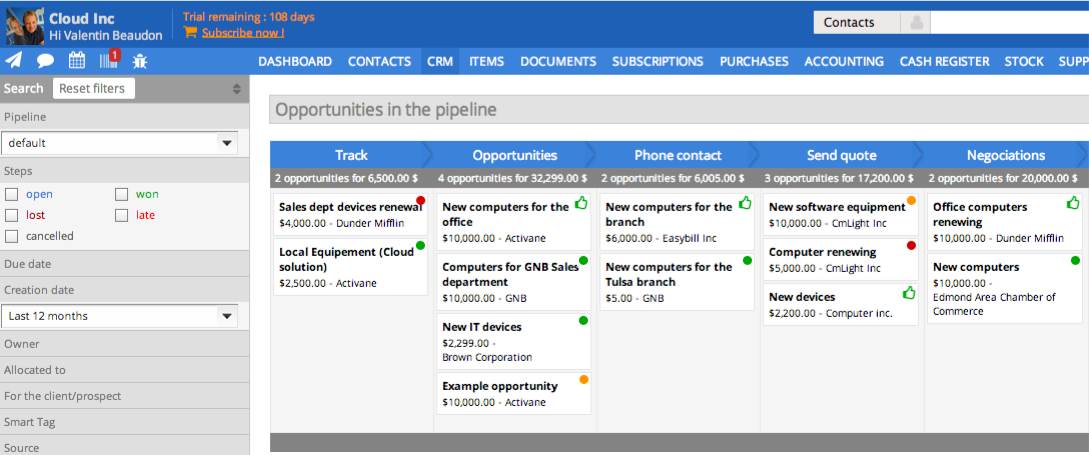
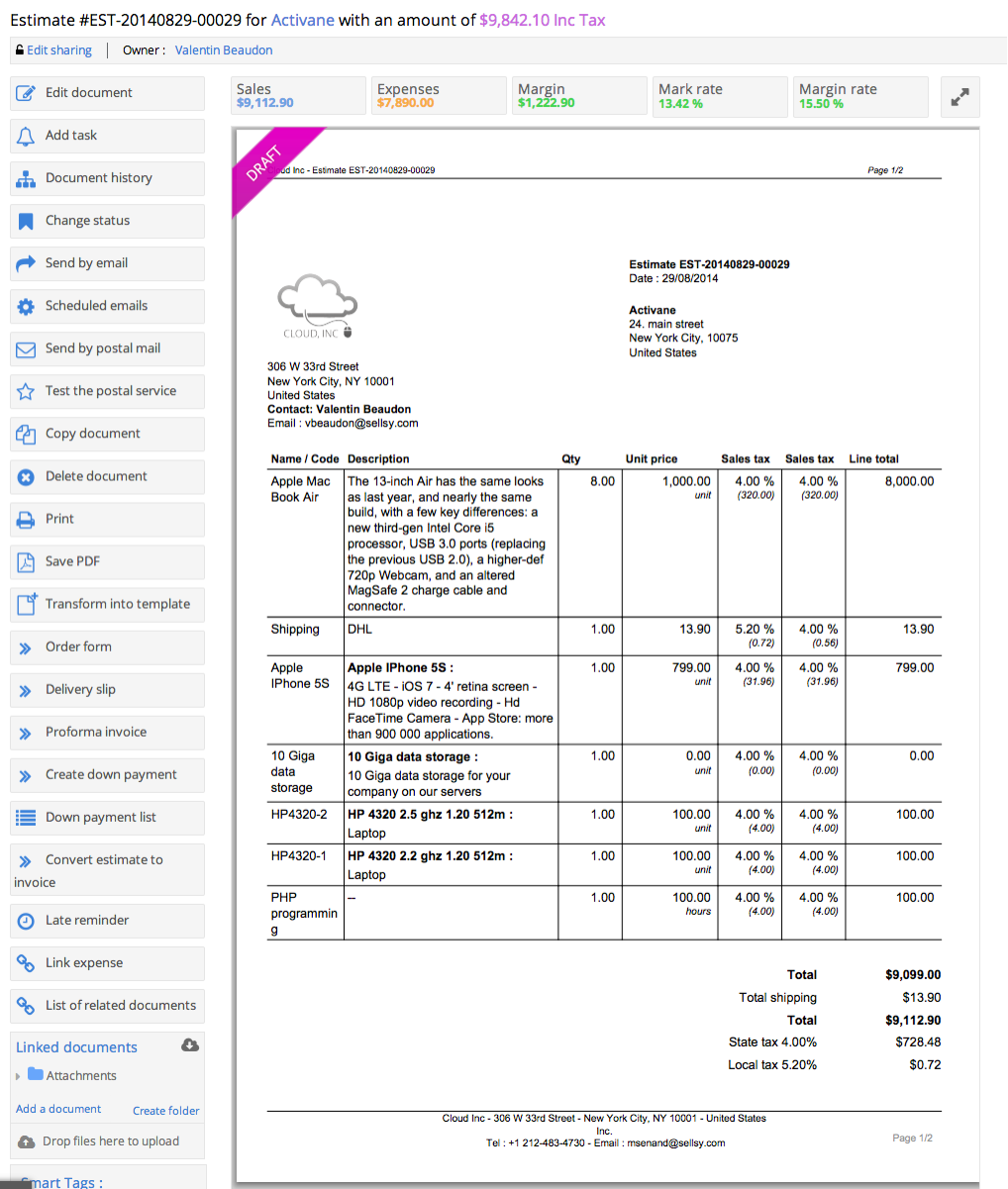
Sellsy is one integrated suite for sales management. Some key features include: CRM Pipelines, Invoicing, Time Tracking, HelpDesk, ERP, and POS.
$10
Per User per Month
Pricing
monday CRM
Sellsy
Editions & Modules
Basic
$15
per month per seat
Standard
$20
per month per seat
Pro
$33
per month per seat
Enterprise
Contact Sales
Staff member access
$10.00
Per User per Month
CRM pipelines license
$10.00
Per User per Month
Purchases and margins; Expenses; Subscriptions management; Helpdesk management
You have everything in one place, I use it because I can connect my operations area with my sales area, and it is really easy to program and understanding the information and inputs that you need to create a workflow, and having all the information in one platform with easy …
We already had Monday Work Management for our company, so adding the monday CRM portion was convenient instead of starting over. We liked the customization options that monday CRM provided and the security features that allow us to show information only to those who have access …
monday CRM as mention has been very easy to setup and rarely requires intervention by their suppor teams. Most of the features I feel were well testing before being deployed. Its easy to use and easy to deploy and integrates well with our internal teammates. No need for any …
Honestly, it was a decision based solely on price. When we have an increased budget, we would like to upgrade to Clockwork. We're using our time with monday.com as a temporary one (likely 5 years) and then will level-up with Clockwork unless monday.com makes major improvements …
I personally perfer monday's interface to Asana's, although they are both very similar in concept. I also feel that monday is better suited for cross-functional project management, which is something necessary to the way Dr. Squatch operates. Asana may be better suited to …
can't compare how modern and userfriendly monday CRM is in comparison with other CRMS i have used - CRMS typically feel so old and archaic and complicated to learn and understand - they feel clunky and like they were designed forever ago and have never been updated. Whereas, …
I do not have much experience with Asana, but I do appreciate the ease of integration with the Google Suite from Monday, I know this was a large selling point for our company, which is a G-Suite company. The ability to pull files from the Drive makes the application very useful.
I only used this for projects, and am unsure of if it's related to monday CRM. But I will say it's the closest I've used. I had a lot of issues with ClickUp crashing and completely not working, and I have rarely had issues with monday, unless the site was down.
There are many more options that can be used in the monday CRM Board than there seems to be in Teams or Salesforce. Slack is a very generic way to get the needed information out, and it makes the monday CRM Board very attractive in comparison
Overall, they are powerful tools that allow for similar management, efficiently and effectively, by all team members.
Both tools are already used by the corporation, at certain times depending on the development of the company's maturity regarding the need to record, analyze …
I think I've covered it in other parts of this review, but I think monday.com CRM is a "HubSpot Lite" product. For the more basic sales reporting, monday is better because it auto-generates most of the dashboard. We're already using monday.com for almost everything related to …
I believe monday CRM is more flexible for changes and intuitive to operate. Hubspot CRM is more specialized and complex to use. Airtable is not design as CRM but may be used as such, definitely not able to be compared to Hubsport CRM or monday CRM which are more specialized CRM …
monday CRM was much more customisable and flexible for our needs. We could use monday CRM to enhance what we do but Zendesk basically wanted us to change how we work to their style which is not what we wanted. I also found zendesk to be extremely expensive for what you were …
Earlier we were using other software to but I can not remember the name of it. For sure I remember that using other sofwtawers where not as effective as Monday is. Monday really brings very good value for companys future development and we will continue using it for loonger …
The primary benefit of monday.com is the flexibility. Other productivity management platforms do basically one thing, and that's all. Monday.com really does ten things and it does them pretty well. The best thing about that is that the ten different services all communicate …
I would say that it is simply a more interactive tool, that gives you all the features you need to get started, and then lets your evolve your tool with other methods and features as times goes by and your team gets a more mature understanding of the process and ways to improve …
I chose monday because of the flexibility, I get a system in which I can build what I want and exactly how I imagine, everything is very accessible and easy, I don't need the help of anyone and I can manage a complete and complex work process myself with a few clicks of a button
Sellsy is the most complete offering on the market today. It has its strengths and weaknesses but I believe it is on track to cover all of our needs with updates and fixes that are coming soon. Some of the products we tried before have superior integration with Google apps and …
I had already signed up for Salesforce when I came across Sellsy. As soon as I started using it, I canceled Salesforce (no small feat!!!) and ordered Sellsy!
I think it's a fantastic tool for a small business or startup. It has many of the same features as other CRMs, and my favorite thing about it are the pre-built Sales Dashboards that generate your forecast, pipeline, deal value, everything you would expect to see when analyzing your sales efforts. I think the parts of it that aren't as scalable are the outbound sales efforts with email. I don't think you can set up drip campaigns or automated workflows through monday the way you can through HubSpot and Salesforce.
I'm not sure here. I own an equipment rental business and it fits perfectly. I would say any business where inventory is a concern this would be a perfect operational platform.
Perhaps individual archive boards for individual boards - sometime's it's difficult to locate an archived item to account when something is done so until projects are finished, I often leave items on the board when it could be 'cleaner'
More color shades for groups and labels
Keep adding new widgets for dashboards to provide an even greater overview
Training. The only real issue I have with Sellsy is that its got so many features its hard to understand them all. I looked for training videos and they are all in French. Thats a big problem for a guy who grew up in NJ.
I would embed training videos directly into the software. This way as you add services, you get a full tutorial immediately.
Sellsy ticks the most boxes for us. While it could still do a lot of things better there is no other single app that offers the same spectrum of features at a comparable price for SMEs.
It was a little tricky when I first set up all of my automations and to kind of navigate my board and create it initially. So now that it's set up it's super easy to use so that's why I gave a seven in this rating.
We only ever needed to us the FAQs and quick google searches as everything we needed to do was very straightforward and intuitive to do. We found the simple and easy design and interface helped prevent having any issues. A colleague did need to reach out for help and stated that it was quick and useful
Based on our experience. We have submitted a large amount of tickets and they have proven the Sellsy development team have the ability to respond fast and implement changes reasonably quickly. (Updated July 2015) It took sellsy a number of weeks to solve an issue with the billable hours section of their application. This delayed us from being able to invoice our client for completed works. Lots of small things like email tracking timestamps have never been fixed even though we highlighted this issue months ago. Though small it is growing more and more frustrating to be reminded every time we try to see what time a client read or opened an email from us.
If you are importing data from a CSV, Sellsy recommends you use OpenOffice. OpenOffice is an absolute disaster on Windows 8 and crashes every few mins. While no fault of Sellsy they should not recommend software which makes an already challenging task even more difficult. A small gripe in hindsight but during the process was deeply frustrating. For any users looking to format your CSV Google, try importing CSV data into Excel and your life will be much more easy.
I personally perfer monday's interface to Asana's, although they are both very similar in concept. I also feel that monday is better suited for cross-functional project management, which is something necessary to the way Dr. Squatch operates. Asana may be better suited to companies who have smaller teams and a simpler scope of project management, but for a company with the complexity of ours, monday's customizable features and ease of visibility was the better suited platform for our needs.
The license model once you understand it is very flexible allowing you to select from the modules within sellsy. This gives small companies control of the cost facilitating them with the option to only pay for the features they use.