MS SharePoint / SQL vs. Snowflake

Overview
ProductRatingMost Used ByProduct SummaryStarting Price
MS SharePoint / SQL
Score 8.5 out of 10
N/A
MS SharePoint / SQL refers to Microsoft Sharepoint, a web-based collaborative platform, being used in tandem with Microsoft SQL Server to provide business intelligence analytics and reporting. They can provide BI content such as data connections, reports, scorecards, dashboards, and more.N/A
Snowflake
Score 8.9 out of 10
N/A
The Snowflake Cloud Data Platform is the eponymous data warehouse with, from the company in San Mateo, a cloud and SQL based DW that aims to allow users to unify, integrate, analyze, and share previously siloed data in secure, governed, and compliant ways. With it, users can securely access the Data Cloud to share live data with customers and business partners, and connect with other organizations doing business as data consumers, data providers, and data service providers.N/A
Pricing
MS SharePoint / SQLSnowflake
Editions & Modules
No answers on this topic
Offerings
Pricing Offerings
MS SharePoint / SQLSnowflake
Free Trial
NoYes
Free/Freemium Version
NoNo
Premium Consulting/Integration Services
NoNo
Entry-level Setup FeeNo setup feeNo setup fee
Additional Details
More Pricing Information
Community Pulse
MS SharePoint / SQLSnowflake
Considered Both Products
MS SharePoint / SQL
Chose MS SharePoint / SQL
1. Cost affective as it comes with MS 365 Tenant 2. Natively interactive with tools such MS 365 Dynamics ERP, Power Platform etc

Chose MS SharePoint / SQL
Ease of use being the biggest benefit, speed and availability are right there behind ease of use.
Chose MS SharePoint / SQL
SharePoint is more reliable in terms of data storage, security, and accessibility by only required users compared to ClickUp. Also, SharePoint is easier to learn and use for any user, as tutorials are easily available online. Also, SharePoint is a product of Microsoft, which …
Chose MS SharePoint / SQL
Simple: MS Sharepoint/SQL is the best and robust databases motor now are incorporating some features in order to improve users and DB admins experience.
Chose MS SharePoint / SQL
The user interface and search elements are much better than our outgoing data storage method.
Chose MS SharePoint / SQL
Box is a content storing portal where you can host and share documents/files to others. But it does not have [Sharepoint's] capabilities like... versions, automation, email approvals, etc. And Microsoft Exchange is a mailing database that can be used for exchanging data using …
Chose MS SharePoint / SQL
Has better support than MySQL and more developers are familiar with it. Oracle syntax is more cumbersome and less developers are experienced these days with Oracle.
Chose MS SharePoint / SQL
I have heard that the one that comes close is a tool called Apex. Some of the leading companies are using it instead of SQL.
Chose MS SharePoint / SQL
If you are looking for a document management and collaboration tool to use as a web portal that comes with SQL data base and easy to manage and something you can learn very quick, look no further than SharePoint but if you need a pure database then this is not for you.
Chose MS SharePoint / SQL
We use MS SQL more just because of how widely it's used and how popular it is. It's easier to install, maintain, and support compared to the other ones we've tried.
Chose MS SharePoint / SQL
At the time of the two large projects, SharePoint was the enterprise solution so we were required to use that. We have since lobbied the enterprise teams to review and consider Atlassian confluence and were successful. Confluence is cheaper than Sharepoint which is why we …
Chose MS SharePoint / SQL
At its core, MS SharePoint (with SQL) is for managing document-based content. It falls just short of being a best in class records manager (it does offer some features for this though), and it isn't the easiest to solution to make great looking modern and engaging web sites. …
Chose MS SharePoint / SQL
We looked at Google Drive but it didn't have the API and integration that SharePoint has with 3rd party software providers. Also, Google Drive has basic functionality compared to MS SharePoint and how you can customize and build-out.
Chose MS SharePoint / SQL
I haven't used any other products that compete with it. I started my career at Microsoft and the two subsequent locations have also been Microsoft shops.
Chose MS SharePoint / SQL
Dropbox is a user-friendly product, but Sharepoint is a native Microsoft product that can be implemented into any Microsoft products, which are used mostly in our environment. Finding solutions on the internet is much easier, as it is used commonly by other organizations as …
Chose MS SharePoint / SQL
I am not familiar with any other products similar to SharePoint, so I am unable to compare.
Chose MS SharePoint / SQL
Mostly, we are a Microsoft shop, and SharePoint and SQL integrate with our other applications. They're easy to use, and not too hard to manage.
Chose MS SharePoint / SQL
I have used both Google Drive and Zoho Docs which seem similar to MS SharePoint. The main differences I noticed as a user is that the user interfaces in both Google Drive and Zoho Docs were much more intuitive and they were much easier to navigate than MS SharePoint. There …
Chose MS SharePoint / SQL
We had staff resources able to create, configure, and mange our sharepoint environment, so it made sense for us and gave us greater flexibility than these turnkey solutions. Certainly each solution has its merits and each are completely different price points. We already had …
Chose MS SharePoint / SQL
Most of the applications used within our company have a SharePoint back end therefore I have not used anything other than SharePoint.
Chose MS SharePoint / SQL
We evaluated Atlassian Confluence and compared it to our current SharePoint implementation. We felt that the two products were quite similar in the user experience but we chose to keep our SharePoint farms up and running. This was mainly due to the cost of switching and the …
Chose MS SharePoint / SQL
Actually i didnt work with other than ms sharepoint so i cant say how it is stand for others
Snowflake
Chose Snowflake
Snowflake provides various features, such as integration with Python using Snowpark. The reporting feature that caters to your small reporting needs is Snowsight. The Snowflake data marketplace is where you can get multiple data for free and even some of the data which you can …
Chose Snowflake
These are comparable products that can make sense depending on the specific needs of your organization. All are certainly serviceable and have varying pros and cons. Snowflake seems to provide the greatest degree of flexibility and easy scalability as new data gets brought into …
Chose Snowflake
Snowflake stacks up well against many of the other players in the space. We used Teradata before and it seems to perform better.
Chose Snowflake
We needed scalability and a new way of organizing our data; Snowflake allowed us to have a clearer view of our data warehouses and schemas. Snowflake is also way superior in terms of speed and quick insights from the raw data you query, which is very valuable to us.
Chose Snowflake
Snowflake has an attractive pricing model with auto-suspend and auto-resume and pay per use. AWS Redshift requires higher administrative efforts to maintain and scale the platform whereas with Snowflake those admin tasks are not needed or automatically taken care of.
Chose Snowflake
Cloud -Native architecture, Separation of Storage and Compute provides flexibility, Scalable Compute, Cost and Data Security
Chose Snowflake
We had a MS SQL server with over 2 TB of ram & 51 processors that we were using, that could no longer handle our workload. Snowflake can handle 3 times that workload with ease and efficiency.
Chose Snowflake
Snowflake is much faster and easier to write queries and pull data. But the visualization part of Snowflake is not as good as them. Also, Snowflake only supports SQL queries but not python or other languages. So basically Snowflake is the expert in its field but not suitable …
Chose Snowflake
We particularly liked Snowflake's security model as well as its unique storage (whereby everything is essentially a pointer to immutable micro-partitions, which is the key behind its zero-copy cloning, its secure sharing, its time travel, etc.). and also how it separates …
Chose Snowflake
While Snowflake is more open to cloud eco system, SAP integrated well with SAP eco system products like SAP ECC or SAP S/4. So for people who have invested heavily in SAP eco system including SAP ECC or S/4, it makes sense to go with SAP DWC which is also evolving very rapidly. …
Chose Snowflake
In my opinion, the other tools have similar and some different features; however, when I ran proof of technologies between Synapse and Snowflake. Snowflake did things better or just had functionality that the other tools did not. One that stuck out at the time was scale up …
Chose Snowflake
Each of the other solutions were cloud vendor specific, Snowflake can ride on either Amazon Web Services, Microsoft Azure, or Google Cloud. The fact that they are ANSI-sql compliant and have an effective means of offloading data makes them portable and easy to sell to teams …
Chose Snowflake
Azure and Snowflake compared very similarly, but Snowflake provided more options to integrate and connect with tools/companies that were not partners. It seemed to be a more flexible environment. The barrier for entry on Oracle and Google we just too complicated. In particular, …
Chose Snowflake
I have had the experience of using one more database management system at my previous workplace. What Snowflake provides is better user-friendly consoles, suggestions while writing a query, ease of access to connect to various BI platforms to analyze, [and a] more robust system …
Chose Snowflake
Snowflake has won the match because it is giving an excellent performance with its efficient features and reliable results. This is a totally secure program for our precious and important data.
Chose Snowflake
Our initial data warehousing solution was Treasure Data. We had issues with the costly pricing model, which would be exhorbitant if we want to hold our data in memory and query using Presto. As a result, some heavy lifting was done in Hive (managed by Treasure Data); …
Chose Snowflake
Snowflake beats these other products in every category it was rated against
Chose Snowflake
In my experience running the data management practice at InterWorks, we believe that cloud data warehouse products will eventually serve the majority of data warehousing use cases and power data analytics at most companies. Of this cohort, we believe that Snowflake is the best …
Chose Snowflake
Redshift compute and storage can be scaled up/down together (though they added some features recently, they don't quite add up). I haven't tried Avalanche or Firebolt but would love to in the near future, due to their pedigree or revolutionary billing methods.
Chose Snowflake
- Cost was the main aspect on the decision.
- Performance was in par or better compared to other tools in the market.
- Snowflake in my opinion stacks better than other tools I have used in the past.
Chose Snowflake
Accommodates future data types such as JSON and XML. Scalability is another advantage. Pay per use is beneficial for organizations like yours. Direct connectors with AWS help us to go with it. No limit on user creation and clone data not eating up extra disk space are a few …
Chose Snowflake
Since we switch from amazon redshift to Snowflake, we found Snowflake is much better than redshift in many ways, including the data integrate and data pull. However, comparing directly pull data from amazon s3, Snowflake is quite slow in terms of data pull speed and the more …
Chose Snowflake
Compared to Amazon Redshift, Snowflake is slightly easier and faster to achieve ROI but based on the user's perspective, the two tools have very little difference since both are leveraging SQL to pull data from AWS S3. Snowflake is also working with Microsoft Azure but it is …
Chose Snowflake
Our issue with Redshift was that it was very expensive. On top of that, queries were still slow and if we used more of Redshift's memory, then it would have cost even more. Snowflake is not cheap, but less costly for us. Plus, the performance was much better. Also, we got to …
Chose Snowflake
Snowflake is a lot faster, feels more lightweight, and is overall easier for our BI team to manage and grant warehouse accesses.
Features
MS SharePoint / SQLSnowflake
BI Standard Reporting
Comparison of BI Standard Reporting features of Product A and Product B
MS SharePoint / SQL
7.7
Ratings
6% below category average
Snowflake
-
Ratings
Pixel Perfect reports8.70 Ratings00 Ratings
Customizable dashboards7.00 Ratings00 Ratings
Report Formatting Templates7.30 Ratings00 Ratings
Ad-hoc Reporting
Comparison of Ad-hoc Reporting features of Product A and Product B
MS SharePoint / SQL
8.2
Ratings
2% above category average
Snowflake
-
Ratings
Drill-down analysis7.80 Ratings00 Ratings
Formatting capabilities8.30 Ratings00 Ratings
Integration with R or other statistical packages8.00 Ratings00 Ratings
Report sharing and collaboration8.60 Ratings00 Ratings
Report Output and Scheduling
Comparison of Report Output and Scheduling features of Product A and Product B
MS SharePoint / SQL
8.9
Ratings
7% above category average
Snowflake
-
Ratings
Publish to Web8.70 Ratings00 Ratings
Publish to PDF9.40 Ratings00 Ratings
Report Versioning8.30 Ratings00 Ratings
Report Delivery Scheduling9.00 Ratings00 Ratings
Delivery to Remote Servers9.00 Ratings00 Ratings
Data Discovery and Visualization
Comparison of Data Discovery and Visualization features of Product A and Product B
MS SharePoint / SQL
8.6
Ratings
8% above category average
Snowflake
-
Ratings
Pre-built visualization formats (heatmaps, scatter plots etc.)8.70 Ratings00 Ratings
Location Analytics / Geographic Visualization8.00 Ratings00 Ratings
Predictive Analytics9.30 Ratings00 Ratings
Pattern Recognition and Data Mining8.40 Ratings00 Ratings
Access Control and Security
Comparison of Access Control and Security features of Product A and Product B
MS SharePoint / SQL
8.2
Ratings
3% below category average
Snowflake
-
Ratings
Multi-User Support (named login)7.90 Ratings00 Ratings
Role-Based Security Model8.00 Ratings00 Ratings
Multiple Access Permission Levels (Create, Read, Delete)8.20 Ratings00 Ratings
Report-Level Access Control7.80 Ratings00 Ratings
Single Sign-On (SSO)8.70 Ratings00 Ratings
Mobile Capabilities
Comparison of Mobile Capabilities features of Product A and Product B
MS SharePoint / SQL
9.4
Ratings
18% above category average
Snowflake
-
Ratings
Responsive Design for Web Access9.40 Ratings00 Ratings
Mobile Application9.40 Ratings00 Ratings
Dashboard / Report / Visualization Interactivity on Mobile8.70 Ratings00 Ratings
Application Program Interfaces (APIs) / Embedding
Comparison of Application Program Interfaces (APIs) / Embedding features of Product A and Product B
MS SharePoint / SQL
8.8
Ratings
12% above category average
Snowflake
-
Ratings
REST API9.30 Ratings00 Ratings
Javascript API9.30 Ratings00 Ratings
iFrames9.00 Ratings00 Ratings
Java API9.00 Ratings00 Ratings
Themeable User Interface (UI)8.00 Ratings00 Ratings
Customizable Platform (Open Source)8.00 Ratings00 Ratings
Best Alternatives
MS SharePoint / SQLSnowflake
Small Businesses
BrightGauge
BrightGauge
Score 9.1 out of 10
Google BigQuery
Google BigQuery
Score 8.4 out of 10
Medium-sized Companies
Reveal
Reveal
Score 10.0 out of 10
Google BigQuery
Google BigQuery
Score 8.4 out of 10
Enterprises
Kyvos Semantic Intelligence Layer
Score 9.9 out of 10
Google BigQuery
Google BigQuery
Score 8.4 out of 10
All AlternativesView all alternativesView all alternatives
User Ratings
MS SharePoint / SQLSnowflake
Likelihood to Recommend
8.8
(0 ratings)
9.2
(0 ratings)
Likelihood to Renew
8.8
(0 ratings)
10.0
(0 ratings)
Usability
8.9
(0 ratings)
9.3
(0 ratings)
Support Rating
8.8
(0 ratings)
9.9
(0 ratings)
Implementation Rating
7.0
(0 ratings)
-
(0 ratings)
User Testimonials
MS SharePoint / SQLSnowflake
Likelihood to Recommend
As I mentioned in my previous answers, MS SharePoint is very useful as a shared drive for the organization and is very easy to manage. It also helps us import data from SharePoint directly into PowerBI for creating reports. According to my understanding, only share link features should be improved.
Read full review
If you need a quick query, snowflake is the way to go. It's super simple and scalable; we were struggling before with Azure, and with Snowflake, everything runs smoothly, and we have more control over our schemas and warehouses. Snowflake, in my opinion, is the next step when you want to scale your business and manage data. If your company is still small, there may be cheaper options.
Read full review
Pros
  • Flexible - able to make any changes we would like vs traditional service desk system.
  • ROI - We were already using SharePoint for internal intranet, so we are simply getting more use out of licensing we had already committed to.
  • Easy to use for end users.
Read full review
  • Snowflake scales appropriately allowing you to manage expense for peak and off peak times for pulling and data retrieval and data centric processing jobs
  • Snowflake offers a marketplace solution that allows you to sell and subscribe to different data sources
  • Snowflake manages concurrency better in our trials than other premium competitors
  • Snowflake has little to no setup and ramp up time
  • Snowflake offers online training for various employee types
Read full review
Cons
  • It is hard to setup and nightmare
  • It requires a of infrastructure, thus it could be costly because of requirement and licensing required for everything to run smoothly
  • If it is not setup and organized properly from the beginning it could be maintenance nightmare
  • It is hard to have "test" environment to do patches or similar
Read full review
  • Add constraints for views and not just for tables
  • Do not force customers to renew for same or higher amount to avoid loosing unused credits. Already paid credits should not expire (at least within a reasonable time frame), independent of renewal deal size.
Read full review
Likelihood to Renew
This was a long-term buy-in from a corporate perspective, to remain in the SharePoint space. Migration is certainly possible, which is good for planning and having options further out. At this point, the only planned migration is to eventually move the architecture up to SharePoint/SQL 2013. At that point, we will be able to leverage some greater efficiencies, some enhanced content design and management features, and some more current social features. It is well worth a full consideration in any shop looking at a new implementation of or migration to SharePoint (although you will probably be considering 2013 versions or beyond in those discussions), but the platform should be a strong competitor to any alternatives. Realizing the capability of a fully-branded and customized website was not part of the original choice for the architecture at Lincoln, but seeing it implemented and functioning now with this capacity far beyond original expectations has certainly cemented plans to continue using it.
Read full review
SnowFlake is very cost effective and we also like the fact we can stop, start and spin up additional processing engines as we need to. We also like the fact that it's easy to connect our SQL IDEs to Snowflake and write our queries in the environment that we are used to
Read full review
Usability
I gave this rating due to MS SharePoint being a big help with our userbase. We have a lot of users that are just old enough to not have much technical skills or they have been in this industry long enough to where they haven't really needed to utilize much technology. MS SharePoint helped us move beyond that barrier without too many bumps and bruises.
Read full review
The interface is similar to other SQL query systems I've used and is fairly easy to use. My only complaint is the syntax issues. Another thing is that the error messages are not always the easiest thing to understand, especially when you incorporate temp tables. Some of that is to be expected with any new database.
Read full review
Support Rating
I've only had to call in to support on one occasion but they were able to work though our issue and find a solution that did fully resolve the issue in a timely manner. I can't always say the same about support from other companies so it was a refreshing change to have support that did help.
Read full review
We have had terrific experiences with Snowflake support. They have drilled into queries and given us tremendous detail and helpful answers. In one case they even figured out how a particular product was interacting with Snowflake, via its queries, and gave us detail to go back to that product's vendor because the Snowflake support team identified a fault in its operation. We got it solved without lots of back-and-forth or finger-pointing because the Snowflake team gave such detailed information.
Read full review
Implementation Rating
Mo major insight regarding the implementation if very well documented for standard products.
Read full review
No answers on this topic
Alternatives Considered
At the time of the two large projects, SharePoint was the enterprise solution so we were required to use that. We have since lobbied the enterprise teams to review and consider Atlassian Confluence and were successful. Confluence is cheaper than Sharepoint which is why we wanted to bring that in. The enterprise has now made Confluence an enterprise solution as an alternative to SharePoint. After using both I think SharePoint has many more add-ins than Confluence. It has much more customization ability than Confluence. SharePoint is not good for mobile readiness. Confluence is so there is a difference that might lead you to Confluence over SharePoint. I would also say that SharePoint is very document-centric and that Confluence has better KM than SharePoint does. even with the use of SQL Server. We were told that we could not use Google Drive even though it had features we liked.
Read full review
Snowflake provides various features, such as integration with Python using Snowpark. The reporting feature that caters to your small reporting needs is Snowsight. The Snowflake data marketplace is where you can get multiple data for free and even some of the data which you can buy according to your needs. And the integration options with various tools like Sigma are add-ons.
Read full review
Return on Investment
  • ROI for ms SharePoint/SQL considering that is the best database engine with excellent features that help you to have all information in your hand.
  • Something negative could be license format.
  • These are the best relational databases in the market with powerful features that complement your system.
Read full review
  • With separate compute and storage feature, the queries get executed quickly and it improves our overall productivity.
  • Earlier we were using a different product for analytical purposes, but with Snowflake's in-built analytical feature we are now able to save money.
  • Snowflake is cost efficient, features like auto suspend for compute resources helped to control the costs.
Read full review
ScreenShots

Snowflake Screenshots

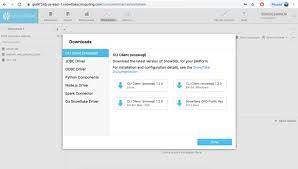
Screenshot of Snowflake Installation