
Naseem Ahmad
Sr Technical Architect
Chose MS SharePoint / SQL
1. Cost affective as it comes with MS 365 Tenant 2. Natively interactive with tools such MS 365 Dynamics ERP, Power Platform etc

| Product | Rating | Most Used By | Product Summary | Starting Price |
|---|---|---|---|---|
 MS SharePoint / SQL | N/A | MS SharePoint / SQL refers to Microsoft Sharepoint, a web-based collaborative platform, being used in tandem with Microsoft SQL Server to provide business intelligence analytics and reporting. They can provide BI content such as data connections, reports, scorecards, dashboards, and more. | N/A | |
 SyncFirst Standard | N/A | SyncFirst turns text documents, PDFs, formatted ASCII files and electronic reports into usable data tables. Once the information is captured in a table, users can create filters to view subsets of the data, sort the table on any combination of fields, create summaries that show totals for numeric fields, or simply export data for use in databases, spreadsheets, or other applications. SyncFirst includes full support for several standard chart types. All charts are automatically copied to the… | $549 |
| MS SharePoint / SQL | SyncFirst Standard | |||||||||||||||
|---|---|---|---|---|---|---|---|---|---|---|---|---|---|---|---|---|
| Editions & Modules | No answers on this topic |
| ||||||||||||||
| Offerings |
| |||||||||||||||
| Entry-level Setup Fee | No setup fee | No setup fee | ||||||||||||||
| Additional Details | — | Volume licensing is available. Contact us for details. | ||||||||||||||
| More Pricing Information | ||||||||||||||||
| MS SharePoint / SQL | SyncFirst Standard | |
|---|---|---|
| Considered Both Products |  MS SharePoint / SQL Naseem Ahmad Sr Technical Architect Chose MS SharePoint / SQL 1. Cost affective as it comes with MS 365 Tenant 2. Natively interactive with tools such MS 365 Dynamics ERP, Power Platform etc  Saif Khan Product Compliance Associate Chose MS SharePoint / SQL SharePoint is more reliable in terms of data storage, security, and accessibility by only required users compared to ClickUp. Also, SharePoint is easier to learn and use for any user, as tutorials are easily available online. Also, SharePoint is a product of Microsoft, which …  Gene Baker Vice President, Chief Architect, Development Manager and Software Engineer Chose MS SharePoint / SQL At the time of the two large projects, SharePoint was the enterprise solution so we were required to use that. We have since lobbied the enterprise teams to review and consider Atlassian confluence and were successful. Confluence is cheaper than Sharepoint which is why we …  Matt Varney Intranet Administrator Chose MS SharePoint / SQL At its core, MS SharePoint (with SQL) is for managing document-based content. It falls just short of being a best in class records manager (it does offer some features for this though), and it isn't the easiest to solution to make great looking modern and engaging web sites. …  Dinesh Selvachandra Business Process Analyst Chose MS SharePoint / SQL Google drive is not yet up to the corporate requirement.  Jeet Sohpal Technology Support Chose MS SharePoint / SQL Most of the applications used within our company have a SharePoint back end therefore I have not used anything other than SharePoint.  Mohamad CHAABAN Senior SOC Analyst Chose MS SharePoint / SQL Actually i didnt work with other than ms sharepoint so i cant say how it is stand for others |  SyncFirst Standard No answer on this topic |
| MS SharePoint / SQL | SyncFirst Standard | |||||||||||||||||||||
|---|---|---|---|---|---|---|---|---|---|---|---|---|---|---|---|---|---|---|---|---|---|---|
| BI Standard Reporting |
| |||||||||||||||||||||
| Ad-hoc Reporting |
| |||||||||||||||||||||
| Report Output and Scheduling |
| |||||||||||||||||||||
| Data Discovery and Visualization |
| |||||||||||||||||||||
| Access Control and Security |
| |||||||||||||||||||||
| Mobile Capabilities |
| |||||||||||||||||||||
| Application Program Interfaces (APIs) / Embedding |
|
| MS SharePoint / SQL | SyncFirst Standard | |
|---|---|---|
| Small Businesses |  BrightGauge Score 9.1 out of 10 | BrightGauge Score 9.1 out of 10 |
| Medium-sized Companies |  Reveal Score 10.0 out of 10 | Reveal Score 10.0 out of 10 |
| Enterprises |  Kyvos Semantic Intelligence Layer Score 9.9 out of 10 | Kyvos Semantic Intelligence Layer Score 9.9 out of 10 |
| All Alternatives | View all alternatives | View all alternatives |
| MS SharePoint / SQL | SyncFirst Standard | |
|---|---|---|
| Likelihood to Recommend | 8.8 (0 ratings) | - (0 ratings) |
| Likelihood to Renew | 8.8 (0 ratings) | - (0 ratings) |
| Usability | 8.9 (0 ratings) | - (0 ratings) |
| Support Rating | 8.8 (0 ratings) | - (0 ratings) |
| Implementation Rating | 7.0 (0 ratings) | - (0 ratings) |
| MS SharePoint / SQL | SyncFirst Standard | |
|---|---|---|
| Likelihood to Recommend |
| No answers on this topic |
| Pros |
| No answers on this topic |
| Cons |
| No answers on this topic |
| Likelihood to Renew |
 Tim Ritter IT Analyst/Developer | No answers on this topic |
| Usability |
| No answers on this topic |
| Support Rating |
| No answers on this topic |
| Implementation Rating |
 John Dopson Network Engineer | No answers on this topic |
| Alternatives Considered |
Gene Baker Vice President, Chief Architect, Development Manager and Software Engineer | No answers on this topic |
| Return on Investment |
| No answers on this topic |
| ScreenShots | SyncFirst Standard Screenshots 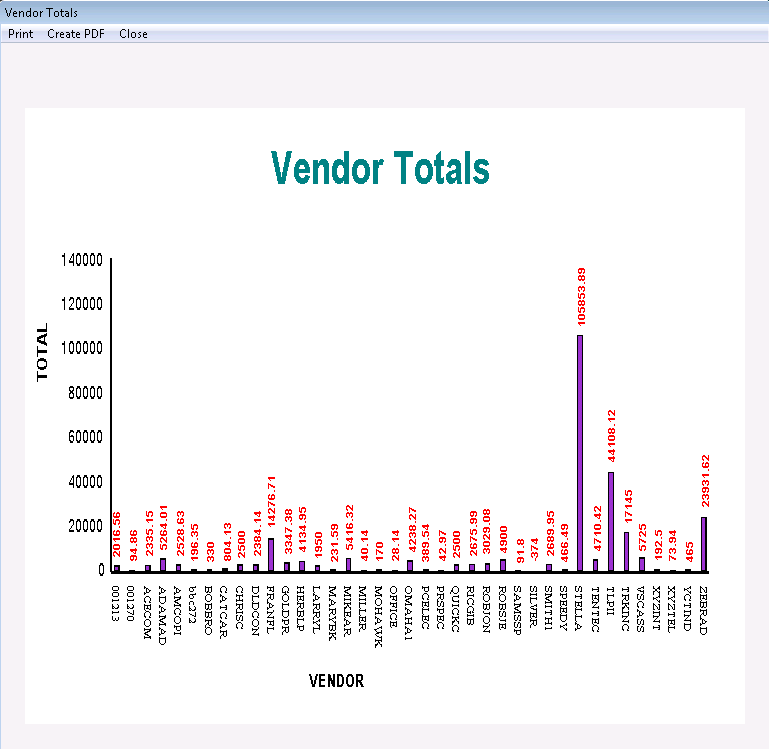 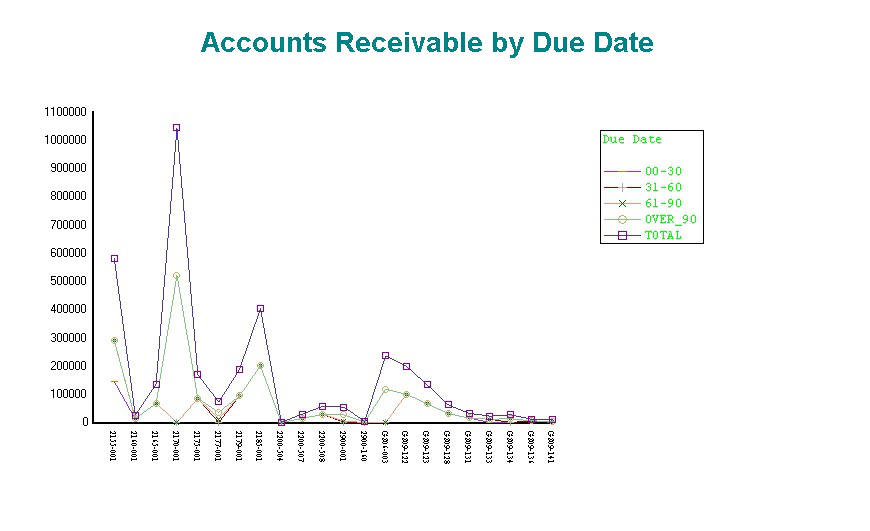 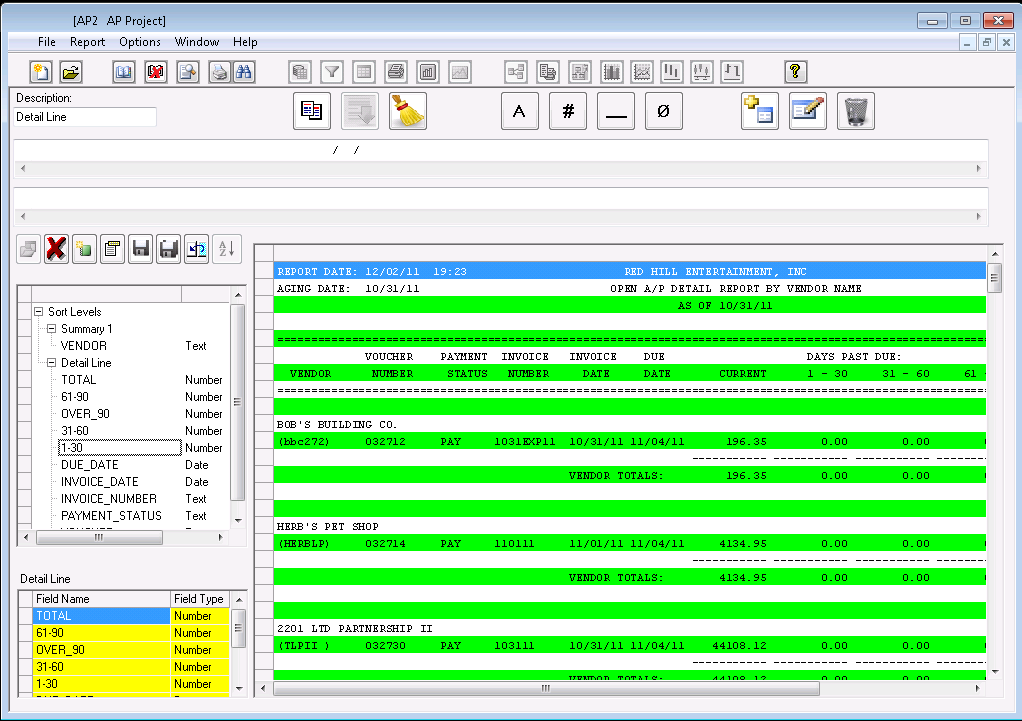 |