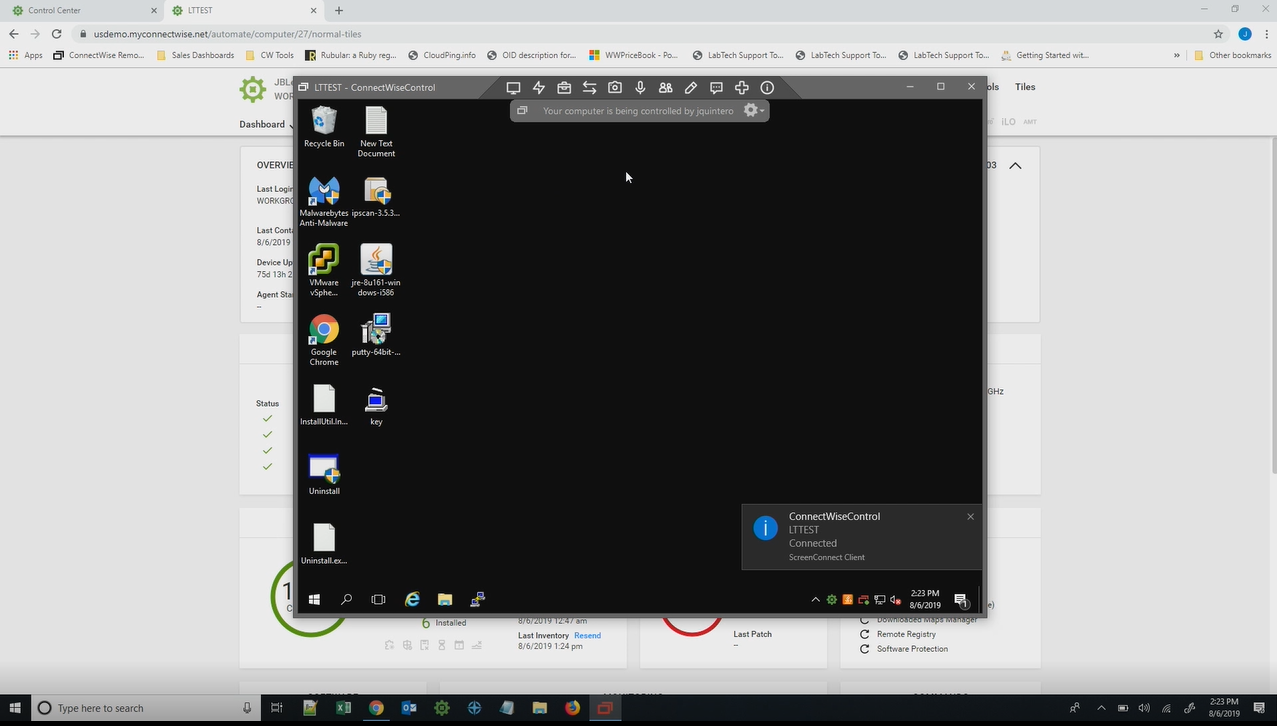
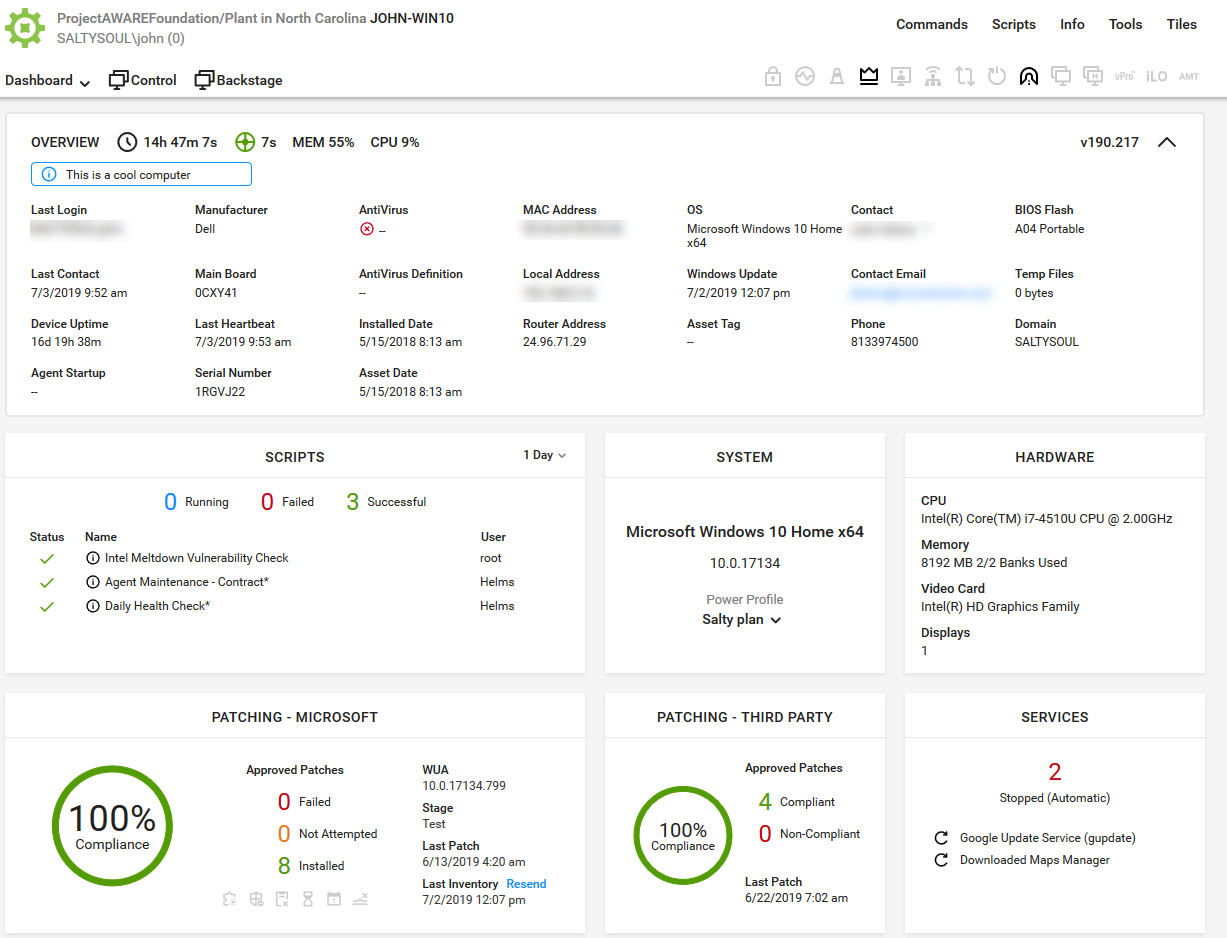
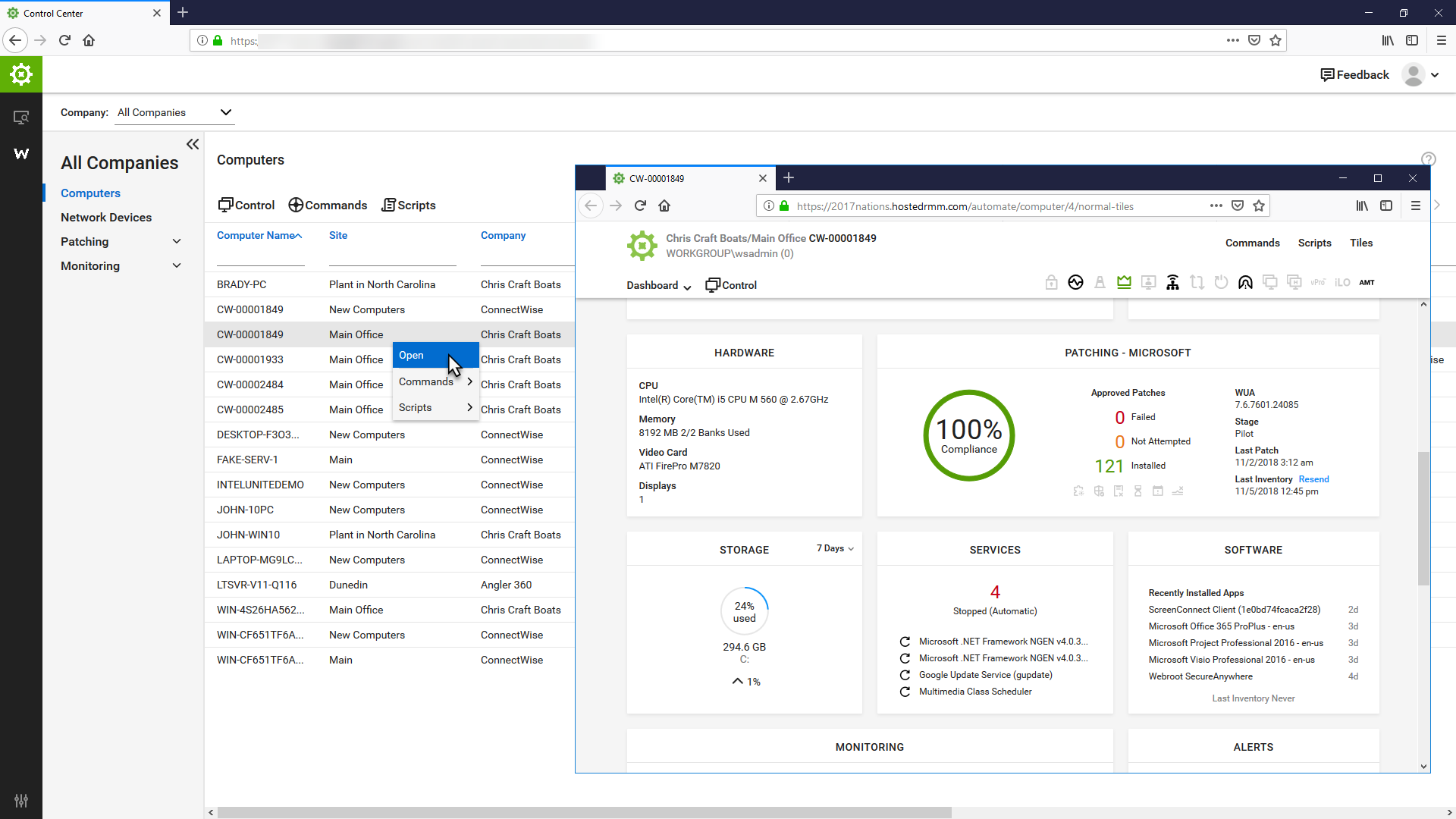
ConnectWise Automate, formerly LabTech, is a remote monitoring and management (RMM) platform. It provides powerful automation to discover and manage devices, monitor for problems, and scripts repetitive action.
$700
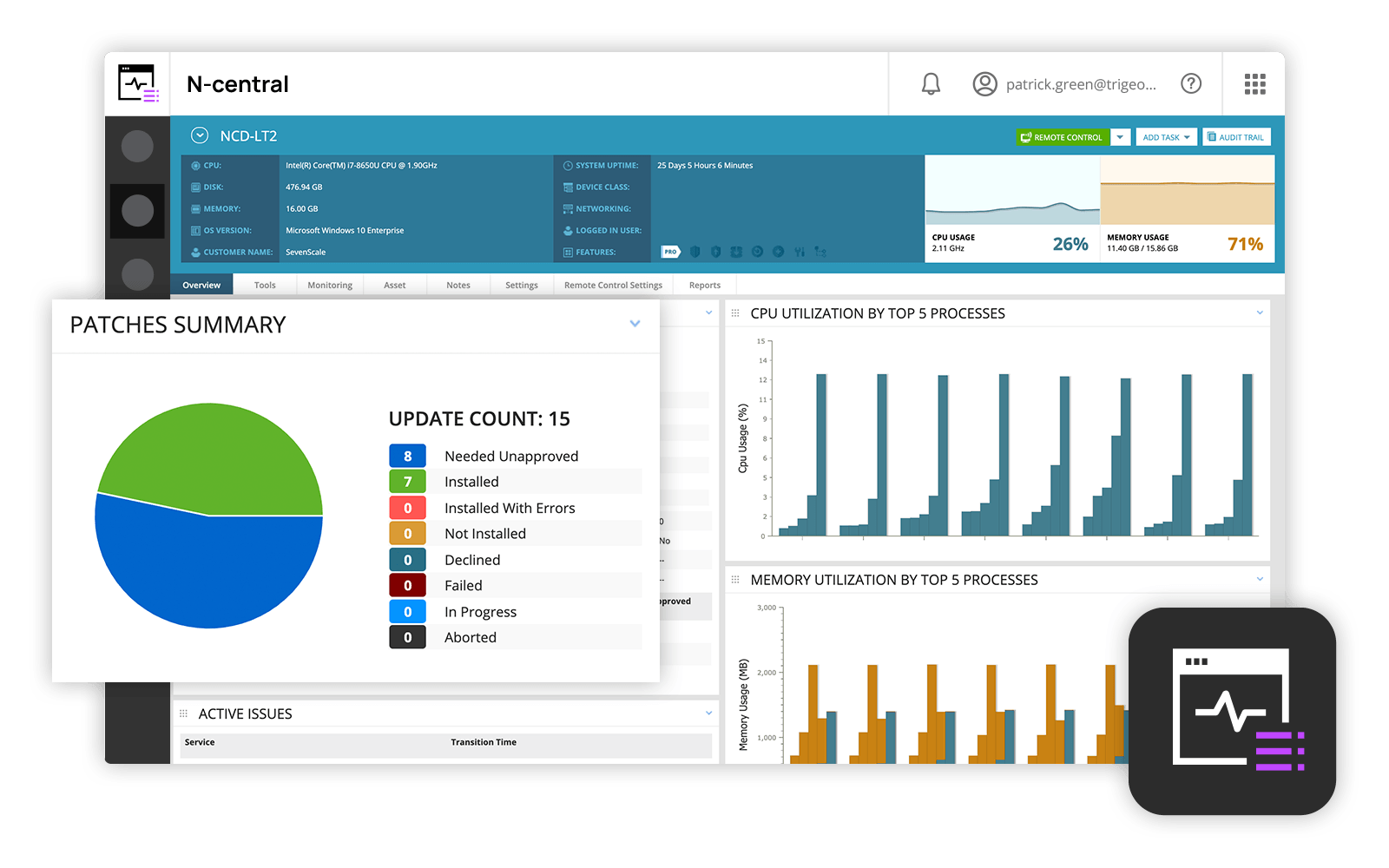
N-able N-central
Score 8.9 out of 10
N/A
MSPs
and IT professionals use N-able™ N-central® to monitor and manage devices and complex
networks remotely. N-central provides
visibility and efficiency as the user's needs scale. N-central can help users:
1. Proactively monitor everything on a customer network—not just servers
and workstations—and troubleshoot.
2. Stay on top of threats with features like MFA, antivirus, integrated endpoint
detection and response, data backup, disk encryption, email protection,…
Enable has a clunky interface more suited for management reporting versus technician toolbox and Ninja is very basic and lacks any significant bells and whistles behind basic remote command interface. Very poor in features to the point if being quite disappointing during a …
If we have to do it again, we would not choose to Automate due to the number of efforts and monetary investment (3rd party consultants) to implement it as well on going managing it. But, in comparison to the other RMM products we used in the past, Automate offers more …
I regret using ConnectWise Automate since we can't effectively add and remove clients and I feel like we're locked into a multi-year contract where only ConnectWise seems to be happy.
I have evaluated NinjaRMM, but it was after I was already familiar with ConnectWise Automate. While it seems like a good product, I found that ConnectWise Automate was more flexible in allowing me to make custom configurations to meet various business needs across different …
I believe the monitoring and alerts in Continuum command is better, but [ConnectWise Automate (formerly LabTech)] does have stronger scripting, and perhaps a better interface. N-Central is inferior on all fronts to both. I did not make the purchasing decision. I would myself …
It just seems like Automate is a tool for professionals who want to be the best proactive solution for their customers. There are so many different things built into Connectwise Automate which makes it a superior tool compared to anything else on the market currently. Once …
So as you can see from this review my experience is mostly with its desktop sharing aspect; however the IT support team use this more comprehensively as a monitoring, inventory, reporting, even application deployment tool that the above-mentioned apps don't have.
Automate is by far the best of all RMM solutions we have tried. The overall ease of use and support is much better than we have experienced with other RMM vendors.
I touched on this in the previous section some. Kaseya's choice of managed antivirus was very poor (KAV, a tweaked version of Kaspersky) when it first started. It took them a long time to fix anything, and the fixes usually produced new and different issues. Kaseya kept …
We ended up choosing ConnectWise because LogMeIn which is part of Continuum is slow and requires a lot of system resources and the patching is all that great within Continuum.
Automate is one of the best when it comes to RMM-applications in terms of features and ability to execute, however, where it is weak is in the necessity for an SME to run and maintain it and while it is quick and gets the job done, it is difficult to stack it up to a full …
Automate is the most well-established platform among its peers. Because it is part of a native ecosystem, you know that everything from remote management to ticketing to quoting an invoicing will work together. I have used other platforms, and many of them share core …
We switched from Kaseya to Automate 7-8 years ago - it was no contest at the time and Kaseya wasn't cutting it in a number of areas at that time that was really hurting us. I'm sure it's improved since then.
We have only previously deployed HoundDog/GFI and Autotask but evaluated all that we found. In the long run, none of the others compare with the features of ConnectWise Automate. Many others are less expensive but simply do not do all that ConnectWise Automate can do. We …
The Continuum RMM is very simplistic in comparison to Automate. The scripting engine in Continuum doesn't compare at all with the scripting in Automate. Continuum has a single level of agent grouping (all agents for a client are in a single group). For clients that have …
Automate is the most flexible and customizable tool on the market - but it's also the most complex and requires the most care and feeding to run smoothly...
We selected ConnectWise Automate over Kaseya as it provided many of the same features but less of the headache. Often times, scripts would not work in Kaseya or updates would not push. We have not had this experience with Automate, scripts and such just run when scheduled. …
ConnectWise has a wider scale and more functionality than LogMeIn. ConnectWise is better suited to large organizations. Training using the software is fairly simple getting techs off the ground.
Most advanced, and other technicians in the business already used it before. NinjaOne was a close competitor, but lacked some features that we ideally need. ITarian was too basic but was MUCH cheaper. For a startup MSP, it would be much more attractive. Splashtop was just for …
I selected N-able N-central as I liked the idea of easy-to-work with pricing that integrates with other PSAs (specifically Connectwise PSA aka Connectwise Manage). I did not succeed with that. I'd use any of the other tools instead. The integration is problematic as the default …
Our version of SolarWinds was old and running on old hardware, but it was way easier to setup and do things with. It did not do everything N-able does such as patch management, or at least we didn't have a module to do so if one existed. However it definitely seemed easier to …
In regards to the above, they are more concentrated on Cybersecurity and AV management whereas N-able N-central covers these areas but has the added advantage of IT management, whereby the IT environment can be managed directly from N-able N-central
N-able N-central was cheaper than Connectwise RMM as the poor NOC monitoring inflated costs but was not useful. Kaseya VSA was terrible contracts and poor product all around.
NinjaOne has been a breath of fresh air. Moving away from N-Able to NinjaOne has been the best decision we've made in this department. Highly recommend.
N-Central has automation manager, which allows you to automate multiple tasks, thereby saving time and effort through Automated patching. AV and Backups are built into the system, and can be deployed by checking a box. It's easy to update and keep secure. File transfer and …
I feel it's much more robust then Kaseya which is the only other RMM solution I have tried. I like the remote support and the fact that in N-central I can deploy patches at the click of a button.
SolarWinds N-central is on the more unique side of tools because it can do so many things, and do most of them quite well. For patching, it is much easier to use than SCCM. In terms of monitoring, it is not great out of the box and requires tweaking to take full advantage. …
All three systems integrate with Connectwise Manage. All systems have integration to active directory. Automation does configuration deployment better. Ninja is a SaaS, N-central is a Saas, whereas Automate is on-premise. Automate is more scalable. Pricing and seat deployment …
Automate has the best scripting engine. There is no conversation there, the scripting is taken to another level. N-central and VSA both have the ability to run scripts, but Automate runs away with it. Automate also has the best remote access tool. VSA and N-central remote …
With Bomgar there are codes and/or a website that the user has to login to before we can connect remotely. N-central allows us to click on the machine and log in. We can set it to prompt the user to accept the connection, or on some computers, we can just log right into it.
We chose SolarWinds N-Central because of the integration with ConnectWise Manage, it allows us to automatically create tickets and helps us be more efficient. We really liked the engineers that were able to coach us in migrating from our old system and teach us all the best …
N-Central has all of the features of previous software I have used all rolled into one package. I can push software and check anything and everything about every machine on our network in one place now instead of multiple interfaces and programs. N-Central saves us time and …
Overall, for the Average MSP, none of the RMM solutions is going to be perfect, they will all have their strengths and weaknesses and N-Able is no exception. It is a great solution if you are looking for something that is not super cryptic to use and want something relatively …
Since I came in to manage the product, we have only tested one other product. The main reason for not switching was that it would take a considerable amount of time and resources to convert everything to a new service. Additionally N-able's interface, while it does have much …
I recommend it to all IT colleagues; regardless of the size of the PCs with which you work most of the time, the application allows connection stability between computers that make it possible to continue working or taking care of the infrastructure from afar.
In my opinion, N-able N-central is a good "learn your lesson and move onto something better" tool. I've used many RMM tools over the years and I feel that this one is slow, does a terrible job with reporting, alerting, monitoring, software deployments, etc. The ability to turn on services like AV, backup, etc easily is cute, but you're not going to be able to use your own tools with this easily. In my experience, if you do turn those tools on for testing during the trial, you'll be charged later (despite it being a trial). They also turn off your ability to monitor these increased costs or to turn them off yourself. As a company, I found that they were impossible to work with. The sales team is right there if you want to buy something - but if you need anything other than to buy something, in my experience, they take days or weeks to navigate. I found that they are not a terribly ethical company and are more concerned with making a few dollars than creating a partnerships with MSPs. I can see value is in the advertised price of $99 for a hundred endpoints. However, you need to remember to not trial any other tools (like AV, backup, etc).
Automated patching. The patch management is very robust and doesn't let us down. We can rely on it to do its job.
Scripting. The scripting engine and layout is excellent. It's very easy to work with and adapt Powershell scripts and other script to the native format with its functions. It also gives detailed logs to help determine why something went wrong if there's issues.
Robust patch management: it is easy to set up patching groups via tags, and configures patch management profiles and maintenance windows.
Remote Control: as long as the agent checks in, it is very quick and easy to take control of an endpoint, either in a separate session (RDP, kick the current user out), or to join the existing session of the current user, to provide desktop support or collaborate remotely.
You can track all your clients information and every single job you do for them. You can do quotes, send them, add providers to compare prices, manage the calendar of the employees, assign tickets to the correct person, there is nothing you can't do with this tool.
Inside all the greatness, there are some works around that you have to do for specific duties that could be automated.
Make sure you keep notes on each client profile, you can use the private note section, it is secure and it works as a reminder of everything you need to do about that specific client, only you and your employees will see those.
Support and the Speed of supporting the latest technology is the main reason for not giving this a 10. But the product is powerful and flexible. The best way that I can sum it up is "You can get out of it what you put in to it"
Overall we have liked our solar winds experience, however, as our company has grown to support larger enterprises, this product does not have the functionality that our teams need in order to fully support them. The lack of granularity with backups and lack of ability to support nutanix environments is slowly drawing us into the use of other tools.
Basic use of the product is fairly easy. Information about the machines you manage can be found in customizable dashboards, which can be unique for each user, and, therefore, properly suited to the users' needs/job function. This is not a 10 because some of the interfaces are very clunky (Patch Management), and some features are not intuitive and not well documented (reporting). Scripting and Patch Management have a fairly steep learning curve (For structure in patch management and syntax in scripting), but once learned, they work well.
The user interface is fairly straight forward, with logic groupings for objects. I did not deploy this software, but am one of the daily administrators. Once you get the correct agent package (Which can be a challenge) the integration into AD is not bad. The UI could be more customized, but that may have been a design choice.
It used to be great, but then they broke reporting, speed and responsiveness with version 11 and the new Patch Manager. It's really bad and their support people are way behind on fixing so many bugs. They have really gone downhill. If they don't get it together soon, we'll start looking around.
Far too many issues that take ages to get resolved. Even their chat support takes a long time to get in contact with someone. When you do chat with a support rep they generally can't help you and just escalate the ticket. At least everything you've chatted about is now in the ticket.
Every time we have reached out to SolarWinds they are quick to respond, even offering support chat 24/7. Their support team is great and works with you to find solutions to issues. They have taken items we had issues with before and used those to create updates so that the issue is handled better in the future.
LabTech online training is very very thorough in training and helping individuals understand the theory and practical side of using a Remote Monitoring & Management. The training has multiple methods of explaining each section which helps to re-enforce everything about the Training Modules. I have had some Engineers lose their interest after a number of modules because they said that it was too much, that was too similar. I've found that the training is tailored towards a technical background but the Sales training does help NON technical individuals familiarize themselves with the Remote Monitoring and Management components and how it relates to Managed Services.
ConnectWise Automate was already implemented at all organizations I have used it at when I started at those MSPs. At my current MSP, we used professional services for a period after I took over management of it, and they assisted with changes that I saw needed to be made. While not specifically implemented, those services were well organized and well scheduled, and all things we discussed were tracked and recorded, allowing for good change management/tracking.
I have evaluated NinjaRMM, but it was after I was already familiar with ConnectWise Automate. While it seems like a good product, I found that ConnectWise Automate was more flexible in allowing me to make custom configurations to meet various business needs across different clients. I have also evaluated Addigy. While I think Addigy does a better job of managing apple devices, it is clunkier, and customization is harder in Addigy than in ConnectWise Automate.
Most advanced, and other technicians in the business already used it before. NinjaOne was a close competitor, but lacked some features that we ideally need. ITarian was too basic but was MUCH cheaper. For a startup MSP, it would be much more attractive. Splashtop was just for remote connections, which we used for some time before realizing full RMMs were a better fit for our requirements.
As mentioned briefly previous there have been a couple of times where accessing servers at different sites due to point to point connectivity going down where this has been a big life saver
The product definitely increases productivity. Technicians can spend a few seconds to take care of remote tasks with a few clicks as opposed to minutes to get a user to start a remote control session, or worse, going on site to work on a piece of equipment.
The packaging of the features makes selling and pricing the product fairly straight-forward and convenient. This saves our sales team time from trying to work with add-ons when pricing our services - the product makes it easy to just have an "all you can eat" package at a set price.
When something goes wrong with the product, our business and our customers suffer. If for example, a bug causes all managed computers to reboot, our customers call in, resulting in our technicians being booked solid doing damage control. This also causes loss of trust with our customers - we can't simply blame the product, the customer trusts us to provide them a service and if the product fails, we fail.