MSPs
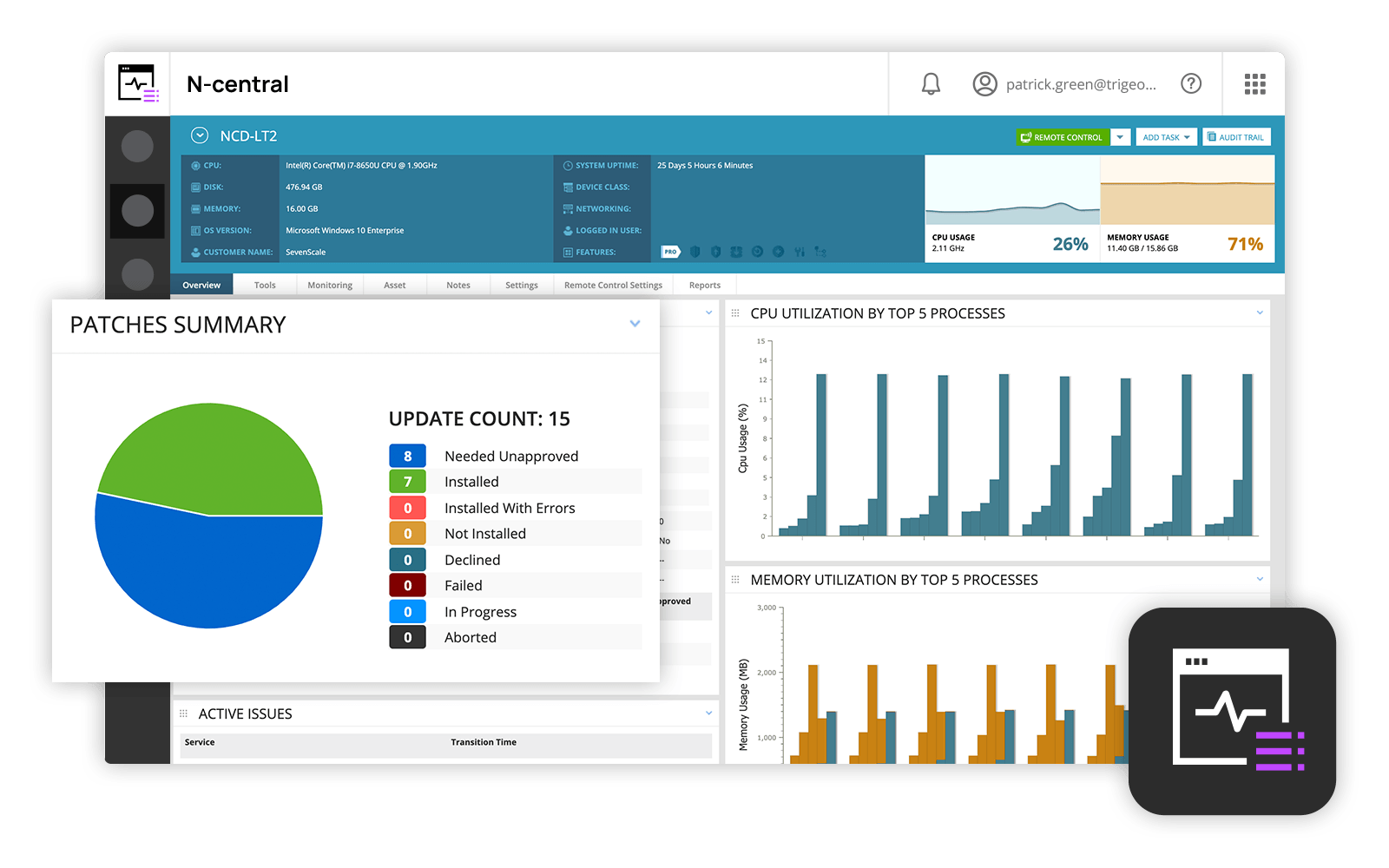
and IT professionals use N-able™ N-central® to monitor and manage devices and complex
networks remotely. N-central provides
visibility and efficiency as the user's needs scale. N-central can help users:
1. Proactively monitor everything on a customer network—not just servers
and workstations—and troubleshoot.
2. Stay on top of threats with features like MFA, antivirus, integrated endpoint
detection and response, data backup, disk encryption, email protection,…
N/A
SolarWinds Engineer's Toolset
Score 9.4 out of 10
N/A
SolarWinds® Engineer’s Toolset (ETS) helps users monitor and troubleshoot a network with over 60 tools for network management. ETS allows users to monitor and receive alerts in real time on network availability and health, and perform network diagnostics for faster troubleshooting and resolution of complex
network issues. With ETS users can deploy an array of network discovery tools including Port Scanner, Switch Port Mapper or advanced Subnet Calculator, manage Cisco®
devices with specialized…
Most advanced, and other technicians in the business already used it before. NinjaOne was a close competitor, but lacked some features that we ideally need. ITarian was too basic but was MUCH cheaper. For a startup MSP, it would be much more attractive. Splashtop was just for …
I selected N-able N-central as I liked the idea of easy-to-work with pricing that integrates with other PSAs (specifically Connectwise PSA aka Connectwise Manage). I did not succeed with that. I'd use any of the other tools instead. The integration is problematic as the default …
Our version of SolarWinds was old and running on old hardware, but it was way easier to setup and do things with. It did not do everything N-able does such as patch management, or at least we didn't have a module to do so if one existed. However it definitely seemed easier to …
In regards to the above, they are more concentrated on Cybersecurity and AV management whereas N-able N-central covers these areas but has the added advantage of IT management, whereby the IT environment can be managed directly from N-able N-central
N-able N-central was cheaper than Connectwise RMM as the poor NOC monitoring inflated costs but was not useful. Kaseya VSA was terrible contracts and poor product all around.
NinjaOne has been a breath of fresh air. Moving away from N-Able to NinjaOne has been the best decision we've made in this department. Highly recommend.
N-Central has automation manager, which allows you to automate multiple tasks, thereby saving time and effort through Automated patching. AV and Backups are built into the system, and can be deployed by checking a box. It's easy to update and keep secure. File transfer and …
I feel it's much more robust then Kaseya which is the only other RMM solution I have tried. I like the remote support and the fact that in N-central I can deploy patches at the click of a button.
SolarWinds N-central is on the more unique side of tools because it can do so many things, and do most of them quite well. For patching, it is much easier to use than SCCM. In terms of monitoring, it is not great out of the box and requires tweaking to take full advantage. …
All three systems integrate with Connectwise Manage. All systems have integration to active directory. Automation does configuration deployment better. Ninja is a SaaS, N-central is a Saas, whereas Automate is on-premise. Automate is more scalable. Pricing and seat deployment …
Automate has the best scripting engine. There is no conversation there, the scripting is taken to another level. N-central and VSA both have the ability to run scripts, but Automate runs away with it. Automate also has the best remote access tool. VSA and N-central remote …
With Bomgar there are codes and/or a website that the user has to login to before we can connect remotely. N-central allows us to click on the machine and log in. We can set it to prompt the user to accept the connection, or on some computers, we can just log right into it.
We chose SolarWinds N-Central because of the integration with ConnectWise Manage, it allows us to automatically create tickets and helps us be more efficient. We really liked the engineers that were able to coach us in migrating from our old system and teach us all the best …
N-Central has all of the features of previous software I have used all rolled into one package. I can push software and check anything and everything about every machine on our network in one place now instead of multiple interfaces and programs. N-Central saves us time and …
Overall, for the Average MSP, none of the RMM solutions is going to be perfect, they will all have their strengths and weaknesses and N-Able is no exception. It is a great solution if you are looking for something that is not super cryptic to use and want something relatively …
Since I came in to manage the product, we have only tested one other product. The main reason for not switching was that it would take a considerable amount of time and resources to convert everything to a new service. Additionally N-able's interface, while it does have much …
I haven't compared any tools similar to SolarWinds Engineer's Toolset. This might be because I'm pretty biased when it comes to monitoring, and reporting solutions. I've found that SolarWinds provides the biggest bang for the buck in my opinion. I'm sure there are other …
We honestly didn't look at much beyond this because of all of the tools this toolset had in it. We found a use for a good chunk of them right away, and are finding more every month it seems like. We really wanted to make use of the majority of the tools included so we could …
To be honest, I'm not aware of any other toolset from a competitor that is remotely comparable. All other monitoring systems/vendors tend to use standard browser viewable monitoring systems and the option to use a locally installed software, to obtain the same results is not …
We have used LogicMonitor, PRTG and WhatsUp Gold previously which are similar to SolarWinds Engineer's Toolset capability. However SolarWinds Engineer's Toolset is completely unique with features like - Realtime monitoring, diagnostics on the fly, network discovery, easy …
These tools complement the Engineer's Toolset. They are excellent at detecting most issues and at keeping the network monitored and protected. However, when it comes time to dig into an issue, especially a hard to fix intermittent issue, these products lack the granularity of …
I love the NPM package, but if you are doing one-off monitoring to diagnose, SolarWinds Engineer's Toolset is more than adequate. The main drawback with SolarWinds Engineer's Toolset is the monitoring is only valid as long as you have the laptop on (obviously). NPM provides for …
Because it's a great tool. Very useful, convenient and reliant, We use it to monitor out production servers and it works just great. I use it pretty much every day, and it is very good monitoring system, that allows proactively troubleshoot certain areas, because you can see …
SolarWinds NPM and NCM use a lot of the tools available in the toolset. This is a nice combo of the two with a little bit of IPAM thrown in. I would say the toolset is geared more toward the field engineer, that will be doing work that may sever communications to the rest of …
In my opinion, N-able N-central is a good "learn your lesson and move onto something better" tool. I've used many RMM tools over the years and I feel that this one is slow, does a terrible job with reporting, alerting, monitoring, software deployments, etc. The ability to turn on services like AV, backup, etc easily is cute, but you're not going to be able to use your own tools with this easily. In my experience, if you do turn those tools on for testing during the trial, you'll be charged later (despite it being a trial). They also turn off your ability to monitor these increased costs or to turn them off yourself. As a company, I found that they were impossible to work with. The sales team is right there if you want to buy something - but if you need anything other than to buy something, in my experience, they take days or weeks to navigate. I found that they are not a terribly ethical company and are more concerned with making a few dollars than creating a partnerships with MSPs. I can see value is in the advertised price of $99 for a hundred endpoints. However, you need to remember to not trial any other tools (like AV, backup, etc).
[SolarWinds Engineer's Toolset is] a great tool for monitoring database servers, highly recommended. The very good thing is that it keeps the history for two weeks, and you can see the time slice for all the server activities. Helps a lot to identify the memory and CPU bottlenecks, research blocking issues and kill the sessions, if necessary.
Robust patch management: it is easy to set up patching groups via tags, and configures patch management profiles and maintenance windows.
Remote Control: as long as the agent checks in, it is very quick and easy to take control of an endpoint, either in a separate session (RDP, kick the current user out), or to join the existing session of the current user, to provide desktop support or collaborate remotely.
The unifying component that is intended to be the initial interface to the tools seems clunky. I prefer to start the tools individually rather than using it.
The port scanner could use some improvements to make it easier to use.
Overall we have liked our solar winds experience, however, as our company has grown to support larger enterprises, this product does not have the functionality that our teams need in order to fully support them. The lack of granularity with backups and lack of ability to support nutanix environments is slowly drawing us into the use of other tools.
The user interface is fairly straight forward, with logic groupings for objects. I did not deploy this software, but am one of the daily administrators. Once you get the correct agent package (Which can be a challenge) the integration into AD is not bad. The UI could be more customized, but that may have been a design choice.
Every time we have reached out to SolarWinds they are quick to respond, even offering support chat 24/7. Their support team is great and works with you to find solutions to issues. They have taken items we had issues with before and used those to create updates so that the issue is handled better in the future.
Most advanced, and other technicians in the business already used it before. NinjaOne was a close competitor, but lacked some features that we ideally need. ITarian was too basic but was MUCH cheaper. For a startup MSP, it would be much more attractive. Splashtop was just for remote connections, which we used for some time before realizing full RMMs were a better fit for our requirements.
These tools complement the Engineer's Toolset. They are excellent at detecting most issues and at keeping the network monitored and protected. However, when it comes time to dig into an issue, especially a hard to fix intermittent issue, these products lack the granularity of monitoring needed for these types of issues. Having said that the toolset is not made to do full time enterprise level monitoring. With these tools and the toolset I am able to have a more complete view of the network and deliver higher levels of service and quicker responses to issues.
The product definitely increases productivity. Technicians can spend a few seconds to take care of remote tasks with a few clicks as opposed to minutes to get a user to start a remote control session, or worse, going on site to work on a piece of equipment.
The packaging of the features makes selling and pricing the product fairly straight-forward and convenient. This saves our sales team time from trying to work with add-ons when pricing our services - the product makes it easy to just have an "all you can eat" package at a set price.
When something goes wrong with the product, our business and our customers suffer. If for example, a bug causes all managed computers to reboot, our customers call in, resulting in our technicians being booked solid doing damage control. This also causes loss of trust with our customers - we can't simply blame the product, the customer trusts us to provide them a service and if the product fails, we fail.