
Grant Millar
Financial Planner and Money Coach
Chose Nitro Productivity Suite
You need a subscription to use Adobe Acrobat. You can pay a one-off license fee to use Nitro.

| Product | Rating | Most Used By | Product Summary | Starting Price |
|---|---|---|---|---|
 Nitro Productivity Suite | N/A | Nitro Productivity Suite combines electronic signature and general PDF editing, from Nitro, Inc. It is built around capabilities such as getting approvals and esignatures in seconds and sharing and reviewing documents from anywhere. | $9.99 per month billed annually per user | |
 OneSpan Sign | Enterprise companies (1,001+ employees) | OneSpan Sign (formerly eSignLive) is an e-signature solution for secure document signing processes that enables organizations to digitize business processes and eliminate costly paper and inconvenient “wet” signatures. | $0 Free for 30 Days |
| Nitro Productivity Suite | OneSpan Sign | |||||||||||||||
|---|---|---|---|---|---|---|---|---|---|---|---|---|---|---|---|---|
| Editions & Modules |
|
| ||||||||||||||
| Offerings |
| |||||||||||||||
| Entry-level Setup Fee | No setup fee | No setup fee | ||||||||||||||
| Additional Details | — | — | ||||||||||||||
| More Pricing Information | ||||||||||||||||
| Nitro Productivity Suite | OneSpan Sign | |
|---|---|---|
| Considered Both Products |  Nitro Productivity Suite Grant Millar Financial Planner and Money Coach Chose Nitro Productivity Suite You need a subscription to use Adobe Acrobat. You can pay a one-off license fee to use Nitro.  Matthew McGinnis VP of Business Development Chose Nitro Productivity Suite Nitro Productivity Suite allows a user to accomplish all of the things you would want to do to a document that Adobe does not. Much easier to find the operation you are looking for in Nitro Productivity Suite compared to Adobe  Francis kimani Finance Specialist Chose Nitro Productivity Suite It has more functionalities compared to the other software  Ariel Dunay Associate, Project Operations Chose Nitro Productivity Suite Nitro has probably 10x the features that Adobe does and just does it so much better. Ease of use is profoundly different. I won't ever go back!!  John Plecki Construction Logistics Coordinator Chose Nitro Productivity Suite Nitro was more simplistic than Adobe and a much better price  Benjamin E. Jerew Senior Content Manager Chose Nitro Productivity Suite I downloaded the trial versions of both Acrobat DC and Nitro PDF, and found Nitro to be superior in price, while Acrobat was superior in software features and user-friendliness. I knew I would be using Nitro for basic publishing and editing of PDFs, which both programs do well, … |  OneSpan Sign  Hamza Syed Chief Technology Officer Chose OneSpan Sign OneSpan Sign had better audit history capability and better pricing.  Bryan Fox, MBA Director of Operations & Marketing Chose OneSpan Sign We found OneSpan to be more cost effective.  Khalid Jabr Director, Solutions Delivery Chose OneSpan Sign My experience with OneSpan in the customer service has been very positive. However, since my experience with OneSpan is much more recent, most of my technical experience with OneSpan includes technical areas that were not available in other products at the time I was working …  Sean Barkey Federal Account Executive Chose OneSpan Sign All other evaluated tools allowed for changes within the document after the first signature. Within OneSpan this action kicked off a completely new signing process. This along with the security compliance was our main factor for approval.  Crystal Underhill CIP AIPC New Business Development Broker/Advisor Chose OneSpan Sign None -- I have only used eSignLive and have not had any reason to look elsewhere.  Tom Bonner Licensed Insurance Agent Chose OneSpan Sign I haven't used a competitor nor would I as esignlive meets our needs.  George Paialunga Residential Real Estate Broker Chose OneSpan Sign We are being introduced to similar products; I'm loyal, but any improvement with the unlocking of documents, and yearly subscription cost would make me more loyal!  Andre Masson Development Team Lead Chose OneSpan Sign DocuSign was probably one of the alternatives but to be honest we just did not evaluate alternatives at all. We were simply happy to integrate easily with an approved (by our financial institution) eSign product. We just moved from the POC to a "That's a go" decision given the …  Pavel Khamichonak Software Architect Chose OneSpan Sign
 Darren Byrnes Director, Business Development Chose OneSpan Sign Our primary market is the enterprise. We reviewed other tools at the outset but these are small to medium scale tools trying to move into the enterprise, mostly with public cloud only offerings. We needed a platform with a proven record in the enterprise with options like …  Tracy Penney Health Systems Management and Agent Appointment & Licensing Chose OneSpan Sign DocuSign has a reminder function if the paperwork is not complete. You just click Remind and it sends the person a reminder to complete.  Tennille Zatrepalek Marketing and Community Coordinator Chose OneSpan Sign We've used a few other programs for sponsorships, and looked into using them for scholarships but the cost was in the thousands to create an additional form. eSignLive was much more cost-effective for our department as our organization was already using it for other forms (I …  Mike McAllister Director of Content Strategy & Development Chose OneSpan Sign It all comes down to workflow and UX. e-SignLive is the superior choice when it comes to these factors. The product lays out the signing process in an easy-to-follow format that is easy to understand both from the client side and the customer side. As a SaaS user, security was …  Stéfan Lamoureux Trainer & Consultant Chose OneSpan Sign I dont have the feeling it's as secure or recognized as E-SignLive.  Thomas Dupuis Freelance Copywriter/Journalist Chose OneSpan Sign It is not so expensive, and easy to use. |
| Nitro Productivity Suite | OneSpan Sign | |
|---|---|---|
| Small Businesses |  Foxit eSign Score 9.8 out of 10 | Foxit eSign Score 9.8 out of 10 |
| Medium-sized Companies |  MSB Docs Score 9.4 out of 10 | MSB Docs Score 9.4 out of 10 |
| Enterprises |  DocuSign Score 8.3 out of 10 | DocuSign Score 8.3 out of 10 |
| All Alternatives | View all alternatives | View all alternatives |
| Nitro Productivity Suite | OneSpan Sign | |
|---|---|---|
| Likelihood to Recommend | 9.3 (0 ratings) | 8.6 (0 ratings) |
| Likelihood to Renew | 10.0 (0 ratings) | 8.0 (0 ratings) |
| Usability | 9.0 (0 ratings) | 9.1 (0 ratings) |
| Performance | 8.0 (0 ratings) | - (0 ratings) |
| Support Rating | 9.2 (0 ratings) | 7.9 (0 ratings) |
| Online Training | - (0 ratings) | 9.1 (0 ratings) |
| Ease of integration | 5.0 (0 ratings) | - (0 ratings) |
| Nitro Productivity Suite | OneSpan Sign | |
|---|---|---|
| Likelihood to Recommend |
Grant Millar Financial Planner and Money Coach |
|
| Pros |
Ariel Dunay Associate, Project Operations |
 Yamini Pandey Manager |
| Cons |
|
 Tapan Jain Data Analyst |
| Likelihood to Renew |
|
|
| Usability |
Grant Millar Financial Planner and Money Coach |
|
| Performance |
| No answers on this topic |
| Support Rating |
|
Yamini Pandey Manager |
| Alternatives Considered |
|
Khalid Jabr Director, Solutions Delivery |
| Return on Investment |
|
Hamza Syed Chief Technology Officer |
| ScreenShots | OneSpan Sign Screenshots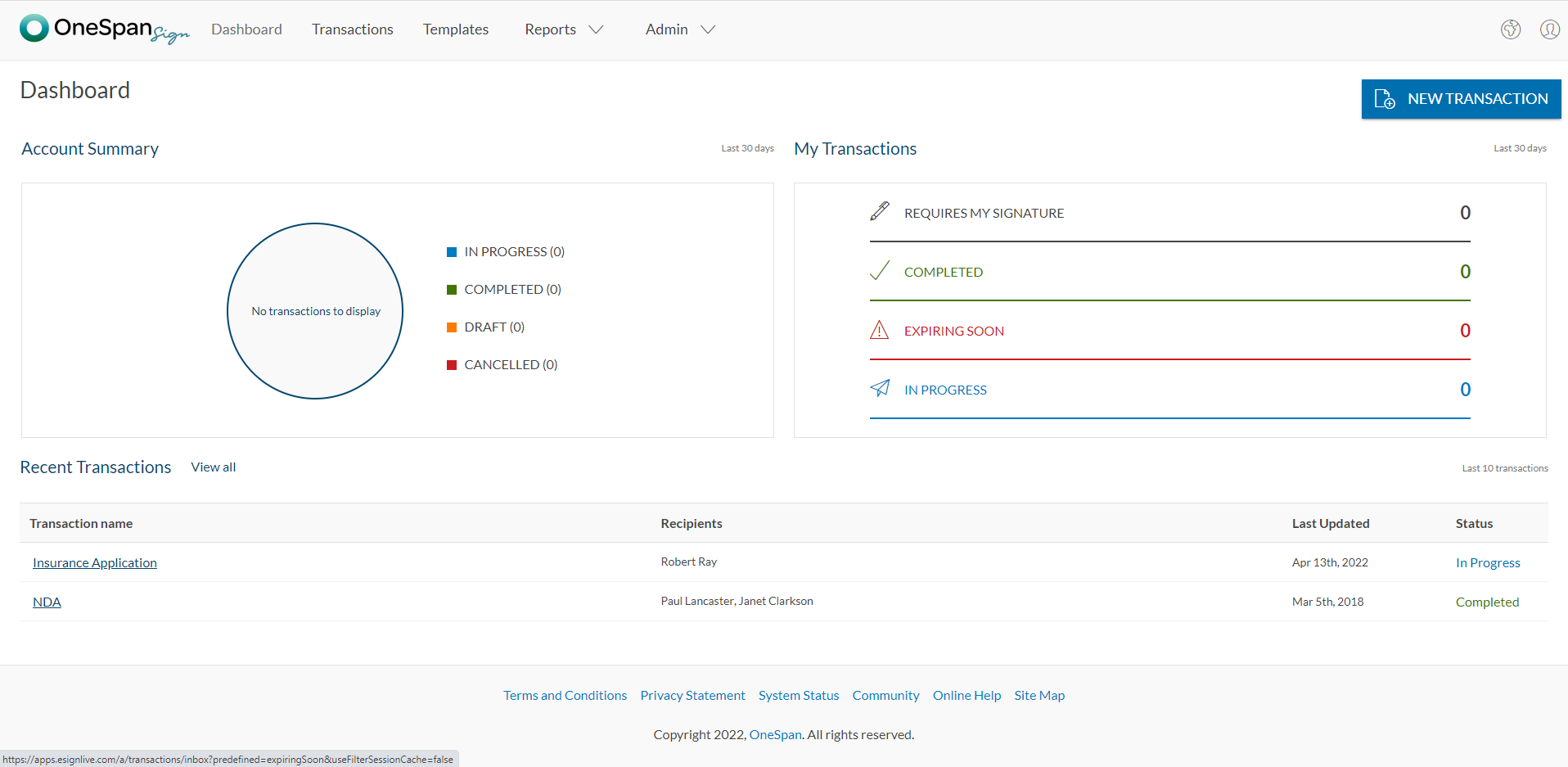 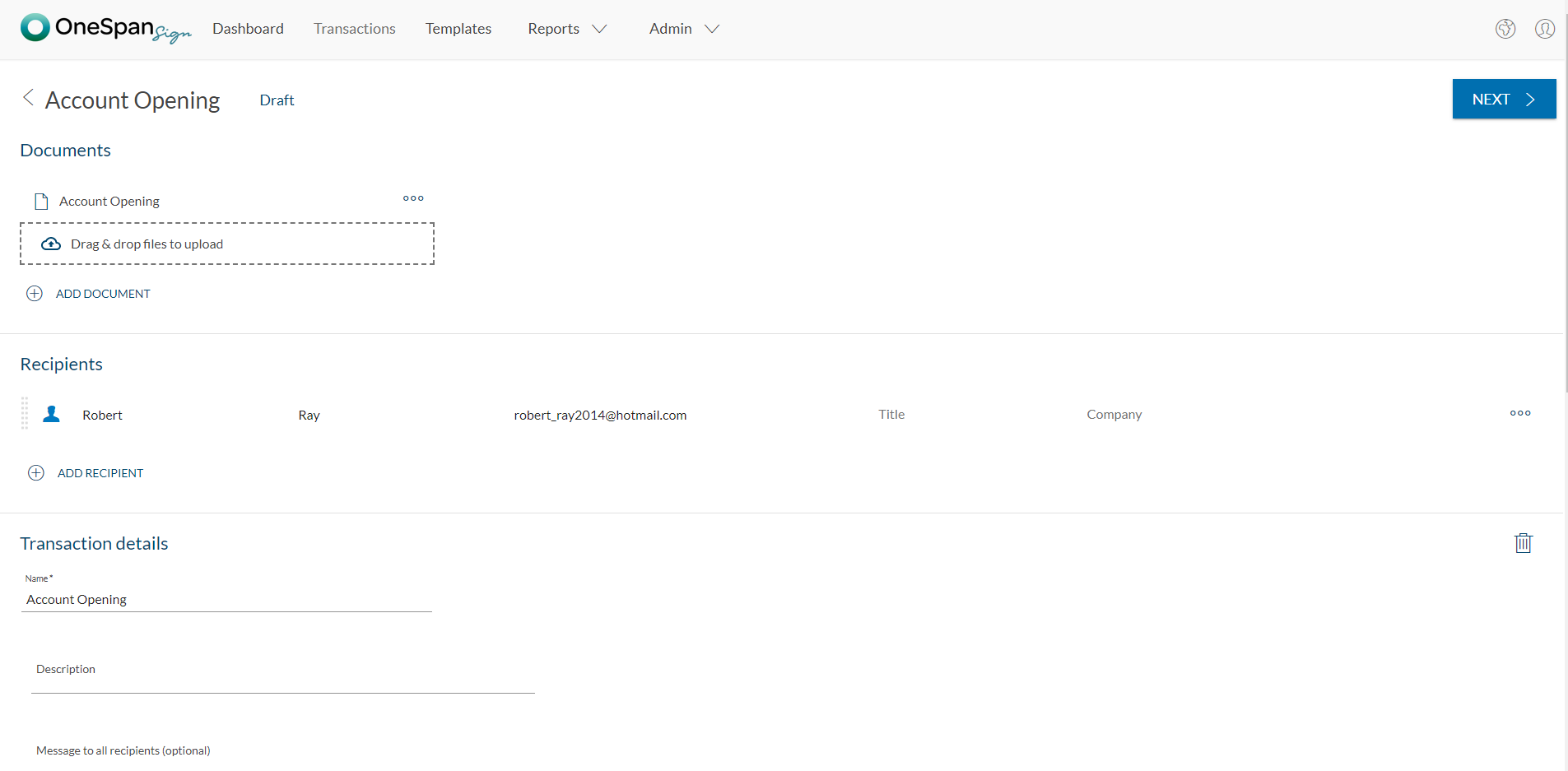    |