Chose OpenText AppWorks
AppWorks platform is very user friendly which will help us to develop the components quickly and deploy it easily. Flows can be developed quickly compared to others platform where business users can view the flow easily.

| Product | Rating | Most Used By | Product Summary | Starting Price |
|---|---|---|---|---|
 OpenText AppWorks | N/A | The OpenText AppWorks Platform supports business process management, case management, master data management, and business rules management capabilities with the ability to quickly build and rapidly deploy business applications to the cloud with a low-code development approach. | N/A | |
 Quixy | Small Businesses (1-50 employees) | Enterprises can use Quixy's cloud-based no-code platform to enable their business users (citizen developers) to automate workflows and build simple to complex enterprise-grade applications for their custom needs. Quixy helps eliminate manual processes and turn ideas into applications making business more innovative, productive, and transparent. Users can start from scratch or customize pre-built apps from the Quixy app… | N/A |
| OpenText AppWorks | Quixy | |||||||||||||||
|---|---|---|---|---|---|---|---|---|---|---|---|---|---|---|---|---|
| Editions & Modules | No answers on this topic |
| ||||||||||||||
| Offerings |
| |||||||||||||||
| Entry-level Setup Fee | No setup fee | No setup fee | ||||||||||||||
| Additional Details | — | Solution Suitable when the no. of users is high and the no. of apps/workflows is low Platform Suitable when the no. of apps/workflows is high Enterprise Suitable for bigger organizations looking for enterprise features | ||||||||||||||
| More Pricing Information | ||||||||||||||||
| OpenText AppWorks | Quixy | |
|---|---|---|
| Considered Both Products | OpenText AppWorks |  Quixy  Surya Bhaskar Nekkanti AVP Projects Chose Quixy While Excel is a powerful tool for organizing data and creating basic inventory spreadsheets, it lacks the automation and integration capabilities that Quixy provides. Also, we can integrate with other business systems, such as accounting and order fulfillment systems. So, we …  Ramakrishna Reddy Senior Presales Analyst Chose Quixy Ease of use Customer Support Cost  Umesh Kumar A Assistant Manager - Mechanical Chose Quixy 1. Customer support. 2. Pricing. 3. Ease of use.  Rohan Reddy Mandadi Director Chose Quixy The main reasons to select Quixy was because of the customer support, ease of use, pricing and it was a local company that we could reach out to them anytime. Our implementation team was very comfortable using the platform. |
| OpenText AppWorks | Quixy | |
|---|---|---|
| Small Businesses |  Creatio Score 9.7 out of 10 |  Stackby Score 9.0 out of 10 |
| Medium-sized Companies | Quixy Score 9.9 out of 10 | Creatio Score 9.7 out of 10 |
| Enterprises | Creatio Score 9.7 out of 10 | Creatio Score 9.7 out of 10 |
| All Alternatives | View all alternatives | View all alternatives |
| OpenText AppWorks | Quixy | |
|---|---|---|
| Likelihood to Recommend | 9.0 (0 ratings) | 10.0 (0 ratings) |
| Usability | - (0 ratings) | 9.5 (0 ratings) |
| OpenText AppWorks | Quixy | |
|---|---|---|
| Likelihood to Recommend |
|
|
| Pros |
|
 Ravindranath Tagore Project Manager |
| Cons |
|
Ravindranath Tagore Project Manager |
| Usability | No answers on this topic |
 Chandana Katragadda Senior Designer |
| Alternatives Considered |
|
Surya Bhaskar Nekkanti AVP Projects |
| Return on Investment |
|
 Mahindra Dev Imadabathuni Director Of Operations |
| ScreenShots | Quixy Screenshots 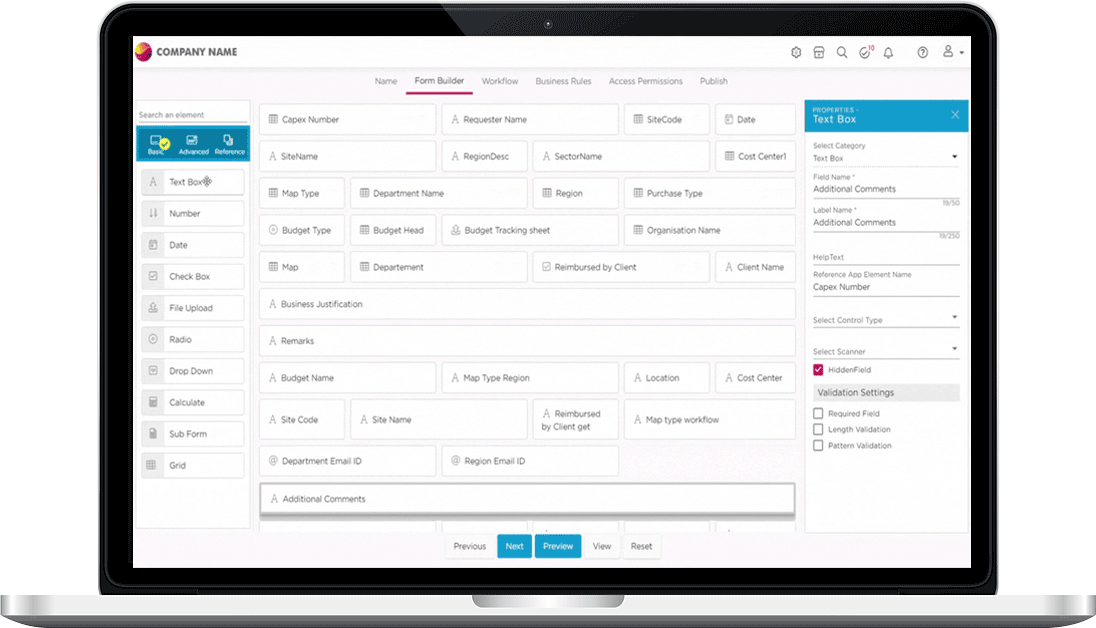     |