Patriot Software headquartered in Canton, Ohio offers Patriot PAY, their benefits administration and payroll software.
$174
Replicon Project Time Tracking
Score 9.9 out of 10
N/A
Replicon's Project Time Tracking suite of applications allows users to track billable time, manage project hours and cost, track project expenses, as well as manage paid time off.
N/A
Pricing
Patriot Payroll
Replicon Project Time Tracking
Editions & Modules
Basic Payroll
$17/mo + $4 per employee/contractor
Accounting Basic
$20/mo (unlimited use)
Accounting Premium
$30/mo (unlimited use)
Full Service Payroll
$37/mo + $4 per employee/contractor
No answers on this topic
Offerings
Pricing Offerings
Patriot Payroll
Replicon Project Time Tracking
Free Trial
Yes
Yes
Free/Freemium Version
No
No
Premium Consulting/Integration Services
No
No
Entry-level Setup Fee
No setup fee
No setup fee
Additional Details
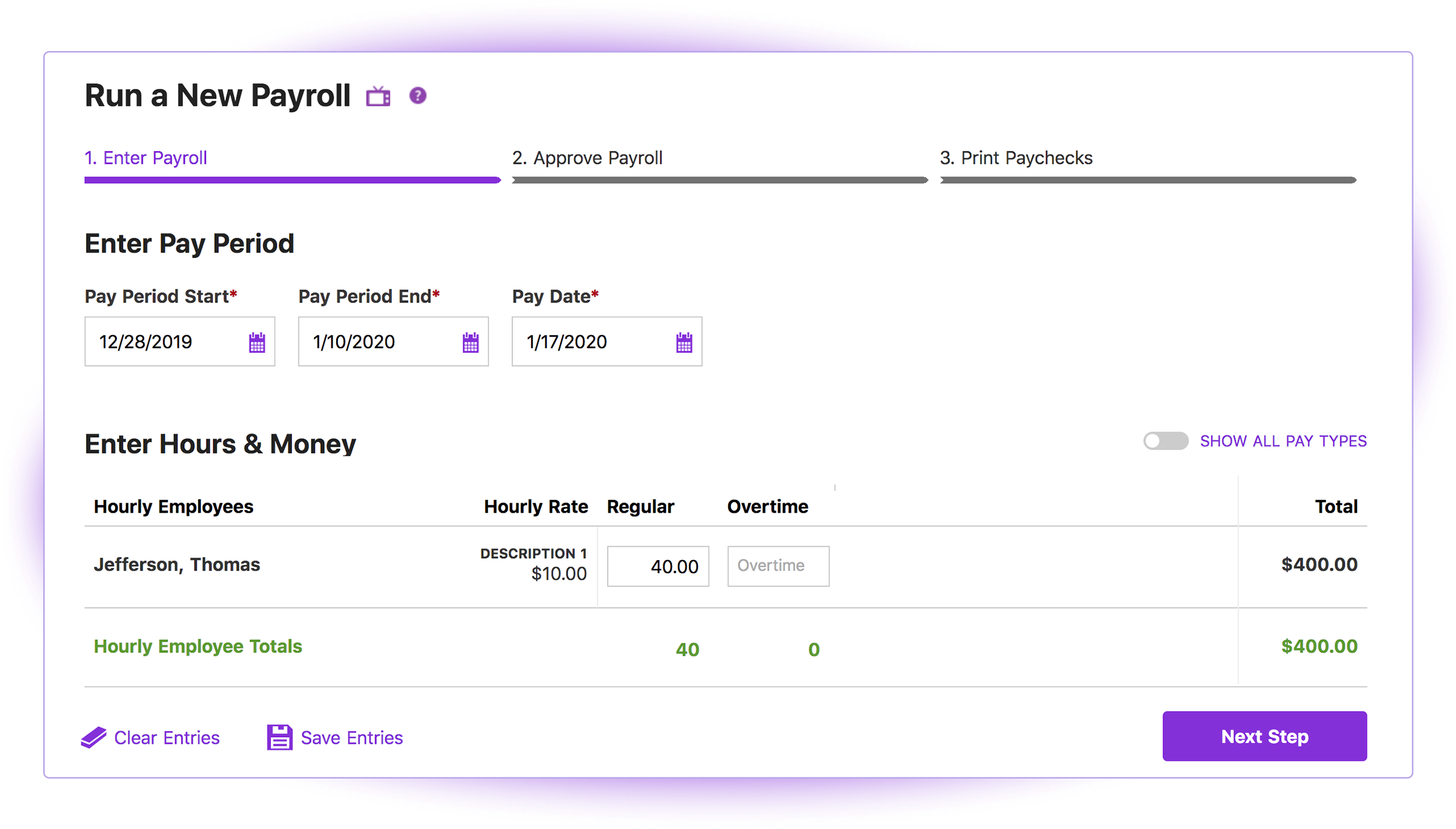
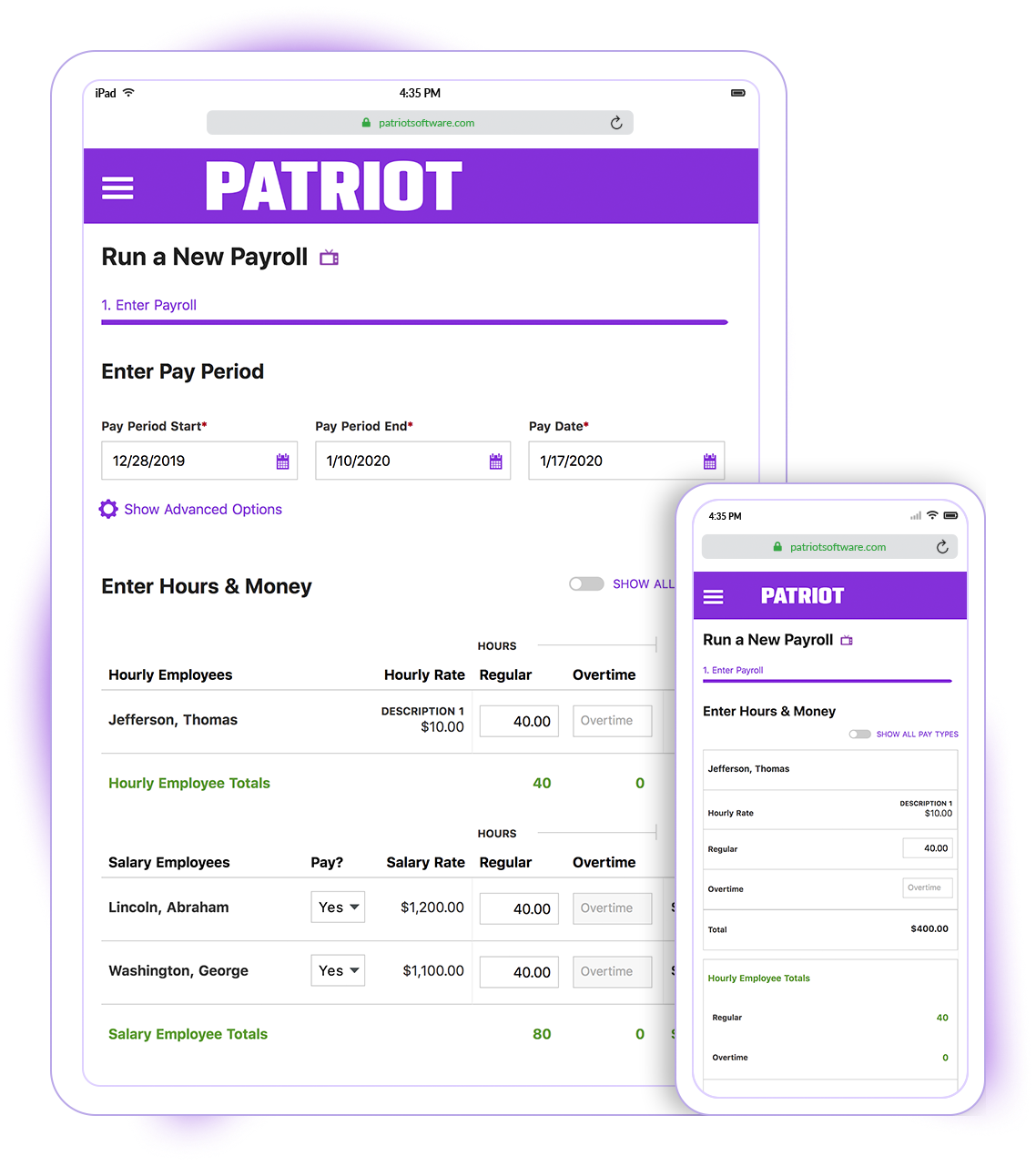
Patriot Software has two payroll options to choose from: Basic Payroll, and Full Service payroll software. Both start with a simple three-step payroll process. With the Full Service Payroll, Patriot will collect, deposit, and file federal, state, and local payroll taxes on the customer's behalf; end-of-the-year payroll tax filing is included at no extra charge.
Print W2s on 8 x 1/2 x 11 plain white office paper to hand to employees, or post to the free employee portal. Also, Patriot Software offers free direct deposit.
Paychex is considerably more expensive software granted they have services and analytics that are not available in Patriot. I am a small business with a tight budget, and that's why I ultimately selected Patriot Software because I can reinvest the savings in so many ways.
I briefly used Intuit Online Payroll, and it was expensive, had no support, and was very frustrating to use. I also used 3 local tax companies for payroll - they were extremely expensive and messed up all of the time. Their employee turnover was very annoying (and it seemed to …
Patriot Payroll is cheaper with their partner program and customer service seems better. As well Quickbooks Desktop Payroll specifically was charging per direct deposit action which is cost prohibitive and Quickbooks customer service is virtually non existent. As well, Patriot …
I found Patriot Software to offer the best price and service package for me to be able to process payroll for a number of my smaller clients while still allowing me to make a profit on the added revenue.
Quickbooks Online Payroll is literally the devil. They make things unclear, very difficult to tell what has been filed and what has been missed, hard to adjust owner salary whenever you want. I hate it! Gusto is more robust than Patriot and so for bigger companies with more …
My early experience with Gusto was exceptional...then the wheels started falling off. I won't go into the details but I lost a couple payroll clients due to their errors and was on the verge of losing more. That coupled with massive fee increases made it necessary to find …
I did A LOT of research prior to making a decision on which software to use. Patriot had an abundance of high reviews, so I finally decided to give them a try. And while I don't normally find reasons to rave about software, I loved both the product and the service!
I switched from ADP to Patriot PAY almost 2 years ago. I switched because Patriot was a much better financial deal. Also, Patriot has MUCH better customer service than ADP. They have an online chat, which is very quick and easy to obtain an answer. They also (usually) …
I prefer Patriot to Paychex for several reasons. First of all, for a small business with less than 10 employees, the fees charged by Paychex are unnecessary overhead when Patriot offers high quality and more than sufficient tools to perform the same tasks. Paychex also does not …
Cost is the major factor here, but the ease of use (and design of the interface) is a big advantage for Patriot PAY. Items are (ironically) more "intuitive" to find and manage in Patriot PAY than Intuit.
Patriot PAY is closer to ADP/Gusto/Paychex in how it looks and feels and …
I believe it is not in my power to select the best tool. It depends on whatever company I work for. It just happens that we use a different system (and I don't even know if this is an internal system, or another online tool). But I do like my current system. It has a better UI, …
Patriot is well suited for an office with a small staff without complicated tax issues to manage. My office had 2 employees: one full-time and one part-time. There were no 1099's issued, and no special tax exemptions or other special tax situations for employees. The owner was a sole proprietor, so she was not paid as an employee through Patriot. It was easy to quickly run simple payroll tasks on a bi-weekly basis in my situation. However, I believe a more complex situation with more employees would still be suitable for this software if there was an employee dedicated to performing payroll and human resources tasks. Information must be manually entered each payroll period and submitted before 8pm to process at the scheduled pay date, so if there was not a dedicated employee for the task, it would be easy to end up paying employees a business-day late. I know that Patriot offers add-on services for human resource tasks, such as time sheets and tools to manage sick days, benefits, and record employee attendance. I did not require these extra services, but I like that Patriot offers services a la carte so that there is no need to pay for tools you do not need
I believe it is well suited for a small sized company, like my previous one, that does not want any IT overhead to onboard a new tool. This tool is available online and can be accessed via the internet. It has all the necessary components to help you record your activity. But the solution in its current form is not scalable. [I've] Given few of my reasons I feel this is not well suited for a large company (like the one I currently work at).
Patriot's software is very easy to use for running payroll. It takes about 30 seconds to do.
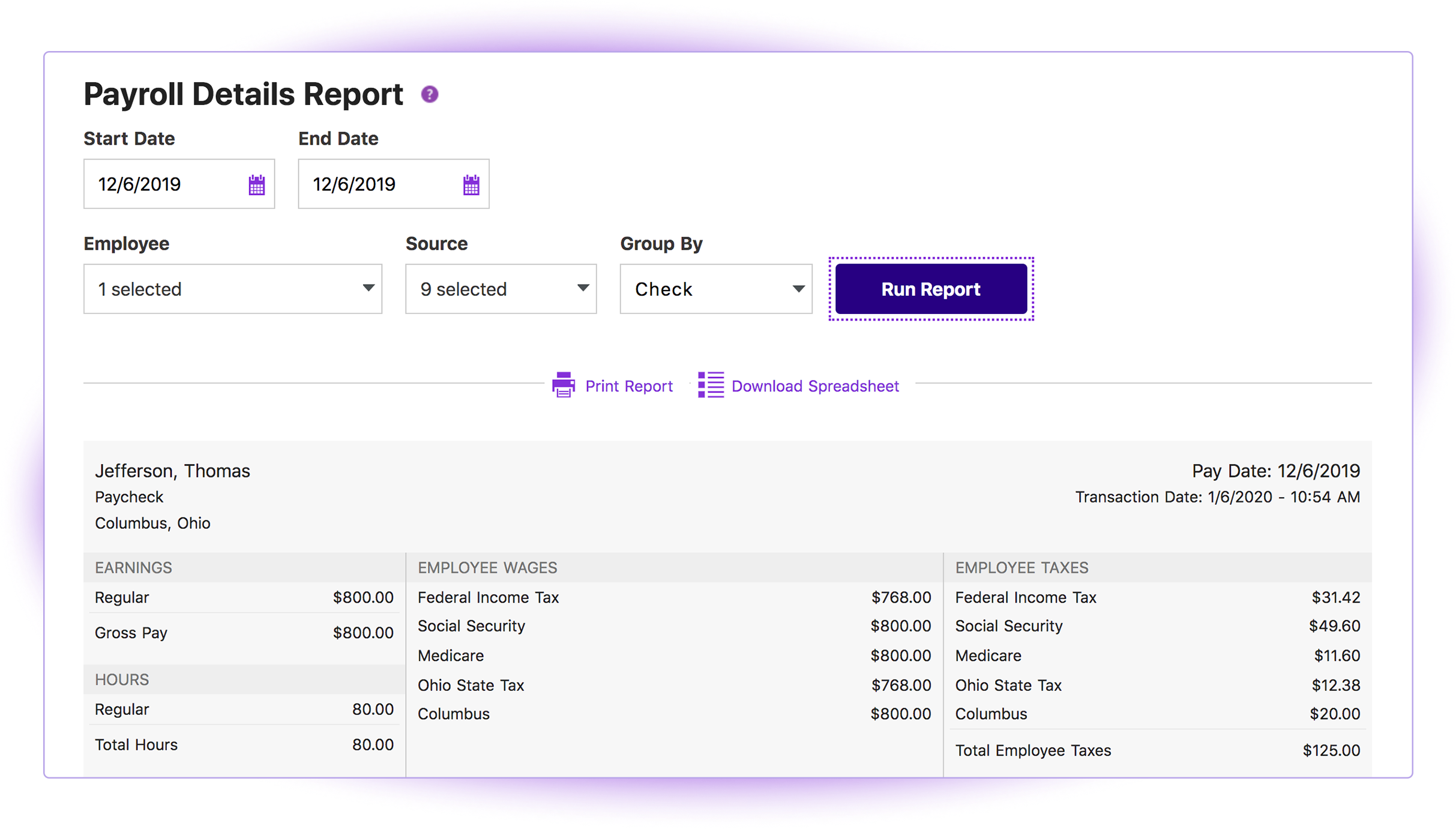
The payroll reports are abundant, easy to find and print, and make my accounting very easy.
Having a full service payroll provider as easy to use as Patriot leaves me with more availability to focus on treating patients and running other aspects of my business.
It allowed me to fill my work time sheet. Every week I had to fill this. Based on the numbers the company keeps track of which days I worked.
It reminded me to fill the time sheets constantly and also notifies me when it gets approved. So I never really forgot to fill it.
It allowed me to see my vacation days left, and plan ahead.
It had a list of holiday dates which was very handy to plan my trips or vacation.
It had categorization by department and my view of time sheets was only limited to me. I could not see others time sheets, and except for my manager, nobody else could look into mine.
It had internet access, which meant I could fill my sheets anywhere. It came in handy while working from home where a VPN connection may not be present. I also guess that this service being online meant no extra effort from IT department side.
The third party direct deposit processor Patriot previously used was not particularly easy to work with...but Patriot just brought all direct deposit processing in house.
Clergy housing allowance has to be manually entered each payday. They tell me they're close to adding the capability of making it (and other similar pay types) as a recurring item.
The setup process is geared toward novice users who need to be hand-held through the process. That's great for those who need it but a more streamlined, no-frills process payroll pros would be welcome.
The UI in my opinion was too simple. Calendar views were pretty stale.
I don't believe there was a mobile app for this, or this site worked nicely when opened on small devices.
A better view of my time could have been shown. At the time I could only see small excel like boxes filled with numbers. Graphs, or some other visualization of remaining days would have been lucrative.
Very stupid login page. We had to fill "company name" at the login page and this name had to match exactly to what was set in the database. It was frustrating and I always had to refer my notes to get that right.
There wasn't any preselection option which made it hard to do it fast. If I can only set a few fields (because we had long list of dropdowns to choose from) then this process could be much smoother.
A major issue was not being able to see my team-mates schedule or calendar. E.g. when are they taking vacations. So I had to pester them offline to get this information. Many times due to inter-team miscommunication we didn't know about others vacation days during planning. A central place where I could see this information would have helped me a lot.
I think it is great once things are setup as for general user looking to look for simple things like a copy of a paystub or a current pay rate for an employee. However, to find specialized things like a state withholding number or payroll integration settings those do require a bit more digging to find or possibly a call to customer service for help.
Generally speaking it is pretty good that when I need to call somebody up for a payroll question I can generally within five minutes get somebody on the phone and they can help me resolve the problem or specify where specifically I need to go or contact to find my answers. However, that being said, for my specific situation as a partner my assigned contact has not always been very responsive.
Cost is the major factor here, but the ease of use (and design of the interface) is a big advantage for Patriot PAY. Items are (ironically) more "intuitive" to find and manage in Patriot PAY than Intuit.
Patriot PAY is closer to ADP/Gusto/Paychex in how it looks and feels and operates in a full-service capacity, but it is much more affordable.
I believe it is not in my power to select the best tool. It depends on whatever company I work for. It just happens that we use a different system (and I don't even know if this is an internal system, or another online tool). But I do like my current system. It has a better UI, and more detailed insights about my time. It also shows my pay stubs and other small neat information like tax papers to help me organize. It also has notifications when something new comes up. All these features I think I lacked in Replicon (or maybe my company didn't have access to these).
Patriot allows the entire team to be on the same page when it comes to a campaign or donor. All of the information is in one place to see how much a donor gave or communication with that donor by a specific team member.
It provides comparative historic data and donor analysis. The organization of donations by appeal allows teams to know which campaigns were successful in previous years.
Replicon helped me maintain a record of my time. This helped during my assessment where my manager could see my work hours.
Replicon was easy to use, so I didn't spend my precious time filling sheets in this site. As far as I can remember, this site only gave me problem once, but was never down.
Though a good tool, I actually never got the use case of recording your time sheets. I think it will be pretty hard for an employee to just fill the time sheet and not show up for work. There are so many meetings and people around you, that you cannot fake your presence. So I feel there is no need to fill time sheets. It is a functionality with no real world solution.