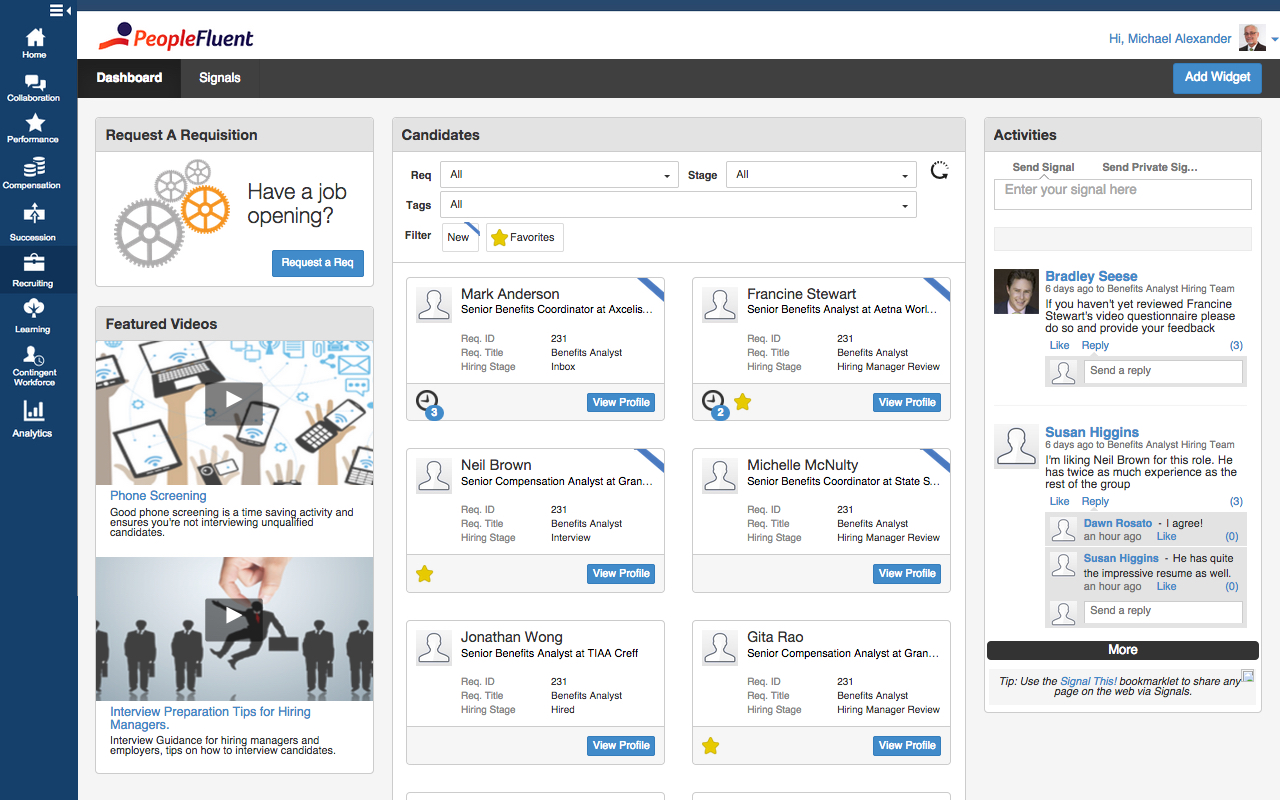
PeopleFluent includes modules for recruiting, performance management, compensation, learning, succession, and vendor management, as well as workforce planning and diversity. These modules can be purchased separately or bundled, and integrate with other HR systems.
N/A
syncHR
Score 6.0 out of 10
Mid-Size Companies (51-1,000 employees)
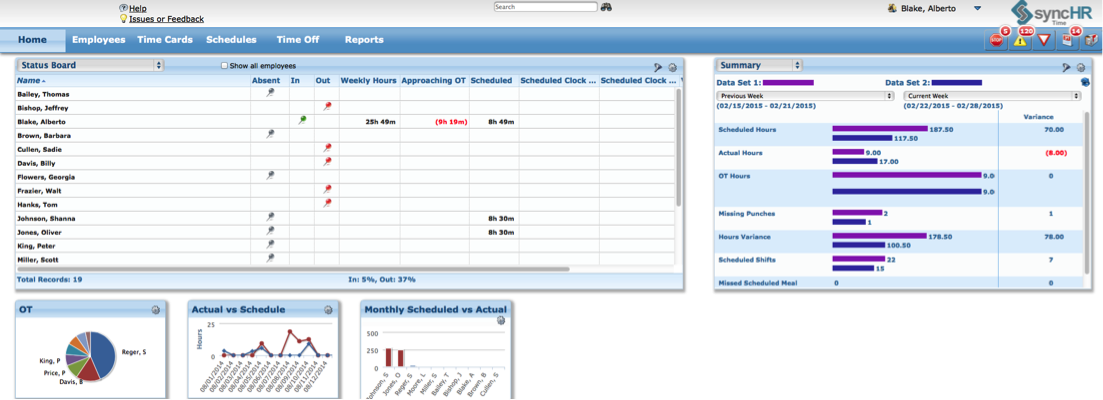
SyncHR headquartered in Oakland, California offers their eponymous platform for HR management, benefits and payroll.
N/A
Pricing
PeopleFluent
syncHR
Editions & Modules
No answers on this topic
syncHR v5.9
Varies
Per User per Month
Offerings
Pricing Offerings
PeopleFluent
syncHR
Free Trial
No
No
Free/Freemium Version
No
No
Premium Consulting/Integration Services
No
No
Entry-level Setup Fee
No setup fee
Required
Additional Details
—
SyncHR charges a one-time implementation fee plus a PEPM fee. All charges are based on employer size and complexity.
We wanted to bring in the function of the manager interaction from our requirements as other ATS are kind of static and sometimes the updates are delayed. This down time would cost our speed to market since there was a clog with the updates. I want to say it stacks up fairly …
We already had a relationship with peoplefluent and were offered assistance through implementation and deployment. We couldn't walk away from our current vendor.
Out of the VMS's listed, I'd say PeopleFluent is solidly in the middle. Fieldglass and IQN are probably easier to navigate and more modern looking, and I definitely don't run into the login problems with them. Beeline and PRO Wand are probably on par with PeopleFluent. They …
PeopleFluent had an easier degree of use in screening and Talent Acquisition than others I have used. I would highly recommend PeopleFluent. It takes minimal training and can quickly get it up and running.
Its great, its very versatile and stacks up very well against the competition. In terms of usability and ease of use, anyone can quickly learn how to use PeopleFluent. Again, the faults against the system would be when a client who is running the tool customizes it to their …
I like the ease of Peoplefluent and I like how we can have questions for certain areas to screen candidates before considering to bring them in for an interview.
In my opinion Peoplefluent better fit our needs for flexibility and "total package". Peoplefluent's Compensation, Performance and Succession platforms work quite well with each other. Additionally the administrative features and requirements are easy to grasp and very flexible.
syncHR
Verified User
Anonymous
Chose syncHR
As I mentioned I have used UltiPro, ADP, Ceridian as well as several others and none of them seem to offer half of the functionality and service that syncHR provides. Although we had some problems from time to time, I hold companies in high regard by how they resolve these …
Features
PeopleFluent
syncHR
Onboarding
Comparison of Onboarding features of Product A and Product B
PeopleFluent
8.0
Ratings
9% above category average
syncHR
10.0
Ratings
23% above category average
New hire portal
7.00 Ratings
10.00 Ratings
Manager tracking tools
9.00 Ratings
10.00 Ratings
Compliance tracking and reporting
8.00 Ratings
00 Ratings
Performance and Goals
Comparison of Performance and Goals features of Product A and Product B
PeopleFluent
8.2
Ratings
14% above category average
syncHR
9.0
Ratings
13% above category average
Corporate goal setting
9.00 Ratings
9.00 Ratings
Subordinate goal setting
9.00 Ratings
00 Ratings
Individual goal setting
9.00 Ratings
9.00 Ratings
Line-of sight-visibility
7.00 Ratings
9.00 Ratings
Performance tracking
7.00 Ratings
9.00 Ratings
Performance Management
Comparison of Performance Management features of Product A and Product B
PeopleFluent
6.5
Ratings
1% below category average
syncHR
8.4
Ratings
7% above category average
Performance plans
7.00 Ratings
9.00 Ratings
Plan weighting
4.00 Ratings
00 Ratings
Manager note taking
7.00 Ratings
00 Ratings
Performance improvement plans
7.00 Ratings
9.00 Ratings
Review status tracking
7.00 Ratings
8.00 Ratings
Rater nomination workflow
7.00 Ratings
00 Ratings
Review reminders
7.00 Ratings
8.00 Ratings
Workflow restrictions
5.00 Ratings
00 Ratings
Multiple review frequency
7.00 Ratings
8.00 Ratings
Reporting
7.00 Ratings
00 Ratings
Succession Planning
Comparison of Succession Planning features of Product A and Product B
PeopleFluent
6.3
Ratings
9% below category average
syncHR
-
Ratings
Create succession plans/pools
7.00 Ratings
00 Ratings
Candidate ranking
6.00 Ratings
00 Ratings
Candidate search
6.00 Ratings
00 Ratings
Candidate development
6.00 Ratings
00 Ratings
Recruiting / ATS
Comparison of Recruiting / ATS features of Product A and Product B
PeopleFluent
9.5
Ratings
28% above category average
syncHR
8.9
Ratings
14% above category average
Job Requisition Management
10.00 Ratings
9.00 Ratings
Company Website Posting
10.00 Ratings
9.00 Ratings
Publish to Social Media
10.00 Ratings
9.00 Ratings
Job Search Site Posting
10.00 Ratings
9.00 Ratings
Customized Application Form
10.00 Ratings
00 Ratings
Resume Management
9.00 Ratings
00 Ratings
Duplicate Candidate Prevention
6.00 Ratings
8.00 Ratings
Candidate Search
9.00 Ratings
00 Ratings
Applicant Tracking
10.00 Ratings
9.00 Ratings
Collaboration
10.00 Ratings
00 Ratings
Task Creation and Delegation
10.00 Ratings
00 Ratings
Email Templates
10.00 Ratings
00 Ratings
User Permissions
9.00 Ratings
00 Ratings
Notifications and Alerts
9.00 Ratings
9.00 Ratings
Reporting
10.00 Ratings
00 Ratings
Learning Management
Comparison of Learning Management features of Product A and Product B
PeopleFluent
5.8
Ratings
20% below category average
syncHR
-
Ratings
Course catalog or library
6.00 Ratings
00 Ratings
Player/Portal
8.00 Ratings
00 Ratings
Learning content
8.00 Ratings
00 Ratings
Mobile friendly
5.00 Ratings
00 Ratings
Assignments
5.00 Ratings
00 Ratings
Compliance management
5.00 Ratings
00 Ratings
Learning administration
5.00 Ratings
00 Ratings
Learning reporting & analytics
5.00 Ratings
00 Ratings
Social learning
5.00 Ratings
00 Ratings
Human Resource Management
Comparison of Human Resource Management features of Product A and Product B
PeopleFluent
-
Ratings
syncHR
9.4
Ratings
18% above category average
Employee demographic data
00 Ratings
9.00 Ratings
Employment history
00 Ratings
10.00 Ratings
Job profiles and administration
00 Ratings
9.00 Ratings
Workflow for transfers, promotions, pay raises, etc.
00 Ratings
10.00 Ratings
Organizational charting
00 Ratings
10.00 Ratings
Organization and location management
00 Ratings
10.00 Ratings
Compliance data (COBRA, OSHA, etc.)
00 Ratings
8.00 Ratings
Payroll Management
Comparison of Payroll Management features of Product A and Product B
PeopleFluent
-
Ratings
syncHR
9.4
Ratings
16% above category average
Pay calculation
00 Ratings
10.00 Ratings
Benefit plan administration
00 Ratings
9.00 Ratings
Direct deposit files
00 Ratings
10.00 Ratings
Salary revision and increment management
00 Ratings
10.00 Ratings
Reimbursement management
00 Ratings
8.00 Ratings
Leave and Attendance Management
Comparison of Leave and Attendance Management features of Product A and Product B
PeopleFluent
-
Ratings
syncHR
9.0
Ratings
12% above category average
Approval workflow
00 Ratings
9.00 Ratings
Balance details
00 Ratings
9.00 Ratings
Annual carry-forward and encashment
00 Ratings
9.00 Ratings
Employee Self Service
Comparison of Employee Self Service features of Product A and Product B
PeopleFluent
-
Ratings
syncHR
9.2
Ratings
13% above category average
View and generate pay and benefit information
00 Ratings
10.00 Ratings
Update personal information
00 Ratings
10.00 Ratings
View company policy documentation
00 Ratings
9.00 Ratings
Employee recognition
00 Ratings
8.00 Ratings
View job history
00 Ratings
9.00 Ratings
Asset Management
Comparison of Asset Management features of Product A and Product B
PeopleFluent
-
Ratings
syncHR
10.0
Ratings
21% above category average
Tracking of all physical assets
00 Ratings
10.00 Ratings
HR Reporting
Comparison of HR Reporting features of Product A and Product B
PeopleFluent has eliminated the use of paper reviews. It is also eliminated the use of scanning, emailing or interoffice mail. It is a great tool for communication and I highly recommend it. However, in some ways, the product can be improved. Some processes are tied to each other and could function in tandem. For example, while completing the self-review, the employee has to capture multi-raters. If self-review is submitted without listing multi-rater names then multi-rater review has to be captured separately on paper. In my opinion, these two processes can be different. Multi-raters should be added/removed/modified after submitting self-review.
syncHR is designed for mid to large size companies, typically 200-2000 employees. Any organization that has a strong reporting need and/or a complicated payroll process could benefit from the unique features built into the platform
Automated retroactive change processing and mid-period rate changes – completely automated with no manual intervention needed - If you ever need to give someone a merit increase and make it retroactive or if an employee is entitled to enroll in health benefits on their first day employment but has 30 days to enroll, syncHR will automatically handles these retro changes.
A single application designed from the ground up that gives equal weight to HR, payroll, and benefit functions - syncHR is designed as a true unified solution with no back-end mainframes or separate front-ends vs backends. Everything is processed real-time in the cloud which has eliminated all discrepancies.
Customer Service - syncHR provides a designated account manager as your single point of contact. Since the The StaffWell Group is a 24/7 business, I needed a company that was available when I needed them. syncHR delivered with 24/7 emergency support.
Event-driven employee self service - Other systems we have used rely on employees to make the correct choices as to what is required when completing an employee initiated transaction. With syncHR, the system always directs the employee to the next step reducing both errors and calls to our support staff. I believe this is also the reason why we had a 40% increase in the adoption of ESS.
Dynamic Security & Workflows - syncHR has no static pages which allows security and workflows to be updated automatically whenever a change is made. This has virtually eliminated the time and effort required from HR to manually update workflows to the correct personnel.
I would advise better filtering options when pulling up candidate profiles, we should have multiple functions when requesting candidates profile.
Sometimes I get huge projects and need to move more than 20 people, it's a headache moving groups in parts.
A faster way to verify if a candidate has been double submitted, maybe with a unique ID or email that identifies said candidate prior to going through the whole submission process.
Stronger cache cookies when session is timed out get kicked out and the process reboots. Sometimes recruiters are pulled in different directions while multitasking.
Learning Management System- syncHR currently does not offer an LMS system. They only track and report training dates, licenses and certifications.
Although syncHR is a global solution it is somewhat limited to tracking employee headcount, HR documents, paperless on boarding and benefit information. There is no international payroll option like the one they provide for domestic employees. Although the system can handle multiple languages and currencies, I would like to see a global payroll option.
Succession Planning - syncHR provides little functionality for succession planning. The system can track budgets vs actuals, goals and ratings but does not offer a true succession planning module
PeopleFluent continues to develop an already high quality product and works to continually improve the user experience. The different modules integrate well, and the administrative functions are easy to understand and perform resulting in less time spent with KTLO functions. They provide world class customer service and work hard to keep you engaged as a customer.
PeopleFluent seems to have all the functionality one would need, but it can be a bit overwhelming. Depending on the client implementation, it can be downright confusing and not intuitive. My 6 rating comes from the fact that it seems like the system can be configured to actually be confusing and not make sense. I think a VMS should be set up not to allow a customer to configure it in such a way as to not really work, or to allow users to circumvent steps. I also really don't like the "organization key" that needs to be entered every time you log in. Why is a login and password good enough for 99% of the systems out there, but PeopleFluent requires an extra field?
Overall the system is very easy to navigate but more importantly my employees find it so easy to use. The percentage of employees who now use ESS went up by 40%
In my experience, the support team was very prompt and helpful. They had good subject matter expertise and were able to troubleshoot immediately. At times we wanted some enhancements but it was not possible due to product limitations. But, the support team was helpful in suggesting alternatives for our requirements. The customer support staff was also very polite and friendly.
Whenever we need support our designated account manager is there to provide answers for us. If she doesn't have or know the answer, additional support is provided via a service matter expert in that field. Support hours are 24/7
During the first few weeks of implementation it is important to have all key members participate in meetings. Finance, HR, Payroll and Benefits should be involved from the early stages to ensure that the solution is designed to meet your specific requirements. Since syncHR personalizes their solution for each company a few wrong steps early on regarding the design we wanted caused us to spend extra time later. The more info you provide syncHR upfront the better they can take all of your rules and needs into account from day one. In our case, finance did not get involved right away and therefore some of the items that we needed for our GL needed to be re-done. SyncHR was very accommodating though as they spent extra time with us to update some of the allocations so that finance got what they needed
Out of the VMS's listed, I'd say PeopleFluent is solidly in the middle. Fieldglass and IQN are probably easier to navigate and more modern looking, and I definitely don't run into the login problems with them. Beeline and PRO Wand are probably on par with PeopleFluent. They have their plusses and minuses in terms of navigation and ease of use. Covendis is definitely worse than PeopleFluent. Covendis is a mess - very difficult to navigate, not intuitive at all with terrible workflow. Again, I didn't select PeopleFluent; my client did, and I have chosen to work with them, therefore I work with PeopleFluent.
As I mentioned I have used UltiPro, ADP, Ceridian as well as several others and none of them seem to offer half of the functionality and service that syncHR provides. Although we had some problems from time to time, I hold companies in high regard by how they resolve these problems. It's a comfort knowing that my HCM provider truly cares about me and my business so if for no other reason than this, I feel syncHR is far and away the best system I have used. The system works as advertised which is all I could ask for
I do believe that goal setting and the workflow of following up, going through the process yearly is as good as you make it. If you set good goals, or help your team make good goals then the experience can go well. Otherwise it's just another thing that an employee is doing to make their manager happy.
I am not sure the cost of the product, but if it is really expensive I am not sure that we are getting fully what we should be for what the product offers. Make sure you are using what is offered.
Due to complexity of our payroll, it would typically take us almost 3 full days to verify hours and perform retro changes before actually running payroll. With so many retroactive changes and manual calculations it was a time consuming and error prone process. With syncHR, the accuracy of payroll has increased tremendously and the amount of time we now spend preparing to process payroll decreased to less than 4 hours per week. All approved time seamlessly moves from the T&A module into payroll and all retro transactions are automatically processed.
When I initially selected syncHR I was a little hesitant because I never heard of them before and was concerned about their viability as a company and customer service. Several years later I'm happy to say that syncHR has provided better support than any of the better know competitors ever did.
Although no system is ever perfect, overall syncHR has exceeded most of my expectations. The sales and implementation process was wonderful, the salesperson was responsive and did not oversell what the system could do.
Training & Implementation - syncHR spent a considerable amount of time learning my business rules in order to build the system to meet my requirements. Training was provided on all aspects of the system until my team felt comfortable enough to handle things on their own. I never felt as though we had a set number of hours of training or that our questions, no matter how redundant or simple were a bother to them.