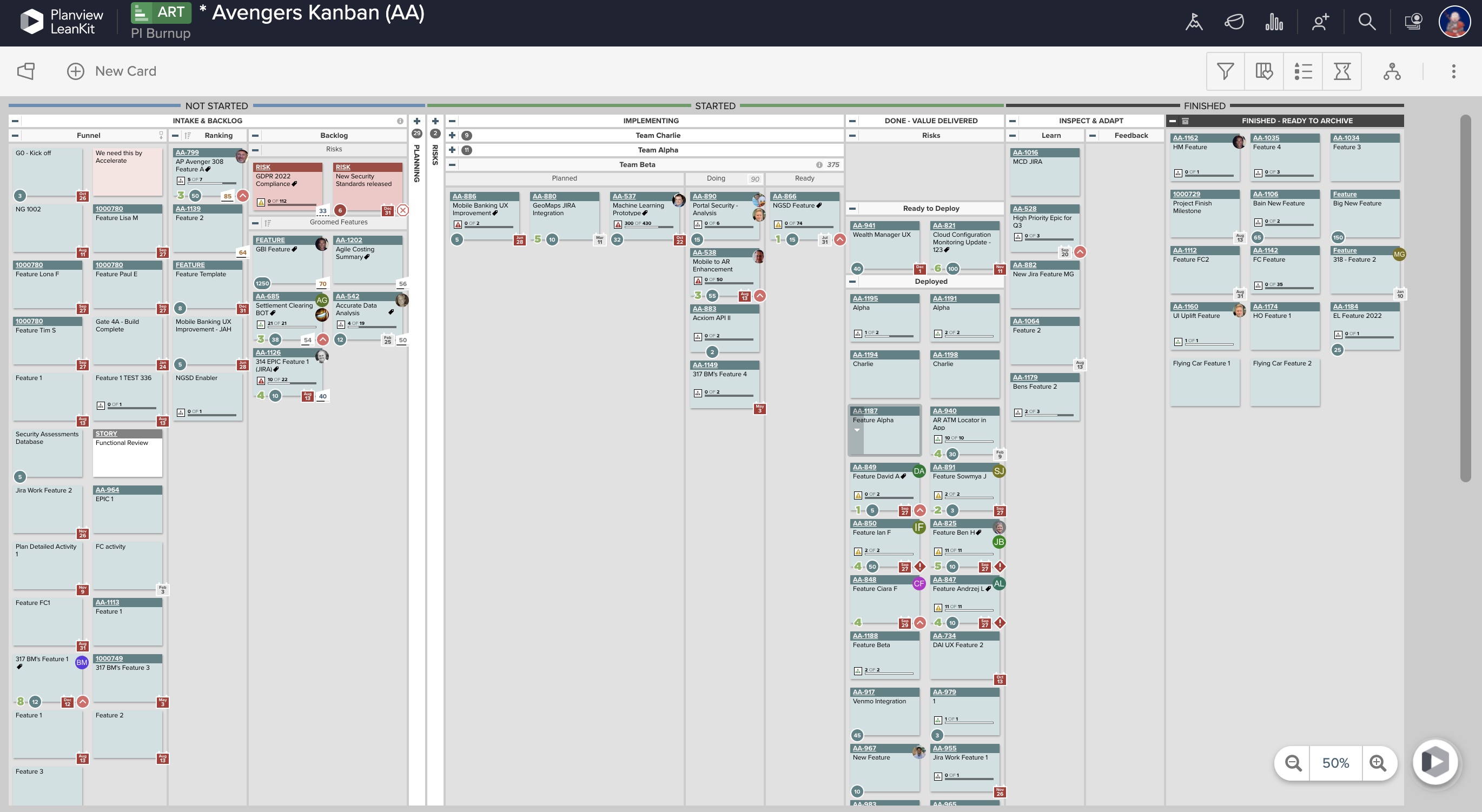
AgilePlace is a project management solution built around flexibility, data-driven analytics, and workflow automation. The software was acquired by Planview in December 2017 to expand that company's capabilities.
$19
per user, per month
Redmine
Score 6.2 out of 10
N/A
Redmine is a project management web application written using the Ruby on Rails framework. It is cross-platform and cross-database, and free to download and use as an open source project available on the GNU 2.0 license.
N/A
Pricing
Planview AgilePlace
Redmine
Editions & Modules
Teams
$19
per user, per month
Scaled Teams
$29
per user, per month
Custom
Contact Sales for Quote
per user, per month
No answers on this topic
Offerings
Pricing Offerings
Planview AgilePlace
Redmine
Free Trial
Yes
No
Free/Freemium Version
No
Yes
Premium Consulting/Integration Services
No
No
Entry-level Setup Fee
No setup fee
No setup fee
Additional Details
All editions include unlimited boards.
—
More Pricing Information
Community Pulse
Planview AgilePlace
Redmine
Considered Both Products
Planview AgilePlace
Verified User
Anonymous
Chose Planview AgilePlace
AgilePlace is better than JIRA when it comes to ease of use and intuitiveness of the tool. Card based model and ability to customize/tailor the way you want makes AgilePlace is a great tool. Look and feel as well as colored cards, makes the board layout much more easier to …
All these tools are different and have different uses. Depending upon SDLC your organization uses, you would use any of these tools. They all have their plusses and minuses.
Originally, we had evaluated two other tools next to Planview LeanKit: Kanbantool and Kanbanflow. The latter was a close contestant for productive use, as it was also very customizable and a joy to work with and look at. It also had lower user fees and a mobile integration.
Front-End Web Developer, Office of Mediated Education
Chose Planview AgilePlace
I use Trello a bit for personal use. It's much less powerful than LeanKit, but it's also a better design and simpler to use. ServiceNow has some kanban board stuff built-in, but I wasn't super impressed with it. JIRA seemed to be even more complex than LeanKit for the short …
I think that LeanKit is very similar to Asana's Kanban feature and Trello, but is much less sleek looking than Asana. Asana's clean and sleek UI makes me enjoy project management much more than LeanKit. It might sound silly that the UI makes so much of a difference to me, but …
Our company uses LeanKit, Pivotal Tracker, and Trello. It all depends on what team you're on. There's even a team that just does KanBan on a whiteboard. In the end, I would tank LeanKit above Pivotal Tracker, but below Trello. The differences are relatively subtle between …
Both VersionOne and Trello are good products. VersionOne is for the real hardcore Agile shops who want to track and report on everything related to the Agile process. Trello is a tool that works for Agile, but really is just a simple list making/tracking tool. Both tools serve …
I have used Trello, which is not as robust for tracking and customizing workflows as LeanKit is. It does not scale well to big teams. JIRA is the standard project management software but does not support Kanban well.
Nearly all the other tools I evaluated against are free, so that's one area where LeanKit is not as competitive. LeanKit does allow the experience to be much more customizable, though.
Being from QA I prefer Spiratest and QC for the fact my team can do all our work in one program and it is linked. But the tech department as a whole prefers Leankit as it is the tool of choice based on ease of use and overall performance.
While LeanKit was not designed for project and task management, we selected it because of its collaborative nature as a project and task management platform for our marketing team. It was also selected because our engineering and product management teams were using Leankit. We …
Sysaid and Jira appear to be better alternatives, but they are expensive compared to Redmine, which is free. They are also not as easy to configure, compared to Redmine.
Jira is a great project management tool for software product life cycle management for an agile environment based on agile methodologies. Jira is an intuitive and modernized user interface design compared with Redmine but Redmine is a lightweight and affordable project …
As we've moved to using agile-based methodologies, we've started using Jira more, which is better suited for agile development. Jira looks and feels like a more modern web application and has greater flexibility and more features. I used Basecamp a long time ago for some small …
Redmine is much for granular than Trello. The detail and record tracking in Redmine can't really be compared to that in Trello. While they can both track things and there is a record of changes... Redmine is more detailed and more geared toward long term projects where Trello …
Redmine has a lot of the same functionality but is much easier to use. The project tends to have functions that only the most advanced PM would even look at. JIRA is easier to deploy in a cloud/managed environment: it also has better "apps" support. However, Redmine benefits …
Basecamp was very busy and seemed more into the "wow" factor than into being an efficient tool. Redmine has none of the characters or kid-like appearance of Basecamp's model. I found Basecamp to be too cluttered in views and its interactions confusing, making it difficult to …
Jira is new: it is easier to deploy in a cloud/managed environment: it also has better "apps" support. However, Redmine benefits from maturity, as well as a large base of experts who manage Redmine on a constant basis. Additionally, Redmine is fairly "easy" to set up: as long …
Redmine stacks up to its competitors by being free and open-source. Additionally, it is an easy tool to install and maintain in any operating system, like Linux and Windows. Administrators will not have so many headaches when getting it running. You can customize the code and …
Jira is currently the gold standard here, but it has a pretty substantial subscription price based on the number of accounts you need to create. Jira gets pricey, very quickly.
Redmine has a lot of the same functionality, but is much easier to use. Project tends to have functions that only the most advanced PM would even look at.
It can beat other services only as free, open source solution. Right now we've moved to Jira, and Redmine only stays on as an archive and is used by our editor's department.
I think that although they are tools for managing equipment and tools for bugs tracking, Redmine has a great advantage since it can be integrated with many third-party tools and that is the only tool of this type with which I have been able to integrate and integrate systems. …
AgilePlace is a great way for teams, or individuals, to bring visibility to the work in process and in their backlog. The color coding and icon use helps to quickly analyze the type of work or status of the work. The product team is doing a good job at listening to their user's feedback and implementing improvements. Where it falls short is when reporting needs to occur.
It is a tool that does not is only for this use but with its great power of integration with other tools, we realized that in one solution we could cover many solutions. For instance, it is very well suited for git integration. Besides that, the quality team can assign tasks to the corresponding department. Maybe it is not very appropriate for very large and complex projects, where deeper monitoring of human resources, task deliverables, and deadlines is necessary.
Okta Integration: We love using SSO for all our SaaS apps, and as new team members join, they can be automatically joined to the appropriate LeanKit boards.
Filtering and viewing: Can filter and refine by several fields as well as custom fields. Assigned Users, Tagged, Card Type, Date, etc
Their analytics and reporting can be helpful for PMs, especially if they have several teams they oversee.
The design and user-interface are a little outdated. It looks like a product that was designed ten years ago and doesn't have a polished look and feel like newer apps have.
It's not particularly designed to support agile-based project management methodologies such as Scrum.
LeanKit isn't the best designed Kanban system I've seen, but overall it's pretty usable. The boards I've used are pretty complex, so it can be difficult to find things. I found that searching and filtering for specific cards was somewhat of a challenge. Dragging a card from one lane to another is kind of a fun way to get things done though.
Redmine is a great product to have in an organization. It's extremely flexible, costs much less to maintain than other alternatives, and as a tool, it is relatively fast to get experienced with. The primary advantages of working with Redmine are: flexible platform, API, open-source and highly configurable, stability.
Every time I have reached out to the AgilePlace support team I have received a timely response in addition to professional & personal feedback. Their consultants are knowledgeable and the management team is happy to jump in and help when needed.
Redmine is free, easy to use and it's everything you could want in a free project management program. The fact that it has wiki integration and that it can track on such a granular level is amazing. Assigning tasks to other users, such as our development team, is fantastic and ensures we are always up-to-date on where we are what - on what projects.
Originally, we had evaluated two other tools next to Planview LeanKit: Kanbantool and Kanbanflow. The latter was a close contestant for productive use, as it was also very customizable and a joy to work with and look at. It also had lower user fees and a mobile integration. In the end, we picked Planview LeanKit because of several reasons: Aesthetics: The look was much more clean and professional. Reporting: It was obvious from the start that we could use Planview LeanKit as a tool for improvement. API: We needed to integrate the Kanban into our central systems and Planview LeanKit API was (and still is) a way to do it. Card Headers: This sounds like a simple thing, but the headers above the titles fit our work perfectly and looked perfect, which helped the decision.
Redmine is much for granular than Trello. The detail and record tracking in Redmine can't really be compared to that in Trello. While they can both track things and there is a record of changes... Redmine is more detailed and more geared toward long term projects where Trello is great for short terms notes and tasks.
The "free" bit definitely has a nice impact on ROI. Granted, there are other factors, but not shelling out a ton of cash at the outset is definitely a plus.
Once everyone gets into the flow of things, Redmine quickly becomes a huge factor in ensuring proper communication and quality in projects. Having everything centrally located reduces the time and effort needed to gather necessary information to proceed forward.