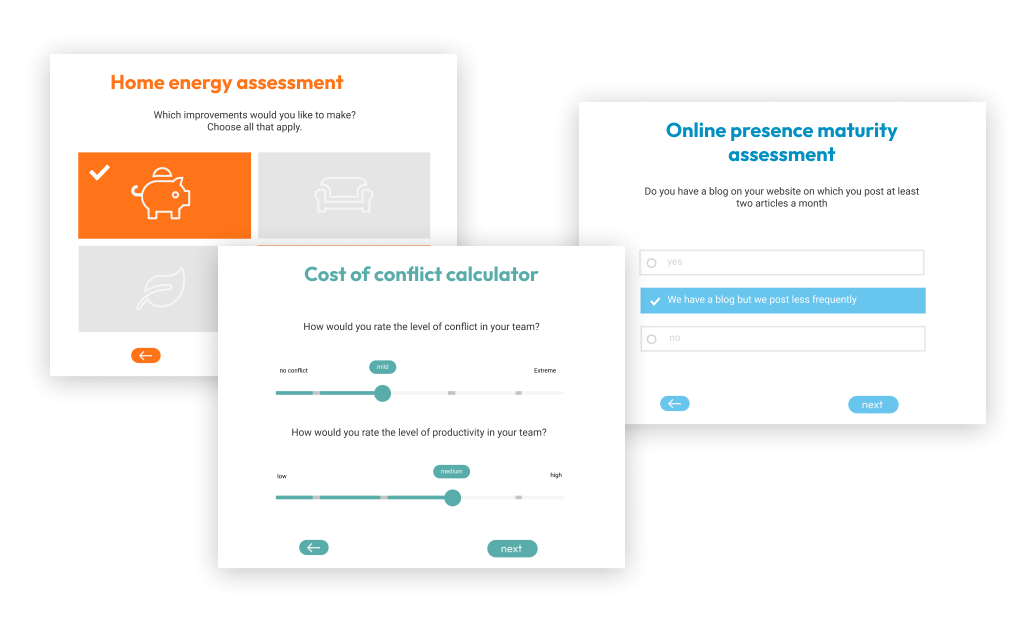
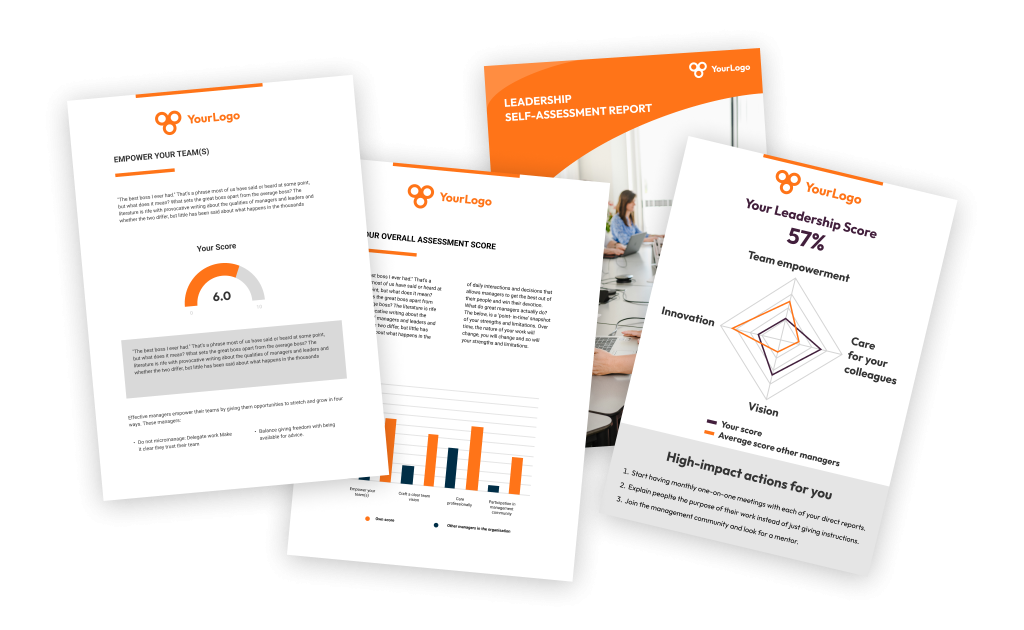
Pointerpro (formerly Survey Anyplace) helps users create surveys, quizzes, and assessments that return personalized advice to respondents in the final screen, through email, or in a branded PDF report. Customers include Capgemini, Adobe, Accor Hotels, as well as many midsize consulting companies and agencies. Pointerpro is designed to take the guesswork out of creating a custom experience and provides a tool to get questions answered. Features such as custom scoring, formulas, and…
$0
Qualtrics
Score 7.2 out of 10
N/A
Qualtrics is software for advanced quantitative and qualitative research to design products that satisfy customers, increase market share, and build enduring brands. The platform brings sophisticated quant and qual research together with analytics in a single platform.
We are currently looking into JotForm. Their prices are much more reasonable. They offer 10,000 submissions a month for $29. Why can't you guys offer something like that? I would fall in love with Survey Anyplace if the price was $29/month. I would tell everyone to purchase it. …
Survey Anyplace allows respondents to save progress, offered a respectable UI (User Interface), and offered surveys with a modern design. It seems most survey tools are designed for short/quick responses. The really modern, intuitive and design aesthetic options aren't designed …
Outgrow's pricing was simply not competitive -- to my memory, it was about 6x per month what SurveyAnyplace charges for their Enterprise plan, which felt extravagant considering our scope. Their sales team was also rather difficult to work with.
My institution at the time was using the free version of Qualtrics. We use UserTesting at work currently since we have licenses paid for. Qualtrics isn't bad at with the institution level of license but it could be better. Overall, the interface is not as exciting or eye …
The only other similar products I have used are Survey Monkey and the Cvent survey function. But those are basic survey functions - so beyond the league of Qualtrics CoreXM that you cannot compare at all. In all honesty I have not used anything else that I can directly compare …
Qualtrics CoreXM is the only product of its kind I have used. I was not with SelectHealth at the time the application was chosen. I wasn't in a similar role in previous jobs, so I'm not familiar with competing applications like Question Mark, Survey Gyzmo, Survey Monkey, Red …
Qualtrics is more intuitive than other software systems that I've used and their customer service is phenomenal. We've contacted them on many occasions in the past for help with our survey features to create a more advanced or personal experience and they've always been able to …
]Qualtrics] CoreXM is great if you want something that is a little more [long] lasting and impactful than a simple survey engine, but aren't quite ready for something that is a long term sustainable program. I would put [Qualtrics] CoreXM squarely in the large, defined project …
We usually just use Qualtrics on a company wide basis. Sometimes if it's a smaller group of people within, someone will set up a Survey Monkey survey. Both work well, Survey Monkey is free and you don't need the company credentials so that is helpful when not doing something …
Survey Monkey is the only competitor I am aware of for Qualtrics. While Survey Monkey also offers a free account, its options are vastly inferior to Qualtrics and the interface is riddled with ads. If you are in need of a Qualtrics account, it is worth looking into a business …
None of the other options that I have tried were as customizable as Qualtrics both in question types and display modes. Qualtrics provides much more data analytics options and more variety for export options. Qualtrics also looks and feels professional - many of the other …
In the past, I have found SurveyMonkey to be appropriate for simple surveys to gather information back quickly. However, Qualtrics provides a whole new level of detail and analytics to surveys that SurveyMonkey just cannot match. We spend a lot of time developing surveys to …
Qualtrics is better because the design is more professional. It has so much more in-depth analysis of responses. Qualtrics is compatible with SPSS while Google Forms isn't. Qualtrics adds a degree of sophistication that its competitors do not have. Qualtrics allows for previews …
Qualtrics is the preferred system for the institution, so I prefer using it to Google Forms. Also, I have fewer privacy concerns with Qualtics than I would with Google Forms.
SurveyMonkey was okay but Qualtrics was so much more powerful in almost every way. Programming complicated survey flows in SurveyMonkey was difficult and limited but with Qualtrics, it's so easy that it no longer feels complicated. Qualtrics also uses ExpertReview to help with …
Qualtrics is one of the most user-friendly survey tools in the market. Our team often looks to Qualtrics as the gold standard for template creation and sharing. Furthermore, the customization options within the platform enable your business - or specific business team to create …
Qualtrics is better for those wanting a more complex system that can handle larger/more complex surveys and do more on the analysis (both quantitative and qualitative) side. Survey monkey is a great tool for a cheap cost which our other departments use a lot, but for our …
QuestionPro and Qualtrics are very similar powerful products, perhaps because the QuestionPro founders split off from Qualtrics. Both have feature sets that are slightly better than SurveyGizmo and much more extensive than SurveyMonkey. Only REDCap has significantly more power, …
The Campus Lab product was also great. I actually preferred it for campus use as they had a much better support for people who did not have a background in survey construction. That would have been great for faculty. But as someone trained in survey research, I found both …
I found the platform to be very suitable for assessment/survey products. Nevertheless, the offer is limited to some markets and may not work well for countries that have different languages, especially Asian countries. I have yet to test this out myself, but fingers crossed. I hope it works. It would be nice if the company could advise exactly which country the platform is working in.
I think Qualtrics CoreXM can be used in nearly every scenario. It is best suited for internal or external gathering of the voice of the customer through product/service satisfaction surveys, disenrollment surveys, net promoter scores, post-meeting satisfaction surveys, comparison surveys (conjoint studies), etc. It also works well as a knowledge-transfer assessment tool (for tests or quizzes). Also, as a way to capture registrations or RSVPs. It is not as well suited for managing an online community forum that relies on participants to see and react to comments/responses from other members of the online community (like social media). There are other products better suited for that use case.
Intuitive branching logic mechanics. Survey Anyplace offers a nicely pipeline/process map format to visually see the branching logic for more robust question sets.
Reliable results. Survey Anyplace offers important tracking data to evaluate and hold respondents accountable to completing the surveys.
Users can save progress and come back. This allows busy respondents time to think about deeper questions, specifically when the surveys are being used in an interviewing approach.
Qualtrics offers a wide range of question formats. This feature allows for uniquely styled questions that keep a students interest.
Qualtrics is very useful for sending out surveys on a particular schedule at a good time to not overload our campus IT system. The reminder feature is great in that I can set up all four reminders for the entire survey when I set up the survey.
I most value the immediate support when I run into a problem. A problem stops my work in its tracks. It is very important that I get the issue resolved quickly so I can get on with my work.
Creating something highly customized at the ReportR level means you will need to have some savvy with CSS if you want to do it yourself. But it also means you can create something truly incredible and they do not have the same limitations as other similar software.
The collaborate feature can be clunky and sometimes we have to remove access and add a person back in for them to see the survey in their lists
We have a contract through our university and more than one person has created their account in the wrong place, causing some administrative headaches as that is fixed so that we can collaborate on surveys with them.
I wish it was easier to organize my surveys into folders, there should be a more efficient way to do that.
I was impressed a couple years ago when two heads of market research at Fortune 500 companies told me about them, and I've been even more impressed with the advancements I've seen in the last year. I like where the company is headed, and I look forward to using them again in a future role.
We found it user friendly and fairly easy to set-up with our current personnel and without having to engage external consultants or to do any specific software development. It helped us implement a new marketing approach in very agile and quick way, which is much appreciated these days since you always have to act rapidly on the market not to loose any opportunities!
All the menus are very user friendly and intuitive. I can always find exactly what I'm looking for and can change anything I need to with ease. All the elements of the survey are adjustable with very little effort and without confusion.
I wish there was a better live chat feature. Seems like I have to wait 30-60 every time I need to talk to someone. Though once I am able to speak with someone via the chat in my account, they have been very helpful in answering my questions or pointing me in the right direction.
Whenever we have had an issue with trying to figure out how to do something (even though the documentation is incredibly well put together) we have asked Qualtrics support and have always received our answer nearly immediately (I think in maybe 10 times, only once did a support person need to call us back). Qualtrics support is dedicated to solving customer issues right, and in the first contact, if at all possible
I still use it. It does everything you need an online survey to do. From heat mapping to complex skip logic and display logic. I use it weekly and it never disappoints
We are currently looking into Jotform. Their prices are much more reasonable. They offer 10,000 submissions a month for $29. Why can't you guys offer something like that? I would fall in love with Survey Anyplace if the price was $29/month. I would tell everyone to purchase it. You would definitely get more clients if you lowered your prices.
My institution at the time was using the free version of Qualtrics. We use UserTesting at work currently since we have licenses paid for. Qualtrics isn't bad at with the institution level of license but it could be better. Overall, the interface is not as exciting or eye catching but it does the job.
As a publisher, the quizzes provide us with compelling type of "advertising" product to engage our clients' audiences.
We use the quizzes to direct respondents to thought leadership content for lead gen. The "correct response" feature in the quizzes provide the most interesting sample of our clients' content.