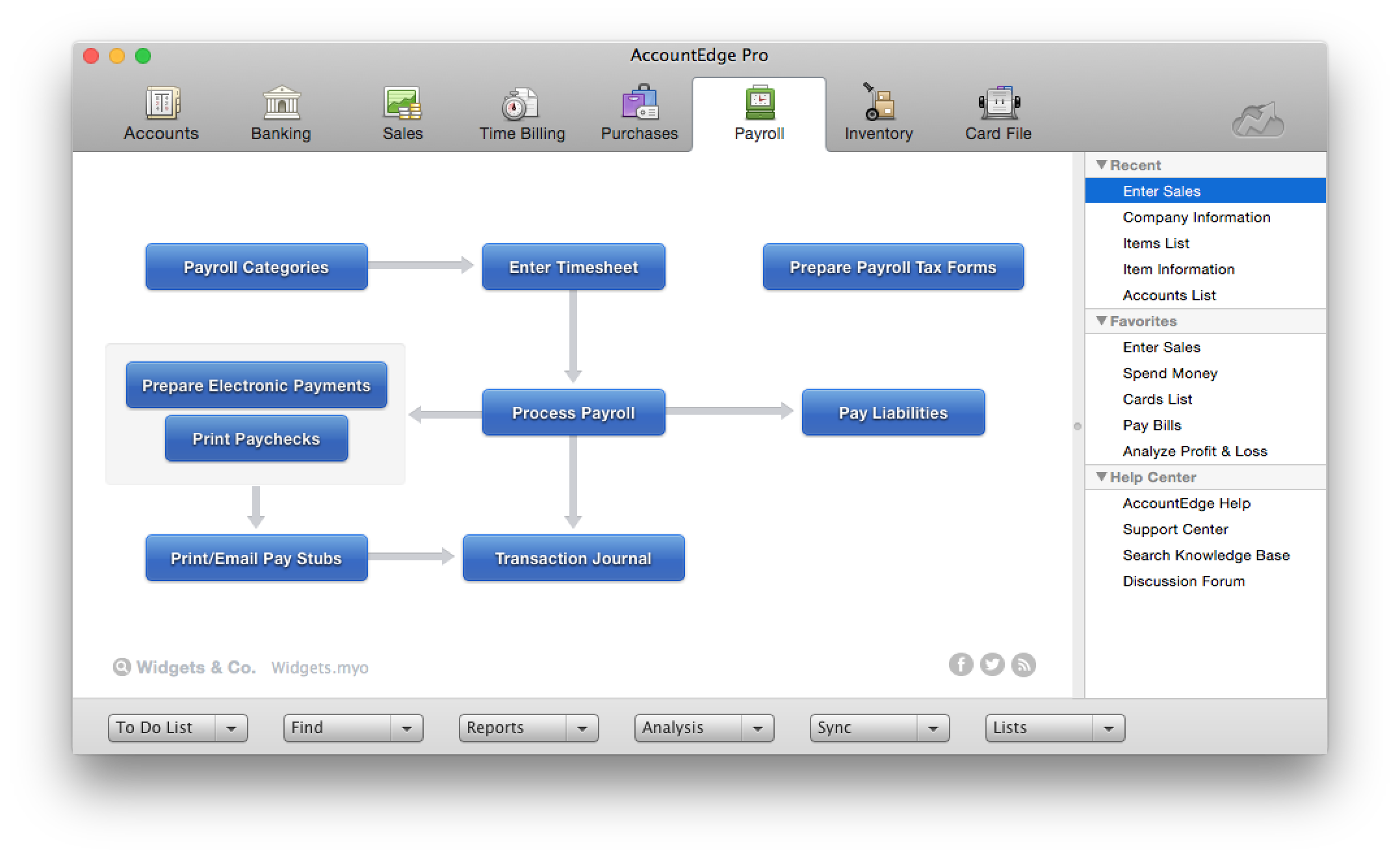
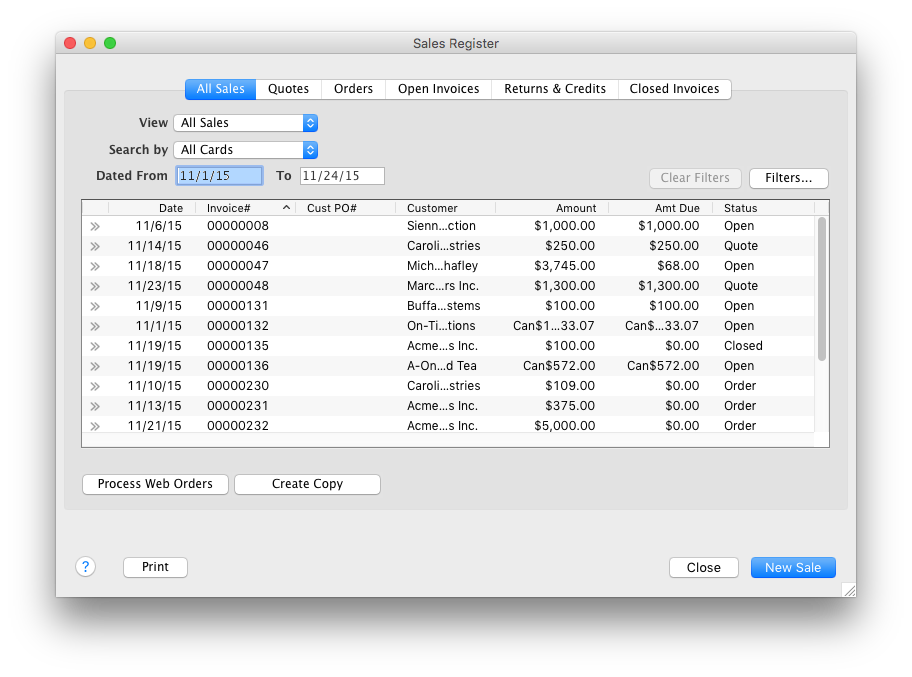
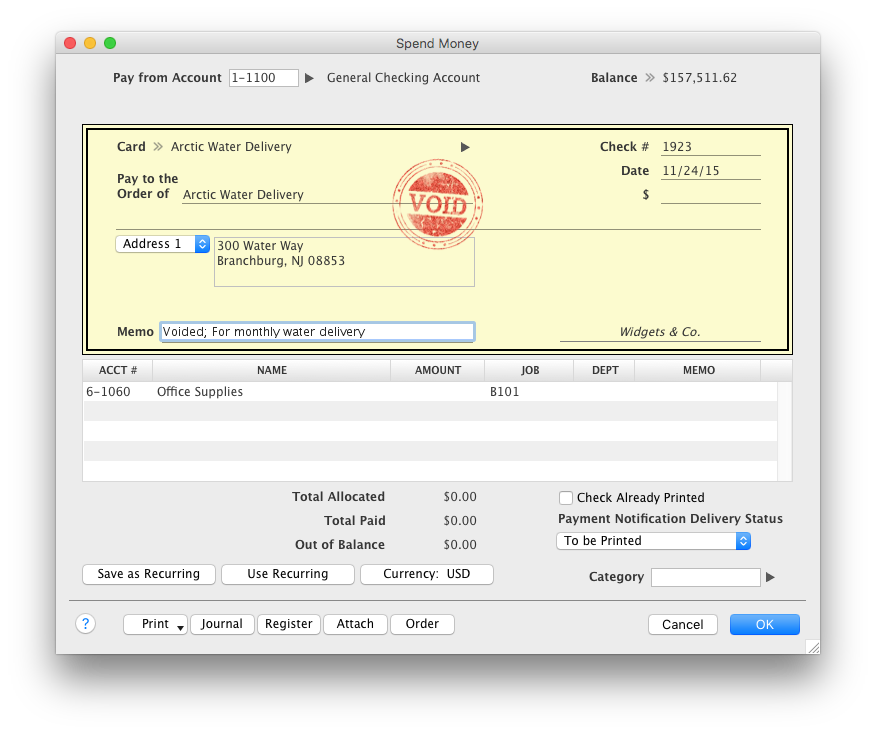
AccountEdge is a small business accounting software for Mac and Windows users. AccountEdge allows business owners to organize, process, and report on their financial information. Its features include accounting, integrated payroll, sales and purchases, contact management, inventory, and time billing. It was acquired by Priority Software in January 2018 to expand that company's small business portfolio.
$20
per month
Sage Accounting
Score 9.1 out of 10
N/A
Sage Accounting is online accounting software made to simplify life for small business owners, entrepreneurs, and freelancers by providing the functions needed to take care of daily business to-dos.
Users can create and send professional quotes and invoices, track income and expenses and know where the business' financials stand. Every Sage Business Cloud Accounting subscription includes unlimited access to support as well as automatic backups and product updates.
N/A
Pricing
AccountEdge
Sage Accounting
Editions & Modules
AccountEdge Pro
$20
per month
AccountEdge Network Edition
$30
per month
AccountEdge Hosted
$50
per month
No answers on this topic
Offerings
Pricing Offerings
AccountEdge
Sage Accounting
Free Trial
Yes
Yes
Free/Freemium Version
No
No
Premium Consulting/Integration Services
No
No
Entry-level Setup Fee
No setup fee
No setup fee
Additional Details
—
Versions and pricing listed are for CA products. Versions available and pricing may vary by country.
* 2 months free to start, or free for 1 month to try, then $19/$43/$62 +tax/mo (tier depending). Offer valid for new customers only on monthly subscriptions of Sage Business Cloud Accounting. After the promotional period, the monthly subscription rate will renew at the then current rate. May not be combined with any other offers or discounts. To ensure continuous service the subscription plan is an automatically renewing plan. Subsequent months will automatically be billed to the same credit card each month on the anniversary date of purchase. Plans can be terminated at any time prior to the renewal data and not charged for renewal.
More Pricing Information
Community Pulse
AccountEdge
Sage Accounting
Considered Both Products
AccountEdge
Verified User
Anonymous
Chose AccountEdge
Originally the decision was made for us when Quickbooks abandoned Mac users for a number of years. However, now that QuickBooks has returned to serving the Mac market, we are satisfied with AccountEdge's support of our platform. The user-friendly interface has made it easy for …
I have considered Quickbooks, but a cursory use did not lead me to believe that it was a good replacement for us. I might take a look again in the future if we can't link bank accounts to AccountEdge soon.
Originally Account Edge topped out other comparable accounting suites with the feature set sought after for account management, order-invoice creation & user based role deployment on the server side out to workstation use. This has not changed to current revision & we are …
I think AccountEdge is superior to Peachtree, which is not a high bar. Its compatibility with MAC OS is good, but I think Xero will be taking much of the Mac based customers as it appears to be a better product.
My hands down preference is to keep my accounting off of the cloud but that is not always the case with my clients. So, to make this comparison somewhat fair I will consider only the items containing parity in cloud vs desktop.
A number of my clients use QuickBooks, mostly on PCs, so I'm quite familiar with what it does. I'm just glad I'm using AccountEdge for my own accounting, because it's more straightforward and doesn't create 'hidden' transactions. Some years ago, a client on QuickBooks …
For Mac enthusiasts, AccountEdge is the complete installed software solution for small to medium-sized businesses, as it has so many capabilities that QuickBooks for Mac lacks. However, it holds your hand less than QuickBooks for Mac does, so you ought to know what your are …
Some of my clients use QuickBooks, some use AccountEdge. Hands down I prefer the user friendliness of AccountEdge over QuickBooks. There is no comparison in the return on profit when having the proper tools to be able to do a task efficiently and quickly. The more time wasted …
AccountEdge had already been implemented when I started working at Lake Industries.I have some experience in several other accounting & CRM software. AccountEdge has really come together in the last couple of years. The software is strong, easy-to-use, and great for daily …
AccountEdge is a much easier product to learn, and it is also much better integrated. That being said, AccountEdge could definitely use a few updates to bring it forward into today's world of technology.
I have a client who is in the firearms manufacturing industry that makes components. They had been using QuickBooks credit card processing feature and their service was recently canceled by QuickBooks for political reasons. QuickBooks is a privately held company so they can do …
I have used QuickBooks in the past and, although I really liked it when I started with them, when I switched to a Mac computer they were not at all compatible. AccountEdge filled the gap with a small learning curve where QuickBooks just couldn't satisfy. The only other products …
used Xero and myob after Sage Accounting. Sage Accounting was used because we had Sage Payroll and it integrated with Sage Accounting . if you are using Sage Payroll and Accounting than importing journal is very easy and quick job
All Sage products work together, and the systems are set up in similar ways, making training/learning easier. Sage is used by many companies locally and internationally, making managing accounts for both providers and clients/customers easier. It is a complete package for macro …
Xero we had multiple issues with where that bank transactions would be lost or doubled up, the system would assume that employees only work monday to friday on the same hours each day. Quickbooks is more user friendly for those in self employment whereas Sage is more user …
It's a very good system which is reliable and provides all the basics, I believe it is less flexible in making corrections to mistakes. There is no fixed asset module in the lower levels and therefore depreciation has to be worked out in a separate system which really is a …
Sage Accounting is easy to use, the website is easy to navigate and looks cleaner. The bank feed is much simpler, and the matching systems seem better.
I think Sage Accounting is much better than their competitors; Clients have found the 24/7 support invaluable for when our office is closed, including the Help videos on the Sage website and YouTube
I used a commercial version of QuickBooks in the past and it suited my needs then. I have not used QuickBooks as intensively as I use Sage. I just preferred Sage at the time because, after evaluating demo versions of both solutions, it simply suited my and the entity's needs …
Sage is much easier to use and does not have confusing language for income and expenses i.e. Bills on both Quickbooks and Xero. Using journals is also much easier as these other two programs making it hard to find.
Sage Accounting VAT processing is easy and reports are easy to read and close off od VAT periods are simple and straight forward where I found some other software it is not as simple. When you add bank transactions manually and they have VAT, some other software would be out …
Probably the biggest reason I selected Sage Accounting is the number of years I have been using it. My training was all manual, and with Sage Accounting I can see and understand how it works. I did use Pegasus successfully for a number of years with a different employer, but …
Used both Sage Accounting 50 and Sage 200, both equally as effective. Find Xero, childish, they have tabs who you owe money to. I think it's really designed for those with little or no accounting knowledge.
Sage was just easier for me to use and more familiar for my staff, who had some experience with enterprise versions of Sage in the past. It became a no-brainer when I made the final decision about which package to go with.
Sage Accounting is a simpler, more streamlined version of the more complex Sage 50cloud Accounting. For a small, simpler company Sage Accounting is a much more cost-effective option. There are a few features that Sage 50cloud Accounting has that Sage Accounting does not have …
Having first used Sage Payroll and found the software amazingly quick and easy to use, having great telephone support, I decided to try the other Sage products and have not been disappointed.
If you are handling a large client list, and are selling services, it is dead easy. If you are managing/selling a physical inventory, it seems like it has great options to do that quite well (disclaimer, I do not use those functions, but I have paid attention as that functionality was built into the software). If you want to link your bank account to a bookkeeping platform, this is not the software for you (at least so far).
Pastel also helps users to save time when it comes to bank and supplier reconciliations. Capturing into pastel is also easy. The merit of pastel is that it is very efficient and simplifies most of the financial accounting and human resource management tasks. I have discovered that some long batches (more than 2000), if posted during peak hours, tend to fail during posting and resume later, but at this point, doubling, trebling, or even quadrupling transactions.
Bank integration - being able to extract banking transaction into Sage Accounting.
Allocation rules - transactions are auto-allocated once allocation rules have been set up. This is a great time-saver.
Flexibility - the ability to view transactions, click on them to the allocation point and rectifying if required saves having to create journals, and therefore time. General ledgers therefore stay cleaner and more user-friendly.
Probably our biggest beef is the sales pitch a while back to incorporate their POS system Checkout that was supposed to integrate hand in glove with AccountEdge (it never really did.) Now the company has abandoned the POS program (even the website is now a 404 error page). Checkout is glitchy, and rather than improving it, they just dropped it and left users like us who bought into it unsupported. That doesn't reflect well on the company's customer service in our view. We've been AccountEdge users from back when it was MYOB, but our confidence in their future dependability has been strongly impacted by this move, and if something else came along, our hard-earned loyalty might not be as firm as it has been in the past.
Some tasks in AccountEdge take a long time to complete (go get a coffee while the spinning beachball turns).
Don't know the feasibility, but it would be nice to have access to older transactions, maybe even in some kind of read-only format.
I find it difficult to record journals in cloud accounting. Maybe I just don’t have the knowledge.
It’s important to export all unrecorded sync bank transactions to Excel to send to clients to explain the payment receipts before being posted. This function is not available on the cloud and makes life harder, having to call out the transactions to clients over the phone.
Without a doubt, when you need to do accounting use the program that will get the job done in the least amount of time with the least amount of errors. Once you are using a program that works you stay with it year after year and you will find yourself even excited about the updates
I could not live without Sage Accounting, it has become an integral part of my everyday. The more I have used Sage Accounting the more I have fallen in love with it. I am excited to be part of this ever-evolving accounting system that has grown from strength to strength, making life easier is something Sage does so well.
The intuitive interface does all the tasks we need our accounting software to do. Some tasks are slower to process than I would like but overall very usable. Customizable forms let us choose to either go with the easy ready-made out-of-the-box options or retool them to better fit our specific needs.
Sage Accounting is built for the business owner/user and not the accountant, it therefore guides the user and thus detailed accounting knowledge and experience is not a necessarily a prerequisite . It offers a monthly price and therefore no significant up front spend and it tailorable to your business with useful dashboards that again you can tailor to instantly see what's important to you.
One of the finer advantages of desktop software, it's always available. AccountEdge doesn't suffer from outages or sluggish internet like web based applications do. It's always there when you power on your device!
Sage has been always available when I want it. If there is any maintenance work to be done by the Sage team, you are told well in advance. Maintenance is generally carried out late at night or before the day begins for most of us. It continues to be the most reliable software I use.
Performance is top notch, if it is not, it is probably your wi-fi connection. It has happened that pages load slowly because of an error on Sage side but almost never. Overall reports load fine, the site is fast, navigation is fine. I have a client that has so many invoices, it is slow or gets stuck when you try to load a report for a whole year but it is just too many invoices, it makes sense. Just take 2 report for 6 months and combine them, its not an issue for me. I am happy with Sage Accounting's performance.
On the few occasions we have needed tech support over the years, they were responsive and worked to get to the root of the issues. However, even though Checkout POS is a separate application, it was pitched to us as a natural extension of the functionality of our AE software that would integrate seamlessly. The company's support for Checkout has been minimal at best, and now totally abandoned. That colors our view of Priority's support unfortunately. And to be honest, that's why it's a 9 instead of a 10. So to be fair, AccountEdge's support itself has been very good over the years.
The support is world class - never ever during 30 plus years in business I have received such helpful, knowledgeable and genuine support as I have from Sage. At Sage people matter and i can chat to someone safe in the knowledge that they will actually listen and assist. This also backed up by huge online portfolio of help and resources
Staff are always friendly, and patient, always work at a speed that suits you. You are never rushed, and In only a short time they seem to be able to help you make great strides. It has been a pleasure not a chore, learning how SAGE Accounting works and benefits me and the company.
I find the online training was very informative and they answered all my questions. I am also certified in Sage One and provided online training in the program which I have set up several people on and they love how it keeps them organized.
The clients' business owner worked with Sage on implementation before I began working for them. After consultation with them it is clear the process was quickly performed and without complication. The key takeaway was that Sage is seen as a partner to the business. That said, it was always necessary to engage with an accountant such as myself to extract the best out of the software.
My hands down preference is to keep my accounting off of the cloud but that is not always the case with my clients. So, to make this comparison somewhat fair I will consider only the items containing parity in cloud vs desktop. AccountEdge vs Xero. AccountEdge has superior interface and key response because an internet connection is generally not as responsive as localized software. Period. I also feel that AccountEdge is far more robust in features as well as how my data is presented (visually). I require uniform naming/wording conventions so I can better assimilate data. While this is possible in Xero, it's not as easy to accomplish because of screen response and keyboard workflow. Mouse oriented vs. keyboard oriented. AccountEdge vs QuickBooks for Mac. Succinctly put: cross-platform. AccountEdge data files do not require "saving as" Windows copies or any other such nonsense conversion. They just work equally well on either platform. So for users whose platforms do not match their accountant's, there is simply no issue. Additionally, Acclivity will give a user's accountant a copy of the software for free.
The first integration we had created for our product was with QuickBooks Online. There was a fair amount of work put in to create this solution, and a huge amount of testing to make sure it works properly. Once Sage Accounting had an API available for integration, we included this as well, as a fair number of our customers use Sage products. While there were challenges coming from the difference between product APIs, Sage Accounting was overall easier to implement, and more straightforward with actions and expected outcomes.
You can use Sage in your company for various aspects/positions such as bookkeepers, invoicing clerks, accountant, purchasing etc. Everyone can have their own user login and permissions can be set that specific people can do specific jobs without being able to access other peoples progress or accounts of the company.
If I didn't have AccountEdge, I would have to make do with Excel spreadsheets, or go back to paper, as I did before 1995, and I wouldn't be able to access client information as easily as I can here.
It allows me to manage cash easily, so if clients are slow-paying, I can borrow funds to meet expenses, without incurring overdraft fees, until they come through.