Process Street vs. SAP Signavio Process Transformation Suite

Overview
ProductRatingMost Used ByProduct SummaryStarting Price
Process Street
Score 8.2 out of 10
N/A
Process Street in San Francisco offers their application which allows teams to create simple recurring checklists, collaborate around them and track as they’re completed.
$0
per month per user
SAP Signavio Process Transformation Suite
Score 7.7 out of 10
N/A
The SAP Signavio portfolio offers an integrated platform that helps usersto realign the organization and bring changes, with a suite of products that support business processes. The SAP Signavio portfolio offers a range of business transformation solutions to serve the emerging practice of customer excellence (CEX). SAP Signavio solutions bring together a full 360-degree view of outside-in and inside-out thinking, translating experiences into operational reality by putting the customer at the…N/A
Pricing
Process StreetSAP Signavio Process Transformation Suite
Editions & Modules
Free
$0
per month per user
Pro
$25
per month per user
Enterprise
Custom
per month per user
No answers on this topic
Offerings
Pricing Offerings
Process StreetSAP Signavio Process Transformation Suite
Free Trial
YesYes
Free/Freemium Version
YesNo
Premium Consulting/Integration Services
NoNo
Entry-level Setup FeeNo setup feeOptional
Additional Details
More Pricing Information
Community Pulse
Process StreetSAP Signavio Process Transformation Suite
Considered Both Products
Process Street
Chose Process Street
easier to build and deploy checklists
Chose Process Street
We did not evaluate any alternatives to Process Street prior to implementing it. I had been searching for this particular software solution for years but didn't find anything quite as flexible until this came across my desk unexpectedly.
Chose Process Street
I've tried other checklist tools like Google Keep, but it was too simple. I've tried Flowster, which is very similar to Process Street, but I like Process Street better. The interface is a lot more balanced and pleasant to look at. I found Flowster to be a less appealing …
Chose Process Street
The customer interface was not as user-friendly for either of these and the customer service was mediocre at best. I received exceptional customer service from PS and really enjoyed the simplicity of the facing pages.
Chose Process Street
Before Process Street, I had seen nothing like this application before, as I'm a new business owner. This really stood out to me because it's something I didn't know that I needed until the sales and features pages floored me.
Chose Process Street
I wasn't much involved with the selection of Process Street. In the past, we recorded most of the things that are now in Process Street using tools from Google Suite. Once we did switch over to Process Street, we started doing questionnaires in PS rather than doing on Google …
Chose Process Street
None in particular. I had never heard of process management systems until I heard about Process Street. Once I'd heard of Process Street, I've been using it since.
SAP Signavio Process Transformation Suite
Chose SAP Signavio Process Transformation Suite
I reviewed Chelonia as it has a lot of reviews that it is more user friendly than Signavio. I have also seen that it integrates well with UI Path which is helpful with RPA. Ultimately went forward with Signavio due to the cost of Celonis. I hope I made the right decision.
Chose SAP Signavio Process Transformation Suite
was a bundle offering years ago
Chose SAP Signavio Process Transformation Suite
faster , simpler, better
Chose SAP Signavio Process Transformation Suite
due to better connection with SAP product and usage of SAP best practices
Chose SAP Signavio Process Transformation Suite
Simpler tu use and more modern
Chose SAP Signavio Process Transformation Suite
SAP Signavio Process Transformation Suite stacks up mainly in collaboration features and definition of standards.
Chose SAP Signavio Process Transformation Suite
Easier to use and understand. Users liked it and rated it better!
Chose SAP Signavio Process Transformation Suite
Yes, SAP Signavio Process Transformation Suite is much more advanced and robust tool. While Visio helps visualize process in a good way, it lacks an analysis or reporting feature making it a basic tool.
Chose SAP Signavio Process Transformation Suite
SAP Signavio Process Collaboration Hub is a standout feature, providing a centralized platform for stakeholders to access, share, and collaborate on process models in real-time. This level of collaboration was superior to what we experienced with other tools such as Lucidchart …
Chose SAP Signavio Process Transformation Suite
User friendly interface with wide variety of process design and modelling features, which is easy to learn and understand. Plus, it is from a reputed brand SAP, hence clients readily accept this choice of tool for modelling.
Chose SAP Signavio Process Transformation Suite
Celonis is more matured and easy to use
Chose SAP Signavio Process Transformation Suite
Signavio loses in process mining capability against Celonis in many areas like usability and look and feel. Signavio is superior in its BPM related capabilities against e.g. QPR and MS Visio due to its feature set. Against all of them Signavio has better overall solution suite …
Chose SAP Signavio Process Transformation Suite
Celonis
Chose SAP Signavio Process Transformation Suite
We are involved in a sap erp implementation and signavio was the easiest choice, the team appreciate mostly the collaboration hub.
Chose SAP Signavio Process Transformation Suite
The features we knew from Signavio regarding approval workflows were the reason why we considered Signavio as our single source of truth for processes. But the possibilities are much wider. That is what we learned during the last couple of weeks and months during our project. …
Chose SAP Signavio Process Transformation Suite
User-friendliness was a key determinant. The other main reason was already having other SAP systems implemented across the company.
Chose SAP Signavio Process Transformation Suite
The application is very simple to use and provides a number of features that allow me to visually represent my thoughts and ideas. Particularly intriguing to me is the potential for real-time collaboration with clients and external partners. This greatly facilitates teamwork …
Chose SAP Signavio Process Transformation Suite
We were able to end the use of archive versions thanks to SAP Signavio Process Transformation Suite, and everyone has access to the most recent archive. Mac and Windows users can collaborate on a single document. A design tool that spans the concept phase, design phase, and …
Chose SAP Signavio Process Transformation Suite
We considered a number of comparable solutions, including Lucidchart and Bizagi, before settling on SAP Signavio. Although they have respectable process mapping capabilities, none of these solutions could compare to SAP Signavio's sophisticated process simulation and seamless …
Chose SAP Signavio Process Transformation Suite
We considered alternatives like Microsoft Visio and Bizagi before deciding on SAP Signavio Process Transformation Suite. Although these technologies have their advantages, SAP Signavio Process Transformation Suite stood out thanks to its user-friendly design, powerful …
Chose SAP Signavio Process Transformation Suite
Business process management platform, Bizagi, is powerful but often too complex for smaller organizations. This is why our team opted for SAP Signavio, which offers simplicity and ease of use making it a more practical choice. SAP Signavio offers the right balance of features …
Chose SAP Signavio Process Transformation Suite
I have not evaluated other products as we were looking to implement S4 and use Signavio for business process mapping
Features
Process StreetSAP Signavio Process Transformation Suite
Reporting & Analytics
Comparison of Reporting & Analytics features of Product A and Product B
Process Street
10.0
Ratings
20% above category average
SAP Signavio Process Transformation Suite
7.6
Ratings
7% below category average
Dashboards10.00 Ratings7.70 Ratings
Standard reports10.00 Ratings8.20 Ratings
Custom reports10.00 Ratings7.00 Ratings
Process Engine
Comparison of Process Engine features of Product A and Product B
Process Street
9.7
Ratings
15% above category average
SAP Signavio Process Transformation Suite
8.0
Ratings
5% below category average
Process designer9.20 Ratings8.80 Ratings
Form builder10.00 Ratings8.10 Ratings
Model execution10.00 Ratings6.40 Ratings
Process simulation00 Ratings9.00 Ratings
Business rules engine00 Ratings7.10 Ratings
SOA support00 Ratings8.50 Ratings
Process player00 Ratings7.40 Ratings
Support for modeling languages00 Ratings8.80 Ratings
Collaboration
Comparison of Collaboration features of Product A and Product B
Process Street
9.0
Ratings
7% above category average
SAP Signavio Process Transformation Suite
8.1
Ratings
4% below category average
Social collaboration tools9.00 Ratings8.10 Ratings
Content Management Capabilties
Comparison of Content Management Capabilties features of Product A and Product B
Process Street
10.0
Ratings
20% above category average
SAP Signavio Process Transformation Suite
7.2
Ratings
13% below category average
Content management10.00 Ratings7.20 Ratings
Best Alternatives
Process StreetSAP Signavio Process Transformation Suite
Small Businesses
Square 9 Softworks
Square 9 Softworks
Score 9.1 out of 10
Square 9 Softworks
Square 9 Softworks
Score 9.1 out of 10
Medium-sized Companies
Square 9 Softworks
Square 9 Softworks
Score 9.1 out of 10
Square 9 Softworks
Square 9 Softworks
Score 9.1 out of 10
Enterprises
CMW Platform
CMW Platform
Score 8.9 out of 10
CMW Platform
CMW Platform
Score 8.9 out of 10
All AlternativesView all alternativesView all alternatives
User Ratings
Process StreetSAP Signavio Process Transformation Suite
Likelihood to Recommend
9.2
(0 ratings)
7.7
(0 ratings)
Likelihood to Renew
-
(0 ratings)
7.1
(0 ratings)
Usability
-
(0 ratings)
6.7
(0 ratings)
Availability
-
(0 ratings)
8.0
(0 ratings)
Performance
-
(0 ratings)
7.0
(0 ratings)
Support Rating
9.0
(0 ratings)
7.8
(0 ratings)
Implementation Rating
-
(0 ratings)
8.4
(0 ratings)
Configurability
-
(0 ratings)
8.0
(0 ratings)
Product Scalability
-
(0 ratings)
10.0
(0 ratings)
Vendor post-sale
-
(0 ratings)
5.0
(0 ratings)
Vendor pre-sale
-
(0 ratings)
8.0
(0 ratings)
User Testimonials
Process StreetSAP Signavio Process Transformation Suite
Likelihood to Recommend
if you have standard processes that are often executed, it's worth to use. If you are a small company it is generally not worth to implement because you will need somebody who permanently works with it and maintains the processes.
Read full review
Pros: 1. It reduces technical debt and accelerates a smooth transition, while harmonizing across data migration regions which replaces the legacy customization that are not for S4/HANA. 2. It cuts operational cost by 30% - 40% and improves SLA adherence, while process intelligence identifies duplicate or redundant approval steps when we know SAP ecosystems ties all modules together for better data insights. Cons: 1. Complicated and costly for small businesses. 2. Mature process required for better data feeding and data insights. 3. If non-SAP system data feed might cause misleading and incomplete data insights
Read full review
Pros
  • Overview view is helpful to see a timeline of progress.
  • Checklists are easy to manipulate and customize to exactly what you need to see.
Read full review
  • We primarily use SAP Signavio Process Transformation Suite to create UX designs and concepts as well as A/B test variants.
  • Specifically, SAP Signavio Process Transformation Suite NOS serves as a design tool for our internal and external UX designers.
  • We are able to communicate design ideas across all corporate directions.
Read full review
Cons
  • If you had the ability to drag tasks around in a nonlinear way, it could be a cool creative feature. An example is to have a subtask next to another that says N/A if the task wasn't executed because it wasn't applicable.
  • Inbox tab can be overwhelming but that may just be the style in which I built my checklists.
Read full review
  • One small disadvantage is that the mobile app has fewer features than the web interface. It is primarily handy for viewing process maps while on the go.
  • Another minor drawback is that, based on the complexity of your operations, the process of onboarding and setup may require a considerable amount of time, necessitating several weeks of onboarding activities.
  • Finally, a handful of the third-party integrations felt functionally tacked on. But, the basic product works flawlessly.
Read full review
Likelihood to Renew
No answers on this topic
Straight forward and smooth approach!
Read full review
Usability
No answers on this topic
It's very simple and easy to use
Read full review
Reliability and Availability
No answers on this topic
Yes its always available
Read full review
Performance
No answers on this topic
Everything is very fast
Read full review
Support Rating
Since my last login into the platform, the latest update made the app much easier to use and learn. It's incredibly clean, and everything is exactly where it should be location-wise. You can tell they listen to their user base for features.
Read full review
Whenever we needed assistance, the support team was prompt and knowledgeable, providing clear and effective solutions to our issues.
Read full review
In-Person Training
No answers on this topic
Real useful trainings and hand ons
Read full review
Online Training
No answers on this topic
Very complete and useful for day to day operations
Read full review
Implementation Rating
No answers on this topic
Training is taking way longer than expected. We have had more than 50 hours of training and still do not feel proficient enough to do anything meaningful with Process Intelligence. The Process Insights are pretty intuitive but does take a willingness to dig in and explore, but in general good right out of the box.
Read full review
Alternatives Considered
I've tried other checklist tools like Google Keep, but it was too simple. I've tried Flowster, which is very similar to Process Street, but I like Process Street better. The interface is a lot more balanced and pleasant to look at. I found Flowster to be a less appealing interface even though the features were similar. I also briefly tried systemHUB but it is very expensive for what it offers compared to Process Street.
Read full review
The application is very simple to use and provides a number of features that allow me to visually represent my thoughts and ideas. Particularly intriguing to me is the potential for real-time collaboration with clients and external partners. This greatly facilitates teamwork and enables quick response to changes or fresh ideas. Another benefit of SAP Signavio Process Transformation Suite is the large number of applications that can be integrated and the ability to directly transfer concepts, mental maps, and solution blueprints to presentations. I am generally very pleased with SAP Signavio Process Transformation Suite, and I would highly recommend it to any business looking for an effective and user-friendly solution to foster the development of creative ideas and innovative foci
Read full review
Scalability
No answers on this topic
Definitely a 10!
Read full review
Return on Investment
  • Because of Process Street I am no longer losing money when having to redo things
  • It helps me eliminate those nasty "egg on the face" situations with clients because now nothing slips through the cracks. The team is able to be on top of it!
Read full review
  • By locating and removing process bottlenecks and redundancies, SAP Signavio Process Transformation Suite has greatly improved our operational efficiency.
  • The software has been crucial in ensuring that our processes adhere to industry norms and regulations while lowering the risks associated with compliance.
  • Real-time collaboration capabilities in SAP Signavio Process Transformation Suite have accelerated cross-functional communication, facilitating quicker decision-making and more successful process upgrades.
Read full review
ScreenShots

Process Street Screenshots

Screenshot of Create procedure documents in seconds. Our simple interface lets you create structured documents in seconds.  Intuitive keyboard shortcuts and drag and drop make it easy for anyone to use.Screenshot of Document your team knowledge. Use Pages to capture, organize and share your established team knowledge.  Pages is free forever for everyone in your company.Screenshot of Run processes as collaborative workflows. Quickly create and assign workflows to your team.  Track activity from the dashboard and get notified when tasks are done.Screenshot of Powered by an intuitive, no-code workflow builder. Build powerful workflows and corresponding automations with ease.

SAP Signavio Process Transformation Suite Screenshots
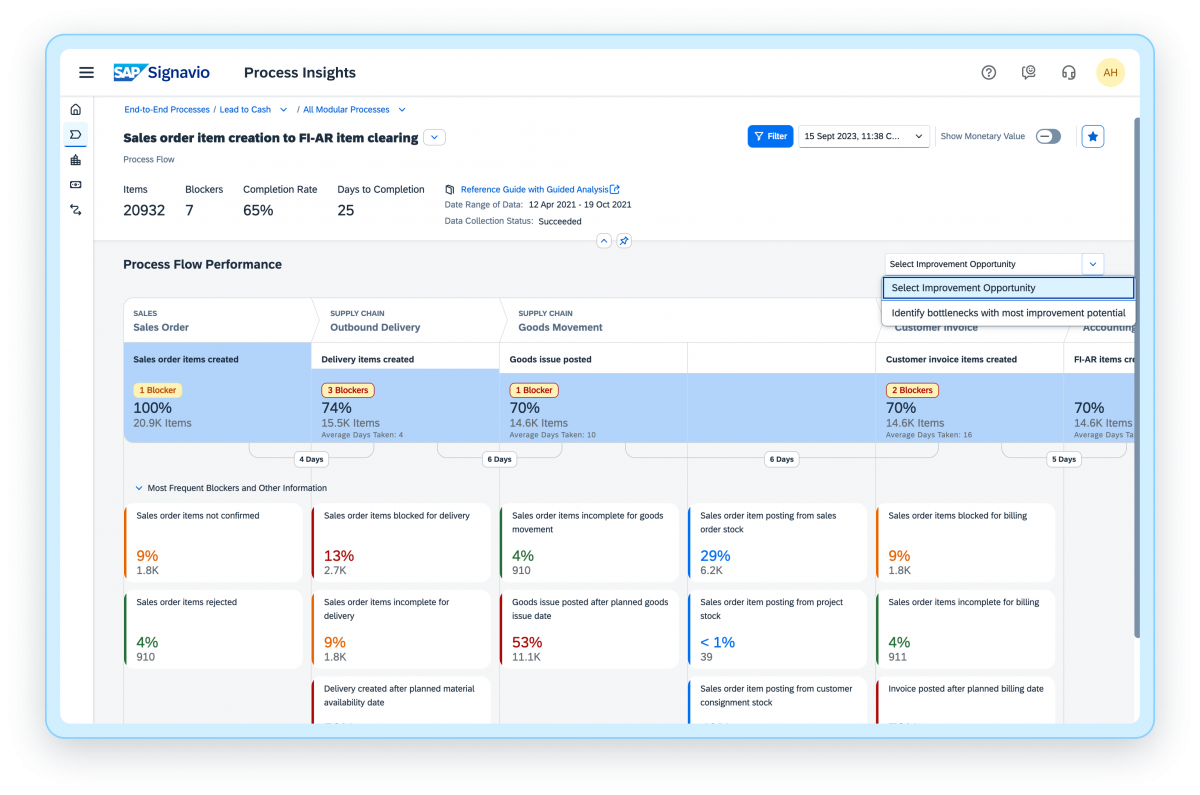
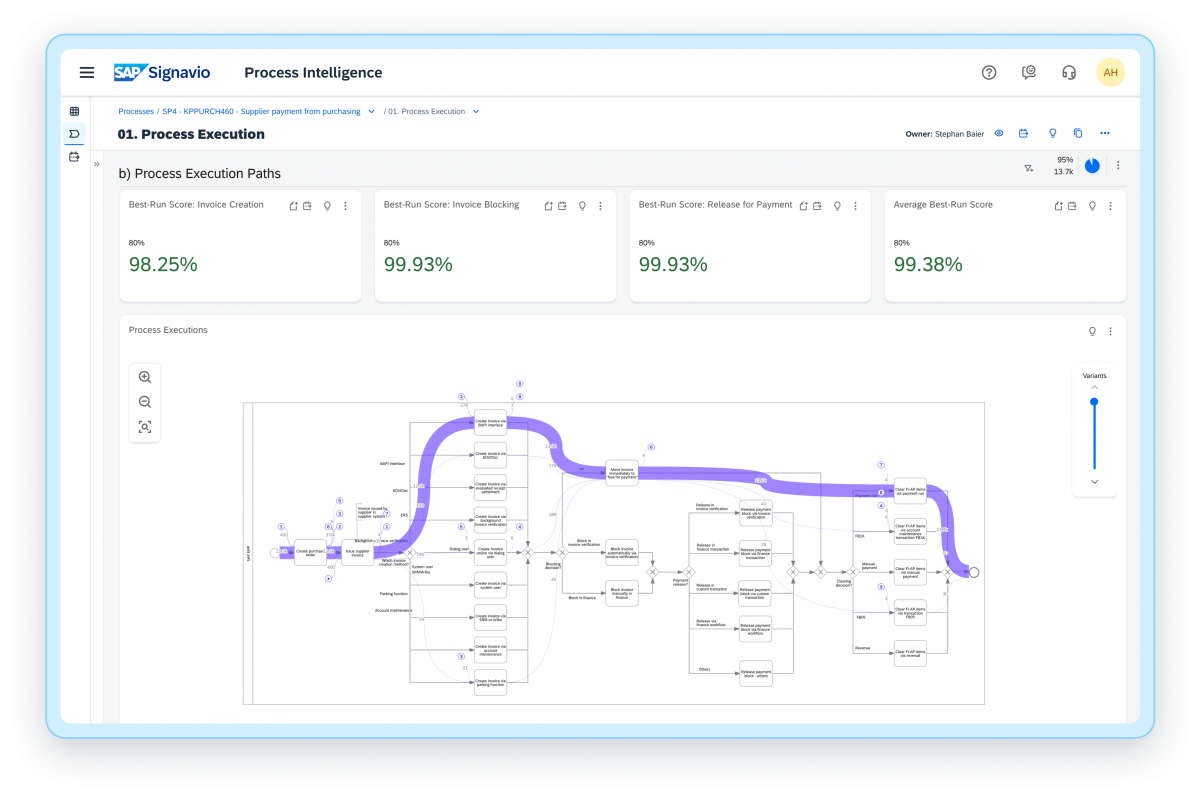
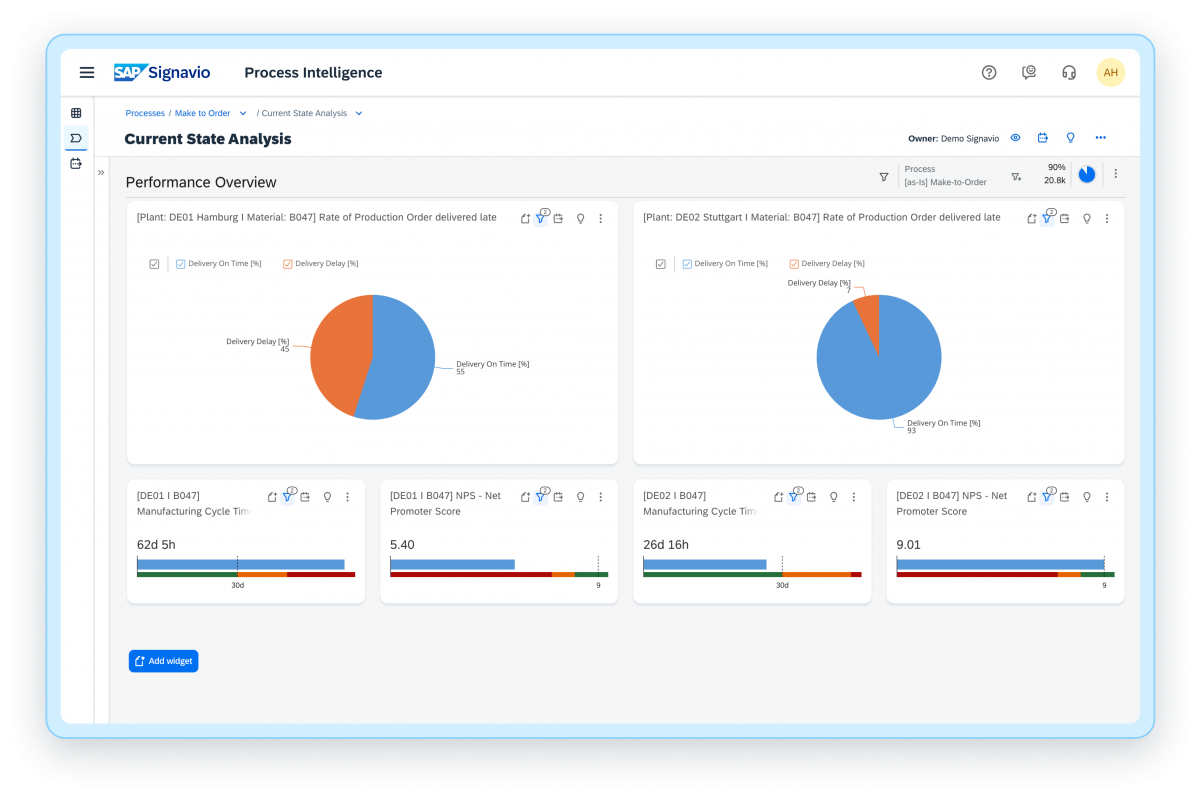
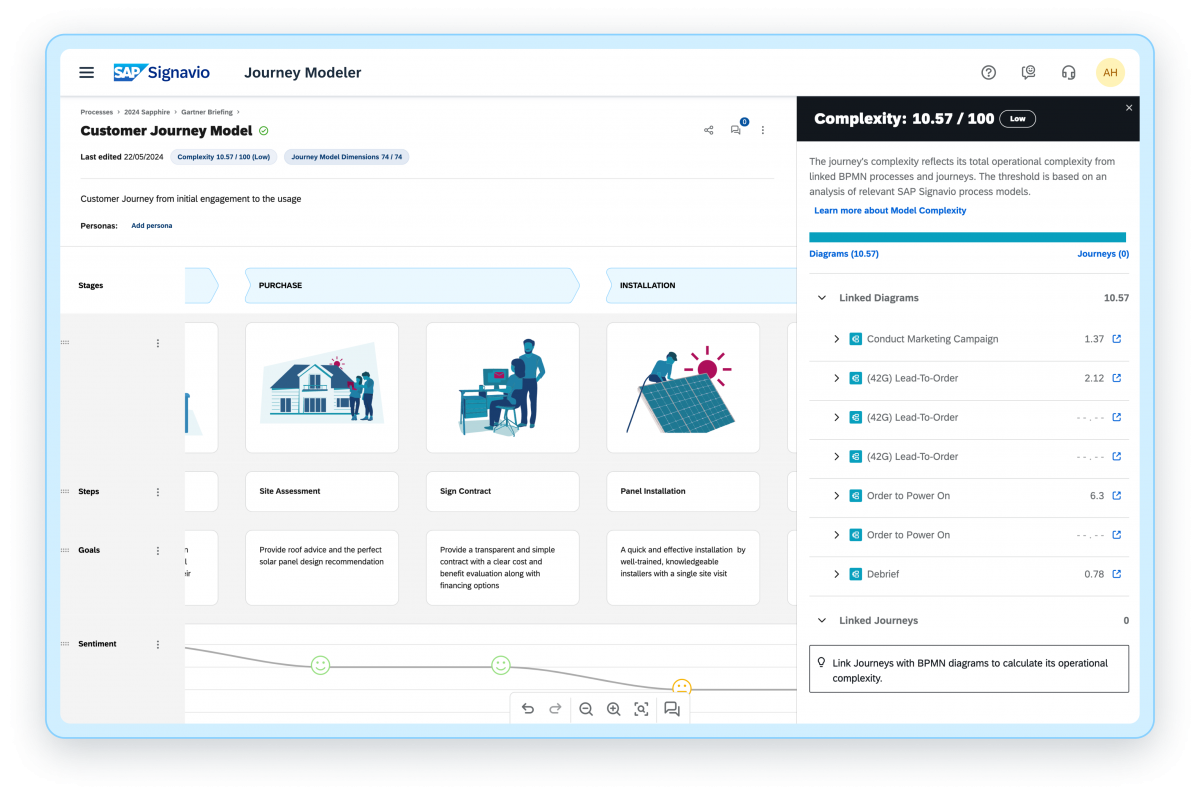
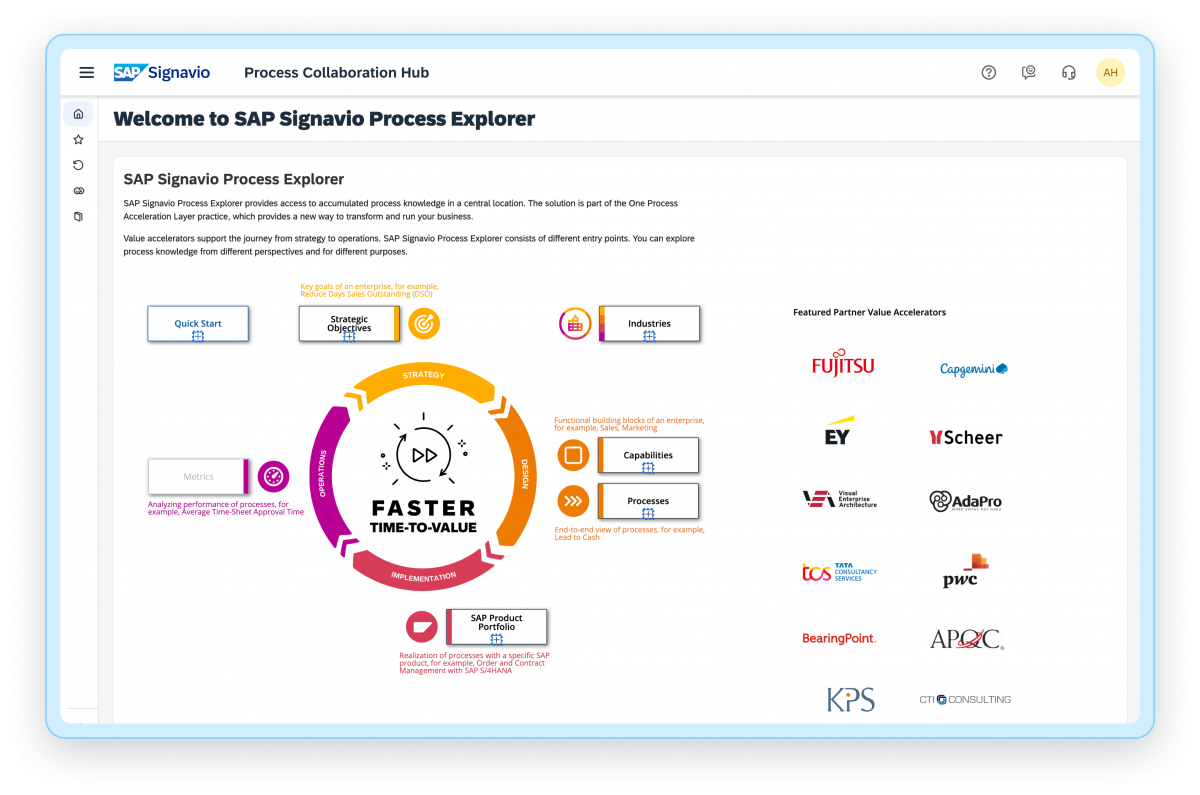
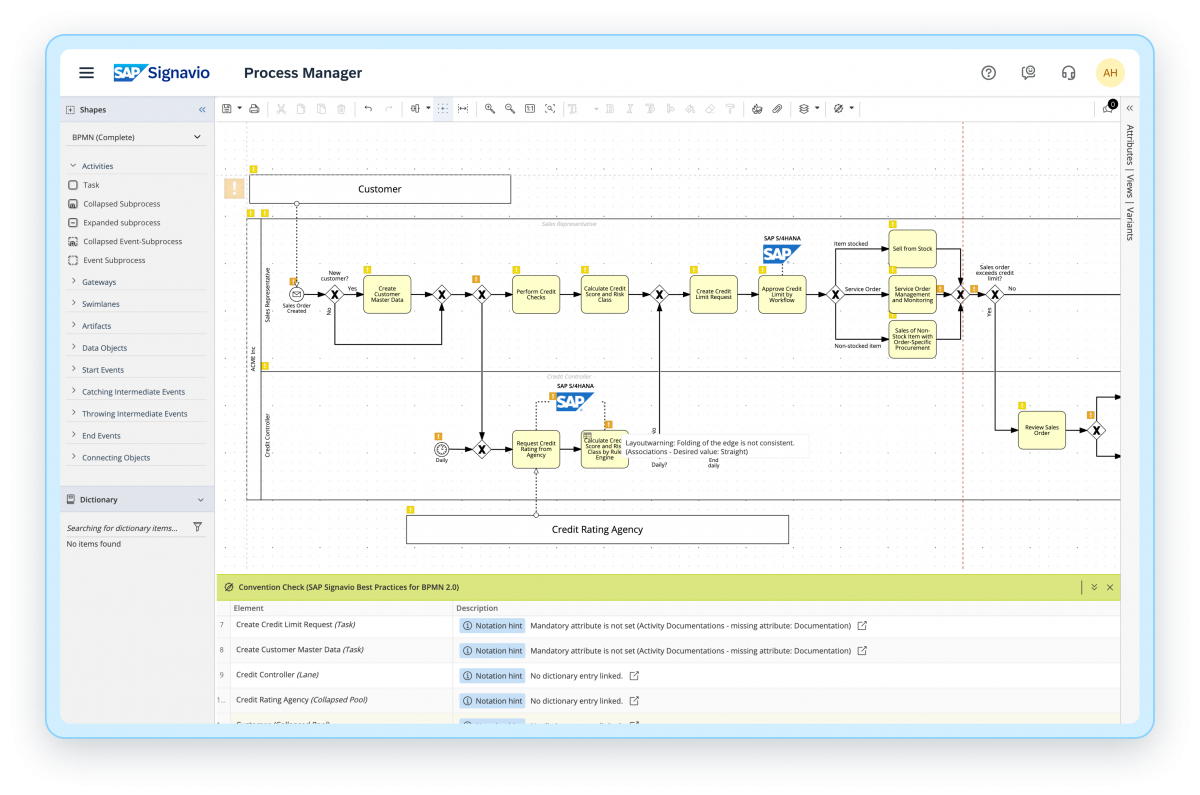
Screenshot of SAP Signavio Process InsightsScreenshot of SAP Signavio Process Intelligence - InvestigationScreenshot of SAP Signavio Process Intelligence - DashboardsScreenshot of SAP Signavio Journey Modeler - Journey Complexity ScoreScreenshot of SAP Signavio Process Explorer - Best practice and process knowledgeScreenshot of SAP Signavio Process Manager - Live Insights