Savage, headquartered in North Hobart, Tasmania, is dedicated to making exceptional creative tools. They are the creators of Procreate, a digital art and illustration app for iPad. Offering 100s of handmade brushes, a suite of artistic tools, advanced layer system, and its Valkyrie graphics engine — Procreate is designed to enable the creation of expressive sketches, rich paintings, gorgeous illustrations and beautiful animations.
N/A
VistaCreate
Score 9.4 out of 10
N/A
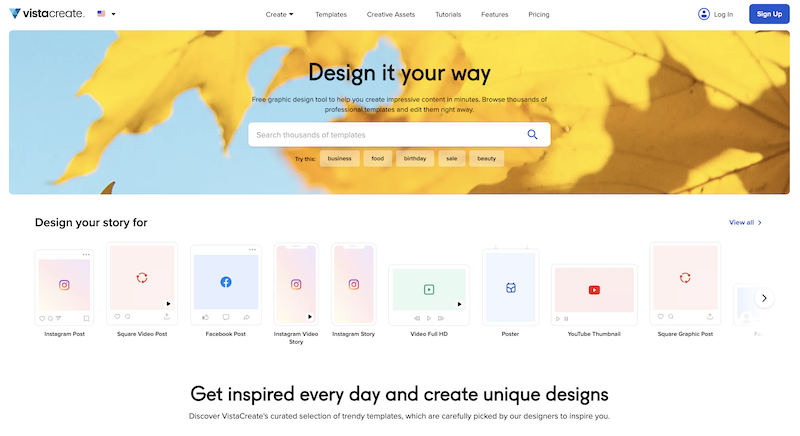
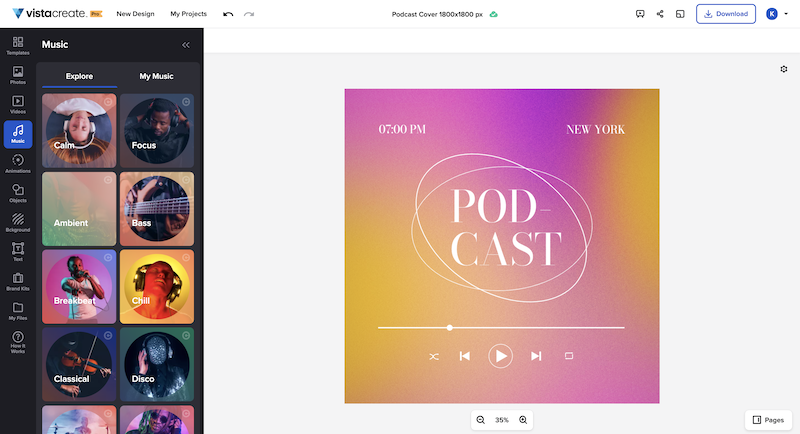
What is VistaCreate (ex-Crello)? VistaCreate is an online visual editing tool for creating videos, animations, graphic designs for social media, print, websites, or virtually any kind of static and animated design for commercial, business, or personal needs. On October 27, 2021 Crello joined the Vista group of companies and changed its brand name to VistaCreate. It includes 50,000 professionally designed templates that are already preformatted and…
N/A
Pricing
Procreate
VistaCreate
Editions & Modules
No answers on this topic
No answers on this topic
Offerings
Pricing Offerings
Procreate
VistaCreate
Free Trial
No
Yes
Free/Freemium Version
No
Yes
Premium Consulting/Integration Services
No
No
Entry-level Setup Fee
No setup fee
No setup fee
Additional Details
—
—
More Pricing Information
Community Pulse
Procreate
VistaCreate
Considered Both Products
Procreate
Verified User
Anonymous
Chose Procreate
Procreate is the easiest to understand out of all this software. I use it on my iPad, and I find that drawing with the Apple Pencil straight on Procreate is intuitive and simple, unlike using the complicated pen tool on Adobe Illustrator. As I've mentioned earlier, Procreate is …
In my view, VistaCreate is easier to navigate and design content. The templates are fun and appealing. The availability of Shutterstock photos is endless. The version history is saved so that work is not lost. There is a brand feature that automatically selects color themes to …
Procreate is well-suited for any illustrator, whether they're a beginner or an expert. It offers a vast range of features that will allow anyone with an artistic inclination to start creating right away. It's also appropriate for budding designers, artists, and animators. While the animation options offered aren't super premium, it is a good place to start learning about animating in layers, e.g., in Photoshop. Procreate isn't suitable for people who want to illustrate vector-based images. The app currently only supports raster images that can't be scaled up.
It's great for social media campaigns where you need to adapt pictures for different sizes for each social channel. With VistaCreate it's easy to modify all of them in a few clicks. It also works well with creating diagrams with cool statistics.
Procreate is the easiest to understand out of all this software. I use it on my iPad, and I find that drawing with the Apple Pencil straight on Procreate is intuitive and simple, unlike using the complicated pen tool on Adobe Illustrator. As I've mentioned earlier, Procreate is a great app for beginners, whereas both Illustrator and Photoshop have steep learning curves. If you want to dive into designing right away, Procreate is your best option!
In my view, VistaCreate is easier to navigate and design content. The templates are fun and appealing. The availability of Shutterstock photos is endless. The version history is saved so that work is not lost. There is a brand feature that automatically selects color themes to support branding. It is easy to export content to your desired file type.