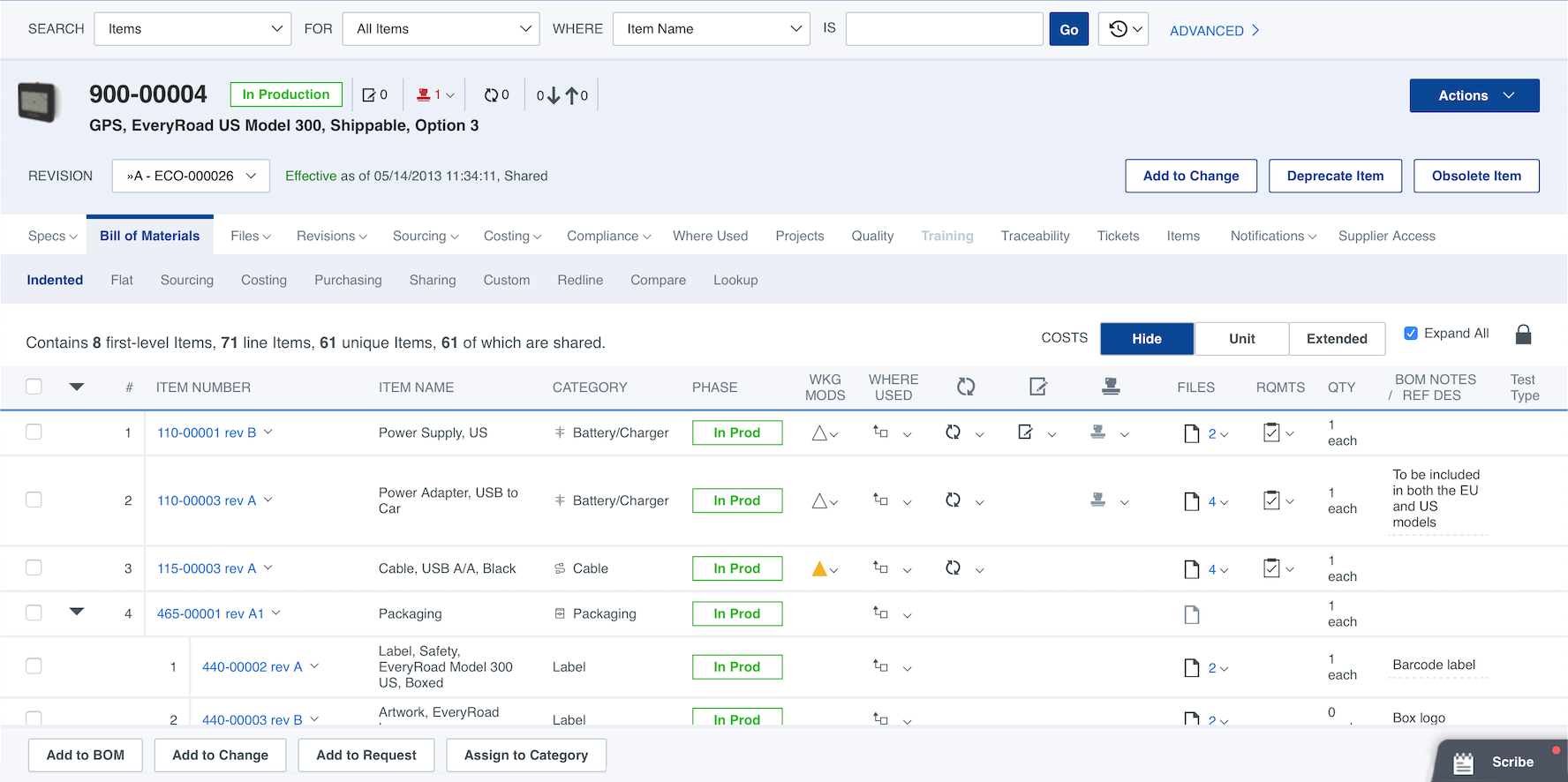
Arena by PTC is a cloud-based PLM and QMS platform. Arena helps product companies that rely on distributed teams and global supply chains to develop products, ensure regulatory compliance, and respond to customer demands.
N/A
PTC Creo
Score 5.6 out of 10
N/A
PTC offers Creo, the company's line of computer-aided design (CAD) products that support the product lifecycle management (PLM) process with 2D and 3D design kits (Creo Elements and Creo Direct), an augmented reality module, Creo Illustrate for technical illustrations, Creo Sketch, Creo Schematics and Creo View for diagramming and sharing information, Creo simulate for running simulations, and other modules.
$2,480
Pricing
Arena PLM and QMS
PTC Creo
Editions & Modules
Arena PLM Launch
Contact Sales
Arena PLM Enterprise
Contact Sales
Arena QMS
Contact Sales
Arena QMS Enterprise
Contact Sales
Design Package
$2,480.00
Offerings
Pricing Offerings
Arena PLM and QMS
PTC Creo
Free Trial
Yes
No
Free/Freemium Version
No
No
Premium Consulting/Integration Services
No
No
Entry-level Setup Fee
Required
No setup fee
Additional Details
Arena's cloud-based PLM and QMS solutions include role-based subscriptions to meet diverse team needs. Their fixed-fee QuickStart™ implementations supports rapid deployment.
Been a long time, and it was called Agile then, and I did not use it a LOT, but my recollection was the interface was FAAARRR better than Arena PLM and QMS. Simple things like 'where uses' was a graphic with lines to all items/places where an items was used, including REF DES, …
QT9 we have used previously, and this system was much more bare bones in its offerings but was sufficient enough when we were smaller. Now, Arena PLM and QMS has far exceeded the capabilities we previously had with QT9 as it has been more seamless to integrate it with other …
Expandable is hard to use compared to Arena PLM and QMS. Arena PLM and QMS is great when it comes to following the trajectory/ life cycle of products. One thing I like about expandable is that it allows for the exportation of products and the BOM. This was a great feature that …
Arena PLM and QMS is significantly better than Mastercontrol in terms of usability. It is far more user friendly and less confusing. Arena PLM and QMS and Agile are about the same for me in terms of general user friendliness.
Duro labs did not have the best functionality or connectivity like Arena PLM and QMS does. Some syncs may be missed and not everything was update to date. Other times, some parts in BOMs would not be present and a new sync had to be performed. Any small change that Onshape …
Arena seemed the easiest to use and the one that can best be configured to our own ways of working and set up in a way that integrates well with our company
I have only used a paper system with uploads to a shared network. Paper is more time-consuming, but more in our control. It's much easier to search through Arena than a paper system, however, there is still a learning curve to Arena. Once Arena skills and company knowledge are …
Learning curve of SolidWorks is higher compared to Creo, however, stability and more design control is provided by Creo. Creo also have more robust and stable interfaces. For larger assemblies, Creo works better than SolidWorks. New upgrades of Creo has given liberty to open …
It is very easy for a person to learn the software if the person just started to create 3d product. It create a fluid product design. Design of product can be complex but this doesn't concern when I use creo.
PTC Creo is much better than other software at allowing collaboration across multiple users, even multiple plants/locations. We went from an older non-parametric industry standard software to PTC Creo because we could save massive amounts of time by using the parametric …
If a client uses PTC Creo as their primary product development tool, we know we have an edge in productivity in our engagement. All clients desire productivity gains, and with PTC Creo, we know we can deliver.
We were required by DoD to use this software, but we also like it because it is professional. Many people in the field use it and want kids to be familiar with professional software vs. things like TinkerCAD even though it is a good resource. We also had PC computers and worked …
CATIA is another design software we had used before PTC Creo. The user interface of both PTC Crea and CATIA are very different. Part modeling is very user-friendly in PTC Creo, whereas drafting and sheet metal operations are easy in CATIA. PTC Creo has seamless flows while on …
As a service provider, we provide our services on many platforms. My client is using this software for manufacturing their products and this software helps them a lot.
PTC Creo has two main advantages. First, large assemblies with lots of different parts files, and its file structure that can handle these large assemblies without bogging the software done. Second, its ability to do advanced simulations without having to export the files to do …
In my career, I’ve used a few different CAD packages. I started using Pro Engineer Wildfire 4, a predecessor to Creo which had all of the same problems as Creo, plus more. Creo has changed some things since then, but it seems to be built on the same base, so some things that …
Arena PLM is well suited for part number, BOM and file management. Processing changes (ECNs, ACOs, DCO's, etc.) in Arena is very easy to do and provides great visibility on the status of submitted requests. The ability to communicate with Suppliers and grant them access to files in Arena is extremely helpful. Arena does not appear to be the best suited system for managing software
I wouldn't suggest it to my worst enemy. My colleagues worked with other CADs and, in my experience, complain every day about this CAD, about how much things it doesn't have or do, etc. One of them keeps telling me, in their opinion, how even CREO Direct is far superior, easy to use, faster and better. In my opinion, it's a CAD that requires constant attention at what you do, how you do, when you do because it doesn't do it for you.
It provides easy, 'login-anywhere' internet cloud-based access to fundamental PLM functions.
It provides secure access control for employees & vendors (but you pay per person for access licenses).
Data is effectively 'always backed up' in the internet-cloud.
There is an option to attach thumbnail graphics representative of each item and create a Bill of Materials view that also displays the graphics to help provide item recognition for BOM readers.
Arena lacks the capability to edit documents within its interface and requires users to upload new versions of documents when changes are made. This makes it a bit more challenging to collect and implement reviewer feedback
Arena's requirement tracking world does not have the proper functionality we need and was not useful for us.
Providing guidance through using tools is lacking in Creo. There is a small area where the text is displayed at the bottom that is supposed to help guide you, but many times the guidance doesn't make sense.
Layers are a hassle in Creo. Unless you know how to set up your config file to do it automatically, you have to add each item to the appropriate layer.
There is a lack of automation in Creo. In some other CAD packages, you can add holes or the like on a pattern of features. Not so in Creo.
We have so much time and effort invested into Arena. The history of approvals, revisions, etc. are necessary for many of our customers. We also have entire device histories recorded. Having to re-create that on another platform would be a feat requiring years of effort. But mostly, Arena just works. It's transformed our business into a much more streamlined system, resulting in a massive cost and time savings.
The Arena interface is fairly intuitive, and has very complete functionality. Documents are easily accessed according to prescribed user permissions, and the navigation pane is clearly positioned and sensibly structured. Notifications are sometimes a minor distraction, and document organization and hierarchy display may be difficult to follow at first. After a brief learning curve, perceived usability quickly increases for the typical user.
Seems like when I need to access our workspace for an emergency situation, this is when maintenance is scheduled, just the luck of the draw, I guess, and I just wait until the maintenance is complete, and then can proceed
Upon initial observation, Arena Solution appears to possess a rather intricate nature, yet this complexity was effectively navigated during the initial configuration phase with the invaluable assistance of an expert well-versed in Arena, a factor that greatly contributed to our comprehensive mastery and autonomous handling of Arena Solutions thereafter.
I liked the training manuals I used to learn some, as I didn’t have CAD background in college or before this job. My coworkers were able to share with me what they learned in PTC training and I was able to get support online and through reading.
The On line training was easy to understand and was very efficient for most of our users. We used the training tools to make sure we use all of the features to their fullest and correctly! After a few weeks mos of our users were very proficient with ARENA PLM and were able to work on their own and use mos of the sections and PLM capablilities.
I've used SAP, Agile in the past, for PLM, and unless the server is in your office, you cannot configure anything, and should it crash, you as the client are stuck until the issues are resolved. In my 15 plus years using Arena, there has only been one instance where the server was down, and the support team quickly resolved the issue with no loss or data or breach of any kind. Both PLMs are very light on what you can configure for your own company, most of it is out of the box, and you are stuck with it, whereas Arena Solutions gives you much more freedom to really tailor it to your company's specifics and what works for you.
PTC Creo is much better than other software at allowing collaboration across multiple users, even multiple plants/locations. We went from an older non-parametric industry standard software to PTC Creo because we could save massive amounts of time by using the parametric assembly features of PTC Creo along with the the Windchill drawing organization functions.
Arena is easy to customize and therefore easy to scale. Different user groups with access restrictions can be easily created and new training plans can be created to support different user bases. Suppliers can also easily be added or items can be shared with them
Arena PLM and QMS has allowed [...] to efficiently respond to Design Changes and process them effectively.
Arena PLM and QMS has completely automated our CAPA process, removing all paperwork and 99% of other electronic files.
Arena PLM and QMS has allowed our Contract Manufacturing Organizations (CMO) to upload current manufacturing data; this puts [...]'s finger on the pulse of a CMO thousands of miles away. No more surprises.
Having PTC Creo as our primary tool positions us as forward thinking and creative in the eyes of our clients.
PTC Creo constantly evolves in the ability to increase our productivity; new capabilities and features are added, which reduce our level of effort for some tasks.