
Matt Bergevin
IT Program manager
Chose Pulseway
I haven't looked at competitors.

| Product | Rating | Most Used By | Product Summary | Starting Price |
|---|---|---|---|---|
 Pulseway | Mid-Size Companies (51-1,000 employees) | Pulseway is an IT monitoring and management solution that enables users to monitor, manage and control all systems and servers from a smartphone, tablet or browser. For system administrators, Pulseway sends a notification, so they can see an issue and sort it in seconds. Pulseway features: Automation: Auto-remediation workflows, so that IT issues are fixed before users even notice them. Mobile Access: Customers can monitor, manage, connect with… | $0.80 per month per installation | |
 UltraVNC | N/A | N/A | N/A |
| Pulseway | UltraVNC | |||||||||||||||
|---|---|---|---|---|---|---|---|---|---|---|---|---|---|---|---|---|
| Editions & Modules |
| No answers on this topic | ||||||||||||||
| Offerings |
| |||||||||||||||
| Entry-level Setup Fee | No setup fee | No setup fee | ||||||||||||||
| Additional Details | No hidden fees or contracts. Term-based discounts. | — | ||||||||||||||
| More Pricing Information | ||||||||||||||||
| Pulseway | UltraVNC | |
|---|---|---|
| Considered Both Products |  Pulseway Matt Bergevin IT Program manager Chose Pulseway I haven't looked at competitors.  Brian Cook Information Security Officer Chose Pulseway The 2 major factors were: 1. The fact there was no contract, we believe vendors should have to validate the usefulness of their product and their support to their customers every day, not just 1 or 2 months every few years. This is the same reason we allow our clients to leave …  Brian Heersink IT Director Chose Pulseway Pulseway has the most features, the best looking app with the best design and better usability than any others we evaluated. We liked the uniformity of the app design across all platforms (Windows, Android, Apple) and the notifications displayed on each platform. The price was …  Kenneth Hess Senior Systems Analyst Chose Pulseway I haven't used any competitive products to Pulseway because I haven't found any that truly compare. Once I found Pulseway, I've used nothing else.  Phillip Hare Pastor Chose Pulseway It's not a perfect service - disconnects from clients and I have to use ScreenConnect to reconnect to them.  Chris Short Director of IT Chose Pulseway Pulseway is by far the easiest to set up. The dashboard is very straight forward and has very little need for custom configuration. We use Pulseway to review basic server information and compare it to other similar servers to track outliers. It is very easy to see resources, … | UltraVNC No answer on this topic |
| Pulseway | UltraVNC | |
|---|---|---|
| Small Businesses |  NinjaOne Score 9.0 out of 10 |  Getscreen.me Score 9.7 out of 10 |
| Medium-sized Companies |  Intermapper Score 8.4 out of 10 |  Action1 Score 9.5 out of 10 |
| Enterprises |  Cisco Meraki Dashboard Score 9.3 out of 10 |  Remote Desktop Manager Score 9.0 out of 10 |
| All Alternatives | View all alternatives | View all alternatives |
| Pulseway | UltraVNC | |
|---|---|---|
| Likelihood to Recommend | 8.0 (0 ratings) | - (0 ratings) |
| Usability | 10.0 (0 ratings) | - (0 ratings) |
| Support Rating | 9.6 (0 ratings) | - (0 ratings) |
| Pulseway | UltraVNC | |
|---|---|---|
| Likelihood to Recommend |
| No answers on this topic |
| Pros |
| No answers on this topic |
| Cons |
Phillip Hare Pastor | No answers on this topic |
| Usability |
| No answers on this topic |
| Support Rating |
| No answers on this topic |
| Alternatives Considered |
Brian Cook Information Security Officer | No answers on this topic |
| Return on Investment |
Kenneth Hess Senior Systems Analyst | No answers on this topic |
| ScreenShots | Pulseway Screenshots  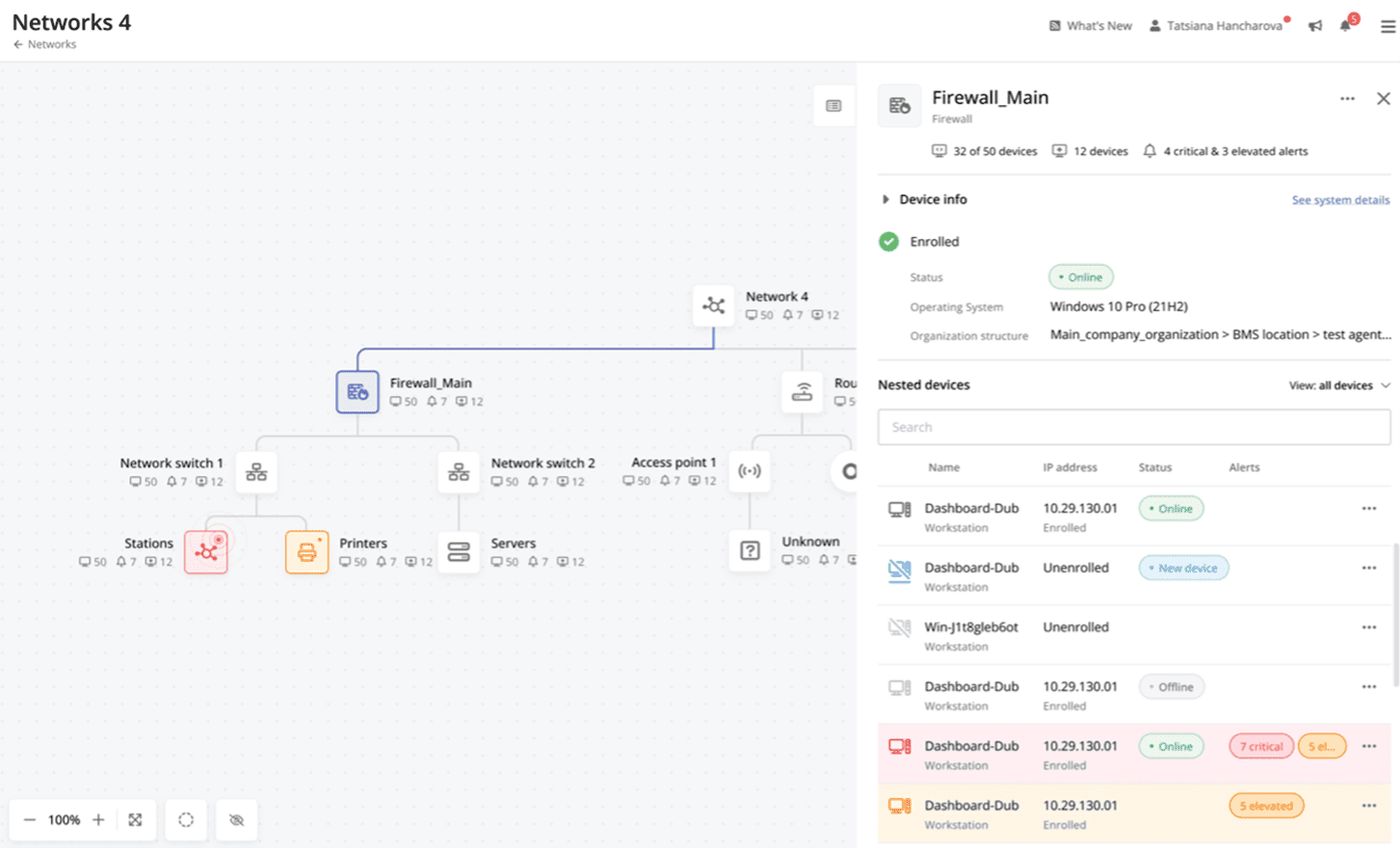 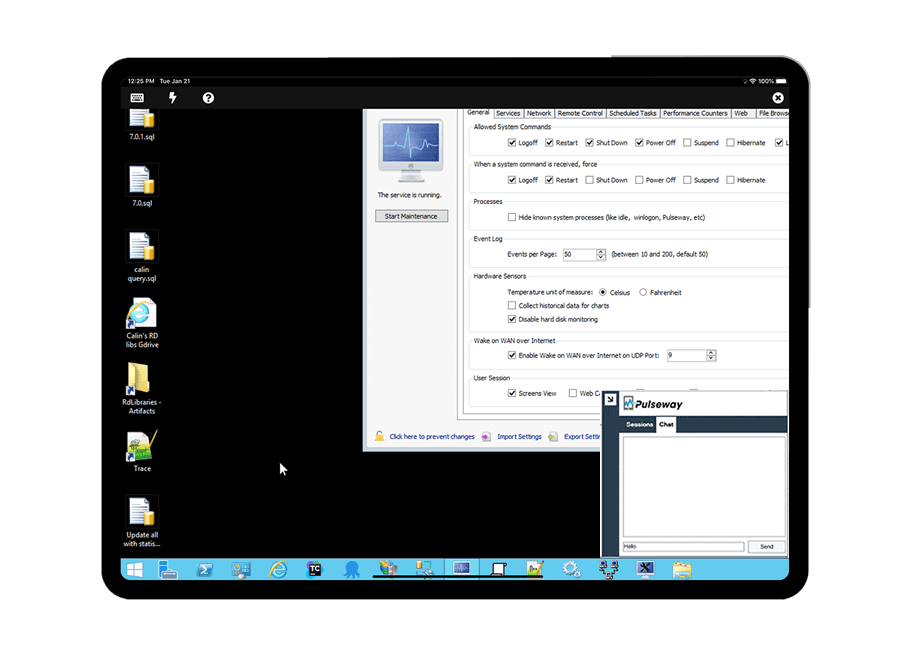   |