
Matt Bergevin
IT Program manager
Chose Pulseway
I haven't looked at competitors.

| Product | Rating | Most Used By | Product Summary | Starting Price |
|---|---|---|---|---|
 Pulseway | Mid-Size Companies (51-1,000 employees) | Pulseway is an IT monitoring and management solution that enables users to monitor, manage and control all systems and servers from a smartphone, tablet or browser. For system administrators, Pulseway sends a notification, so they can see an issue and sort it in seconds. Pulseway features: Automation: Auto-remediation workflows, so that IT issues are fixed before users even notice them. Mobile Access: Customers can monitor, manage, connect with… | $0.80 per month per installation | |
 Vercara UltraWPM | N/A | Vercara UltraWPM (formerly Neustar Web Performance Management, based on Webmetrics) is used to find and fix problems that impact connected customers: unavailable websites, slow-loading pages, and failing applications. | N/A |
| Pulseway | Vercara UltraWPM | |||||||||||||||
|---|---|---|---|---|---|---|---|---|---|---|---|---|---|---|---|---|
| Editions & Modules |
| No answers on this topic | ||||||||||||||
| Offerings |
| |||||||||||||||
| Entry-level Setup Fee | No setup fee | No setup fee | ||||||||||||||
| Additional Details | No hidden fees or contracts. Term-based discounts. | — | ||||||||||||||
| More Pricing Information | ||||||||||||||||
| Pulseway | Vercara UltraWPM | |
|---|---|---|
| Considered Both Products |  Pulseway Matt Bergevin IT Program manager Chose Pulseway I haven't looked at competitors.  Brian Cook Information Security Officer Chose Pulseway The 2 major factors were: 1. The fact there was no contract, we believe vendors should have to validate the usefulness of their product and their support to their customers every day, not just 1 or 2 months every few years. This is the same reason we allow our clients to leave …  Brian Heersink IT Director Chose Pulseway Pulseway has the most features, the best looking app with the best design and better usability than any others we evaluated. We liked the uniformity of the app design across all platforms (Windows, Android, Apple) and the notifications displayed on each platform. The price was …  Kenneth Hess Senior Systems Analyst Chose Pulseway I haven't used any competitive products to Pulseway because I haven't found any that truly compare. Once I found Pulseway, I've used nothing else.  Phillip Hare Pastor Chose Pulseway It's not a perfect service - disconnects from clients and I have to use ScreenConnect to reconnect to them.  Chris Short Director of IT Chose Pulseway Pulseway is by far the easiest to set up. The dashboard is very straight forward and has very little need for custom configuration. We use Pulseway to review basic server information and compare it to other similar servers to track outliers. It is very easy to see resources, … | Vercara UltraWPM  Tyler Twitchell Senior System Engineer Chose Vercara UltraWPM To be honest, I am not certain why this product was initially chosen over other products. It was being used when I started working at a new job. I was trained on its use and focused on tracking issues when an alert was given. There are many products that can be used for … |
| Pulseway | Vercara UltraWPM | ||||||||||||
|---|---|---|---|---|---|---|---|---|---|---|---|---|---|
| Monitoring Tasks |
| ||||||||||||
| Reporting |
| ||||||||||||
| Security |
|
| Pulseway | Vercara UltraWPM | |
|---|---|---|
| Small Businesses |  NinjaOne Score 9.0 out of 10 |  Panda Systems Management Score 9.8 out of 10 |
| Medium-sized Companies |  Intermapper Score 8.4 out of 10 |  ManageEngine ADAudit Plus Score 9.2 out of 10 |
| Enterprises |  Cisco Meraki Dashboard Score 9.3 out of 10 | ManageEngine ADAudit Plus Score 9.2 out of 10 |
| All Alternatives | View all alternatives | View all alternatives |
| Pulseway | Vercara UltraWPM | |
|---|---|---|
| Likelihood to Recommend | 8.0 (0 ratings) | 7.0 (0 ratings) |
| Usability | 10.0 (0 ratings) | - (0 ratings) |
| Support Rating | 9.6 (0 ratings) | - (0 ratings) |
| Pulseway | Vercara UltraWPM | |
|---|---|---|
| Likelihood to Recommend |
|
Tyler Twitchell Senior System Engineer |
| Pros |
|
Tyler Twitchell Senior System Engineer |
| Cons |
Phillip Hare Pastor |
Tyler Twitchell Senior System Engineer |
| Usability |
| No answers on this topic |
| Support Rating |
| No answers on this topic |
| Alternatives Considered |
Brian Cook Information Security Officer |
Tyler Twitchell Senior System Engineer |
| Return on Investment |
Kenneth Hess Senior Systems Analyst |
Tyler Twitchell Senior System Engineer |
| ScreenShots | Pulseway Screenshots  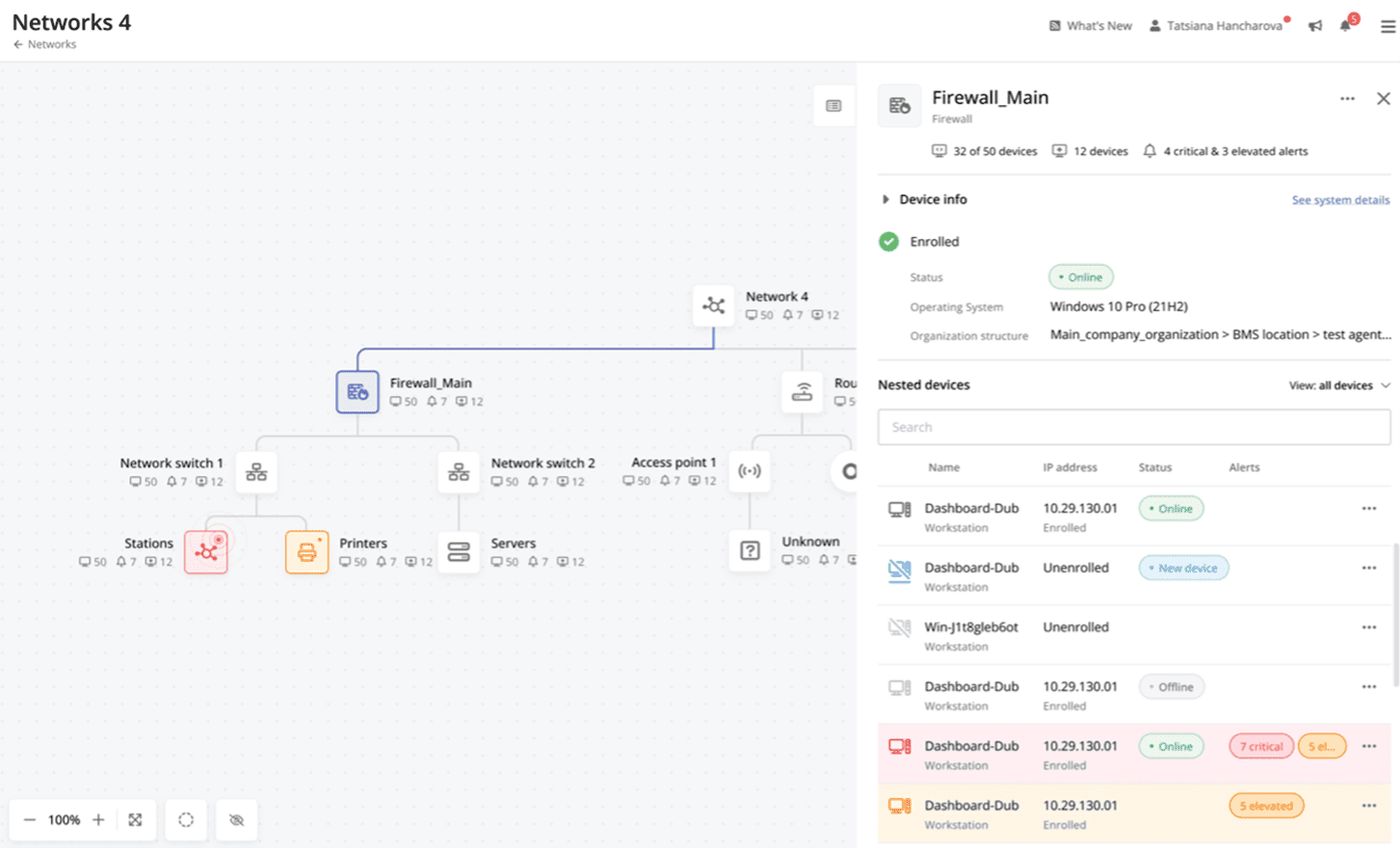 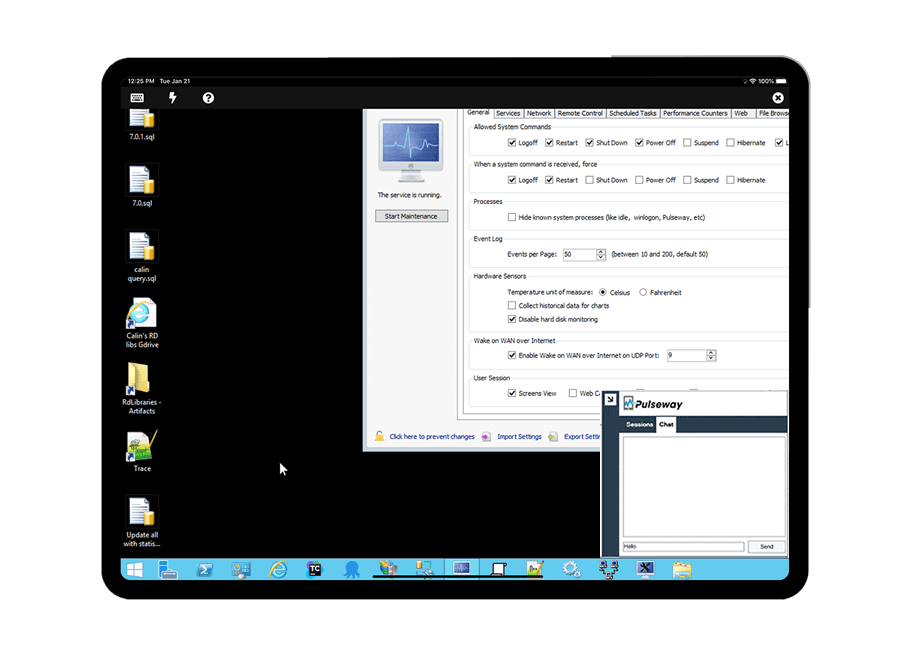   |