Quickbooks Desktop for Mac is an accounting software designed for Mac users. It is designed to integrate with Apple iCloud. It provides core accounting features in line with the rest of the Quickbooks Desktop product line.
N/A
Tipalti
Score 8.7 out of 10
Mid-Size Companies (51-1,000 employees)
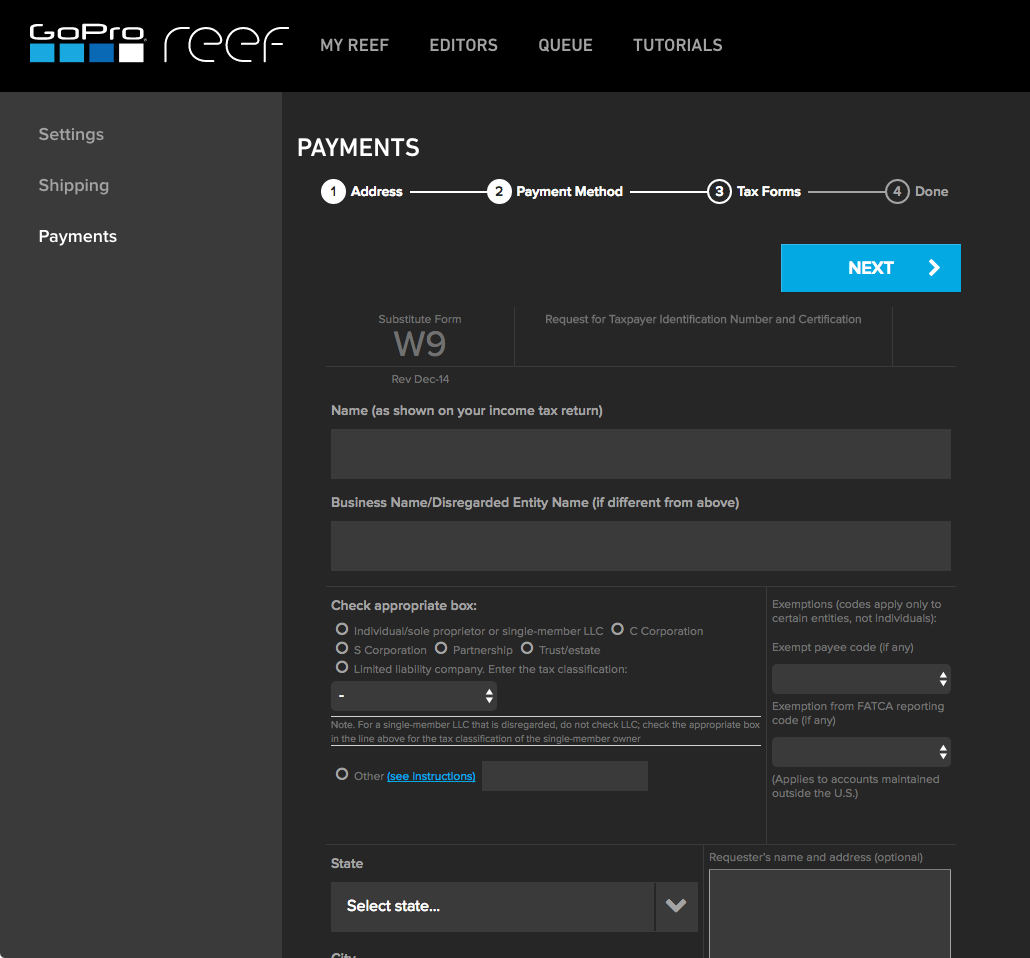
Tipalti automates critical financial processes to drive efficiency, including accounts payable, mass payments, procurement, and expenses, all on one global finance automation platform that grows with the organization, automating, de-risking and simplifying finance.
N/A
Pricing
QuickBooks Desktop for Mac
Tipalti
Editions & Modules
No answers on this topic
No answers on this topic
Offerings
Pricing Offerings
QuickBooks Desktop for Mac
Tipalti
Free Trial
No
No
Free/Freemium Version
No
No
Premium Consulting/Integration Services
No
No
Entry-level Setup Fee
No setup fee
Required
Additional Details
—
Pricing starts at $149 per month for the platform fee. Users can upgrade to Tipalti's more advanced capabilities as their businesses gets more complex.
The Tipalti pricing model is designed to grow with the user's company. Advanced features such as W-8 tax forms, international tax IDs, or multi-entity payables are available as needed.
More Pricing Information
Community Pulse
QuickBooks Desktop for Mac
Tipalti
Considered Both Products
QuickBooks Desktop for Mac
Verified User
Anonymous
Chose QuickBooks Desktop for Mac
Quickbook is used with these 3 software. Budgyt has the budget and QuickBooks has the expenses. QuickBooks only allows one person to map. After that, they work well together. PayrollVault is here we paid our staff. Quickbooks usually do not have correct information on how our …
Fortunately our organization began using Mac's back in the early 90's. We were still using the oversized ledgers for expenses/check writing as well as income entries. Very time consuming. It was a no brainer to go with QuickBooks. Didn't really look at any other accounting …
I love using Quickbooks compared to other software we've tried. QuickBooks Online and TSheets interface. Customer service and problem resolution are generally excellent, with well-trained and proficient agents taking calls or on chat. Ease of use and accessibility via the …
I tried switching to QBO (Quickbooks Online) a couple of times. And in both cases it was disastrous. The software is buggy and the workflow is not at all like what I was used to in Desktop and so I felt like there was a brand new learning curve. You would think that they would …
We looked at several different providers. I tested three other software applications. I found that QuickBooks Desktop for Mac was the most intuitive, cost-effective, and out of the box to learn and use. I am still getting used to the differences between the PC version and …
Start with the best and you never have to try anything else. Not the cheapest solution, but the best solution is always a smart business decision. We could not run the business today without QuickBooks - maybe 10 years ago at the startup, it was more than we needed, but within …
I only stick with it because I have used it for 30 years and have to continue as the cost to change over and learn a new system has always been prohibitive. My accountant prefers QuickBooks rather than embarking on another Mac software option.
I've really only ever used Quickbooks and Mint, but I found QuickBooks to be far more powerful than any other accounting software. In fact, it has been so convenient and successful that I've never thought to use anything else. Most other modern solutions are limiting or too …
QuickBooks for Mac definitely outshines other competitors mainly due to its ability to sync seamlessly with all mac products, which other programs have continual problems with. Although the Mac version isn't quite as powerful as the Microsoft counterpart, it is still one of the …
QuickBooks for Mac is great because it has an offline version and cloud storage capabilities. QuickBooks Online is a cheaper alternative but in the event of needing to access the database without internet access, it's nice to have it backed up when you need it. Plus QuickBooks …
I feel that the online (QBO)version is the platform of the future. With third party companies building solid apps and plugins that integrate with QBO seamlessly, the desktop versions are becoming limited.
QuickBooks Mac really is incredible. As a mac user for 10 years, I found this software easy to use and understand. It has a beautiful layout without sacrificing any of the ample features that made me fall in love with QuickBooks Pro.
Installing QB was easy and straight forward in comparison to other Mac apps. I'll be interested to see if updates are easy to accomplish. Adobe products are all cloud based as is QB & I am still uneasy about that as our business is located in a fairly remote & rural area and …
I used to use Wave Accounting for quite awhile and switched to Quickbooks for Mac this year because I need some more rigorous software and record keeping for my accountant. Wave Accounting was an excellent start for a small company but as soon as I had decent revenue, it became …
Intuit Accounting Professionals Trainer/Writer specializing in QuickBooks for Mac, Meetup Groups Organizer/Founder, Adjunct Instructor at Bellevue College
Chose QuickBooks Desktop for Mac
QuickBooks for Mac 2015 has been updated consistently over the last 3 years and continues to provide for the bookkeeping needs of small companies using Macs in their offices. However, it has limited job costing functionality. Outside of that limitation, it is similar in …
They are very similar. I do like how Divvy and Bill offer great credit card solutions. But when it comes down to automating the accounts payable function within your organization it is very similar and both offer a great product with similar pros and cons. Overall Tipalti is a …
Concur was a miserable experience on the payables automation side for us. In my opinion, the implementation team did a poor job. Data sync into NetSuite was not real time. To me, the interfaces were archaic. Tipalti was such a breath of fresh air. I love working with their …
Both of these products have treated us well and have their pros and cons. We do a lot of acquisitions though and they are just not friendly the more and more you go. Tipalti has been very helpful with the more we grow. Its a key part in integrating finances
The price point and all-inclusive pricing was very clear with Tipalti. The others separated the payment platform from the invoicing platform, which didn't make sense at all. With one provider, it would be implemented after the payables side, which was not helpful for our …
We selected Tipalti because it was a clear and simple option without the complexity or high price tag of other ERP or accounting systems. It was a fit for purpose solution that handled the exact accounts payable needs that we had. It was easy to implement and start using right …
Coupa was significantly more expensive, takes longer to implement and seemed to be more than we needed. AvidXchange was more similar to Tipalti, but Tipalti sales team seemed hungrier for our business.
AvidXchange worked well as it integrates as a Suite App within NetSuite; however, it still required payments to go out through NetSuite or through a bank directly. It has been a while since I used it so maybe that has improved but having Tipalti handle everything from …
On my second time selecting, I was not going to consider any other vendors. My bank had some arrangement with MineralTree so I was obligated to go through their process. Ultimately it came back to Tipalti's payment processing capabilities as the standout feature.
From initial implementation through to user experience, Tipalti has been able to exceed our expectations in terms of its functionality and useability. We have found with other systems implemented in the past they did not match our expectations which resulted in us terminating …
Tipalti was in fact the only solution that met all our critical requirements (e2e) and supported ISK payments. Credit cards is not an available functionality outside the US, but wasn´t a critical feature for us.
Although I did not partake in selecting Tipalti, I will say because of my Ariba experience, Tipalti is far more end user friendly. In my experience, Ariba can be super complicated and for those that used it at my last company, they were very unhappy with it's complex environment
With Tipalti the vendor can choose between more payment options + can change between payment details/methods at any time without the need to have the payer doing so.
Previously, our Company housed all invoices and approvals in NetSuite. This was a very clunky process which often resulted in duplicated work. Approvals were obtained through email and attached as a file to invoice records in NetSuite. Whereas, in Tipalti, you can view the …
SAP Concur did not have consistent invoice entry. Depending on who at SAP Concur entered your invoice, the vendor could be incorrect, the vendor number could be missing a digit, the amount of the invoice entered wrong, etc. We had too many issues with SAP Concur because they …
It is extremely well suited for smaller companies who are trying to manage things on their own without outsourcing too much. The program is easy to learn and doesn't require too much training time before it can be implemented. The online/cloud feature makes it even more accessible to our employees, so it's great. It would be hard for a large company to use it since it is geared towards smaller companies and the interface may become overwhelming with too many inputs/bills to manage.
The invoice processing element is far, far easier than manually inputting invoices are we were doing previously. The OCR is not perfect, but having it scanned in and ready for review saves a lot of time. The approvals process is fast and effective, and approvers can approve directly from the email without having even to log into the system. The audit trail function allows the finance team to see exactly who has done what to each invoice, and when. Payments, however, are where we see the most benefit. Vendor bank details are stored securely and controls can be put in place to ensure that any changes to vendor data must be approved. Once fully approved, invoices can be scheduled for payment either on a particular date or on the invoice due date, which ensures vendors are paid on a 'Just In Time' basis. All invoices and payments sync seamlessly to our ERP each day.
Reconciling my bank accounts is made easy by automated bank connections and rules for re-occurring transactions. I can also transfer between connected bank accounts making sure to not double up on transfers or payments.
I love that I can access Quickbooks Desktop via a web browser, iOS, and the desktop app. I live in a mobile world so having the ability to crossover is vital.
Payroll. One simple feature that allows me to track employee and employer taxes, make payments, and automate the entire process. All I have to do is hit approved and the rest is done for me. I love it!
Support is phenomenal! Incredibly responsive, always have the answers, super knowledgeable and will assist in bringing resolution to various concerns, as well, providing not just support, but education as well!
System is almost always working efficiently, very few incidents that slow me down.
System is incredibly user friendly. I was able to learn it pretty quickly.
QB for Mac is not nearly as feature rich as the Windows Version
QB for Mac has recently FORCED users to password protect all databases. They SHOULD allow a preference to disable rather than imposing their workflow on the end user. The PW is in my environment [and this step is] unnecessary and a cumbersome waste of time.
In the PO matching queue, there is some clunkiness surrounding updating PO lines. For example, if you need to delete PO lines picked up from the invoice, you currently have to delete each line individually, instead of being able to select multiple and delete.
Sometimes PO numbers do not properly pick up from the OCR system. For example, the OCR might pick up "PO 18535" instead of "18535". This causes the AP team to have to manually link the PO, creating an extra step.
For PO-backed Invoices that require you to manually type in the PO amount, there is no option to save your inputs. If there are any changes to the match details (i.e. linking another PO, or unlinking a PO) all inputs are reset to blank.
If there are non PO line items for an invoice that is in the PO matching queue, there is no option to select a separate department code for that line item.
I haven't spent that much time with the newer versions of QuickBooks for Mac, but I think I'm seeing it make the much-needed improvements. For example, something as simple as undoing the previous reconciliation was a terrible chore, and I'm glad that feature has been included in the newer versions of QuickBooks for Mac
Solid system performance. Suits our needs and solution provider very inclined to accept feedback and involve users in developing the solution to serve both the provider and the ultimate user. Tipalti has streamlined our process that was previously very manual and prone to error. Now there is transparency of information and role.
The Mac version is OK overall. I find the Windows versions to be much more robust but Mac is quite good for Mac users. Though I think die hard Mac users should consider QuickBooks Online instead as there is a new QB for Mac app that makes using QBO much better!
The system is incredibly easy to use, with most tasks being completed in a small number of clicks. The user interface is very user intuitive and can be navigated very easily. Multiple payments can be made instantaneously and as the vendors manage their payable account we are able to ensure that payments are being sent to the right account. The advanced functionality for duplicate invoices ensures that we are not processing bills twice and we have found that in 100% of cases it has identified a duplicate bill.
I've been using the QuickBooks online version for a little over 6 months now (upgraded from Mac desktop) and I haven't had any access issues. There have been times when it was down for service/upgrade however there is always plenty of notification time given by the Quick Books Online Support team. These upgrade maintenance time frames are always over night hours and on the weekends so everything can be worked around very easily.
Since I also work in customer support, I often have to contact Tipalti's team with questions from our users. Tipalti's support team has always been exceptionally helpful and it was a pleasure to communicate with them. I have always received prompt responses to any inquiries and they are excellent at solving our customers' issues within a short time
I tried switching to QBO (QuickBooks Online) a couple of times. And in both cases it was disastrous. The software is buggy and the workflow is not at all like what I was used to in Desktop and so I felt like there was a brand new learning curve. You would think that they would make their online option as close to their Desktop option so that migrating customers would have an easy time. The worst part is that if you have inventory that you need to track, when you migrate from Desktop for Mac, it does NOT bring in your inventory accurately in any way. This was a dealbreaker for me. Be very careful about migrating if you track inventory. So for all the shortcomings of Desktop, I still prefer it over QBO.
Both of these products have treated us well and have their pros and cons. We do a lot of acquisitions though and they are just not friendly the more and more you go. Tipalti has been very helpful with the more we grow. Its a key part in integrating finances
My private consulting practice slowed down when I chose to only support QuickBooks for Mac clients because there are far fewer QuickBooks for Mac clients than their are clients using other QuickBooks. I chose instead to focus on online accounting options, apps that integrate with online accounting options, and sustainability accounting as a tool for business success.
Intuit Accounting Professionals Trainer/Writer specializing in QuickBooks for Mac, Meetup Groups Organizer/Founder, Adjunct Instructor at Bellevue College