ReachMail vs. Taximail

Overview
ProductRatingMost Used ByProduct SummaryStarting Price
ReachMail
Score 9.8 out of 10
N/A
ReachMail focuses on assisting email marketers in achieving delivery success, and present their services a a guide in the ever-changing world of marketing and transactional email. ReachMail includes tools like optimized time-of-day sending, integrated list hygiene and expert support.
$9
per month
Taximail
Score 10.0 out of 10
Mid-Size Companies (51-1,000 employees)
Taximail is designed to present a reliable digital marketing automation platform for businesses. The vendor describes the following benefits they aim to provide with Taximail: Send emails faster for 2,500 emails per minute Technical and strategy support provided in less than 2 hours Send emails from the user's own domain Pricing is targeted at remaining 30% cheaper than…
$12
per month
Pricing
ReachMailTaximail
Editions & Modules
Basic
$9.00
per month
Prro
$29.00
per month
Basic
$12
per month
Pro
$17
per month
Pay-as-you-go Basic
$139
one time payment
Pay-as-you-go Pro
$153
one time payment
Offerings
Pricing Offerings
ReachMailTaximail
Free Trial
NoYes
Free/Freemium Version
NoYes
Premium Consulting/Integration Services
NoNo
Entry-level Setup FeeNo setup feeNo setup fee
Additional Details
More Pricing Information
Community Pulse
ReachMailTaximail
Features
ReachMailTaximail
Email & Online Marketing
Comparison of Email & Online Marketing features of Product A and Product B
ReachMail
9.2
Ratings
15% above category average
Taximail
-
Ratings
WYSIWYG email editor9.00 Ratings00 Ratings
Dynamic content10.00 Ratings00 Ratings
Ability to test dynamic content10.00 Ratings00 Ratings
Landing pages5.00 Ratings00 Ratings
A/B testing10.00 Ratings00 Ratings
Mobile optimization9.00 Ratings00 Ratings
Email deliverability reporting10.00 Ratings00 Ratings
List management10.00 Ratings00 Ratings
Triggered drip sequences10.00 Ratings00 Ratings
Reporting & Analytics
Comparison of Reporting & Analytics features of Product A and Product B
ReachMail
9.7
Ratings
23% above category average
Taximail
-
Ratings
Dashboards10.00 Ratings00 Ratings
Standard reports9.00 Ratings00 Ratings
Custom reports10.00 Ratings00 Ratings
Pre-Send Testing
Comparison of Pre-Send Testing features of Product A and Product B
ReachMail
9.8
Ratings
20% above category average
Taximail
-
Ratings
URL Validation10.00 Ratings00 Ratings
Link Tracking10.00 Ratings00 Ratings
Image Validation9.00 Ratings00 Ratings
Inbox Display10.00 Ratings00 Ratings
Email Accessibility Tools10.00 Ratings00 Ratings
Spelling and Grammar Check9.00 Ratings00 Ratings
Spam Testing10.00 Ratings00 Ratings
Email Previews10.00 Ratings00 Ratings
User Ratings
ReachMailTaximail
Likelihood to Recommend
10.0
(0 ratings)
-
(0 ratings)
Usability
10.0
(0 ratings)
-
(0 ratings)
User Testimonials
ReachMailTaximail
Likelihood to Recommend
I think it is well suited for running a series of campaigns that have variations in subject lines and content. The interface is easy to utilize when making copies and variations of previously built email blasts, as well as organizing them into proper folders and determining metrics of each campaign. The reporting tool delivers very useful metrics, but the lack of options for pulling reports hurts the overall experience. It would be great if ReachMail were to give the user more options in determining reporting, such as a range of dates, a range of campaigns, all campaigns sent that contain "X and Y" assets, and so forth, all while giving the user the ability to download reports individually, or by group
Read full review
No answers on this topic
Pros
  • I have a $10 account, but customer support treat me like a princess. They even added a feature to one page to remedy a problem I was having with that page. They care about their customers.
  • ReachMail Features (or at least, these are the ones I know they have): WYSIWYG Email Editor, Template Management, Mobile Optimized Emails, Dynamic Content, Subscribe/Unsubscribe, Mailing List Management, Drip Campaigns, Auto-Responders, Image Library, A/B Testing, Customer Surveys, CAN SPAM Compliance, Reporting/Analytics.
  • These folks know what they’re doing. I can’t speak highly enough about ReachMail.
Read full review
No answers on this topic
Cons
  • I like the tutorials they have helped figure most of my issues out
  • The formatting text gave me lots of issues before I saw the tutorial it was a little complicated
  • Not to many bad things to say really, even customer service is fast, maybe it could be faster?
Read full review
No answers on this topic
Usability
Their team is knowledgable and willing to help offer insight and support to build out the right campaigns to fit our business needs and goals
Read full review
No answers on this topic
Alternatives Considered
Constant Contact:
Program marketing dollars disallowed when organization was absorbed by another entity, so Reachmail's free account was chosen to replace for localized target audiences. Constant Contact is visually more appealing and has more ready-to-use templates, but Reachmail has larger contact base, bigger graphic and doc storage capacity than did the paid Constant Contact account.
MailChimp:
MailChimp's drag and drop template designer is easier to use than Reachmail's formatting tools. Reachmail was not selected by this client in lieu of MailChimp.
Read full review
No answers on this topic
Return on Investment
  • Enhanced target audience reach for fundraising events, a definite positive.
  • Detailed metrics reporting on opens and click-throughs, for refining target audiences, a definite positive.
  • Increased Facebook audience as a result of Reachmail campaigns, a definite positive.
  • No negative impacts on business objectives.
Read full review
No answers on this topic
ScreenShots

Taximail Screenshots

Screenshot of Personalization
Emails are personalized by inserting dynamic text fields whether it be subscribers information, company information or custom values.Screenshot of Segmentation
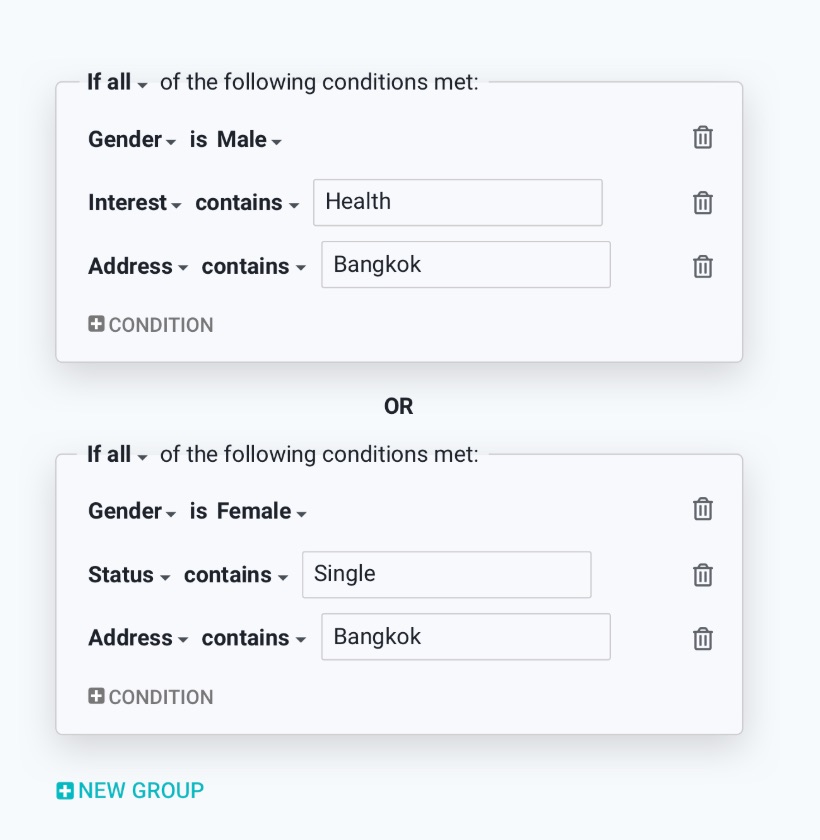
Segment conditions with multiple relevant criteria rules in lists are used to send the right contents to the right personScreenshot of Drag-and-Drop email editor
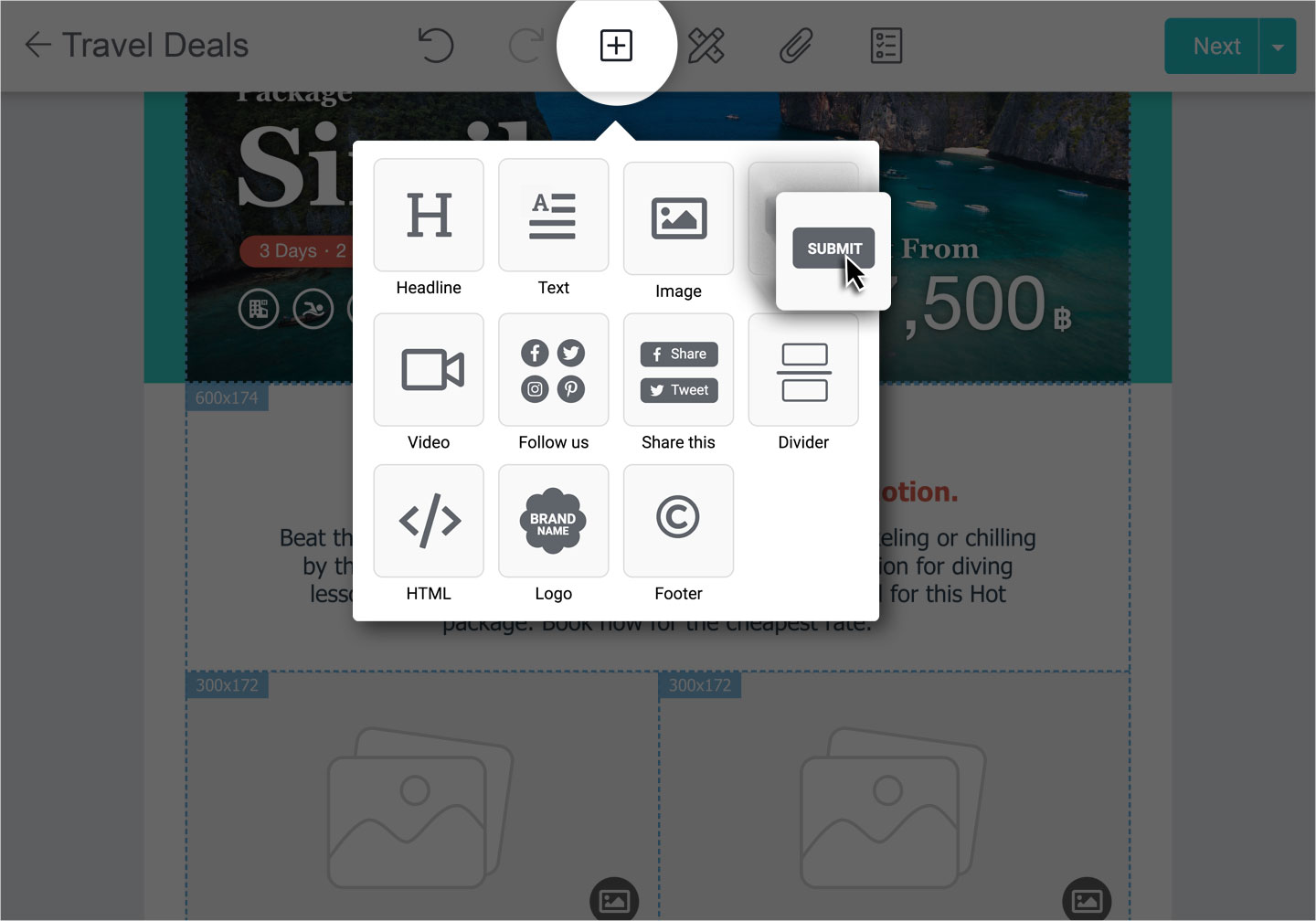
Drag and drop text, call to action, or block section. Photos can be uploaded then adjusted and ordered according to a layout in few clicks. Emails can be previewed.Screenshot of Real-time Reports
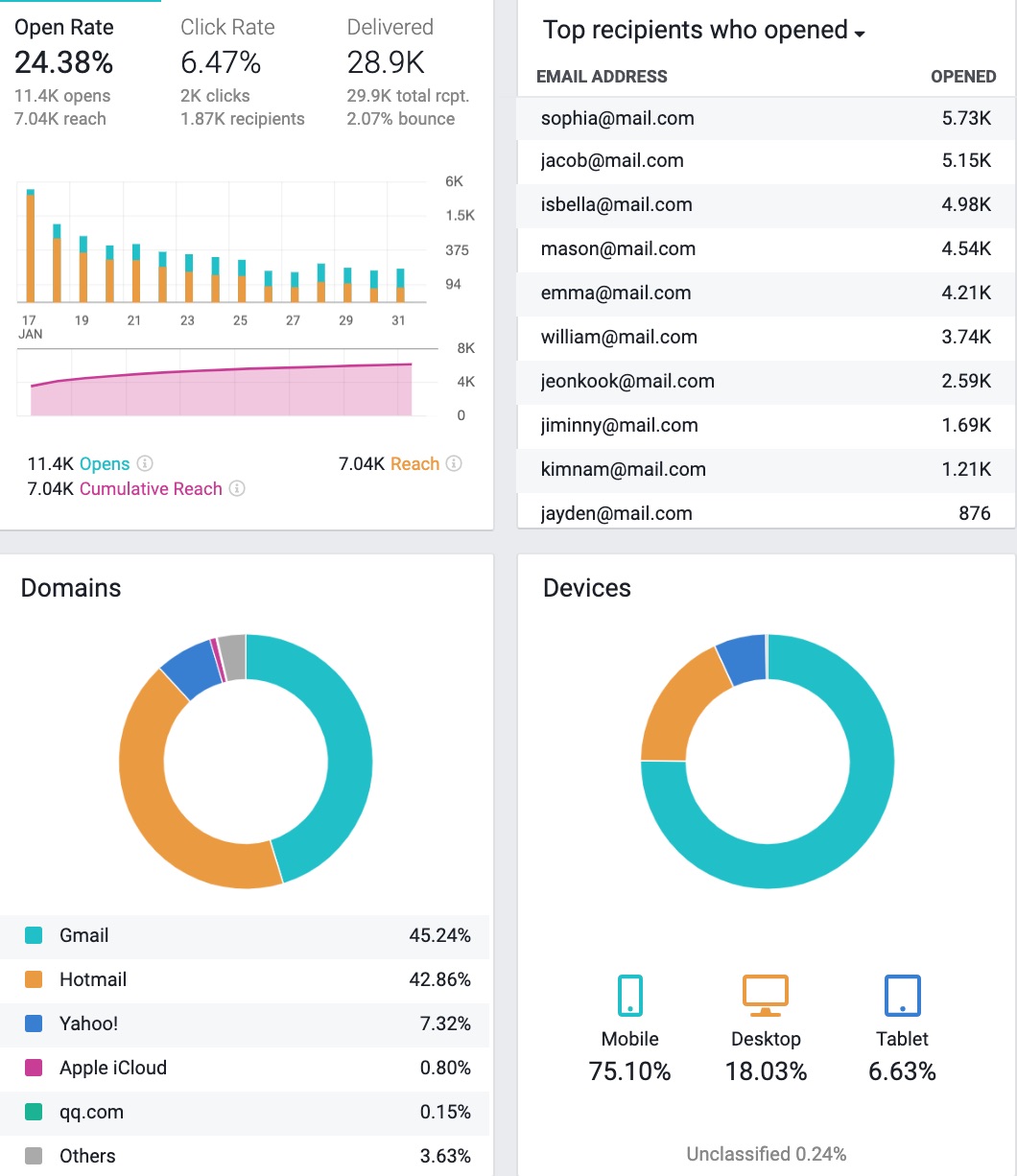
After email marketing campaigns are sent out, statistial output can be viewed on desktop, tablet or smartphone.Screenshot of Email Templates
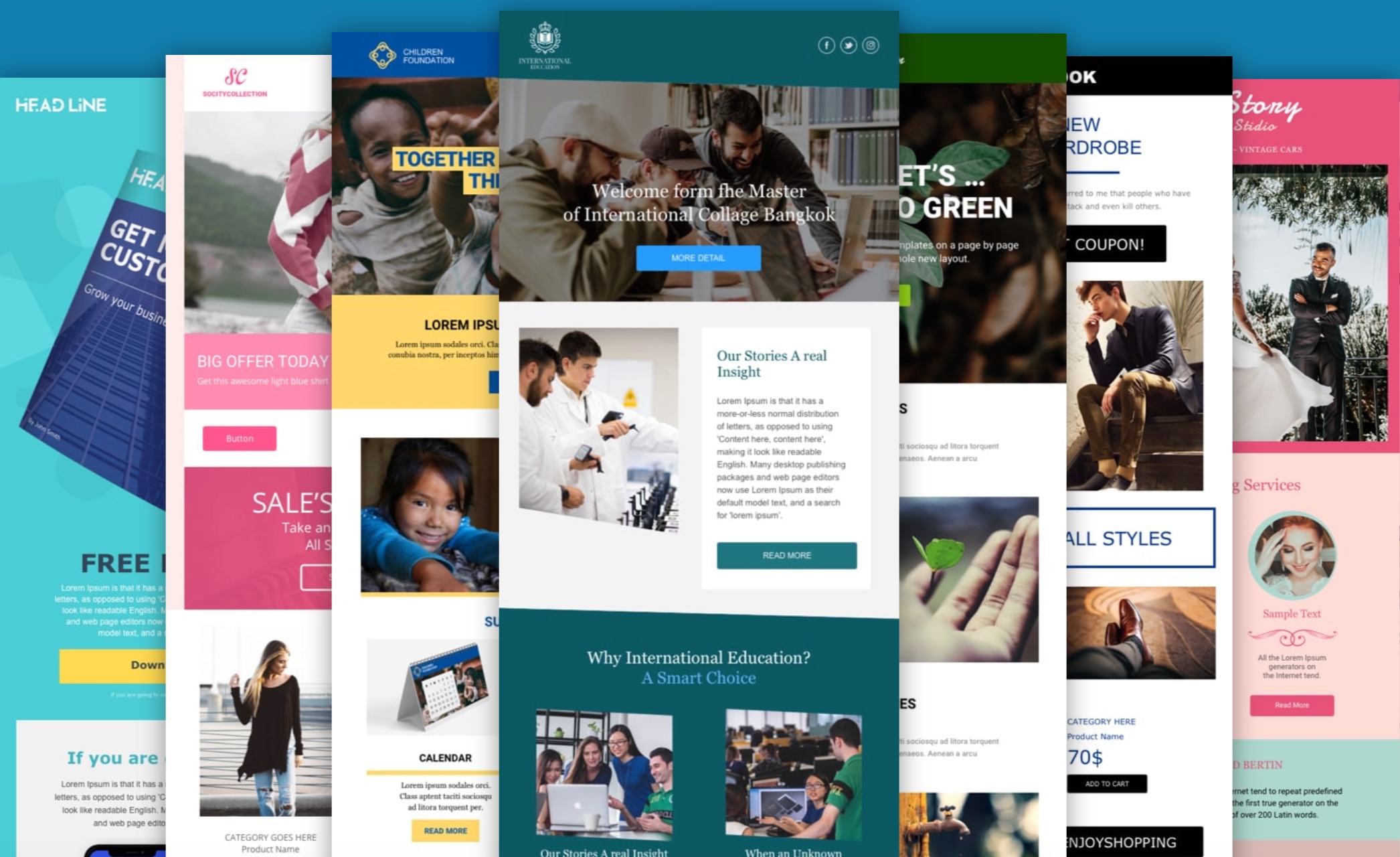
Email templates, designed with a mobile-first approach to fit any message, notification or newsletter. Templates can also be created.Screenshot of Automated email marketing tool
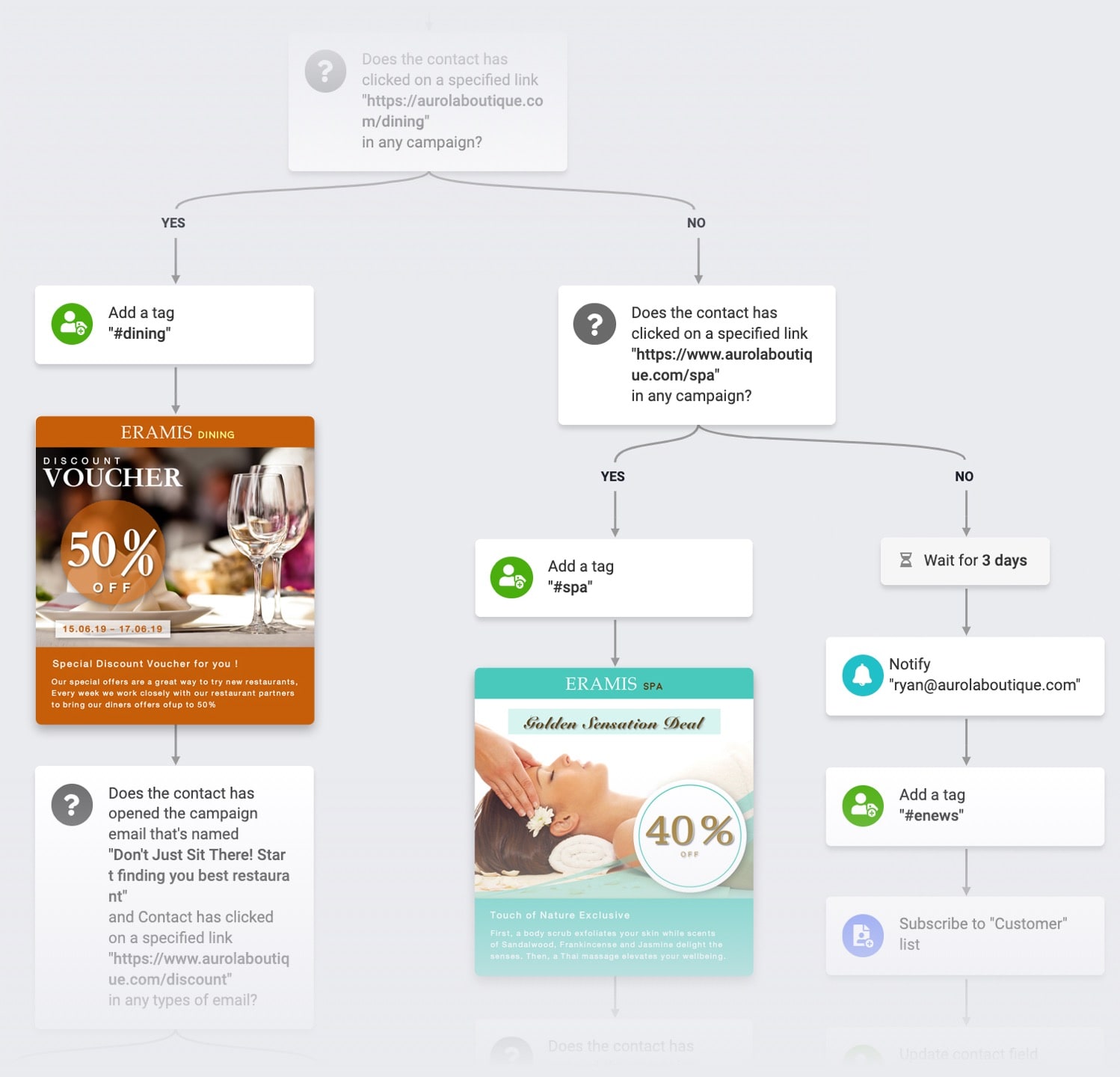
Automations can take care of leads, then notify the user when reads are ready for follow up.