Salesflare headquartered in Antwerp offers their small business intelligent CRM, providing automated event tracking and related features designed to aid the operations of SMBs.
$39
per month per user
Sellsy
Score 6.0 out of 10
Small Businesses (1-50 employees)
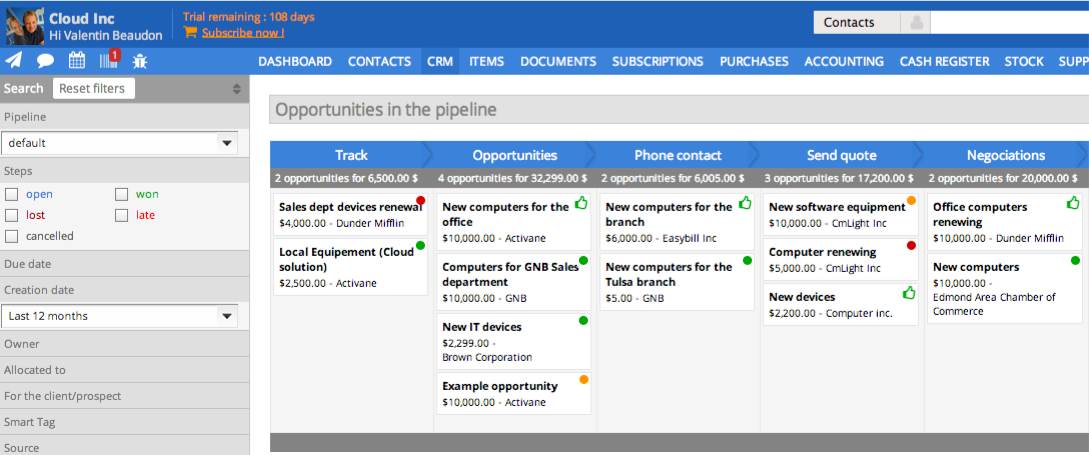
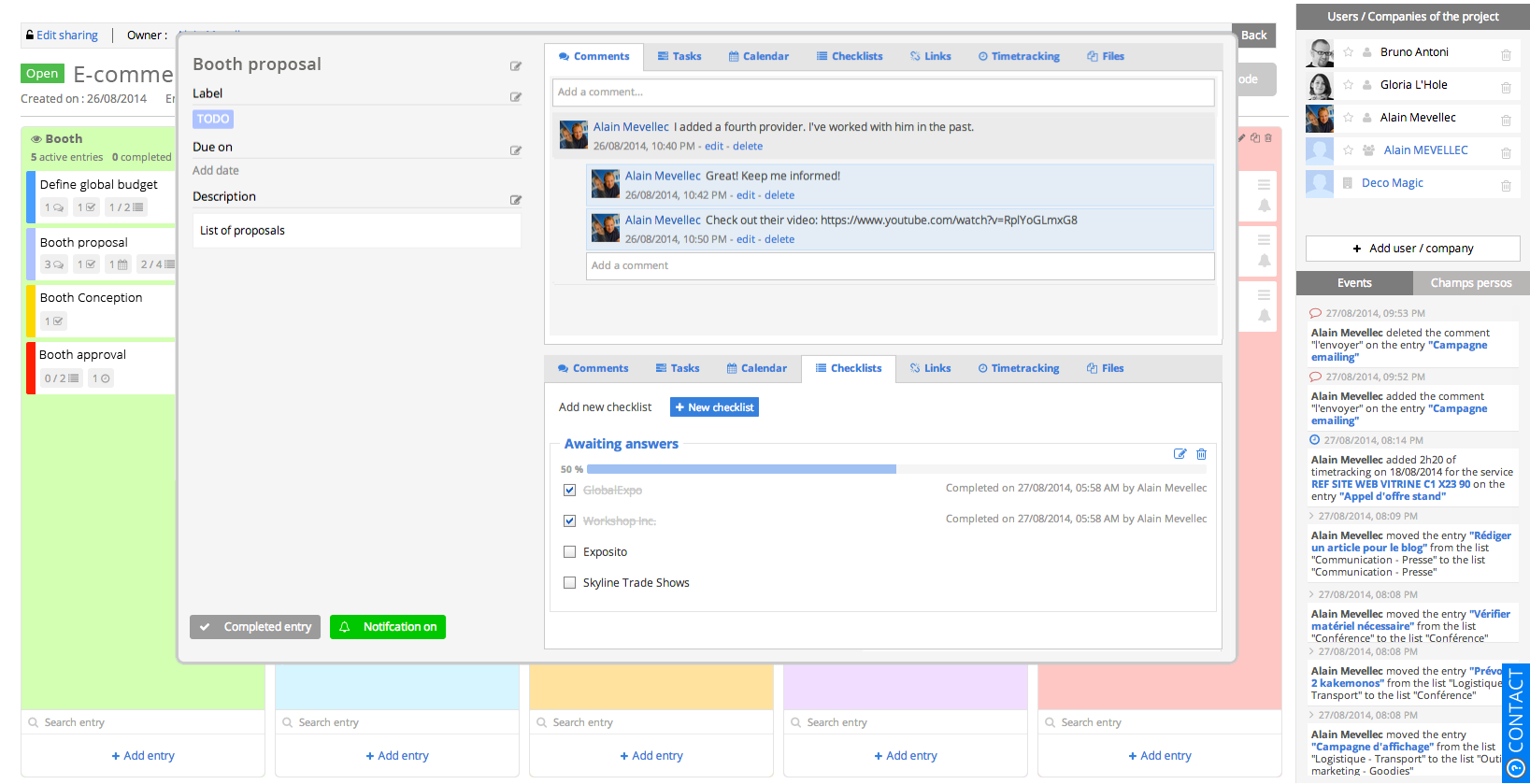
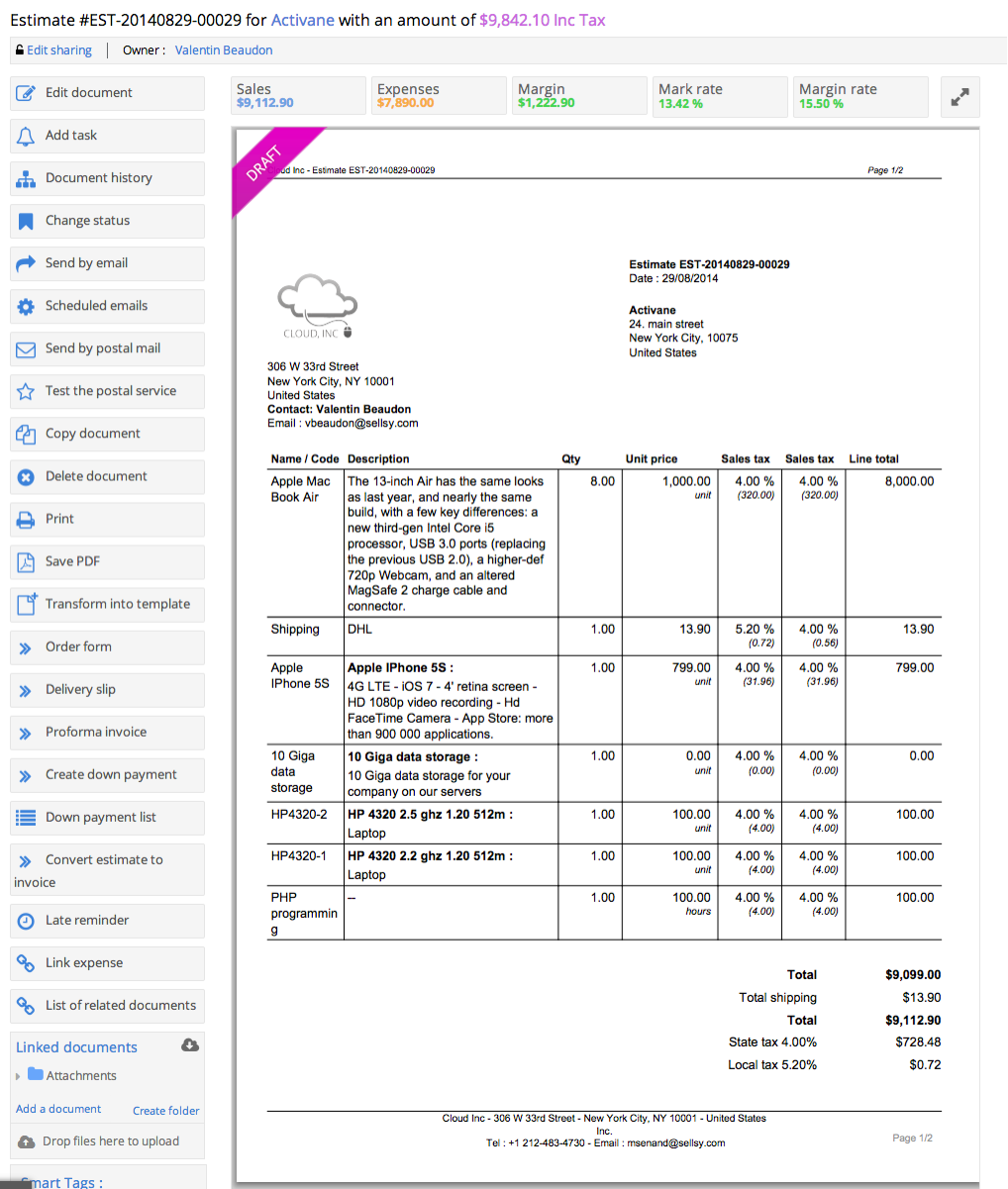
Sellsy is one integrated suite for sales management. Some key features include: CRM Pipelines, Invoicing, Time Tracking, HelpDesk, ERP, and POS.
$10
Per User per Month
Pricing
Salesflare
Sellsy
Editions & Modules
Growth
$39
per month per user
Pro
$64
per month per user
Enterprise
$124
per month per user
Staff member access
$10.00
Per User per Month
CRM pipelines license
$10.00
Per User per Month
Purchases and margins; Expenses; Subscriptions management; Helpdesk management
Salesflare has BOTH the dedicated web platform and the integrated side-bar in my google inbox that acts intuitively to mine for contacts in my emails and linkedIN. Monday.com requires all manual input and though well laid out and has some fun pizzaz, is less helpful. Salesflare …
The learning curve and ease of use are virtually non-existent, and the interface is straightforward. Other products we've tried or evaluated have been too complicated and customizable. It's easy to start using Salesflare right away. Salesflare can be thought of as a better …
You can think of Salesflare as a smarter Pipedrive. It rocks the same kind of intuitive user experience that is very low-barrier to get going with, but turns it up a notch when it comes handling, enriching and automating data. I've also find it more flexible to integrate with …
Other products we've tried or evaluated have been too complex and/or been "too customizable" in that they do not offer an easy and intuitive path to enabling your sales team right out of the box.
Salesflare does its own thing compared to the others I've tried. It's unique even though it shares many of the main features a CRM should have. Salesforce Lightning is amazing and feature-packed but can often get overwhelming depending on your use case. I never experience any …
Pipedrive was another option but I chose Salesflare for the seamless integration into my regular everyday workflow as well as its ability to integrate with just about any app you can think of. It plays nice with all of my other apps and makes using a CRM actually fun. I love …
Sellsy is the most complete offering on the market today. It has its strengths and weaknesses but I believe it is on track to cover all of our needs with updates and fixes that are coming soon. Some of the products we tried before have superior integration with Google apps and …
I had already signed up for Salesforce when I came across Sellsy. As soon as I started using it, I canceled Salesforce (no small feat!!!) and ordered Sellsy!
Salesflare is recommendable for any business that runs a lean sales setup with a website for lead generation, empowered with maybe cold outreach and/or lead nurturing. Mostly so for small-to-medium sized businesses: they can save a ton of time/money generating more revenue with their human sales efforts, while Salesflare does the rest of the job.
I'm not sure here. I own an equipment rental business and it fits perfectly. I would say any business where inventory is a concern this would be a perfect operational platform.
Workflows are easy to create and very effective for bulk messaging.
I like the email templates that I can set up and re-use - very convenient!
The phone app is good - I can access a contact right from my phone and call them. When I make a call, it automatically opens a note for me to create a time-stamped record of the call.
I also like that fact that I can add customized contact and account fields. This is a big help in allowing me to do pretty precise "sorts".
Salesflare automatically captures and organises data about leads so it can effectively surface the ones that require your attention. It also provides you with the tools to do just that. What it doesn't cover as much right now is feeding top of the funnel: I would for example happily pay extra to have a website visitor identification functionality into the mix.
Training. The only real issue I have with Sellsy is that its got so many features its hard to understand them all. I looked for training videos and they are all in French. Thats a big problem for a guy who grew up in NJ.
I would embed training videos directly into the software. This way as you add services, you get a full tutorial immediately.
Sellsy ticks the most boxes for us. While it could still do a lot of things better there is no other single app that offers the same spectrum of features at a comparable price for SMEs.
The pipeline, which is the core of the platform, is very clear and full of features. On top of that Salesflare added automations, integrations, plugins and emails. You can easily get your leads there from any platform and nurture your leads until you get the deal done. I think any business can benefit from using this sales CRM.
Hit them on Chat support, and you are gonna get a response within a few minutes (if not in a few hours, during weekends) But they are gonna keep following with you till they make sure that your query has been resolved. Keep it up!
Based on our experience. We have submitted a large amount of tickets and they have proven the Sellsy development team have the ability to respond fast and implement changes reasonably quickly. (Updated July 2015) It took sellsy a number of weeks to solve an issue with the billable hours section of their application. This delayed us from being able to invoice our client for completed works. Lots of small things like email tracking timestamps have never been fixed even though we highlighted this issue months ago. Though small it is growing more and more frustrating to be reminded every time we try to see what time a client read or opened an email from us.
If you are importing data from a CSV, Sellsy recommends you use OpenOffice. OpenOffice is an absolute disaster on Windows 8 and crashes every few mins. While no fault of Sellsy they should not recommend software which makes an already challenging task even more difficult. A small gripe in hindsight but during the process was deeply frustrating. For any users looking to format your CSV Google, try importing CSV data into Excel and your life will be much more easy.
The learning curve and ease of use are virtually non-existent, and the interface is straightforward. Other products we've tried or evaluated have been too complicated and customizable. It's easy to start using Salesflare right away. Salesflare can be thought of as a better Pipedrive. With the same easy-to-use, low-barrier approach to getting started, it ups the ante when dealing with data, enriching and automating it.
The license model once you understand it is very flexible allowing you to select from the modules within sellsy. This gives small companies control of the cost facilitating them with the option to only pay for the features they use.
I save dozens of hours each month managing new clients and leads, Salesflare easily pays for itself each month
Between the great mobile app and integration with Gsuite, Salesflare is the perfect CRM for the mobile user. I no longer feel chained to a desktop to manage my leads.
I used to have a Love-Hate relationship with CRMs but now actually enjoy using a CRM since using Salesflare and feel like I actually realize the value of using a CRM.