Snagit vs. Trymata

Overview
ProductRatingMost Used ByProduct SummaryStarting Price
Snagit
Score 9.3 out of 10
N/A
Snagit is screen capture and recording software from TechSmith, that lets users capture the screen and camera, add additional context, and share images, GIFs, or videos across preferred platforms.N/A
Trymata
Score 3.4 out of 10
N/A
Trymata (formerly TryMyUI) is a remote usability testing platform that offers cross-platform services for testing and improving the user experience. The product allows the user to watch videos of real people using a website or app to see where (and why) users get frustrated, lost, or confused.
$299
10 test credits/2 seats
Pricing
SnagitTrymata
Editions & Modules
No answers on this topic
Team Plan
$299.00
10 test credits/2 seats
Enterprise Plan
$1,200.00+
30 credits/5 seats
Offerings
Pricing Offerings
SnagitTrymata
Free Trial
YesYes
Free/Freemium Version
NoNo
Premium Consulting/Integration Services
NoNo
Entry-level Setup FeeNo setup feeNo setup fee
Additional DetailsOne-time license cost One license per user - install on 2 machines, for work and home use Compatible with Windows and MacOS Optional Maintenance renewal - first year included FREE Upgrade to the next version Phone, chat and email support Access to Snagit Certification with 20+ exclusive how-to videos Enhanced Screencast integration to share content, plus the newest starter Assets for Snagit
More Pricing Information
Community Pulse
SnagitTrymata
Considered Both Products
Snagit
Chose Snagit
Skitch, compared to Snagit, is a basic screen capture image editing tool. Skitch is also really easy to use and provides good screenshots for tutorials, user manuals, and blogs. However, Snagit is more robust and streamlined and is still an incredibly easy-to-use solution.
Chose Snagit
It's a great utility and cost-effective for the needs of business analysts to quickly crop, edit, and design images for documentation. It has areas to grow for process diagrams, in my opinion, but as a quick image editor, it has plenty of capabilities to get you by with …
Chose Snagit
Snagit has far greater functionality than the standard Control Alt Print Screen to capture images. Once you've used Snagit to capture an image, it can easily edited to serve its purpose in either use on a website, in office productivity tools, or in outward-facing collateral …
Chose Snagit
Cloudapp doesn't offer a screen records with 30 frames per second. Plenty of lags and frame drops can be seen while recording with Cloudapp. Where snagit works flawlessly in this section. Snagit has plenty of markup tools for easy accessibility and cloudapp lacks in this …
Chose Snagit
It's really convenient to use with defining lots of shortcuts and provides more flexibility to the user. Pricing is also less compared to the other products. Good Support, there is a community available, can reach out them 24x7 to get the solution.
Chose Snagit
There is no question that snag is a far superior product that has far more capabilities all with being very simple.
Chose Snagit
Native screen shot (snipping tool) is fine for basic screen shots and minor annotation. Snagit requires less time and does not need to have the images separately saved to have them be particularly useful.
Chose Snagit
Camtasia is just for video and Snagit is the best and intuitive for all users.
Chose Snagit
First of all, this is an integrated software by Tencent and the good side is that it is free to use, unlike other software that you need to pay for it's licenses to use. However, the reason Snagit still outshines Snip is that it is reasonable with the license that comes with …
Chose Snagit
Windows free snipping tool - Con: had to save each screen shot before I could take another screen shot and couldn't draw nice circles/rectangles around the area of the screen shot to bring attention.
Chrome plugin options - Con: editing tools were lacking.
Chose Snagit
Snagit has been around since the 1990s. I started using it back when there were not so many options out there. We have been so happy with it that we never really looked at any other product. And that really is the truth. We upgrade every 2 years and that cost compared to …
Chose Snagit
Snagit can be a bit more expensive than some of the opensource options (some of which are free and effective), but I think its value comes from the fact that no matter your level of tech-savviness, Snagit remains an out of the box solution that is ready to go on Day 1. That, …
Chose Snagit
Compared to Camtasia this is far easier and quicker to use for quick video clips. The idea during the day is to be able to create posts for clients fast an easily. I also use Sony Vega and Adobe but find Snagit much easier to work with short posts on Facebook and LinkedIn.
Chose Snagit
I haven't used Photoshop in a long time - but the learning curve was very steep with it. The learning curve with Snagit isn't, and most professionals who aren't actual designers don't need anything nearly as complex as PS. Snagit is the perfect solution - easy to use with the …
Chose Snagit
Snagit is much more robust than either of those tools. Both of those were very basic screen capture tools—no frills, no advanced features. They allowed me to grab a screen and make minor changes to it. We used a separate tool (Loom) for video capture. With Snagit, it does …
Chose Snagit
This is the first product of its kind that I have used and haven't felt the need to look elsewhere.
Chose Snagit
PhotoShop is of course a very powerful image editing tool. But, the learning curve is steep and all the tools and settings aren't necessary for our needs. Snagit is a streamlined solution for capturing videos, creating gifs, and editing images. (It also supports capturing …
Chose Snagit
Snagit is a much more scaled down version of Photoshop. This was ideal for our team as we are not performing heavy image manipulation tasks. We only need to add a few basic mark-ups to images, which is something easily done with Snagit. This saves us both time and the effort it …
Chose Snagit
After a while my Snagit stopped working and uninstalling and reinstalling wasn't fixing it. I decided to switch from Snagit to Format Factory's "Screen Record" program. I like this program because it does the same thing that Snagit does, and it's also free. My coworkers use …
Chose Snagit
Our organization does not use any other application to do what Snagit does. People in organization that do not have Snagit are using default Windows features (e.g., snipping tool). Compared to the snipping tool, Snagit is a lot more powerful and a way better application.
Chose Snagit
Snagit is cheaper and simpler than Photoshop. It's easier to get new writers up to speed with Snagit than Photoshop. We didn't need all the capabilities that Photoshop has, so Snagit fits the bill perfectly.
Chose Snagit
Adobe Photoshop can do the same and has thousands of more functionalities than Snagit, however, Snagit is much faster and lighter for the purposes described to easily take a quick screen shot and make notes and send them.
When using on dozens of users, it is more cost effective …
Chose Snagit
Not sure I have never used any others
Chose Snagit
No other TechSmith/Snag It like products examined. Snag It does everything we need to do and does so effectively and efficiently
Trymata

No answer on this topic

Best Alternatives
SnagitTrymata
Small Businesses
Sendspark
Sendspark
Score 10.0 out of 10
Smartlook
Smartlook
Score 8.2 out of 10
Medium-sized Companies
Atlassian Loom
Atlassian Loom
Score 9.2 out of 10
Optimal
Optimal
Score 9.0 out of 10
Enterprises
Vyond
Vyond
Score 8.7 out of 10
Optimal
Optimal
Score 9.0 out of 10
All AlternativesView all alternativesView all alternatives
User Ratings
SnagitTrymata
Likelihood to Recommend
8.9
(0 ratings)
-
(0 ratings)
Likelihood to Renew
9.4
(0 ratings)
-
(0 ratings)
Usability
7.5
(0 ratings)
-
(0 ratings)
Support Rating
9.0
(0 ratings)
-
(0 ratings)
Implementation Rating
10.0
(0 ratings)
-
(0 ratings)
User Testimonials
SnagitTrymata
Likelihood to Recommend
As mentioned the ability to take screen captures with just a keystroke is great. Snagit has a nice suite of markup and manipulation tools that are great. Video recording is good and stable, with many options for sound, etc. What Snagit is not is a video editor. If that is what you are looking for this is not it. However, if you need one good tool that will have you covered for grabbing and sharing captures and video Snagit is perfect.
Read full review
No answers on this topic
Pros
  • Video capture - the countdown feature is great so you can set the scene. And you can convert to a gif and easily copy and paste to an email or messenger app.
  • Markup - easily blur areas, crop, cut out (in the middle of images), add text, add arrows or boxes around areas and much more.
  • Scrolling capture - allows me to grab images that span several scrolls to get everything in one image.
Read full review
No answers on this topic
Cons
  • I'd love to see more video editing abilities. For example, adding a highlight box inside of a movie before saving it to a GIF.
  • Snagit has limited font options when adding and editing text. Integrating with Google fonts or even adding support/making it clear how to add custom fonts would improve usability.
  • Adding the ability to fill while erasing. For example, if erasing an element from a white background, auto-fill in the erased patch with white, or some other custom color. Instead, I have to rely on copy/pasting from other areas in the picture.
Read full review
No answers on this topic
Likelihood to Renew
I think that the tool is excellent for what it is being used for. I particuarly like the ability to capture content from the screen whilst using the scroll wheel on my mouse. It is very annoying when your try to capture something with grab and you can't scroll which leads to multiple images
Read full review
No answers on this topic
Usability
It's button centric for easy access to every feature. Everything allows undo! It works like any other standard Windows application. Everyone can be a professional without having to select every feature yourself by using the built in styles with just one click of a button in most cases. Every button is clearly labeled too.
Read full review
No answers on this topic
Support Rating
I've actually never had to contact support as the tool is easy to use. One aspect is that they upgrade and send email notifications of the upgrades. They don't charge extra for upgrades and their enhancements fall in line with the way we use the tool. We haven't had to submit any upgrade requests as the tool already does what we need it to do.
Read full review
No answers on this topic
Implementation Rating
It's a simple next next finish install. The SnagIt Library in the user profile should probably be backed up to make sure they have access to their old screen captures. We frequently will go back to previous captures and add context bubbles etc. when software changes to show the "old" vs "new". Also, go to SnagIt's website and download the additional Stamp Sets for the user. These are terrific. I wish there was one download to get them all, but you have to download and install them one set at a time. It's worth it - especially for training how-to's.
Read full review
No answers on this topic
Alternatives Considered
Windows free snipping tool - Con: had to save each screen shot before I could take another screen shot and couldn't draw nice circles/rectangles around the area of the screen shot to bring attention. Chrome plugin options - Con: editing tools were lacking.
Read full review
No answers on this topic
Return on Investment
  • Snagit isn't a very expensive product in general so it has been a huge ROI for us
  • It saves me countless amounts of time each day
  • I'm able to share instructions much easier and allows for more time spent on other tasks
Read full review
No answers on this topic
ScreenShots

Trymata Screenshots

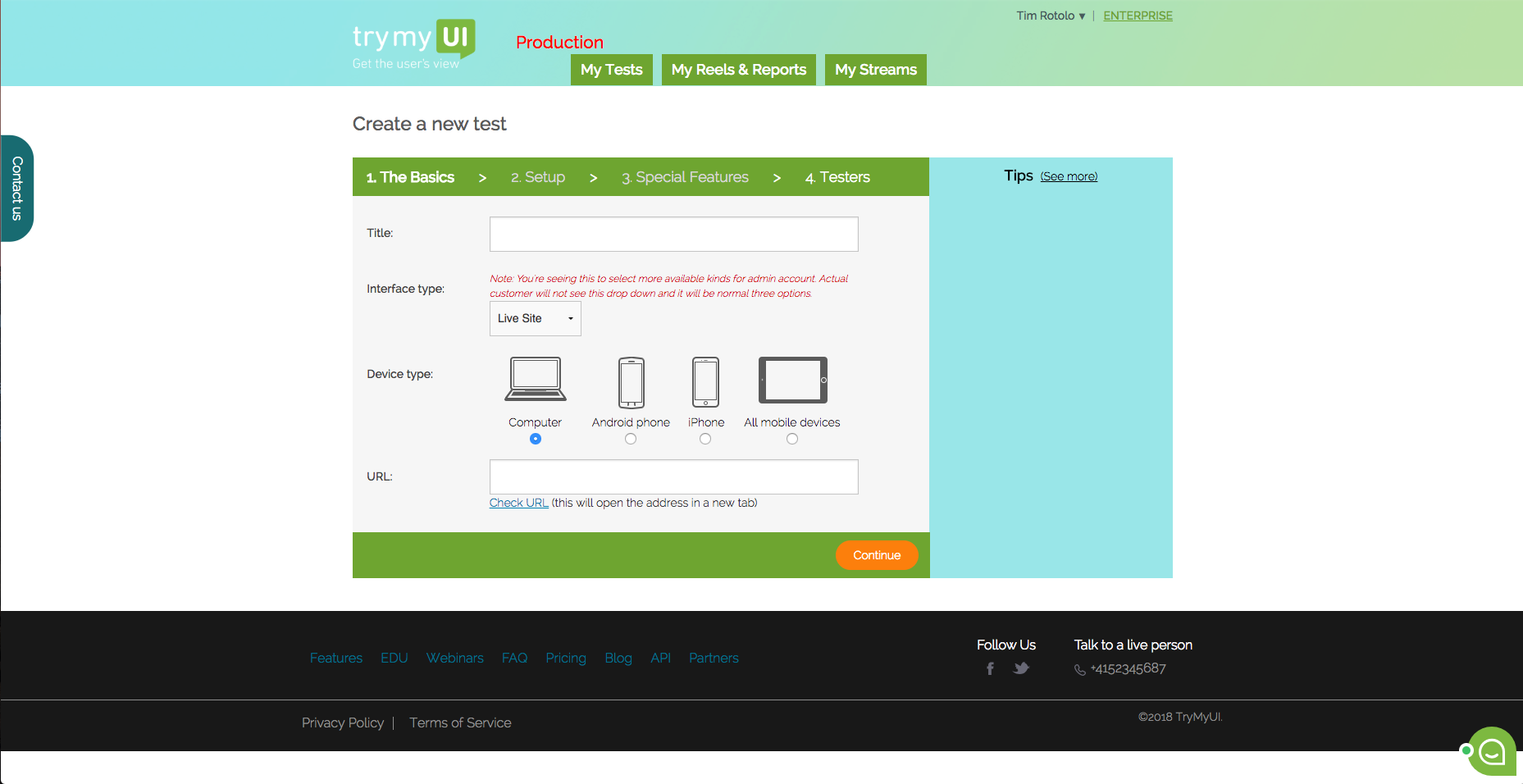
Screenshot of This is the dashboard where you can see your current and past test. You can also create a new test from here.Screenshot of TryMyUI’s quantitative UX Diagnostics measures your product’s overall usability with psychometrics, and map usability fluctuations along the user’s journey with task usability scores, task completion rates, and task duration data.Screenshot of The UXCrowd is a crowdsourced solution that helps you plan and prioritize your usability fixes with scaled-up insights from large tester pools. Using a weighted voting system, testers indicate their opinions on the best and worst parts of the product, creating a sorted diagnosis list that clarifies at a glance what your next steps should be.Screenshot of This is the first step in creating your test. You can test live websites, prototypes/wireframes, mobile apps on both Andriod and iOS.