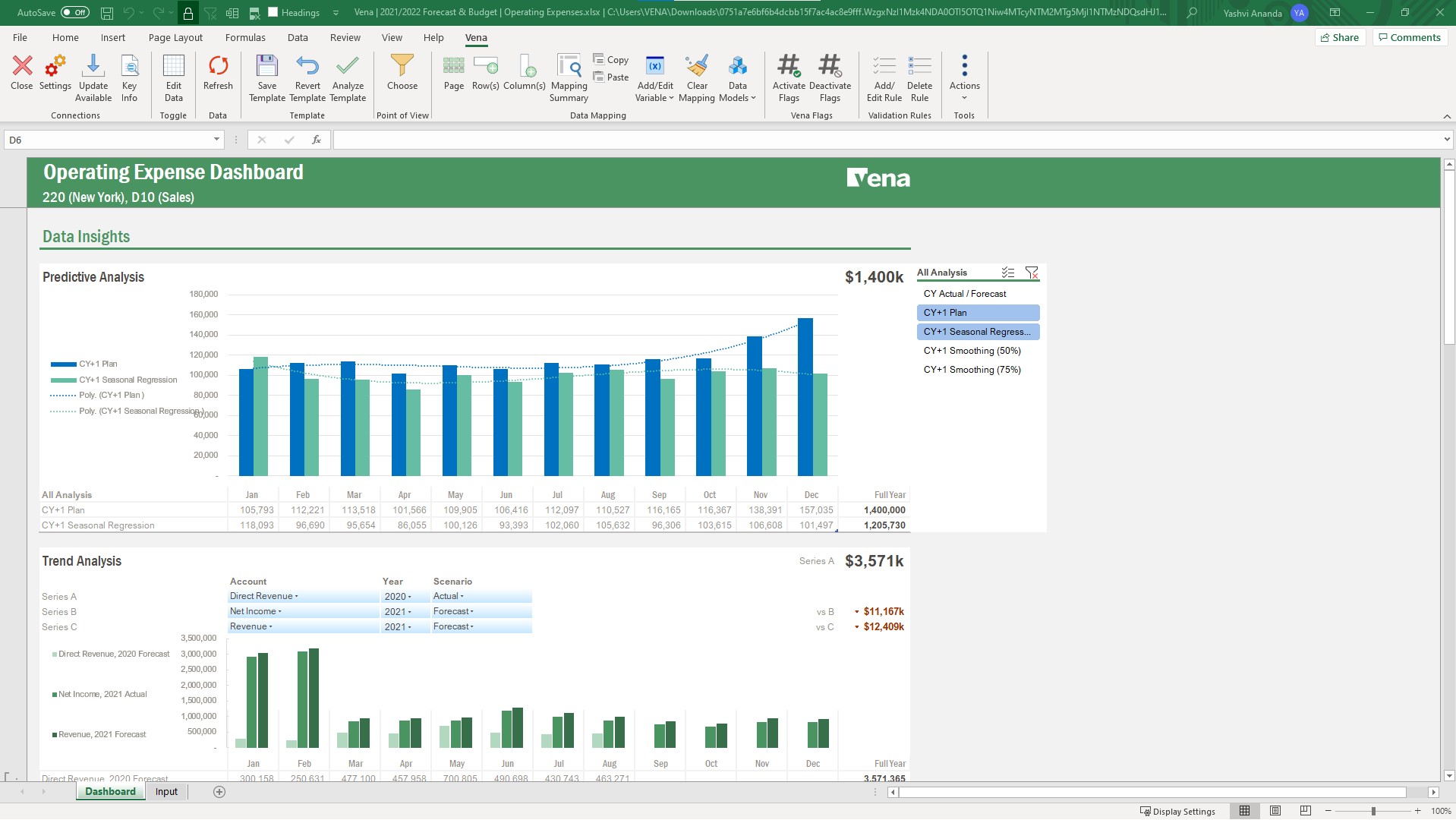
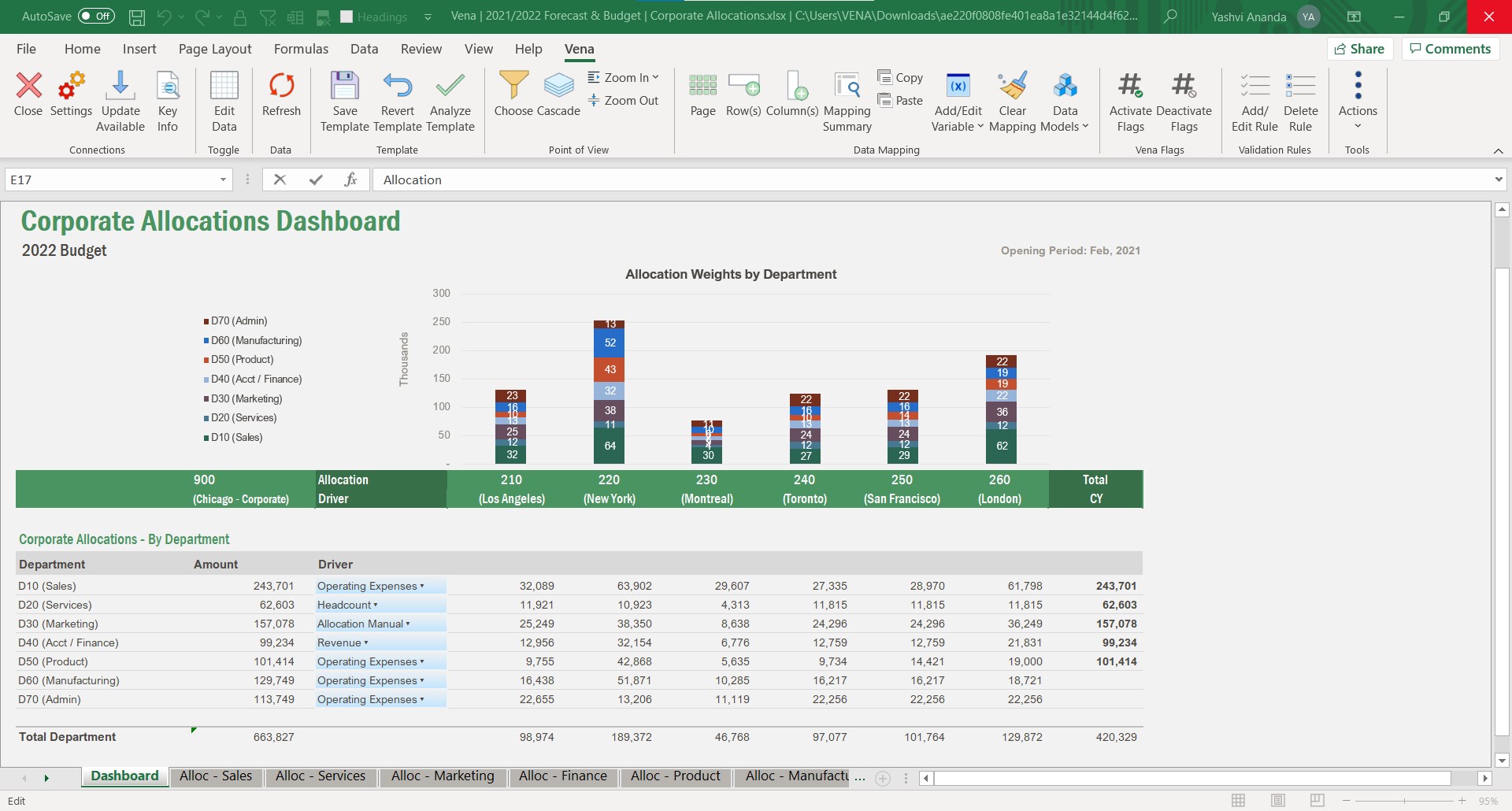
Vena Solutions provides a financial process automation solution to automate Corporate Performance Management, accounting and budgeting, Regulatory & Compliance, and other finance-related processes. It is scaled for medium to large-sized organizations.
N/A
Workday Financial Management
Score 7.8 out of 10
N/A
Workday Financial Management is a native cloud solution built on a global foundation designed to enable accounting teams to operate with greater productivity, superior insights, and adapt to changing business needs. Its AI embedded features improve financial business processes like record to report and opportunity to cash while strengthening internal controls, and enabling consistency across global operations. Powered by an in-memory architecture and object data…
N/A
Pricing
Vena
Workday Financial Management
Editions & Modules
Professional
N/A
Complete
N/A
No answers on this topic
Offerings
Pricing Offerings
Vena
Workday Financial Management
Free Trial
No
No
Free/Freemium Version
No
No
Premium Consulting/Integration Services
No
No
Entry-level Setup Fee
Optional
No setup fee
Additional Details
The Professional Plan is the most flexible way to get started quickly and can be added onto as a company grows. The plan includes: Vena Platform, Customer Success Manager, Standard Support and Customer Portal.
Complete Plan includes everything in Professional, plus: Vena Insights, Premium Support, Sandbox Environment, and Expert Managed Services.
For a limited time, new customers who use Microsoft Dynamics 365 Business Central (Online) as their primary ERP can get a free year of Vena and 40% off implementation costs.
Vena also offers special pricing for not for profit organizations. To learn more, speak to an expert.
Vena also allows for much more dynamic report building and refresh rather than manual updates throughout reports. The user interface is also much easier to understand compared to Oracle, which allows new users to adopt faster and get familiar with Vena. Overall, Vena is …
Vena is much faster than other such software which is available in market. If we talking about pricing $$$ so Vena is affordable to smaller companies also. it's help us quicker integrations with other software and User Interface is much better than other software. Vena gives …
We found Vena to be much more intuitive and easy to leverage with our existing models and templates we've built in Excel already. It allowed our finance and ops teams to get traction and value from the solution much faster than we felt the other CPM solutions we looked at.
Both the softwares have effectively been integrated together to make my job as an analyst easier. This helps in generating accurate data interpretations and led to better results in sales of our products and improved client services and feedback.
I guess they both compliment each other by integration and by both checks I can get the accuracy in result. And growth in sales by finding the key parameters where we need to work.
Business Development Executive and Lead Generation
Chose Vena
Vena Solutions stands out due to its familiar Excel-based interface, making it easy for our team to adopt without extensive training. Compared to alternatives like Anaplan and Oracle Hyperion, Vena's strong customer support and efficient automation have significantly reduced …
Vena stands out from competitors due to its seamless Excel integration, which allows us to leverage a tool we are already familiar with while adding automation, collaboration, and advanced financial planning. Unlike some platforms that require fully new systems, Vena's …
Data Rails is similar to Vena but easier to use and at a lower price. Historically, ERP systems provided much of what we used Vena for. That currently is not the case and these additional subscriptions are necessary. What used to be a simple process that required little …
In comparison to its competitors what has helped Vena stack up against them is its wide range of solutions in specific. Having a curated group of solutions, powered with IT-backed automation, integration with 365 and compliance with the latest trends and legal formulations is …
We did not evaluate any other products. We knew we wanted to embrace, not replace, excel, and Vena is best in class as a CPM tool that leverages Excel as a lens into the database.
Ultimately we decided on Vena because of the Excel interface which we knew would improve adoption. We also like the platform agnostic integration and easy-to-use web interface. The OLAP cube was also appealing to allow for a variety of pivoted reports.
We had quotes from three different companies including Vena. Even with a higher pricing, Vena made the best impression with a powerful software and a solid solution. With another competitor, we would have to engage a bookkeeper to support our consolidation. Vena didnt …
Tableau is by far the best tool I've used. Vena in comparison is very good but it's missing the master data link to SAP, and the ability of data to refresh when the hierarchies move. It's also lacking standard reports on system set up like basic P&L's, etc. It's also missing …
we used Fiserv AML Risk and MPC. Risk was used for ALM (we will still need to find another solution for this as Vena does not offer this). We also used Fiserv MPC for budgeting and forecasting. This system was extrmely inefficient and provided us with many complications and …
Vena being a Excel add in makes it very attractive. Also, there are certain features that Vena had was very fascinating compared to their competitors. It was easy for users to grasp it as it looked and worked just as Excel.
We are still using Applied Epic for our end AMS system to record client and policy info for our agencies. Workday is a great add on tool we use for our consolidated financials.
Workday Financial Management provides a seamless experience to access your required documents or review your pay history. Everything can be done in one place. It true is the one stop shop for digital HR hub to open up self serve to employees. Workday Financial Management has …
Despite AirTable also being easier to use one thing that differentiates and put forth Workday Financial Management tool above is it's key features and better suited functionality for handling confidential data. The other positive note where Workday Financial Management performs …
I have much less experience working with Salesforce finicial application. but as per my knowledge it also provides reboust features and one of the top competitor of its. Workday Financial Management need to improve more and more to sustain.
WFM is integrated with SSO, while others are not fully integrated. SAP Concur was used mostly for expense report management, while Deltek Costpoint was used for project time and cost management. Deltek was not very user-friendly, unreliable, and expensive for what it handled.
Workday is far superior to UKG. UKG felt cumbersome while being used, whereas Workday felt easy and intuitive. Workday allows for an easier flow of completing numerous everyday functions. I aim to integrate it into as many of my daily work routines as I can, reducing the time …
Workday Financial Management absolutely blows them out of the water. Hands down is the best choice. It’s the clear winner for all teams using it. It can change your employees lives and day to day software challenges to speed up and develop reports needed across departments.
The processing power of Workday Financial Management we much better. The other systems didn't run as fast when trying to look at the financials or running any of the various reports that we would need. It also has a cleaner view when looking at the details.
The application data of users in the case of PeopleSoft is stored in its proprietary data storage, whereas Workday Financial Management connects to outside databases to create analytics reports. Therefore, this option uplifts the need to use Workday Financial Management as an …
We went from PeopleSoft to Workday because of the efficiency and ease of use. There were a lot of limitations in PeopleSoft, just in simple things like character limits on fields that did not allow us to be as detailed. Workday Financial Management/Revenue Management has very …
The costs to implement Hyperion were astronomical comparted to Workday. Furthermore, the implementation timeline was probably a third of what we would have been looking at had we gone with Hyperion. Simply put, we got somewhere in the neighborhood of 90% of what we needed for …
Stacking up it was a faster and more inexpensive implementation. Granted it was still early in the system development years, but the results and the five years of using it speak for themselves. Cloud we wanted, comprehensive financials was a core functional requirement and …
I miss using Workday Financial Managment, and if I moved departments or took on more responsibilities with the financials I would definitely recommend it!
Whether you have processes you are looking to make more efficient or starting from scratch, Vena is a great tool to handle both. When we started with Vena all of reporting was either very manual or frankly nonexistent. Vena was pivotal in bringing us from zero to 10 in a short time. it helped us streamline the process of gathering data to the end reporting
Our primary model for budgeting revenue is centered on patient counts. Missed assumptions early in the year result in massive ramifications over the balance of the year. Workday formulas allowed us to write formulas to project the recovery of such shortfalls over a variable length of time, resulting in realistic projections for overcoming said shortfalls.
What i like best about Vena is that it is very seamless Excel integration.
Vena fosters collabs across teams, helping multiple members to work together on financial planning in real-time enhancing overall efficiency.
We now also can automate manual processes like budgeting, consolidation of data and reporting saves my valuable time and also reducing the risk of errors.
We specically wanted a cloud financial management system that we could use in China and communicate reports to the headquarters organization and roll-up reporting. It performs well.
It was reasonably priced since we are not a for-profit company and need the Workday flexibility for finance and accounting operations. Most of our requirements are met with this one system.
The system worked efficiently with the additional security we built on to keep confidential. Many reports are ready off-the-shelf or easy to develop, which is a strength.
It could improve the ease of implementation; it could take a long for an inexperienced IT team.
From the ERP system perspective, it can be linked easily, but it has room for improvement when you make core changes and require a Vena specialist again.
Some administrators can get confused while working on Excel implementation; it has complicated technical requirements.
It saves me so much time - to go back I would have to hire multiple people to achieve the same results. It is a cost effective tool for our uses and continues to pay for itself in time savings.
This is split between usability from an end-user perspective and administrative. Administrative - The tool is lacking in a cohesive way to administer the tool, both from more of a back-end perspective (ETL/Integrations, scripting, etc.) as well as from a business administrative (Processes, Models, etc.). On the more back-end IT related aspects, the tool is a mishmash of modules that were clearly developed in stovepipe fashion. Basic feature/functionality aspects such as version control, auto vs manual save, etc. differ between the code preparation components. It is also lacking in any sort of coherent version control. Not all pages display the context information, so extreme caution must be used. There is also no coherent migration strategy. The process and model navigation has been somewhat challenging for our business administrators, often requiring assistance from Vena when creating or altering templates. 2 of 10 End User - This is better. The Excel add-in generally functions well. Creating basic templates is straightforward, and there is a large degree of flexibility when creating reporting templates. Being part of Excel puts many users into a comfort zone. The toggle switch between template and data mode is not well conceived, and the add-in pop-ups occasionally have issues on multi-monitor displays. 6 of 10
Workday Financial Management is an easy to use, productive software suite that really brings all departments together and improved workplace efficiency. Before we began using the software, much info was partitioned in random places that were not clearly labeled or accessible to all shareholders. We are very pleased with Workday Financial Management.
Vena has been available and running. There are notifications well ahead of scheduled maintenance and so far, scheduled maintenance has been occurring during off hours and fortunately has not occurred during a time that is crucial for us to be actively using.
Vena Solutions pages load quickly and only a few times does it get a bit slow, only when there are many integrations and the reports are long. But in general it is always fast and honestly I am very satisfied with the speed in the generation of statistical reports and the pages
From initiate setup to going live, Vena's customer representatives and technicians have proven to be responsive and enthusiastic in getting our company up and running. They have been patient with our questions and frustrations and worked to troubleshoot issues that have come up.
Our support team has been awesome. They are extremely knowledgeable and have been able to guide us through all of the challenges we have faced. Workday's community online is also extremely helpful with many trainings and help topics that can be reviewed at your convenience.
Our initial in person training was a little rough b/c I felt like our trainer wanted to focus on maximizing Vena rather than understanding what we were needing for our organization. He was very responsive and added insights, but could have worked to understand our needs a little better.
The training was structured as a group training to learn the basics of creating a data model and mapping a template. While we had nearly 10 participants, I was the only actual implementer so we probably didn't actually need the training and could have just learned the initial skills from the implementation consultant. Two years later, when we hired a new team member, they completed several modules in Vena Academy (a self paced learning course) which allowed them to get up to speed on the basics with just a bit of supplemental guidance from me as our existing admin.
The Vena consultant had great knowledge of both the Vena solution and Excel and Excel functions. He was able to help suggest ways to build our templates that met our requirements using Excel functions we had not previously considered using. And we have been able to use the Excel information he provided in other ways outside of Vena. He was very patient and flexible as we learned the Vena tool and created templates
Vena Solutions stands out due to its familiar Excel-based interface, making it easy for our team to adopt without extensive training. Compared to alternatives like Anaplan and Oracle Hyperion, Vena's strong customer support and efficient automation have significantly reduced our budgeting cycle time. We chose Vena for its seamless integration with our existing systems and substantial time-saving benefits, ultimately enhancing our decision-making process.
The application data of users in the case of PeopleSoft is stored in its proprietary data storage, whereas Workday Financial Management connects to outside databases to create analytics reports. Therefore, this option uplifts the need to use Workday Financial Management as an interactive tool of business intelligence. The release model of Workday Financial Management is ahead of Oracle because it has a continual announcement of more functionality that is a very attractive incentive for our project management team for improving and developing the ongoing operational streams.
Vena solutios is a software that provides robust tools that help different departments in their statistics and we can visualize a lot of promising and visually attractive data. Vena Solutions' level of scalability is high and sustainable over time thanks to the fabulous technical support that is ready to help us at all times
Workday has helped my employer save money over the past couple of year by tracking time of employees and how long were days looking like.
It has enables us to make better decisions by hiring more people instead of paying overtime to those who already work in order to have the right work/leisure balance
The platform has also helped us to redesign our policies after seeing when employees were clocking in and clocking out and track people who were showing up late for work