
9 Spokes vs. Tableau Desktop
9 Spokes vs. Tableau Desktop
| Product | Rating | Most Used By | Product Summary | Starting Price |
|---|---|---|---|---|
 9 Spokes | N/A | 9 Spokes is a smart dashboard that is designed to help companies see their business more clearly. Key metrics across essential areas of the user’s business are displayed in one place, revealing exactly how it's performing. The vendor’s value proposition is that 9 Spokes makes it easier for companies to make the right calls to manage or grow their business. According to the vendor, key benefits for SMEs include: One smart dashboard for your cloud business apps… | N/A | |
 Tableau Desktop | N/A | Tableau Desktop is a data visualization product from Tableau. It connects to a variety of data sources for combining disparate data sources without coding. It provides tools for discovering patterns and insights, data calculations, forecasts, and statistical summaries and visual storytelling. | $75 per month per user |
| 9 Spokes | Tableau Desktop | |||||||||||||||
|---|---|---|---|---|---|---|---|---|---|---|---|---|---|---|---|---|
| Editions & Modules | No answers on this topic |
| ||||||||||||||
| Offerings |
| |||||||||||||||
| Entry-level Setup Fee | No setup fee | No setup fee | ||||||||||||||
| Additional Details | 9 Spokes is free to use - that’s joining, using the smart dashboard and connecting your apps to it. You'll only pay for any new apps you decide to purchase, but you can trial most of the app recommendations for free! If you want to purchase an app, we'll direct you to the app's website so you can sign up with them. If you sign up to a plan, you'll pay the apps directly and then you can connect the app to your dashboard. | All pricing plans are billed annually. | ||||||||||||||
| More Pricing Information | ||||||||||||||||
| 9 Spokes | Tableau Desktop |
|---|
| 9 Spokes | Tableau Desktop | |||||||||||||||||||||
|---|---|---|---|---|---|---|---|---|---|---|---|---|---|---|---|---|---|---|---|---|---|---|
| BI Standard Reporting |
| |||||||||||||||||||||
| Ad-hoc Reporting |
| |||||||||||||||||||||
| Data Discovery and Visualization |
| |||||||||||||||||||||
| Access Control and Security |
| |||||||||||||||||||||
| Mobile Capabilities |
| |||||||||||||||||||||
| Report Output and Scheduling |
| |||||||||||||||||||||
| Application Program Interfaces (APIs) / Embedding |
|
| 9 Spokes | Tableau Desktop | |
|---|---|---|
| Small Businesses |  BrightGauge Score 9.1 out of 10 | BrightGauge Score 9.1 out of 10 |
| Medium-sized Companies |  Reveal Score 10.0 out of 10 | Reveal Score 10.0 out of 10 |
| Enterprises |  Kyvos Semantic Intelligence Layer Score 9.9 out of 10 | Kyvos Semantic Intelligence Layer Score 9.9 out of 10 |
| All Alternatives | View all alternatives | View all alternatives |
| 9 Spokes | Tableau Desktop | |
|---|---|---|
| Likelihood to Recommend | 7.0 (0 ratings) | 8.7 (0 ratings) |
| Likelihood to Renew | - (0 ratings) | 8.9 (0 ratings) |
| Usability | - (0 ratings) | 8.6 (0 ratings) |
| Availability | - (0 ratings) | 8.0 (0 ratings) |
| Performance | - (0 ratings) | 6.1 (0 ratings) |
| Support Rating | 5.0 (0 ratings) | 7.0 (0 ratings) |
| In-Person Training | - (0 ratings) | 9.4 (0 ratings) |
| Online Training | - (0 ratings) | 8.0 (0 ratings) |
| Implementation Rating | - (0 ratings) | 8.0 (0 ratings) |
| Configurability | - (0 ratings) | 8.1 (0 ratings) |
| Ease of integration | - (0 ratings) | 10.0 (0 ratings) |
| Product Scalability | - (0 ratings) | 7.0 (0 ratings) |
| Vendor post-sale | - (0 ratings) | 10.0 (0 ratings) |
| Vendor pre-sale | - (0 ratings) | 10.0 (0 ratings) |
| 9 Spokes | Tableau Desktop | |
|---|---|---|
| Likelihood to Recommend | 
| 
 Karol Kozłowski Project manager |
| Pros |
|
|
| Cons |
|
|
| Likelihood to Renew | No answers on this topic |
 Mashhood Syed BI Analyst |
| Usability | No answers on this topic |
 Al Mubassir Muin Software Engineer |
| Reliability and Availability | No answers on this topic |
 Brad Llewellyn Associate Data Analytics Consultant |
| Performance | No answers on this topic |
|
| Support Rating |
|
|
| In-Person Training | No answers on this topic |
 Jon Boeckenstedt Associate Vice President |
| Online Training | No answers on this topic |
|
| Implementation Rating | No answers on this topic |
 Phillip Smith Sr. Financial Analyst (Finance Manager) |
| Alternatives Considered |
|
|
| Scalability | No answers on this topic |
|
| Return on Investment | No answers on this topic |
 Afia Tamanna Information Technology Business Consultant |
| ScreenShots | 9 Spokes Screenshots 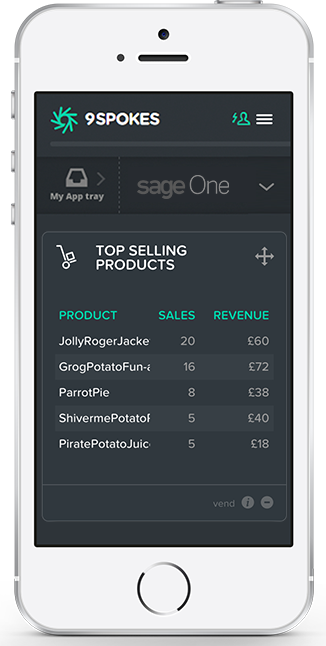 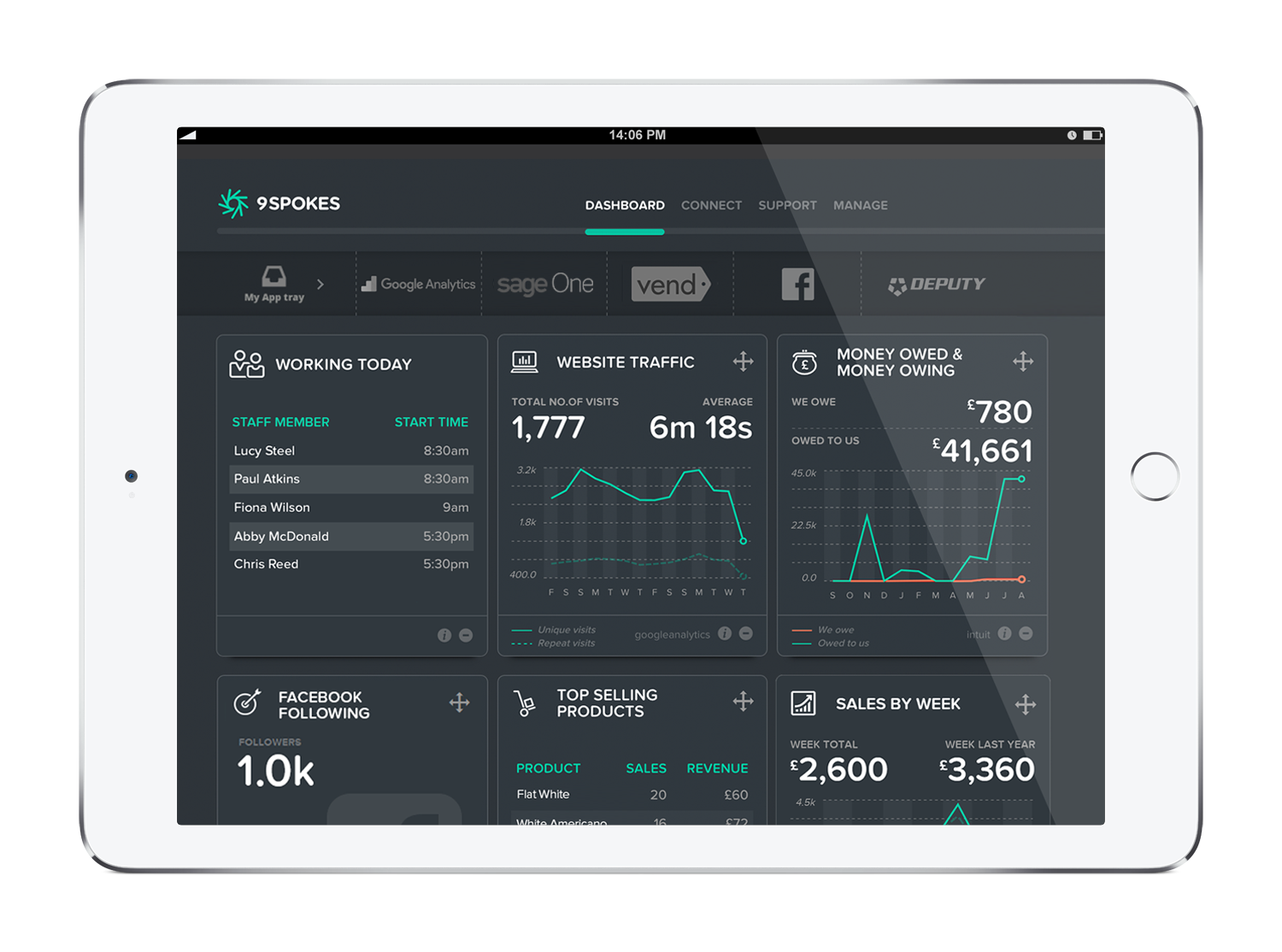 |