Absorb LMS vs. iSpring Suite

Overview
ProductRatingMost Used ByProduct SummaryStarting Price
Absorb LMS
Score 9.2 out of 10
Enterprise companies (1,001+ employees)
Absorb LMS aims to empower organizations to train employees with the skills needed to stay modern and relevant in today's fast-paced world. The LMS software focuses on aligning learning needs with business demands.N/A
iSpring Suite
Score 8.1 out of 10
N/A
iSpring Suite helps users build courses that are mobile-ready and adaptive. It’s integrated with PowerPoint, so users can create the…N/A
Pricing
Absorb LMSiSpring Suite
Editions & Modules
No answers on this topic
Offerings
Pricing Offerings
Absorb LMSiSpring Suite
Free Trial
YesYes
Free/Freemium Version
NoYes
Premium Consulting/Integration Services
NoNo
Entry-level Setup FeeRequiredNo setup fee
Additional DetailsAcademic, non-profit, government and volume discounts are available.
More Pricing Information
Community Pulse
Absorb LMSiSpring Suite
Considered Both Products
Absorb LMS
Chose Absorb LMS
Of all the systems I have used, Absorb LMS is the best supported, easiest to use, and most trouble free.
Chose Absorb LMS
More mature a company and product. Slightly more professional look and feel.
Chose Absorb LMS
Absorb LMS had the richest feature set for relative cost and promised seamless integration with ADP Workforce now (somewhat overpromised).
Chose Absorb LMS
Absorb LMS provided us the most robust set of features and lowest cost. A bug feature for us was 21CFR11 compliant signatures which other vendors do not have or charge extra to bolt on to the solution.
Chose Absorb LMS
improved usabiltiy and met more of the requirements we needed as a business
Chose Absorb LMS
Absorb LMS had far more white labelling and customisation which is essential for our business use. Talent LMS does not allow downloading of content authoring files, effectively locking you into their platform. Articulate has great content authoring functionality but it staggers …
Chose Absorb LMS
They did not have the ability to upload large files. We had to break up powerpoints to store on the site. Also they did not have the ability to really brand the site. They were at a lower cost which was nice when we first started but as we grew and our needs increased they …
Chose Absorb LMS
Two of the other platforms that we tested and evaluated are not available in your list. We looked at systems from EMS1.com delivered by Praetorian, Inc., and we looked at a product called WebAnywhere, with whom we actually contracted for a year before abandoning the platform …
Chose Absorb LMS
During our discovery phase, we found that Absorb LMS's easy-to-use interface and deep funcionality was better than the other vendors.
Chose Absorb LMS
hands down favorite in look, function, cost and service. Others were close but could not meet our external and internal cases. Our current one (we looked at them again) did not have 40% of the functionality or value, despite the bargain cost, it was not worth it to continue. …
Chose Absorb LMS
Implementation of a new product was intimidating.
Chose Absorb LMS
Vector LMS and Industrial Manufacturing Training and Docebo Learning Platform
Chose Absorb LMS
I am not a part of the decision making process of selecting an LMS.
Chose Absorb LMS
I have not used an LMS before.
Chose Absorb LMS
User experience and user interface wise Absorb LMS is superior. I have experience using Canvas at the university and it's plane, simple with nothing else to do but a file container. Activities are pretty simple too. Moodle was used a lot during the pandemic but they don't have …
Chose Absorb LMS
Absorb was able to come on top because it was the only LMS system that met 95% of our needs. While we vetted several systems, this one worked the best for us. We are very unique in how we use our training system, so it was refreshing to have a company provide us with what we …
Chose Absorb LMS
It was very difficult to create content in Learnworlds. It was not intuitive and it was hard to make it look the way I wanted it to. Support was slow and actually not helpful. Instead of meeting live to help through an issue, they would send emails back and forth or send a …
Chose Absorb LMS
Absorb LMS was a lot more intuitive and user friendly, it also provided a much better user experience. The analtyics were a vast improvement as well.
Chose Absorb LMS
Cornerstone OnDemand and Thought Industries
iSpring Suite
Chose iSpring Suite
The ability to update data independently is the best feature. It saves a lot of time.
Chose iSpring Suite
Our primary course and quiz creator was using Google Forms - iSpring Suite is several times better. Easier to use and makes more engaging content instead of bland questions that are easily ignorable by the user.
Chose iSpring Suite
Compared to other applications, iSpring Suite is based on PowerPoint and therefore on a familiar way of working for creating content for knowledge transfer. This basis facilitates a very simple and uncomplicated transition to the new tool for new users. New users are quickly …
Chose iSpring Suite
If you know PowerPoint, you know iSpring Suite. Not only is there a big learning curve with the other software, it also meant to us to start from scratch with our PowerPoints, which would have taken weeks to do. I can't state enough how big of a deal it is that it's all within …
Chose iSpring Suite
So much simpler. Integrates well with PowerPoint so there is little learning curve. Articulate is more powerful but that level of detail is not required for most applications. The learning curve with Articulate is much larger.
Chose iSpring Suite
We have chosen iSpring Suite over Articulate partially due to cost but also iSpring Suite does not distort the PowerPoint templates we have made as it does not import them into itself rather it becomes a part of PowerPoint.
Chose iSpring Suite
iSpring Suite is the only product I've used since I've been in my current role and I'm glad for that. It was so easy to learn and so easy to become proficient with that it makes hard for me to even imagine a product exists that will work better for me.
Chose iSpring Suite
When comparing features, price point and ease of use, there was no question which I was choosing. iSpring Suite offered more features and was the easiest to use. Additionally, it was one of the most cost conscious choices. It was a no brainer!
Chose iSpring Suite
iSpring Suite is far superior.
Chose iSpring Suite
This is our first software purchased on this aspect.
Chose iSpring Suite
Captivate was, I feel, for my experienced users and for a more professional level of course that our organisation did not require at this time. It was too daunting to learn it all to create simple courses fast Easy Generator - too expensive for our needs. iSpring Suite has a …
Chose iSpring Suite
In my opinion, Proprofs is not user friendly, and their support has not been helpful in the past especially with interfacing with other applications.
Chose iSpring Suite
lower cost, instant usability.
Chose iSpring Suite
We need Powerpoint compatibility because we can develop the training modules faster. Compared to all the authoring tools we have tried, iSpring is the most Powerpoint-friendly.
Chose iSpring Suite
I think iSpring Suite is just soooo much easier to learn and use than Captivate. It just adds a plugin to PowerPoint and is very intuitive to use. I found Captivate difficult to figure out, and a lot more expensive.
Chose iSpring Suite
We find Adobe Captivate looks outdated, is clunky, has a terrible user interface and is not flexible.
Chose iSpring Suite
iSpring Suite is wayyyy easier to use and does all I need.
Chose iSpring Suite
For us, it's really important to have the freedom to innovate by freeing our creativity through the functions offered by iSpring Suite. Other solutions don't offer the same flexibility as iSpring Suite, and for us this was an important factor in our choice of the Ispring …
Chose iSpring Suite
I did my research a while ago and liked the ease with which it integrated into the PowerPoint presentations as I have a lot already prepared. Will be able to update them all in time to the new format.
Chose iSpring Suite
We've used Techsmith's "Camtasia" product, but only for video creation. It has a more powerful interface and feature-set, but none of the other tools that are in iSpring Suite.
Chose iSpring Suite
Is less words the offline system presents only these having to generate the scorm files which had conflicts and upload them and test them and test and test and test, while the creation of the scorm offers a feasibility to preview the scorm without the need to upload it to the …
Features
Absorb LMSiSpring Suite
Learning Management
Comparison of Learning Management features of Product A and Product B
Absorb LMS
8.9
Ratings
9% above category average
iSpring Suite
-
Ratings
Course authoring8.00 Ratings00 Ratings
Course catalog or library9.50 Ratings00 Ratings
Player/Portal9.10 Ratings00 Ratings
Learning content9.00 Ratings00 Ratings
Mobile friendly7.30 Ratings00 Ratings
Progress tracking & certifications9.90 Ratings00 Ratings
Assignments9.90 Ratings00 Ratings
Compliance management9.90 Ratings00 Ratings
Learning administration9.60 Ratings00 Ratings
Learning reporting & analytics8.70 Ratings00 Ratings
Social learning8.00 Ratings00 Ratings
Gamification6.90 Ratings00 Ratings
Single Sign On (SSO) Enabled Learning9.50 Ratings00 Ratings
Best Alternatives
Absorb LMSiSpring Suite
Small Businesses
iSpring Learn
iSpring Learn
Score 9.6 out of 10
iSpring Learn
iSpring Learn
Score 9.6 out of 10
Medium-sized Companies
iSpring Learn
iSpring Learn
Score 9.6 out of 10
iSpring Learn
iSpring Learn
Score 9.6 out of 10
Enterprises
Axonify
Axonify
Score 10.0 out of 10
Articulate 360
Articulate 360
Score 9.3 out of 10
All AlternativesView all alternativesView all alternatives
User Ratings
Absorb LMSiSpring Suite
Likelihood to Recommend
9.3
(0 ratings)
9.1
(0 ratings)
Likelihood to Renew
10.0
(0 ratings)
9.1
(0 ratings)
Usability
10.0
(0 ratings)
8.3
(0 ratings)
Availability
10.0
(0 ratings)
-
(0 ratings)
Performance
10.0
(0 ratings)
-
(0 ratings)
Support Rating
9.6
(0 ratings)
9.3
(0 ratings)
Online Training
8.2
(0 ratings)
-
(0 ratings)
Implementation Rating
10.0
(0 ratings)
9.1
(0 ratings)
Configurability
10.0
(0 ratings)
-
(0 ratings)
Product Scalability
10.0
(0 ratings)
-
(0 ratings)
Vendor post-sale
8.2
(0 ratings)
-
(0 ratings)
Vendor pre-sale
8.2
(0 ratings)
-
(0 ratings)
User Testimonials
Absorb LMSiSpring Suite
Likelihood to Recommend
Absorb LMS answered a lot of questions we were facing as an organization in how we train and develop our employees. Absorb LMS is not only a fantastic repository for learning resources, the built in tools make creating new resources and experiences for our teammates so much easier and more streamlined. We use the Absorb Create authoring tool and have had great luck in course creation using many methods (AI, templates, etc.). We implemented the LMS in 4 weeks due to the guidance and willingness of our Implementation manager to move along at a quicker pace. We also love the Absorb library of content that helps fill in some of the soft skills and safety gaps without us having to create internal resources.
Read full review
iSpring is well-suited for various industries that want to provide training platforms, lessons, lectures, and other learning modules. In these scenarios, iSpring allows individuals to curate content necessary for sharing information of all types and to deliver material in a way that best meets the targeted audience.
Read full review
Pros
  • Customer Service - Our CSM, Kirsten Spak, provides friendly, timely and high quality help and has helps us to understand and efficiently use the system.
  • Course Creation - We have been able to create custom courses with a wide range of features, including branding, audio, video and assessments.
  • Reporting - Absorb LMS offers a robust reporting function which allows us to understand our users and meet the needs of our partners when user information is required for their projects.
Read full review
  • Great range of images to use to show real people in the slides across the slideset because of the number of different actions they are doing
  • Support is easy to access and always helpful with easy to understand advice as well as links to further knowledge
  • Recording narration and editing within the iSpring Suite presentation makes it easy to use this function as a novice.
Read full review
Cons
  • The "And" and "Or" rules for self + automatic enrollment could be spelled out more to clarify who we're enrolling into courses
  • The thumbnail and poster "Upload photo" section is confusing. There should be a "Favorites" folder where we can easily find most commonly used posters and thumbnails
  • more education around Absorb analyze essentials
  • How the Featured courses section ranks courses is confusing on the back-end. I need to switch the primary one to second place to feature the new one first. But if the previous one now becomes second place, what happens to the old course that was in second place? I've noticed the order you select on the back-end for this isn't always reflected on user side
  • Same comment as Featured Courses but for appearance of billboards. Hard to position each in the right order
Read full review
  • The software is in constant revision, so if you search for help online, be sure you are researching the correct revision. There is a lot of debris information about iSpring Suite online.
  • The Presentation and Publishing features are somewhat intimidating at first. Be sure you pay attention to every detail. The training I develop is pretty standardized, so I was able to write instructions for myself to follow to ensure each instance was set up the same way each time.
  • There are a lot of 'extras' I never use, such as characters and interactions, so be sure your style of training development is aligned with what iSpring has to offer.
Read full review
Likelihood to Renew
Absorb provides the platform and support for us to create a place for resources that is agile and simple to deploy. We are able to use across multiple countries and departments. Absorb is also constantly developing their platform to meet users needs, which is helpful for us as we grow.
Read full review
Not sure if management wants more eLearning.
Read full review
Usability
It is very intuitive, not just from an admin perspective to manage courses and track completions, but also from a learners' perspective. It is very easy to find courses, search for courses, and track personal course progress. The interface is well designed, which makes it simpler for our audience to navigate the portal and find what they are looking for
Read full review
iSpring Suite is a perfect tool overall to create contents in collaboration with colleagues. There are some difficulties though in usability but the usability is OK in total. We are fully satisfied with the customer support. There are simple online tutorials and a team of competent support colleagues. The support content is sometimes not simply accessible, you need to search for them longer.
Read full review
Reliability and Availability
We have never had any major issue with Absorb's availability. Any outages that have occurred have been planned an communicated. Any small issues that occur within the Absorb platform have been addressed efficiently and quickly by support and the development team
Read full review
No answers on this topic
Performance
Absorb LMS's performance is very reliable and consistent. Pages load quickly. Report are generated within a reasonable amount of time (even with significant amounts of data), etc. Nothing seems to slow it down.
Read full review
No answers on this topic
Support Rating
[...] is a ROCK star- having her as part of our support team has been a game changer. She is a true problem solver at heart and has an unique ability to retain who we are as a company and match that with what can help us most. She has been a game changer for our internal admin team and is supporting us through a business review to help guide us in the best direction on our constant growth.
Read full review
Great software is only exceeded by their fantastic support. Prompt responses, complete with clearly outlined steps to follow, are just the beginning. There are tremendous resources and continual webinars to challenge what we think we know about the iSpring Suite. I often use PowerPoint to lay out marketing slides, add music and narration, then publish them as an MP4 video. I can count on iSpring support to assist me when I need help.
Read full review
Online Training
Absorb was able to provide an initial training of the platform, covering all our basic needs. Additionally, there are Absorb learning modules available for further learning that can be accessed at anytime. There is also the ability to review Absorb's extensive resource library to find the answers to questions/troubleshooting. Beyond that, we opted for the Premier Support so our organization has access to a dedicated Customer Success Manager.
Read full review
No answers on this topic
Implementation Rating
The implementation of Absorb went very seamlessly. We previously had the Oracle LMS and importing user data and getting the new system up to speed was painless. The smooth transition helped leaders and staff gain confidence early in the application/company and we have had a successful partnership with Absorb since.
Read full review
No answers on this topic
Alternatives Considered
Absorb LMS is feature packed with small but smart elements (can have a username that isnt an email, can change the core language used in the platform, can change the font and layout) that offer greater security and accessibility for learners.
Read full review
iSpring Suite is the only product I've used since I've been in my current role and I'm glad for that. It was so easy to learn and so easy to become proficient with that it makes hard for me to even imagine a product exists that will work better for me.
Read full review
Scalability
We have already scaled our LMS from a couple hundred users to 1000 users and have plans to scale even larger. We use the LMS across multiple internal departments. countries and user types. Absorb has made it easy to integrate and scale and we will continue to scale in the near future.
Read full review
No answers on this topic
Return on Investment
  • Our ROI is yet to be determined as we haven't fully rolled it out yet. We hope that this will improve our customer loyalty and advocacy, set us apart from competitors, and appeal to prospects as something that is extremely valuable. ROI measurements will include customer participation, satisfaction from learners and their managers and any new customers who quote the platform as a reason they chose us.
Read full review
  • The ROI on this product has been great
  • It has enhance my reputation personally within the organization. This has led to other departments requesting me by name to head up eLearning development projects, even delaying their own deadlines to ensure that I am involved.
  • Other than a few duds (I let some inexperienced vocal talent slip thru in the heat of multiple conflicting deadlines), learner feedback has skyrocketed over that developed before I became involved and standardized the effort on iSpring
Read full review
ScreenShots

Absorb LMS Screenshots

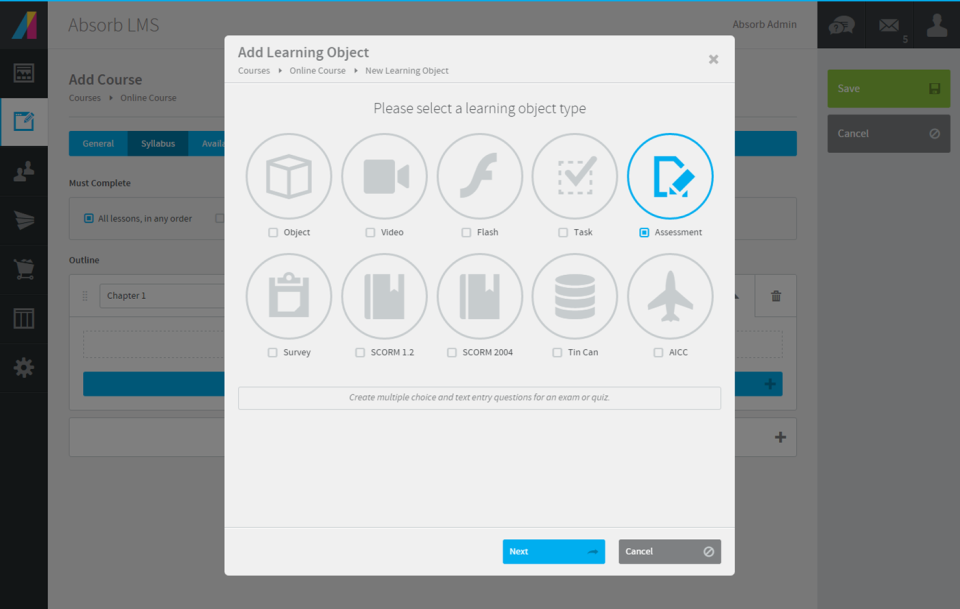
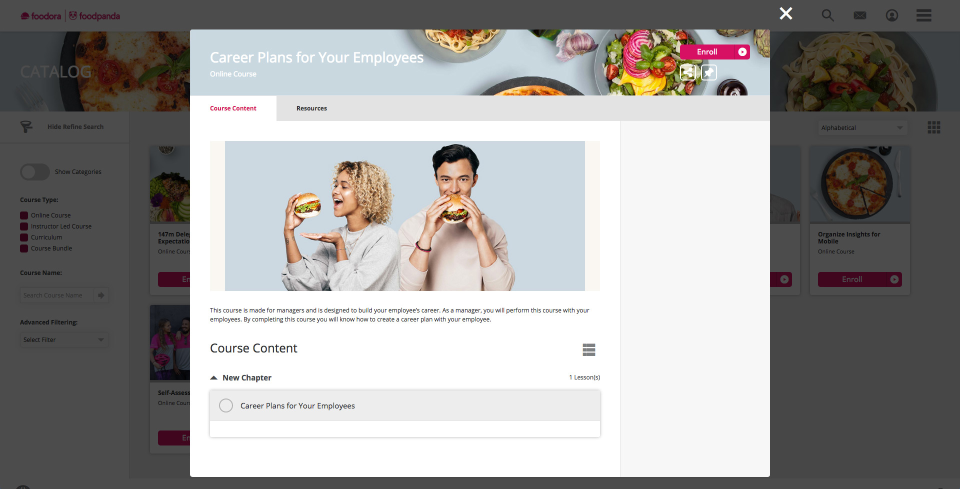
Screenshot of a company's unique identity with a training interface that is custom-designed for the brand.Screenshot of a company's image and values with a training interface that is tailored to the brand's specific needs.Screenshot of the course creation workflow, that offer a diverse set of formats, including instructional videos, quizzes, and assessments.Screenshot of Absorb's course details page, accessible from the course catalog dashboard, used to give learners an understanding of the course material.Screenshot of learners' progress insights, used to make data-driven decisions with the reporting capabilities of Absorb LMS.Screenshot of course creation with Create AI Beta.

iSpring Suite Screenshots

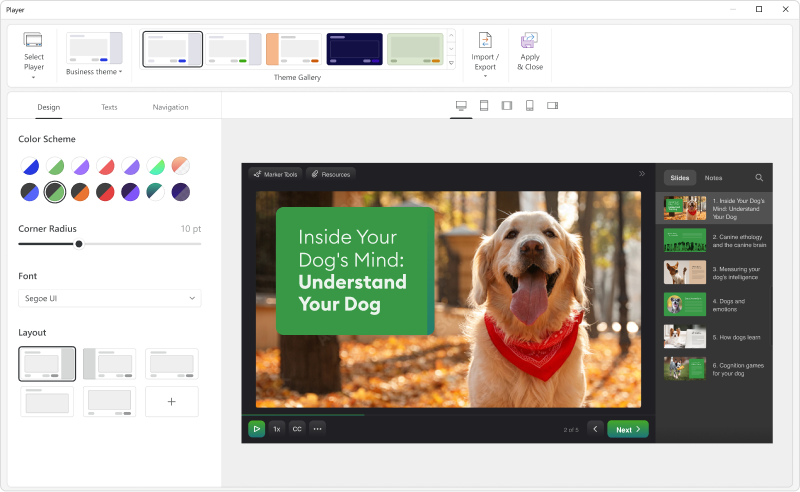
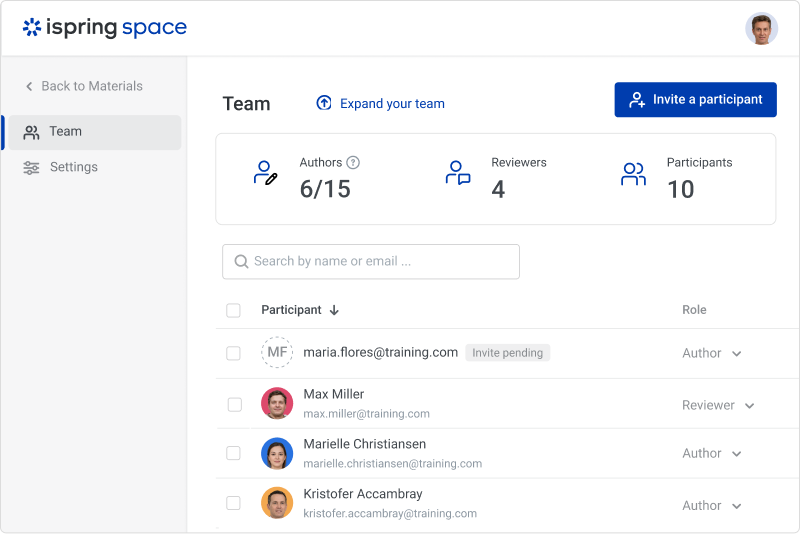
Screenshot of iSpring SuiteScreenshot of the customizable course player — the layout can be changed as desired.Screenshot of a role-playScreenshot of course interactionsScreenshot of the online collaboration toolScreenshot of Video lessons and screencasts