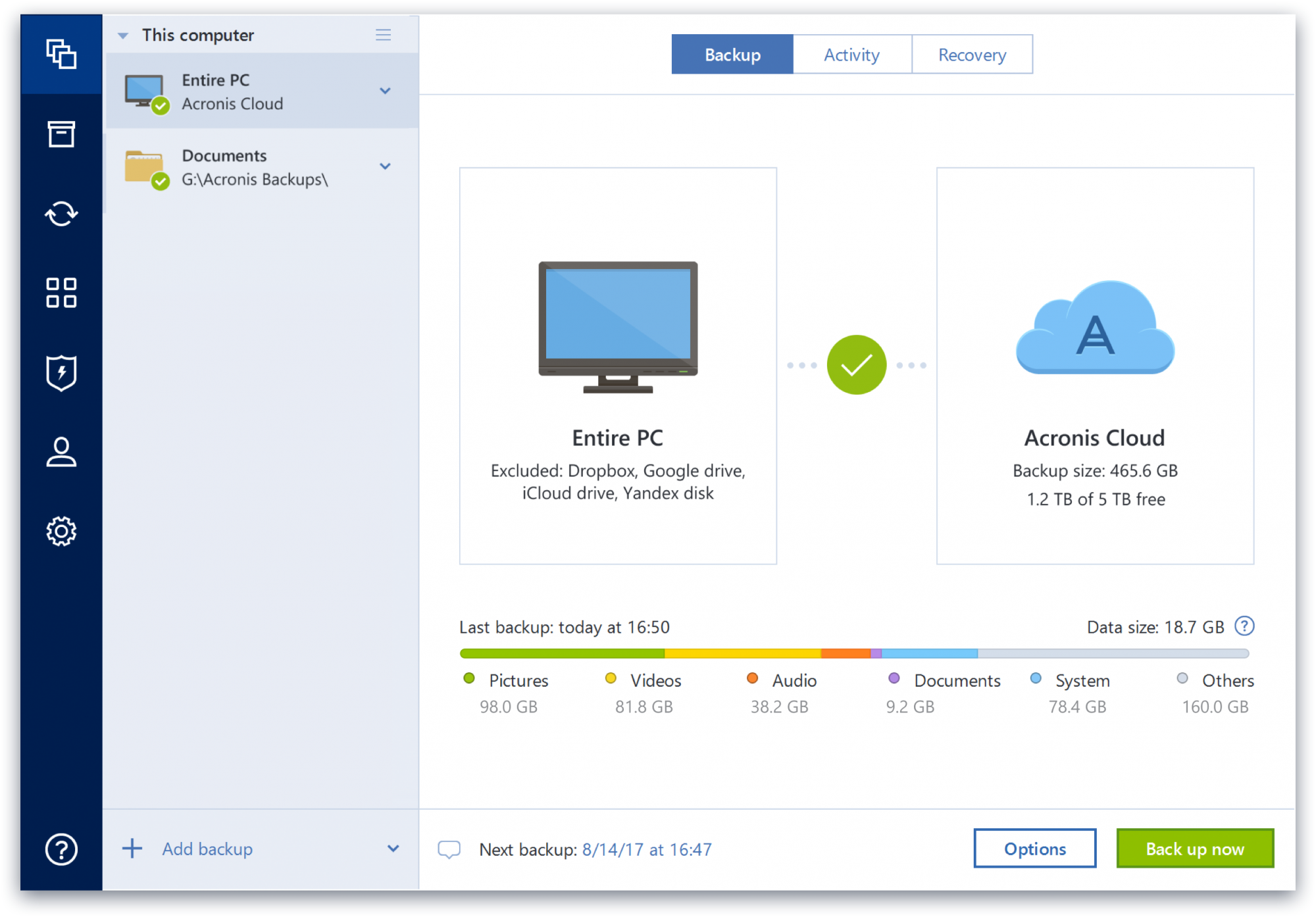
The imaging capability seems to be solid [with Acronis True Image], although I have not had to recover a drive yet so cannot compare. The logs tell me when it is (and isn't) working. The "Cloud Replication" that is supposed to simultaneously replicate the local backup image is perfectly awful and the months of tech support ended with them telling me I had a "VSS issue" on a brand new workstation and that I should just create a separate cloud image. After months of it taking 3-4 DAYS to run, IF it worked, and then failing altogether, I discontinued it. It was even logging (running?) under another separate critical files backup, and forced to use the same encryption password. Setting up a new one failed. The cloud backup of my critical files is still running at kb/sec speeds. The ransomware protection hasn't caught anything yet to my knowledge, and consumes a lot of resources. Changing the settings takes at least 10 minutes to log into the cloud. Cloud storage is tiny and a push to get you to pay more. Will not be renewing.
Well suited: - I use it for on premise and cloud backup and recovery and it is excellent for this job. - I also experiment with different hypervisors and till now Bacula seems to work with all of them - Security is really important for me as I had many bad experiences in the past and Bacula solution makes me totally confident. Less appropriate - You need to be experienced Linux user, I had to learn few more things in system to make the best use of it. - It's definitely designed for scalability and bigger companies than mine
The support services provided by Bacula Systems are superb. They usually respond extremely quickly and have clear and useful answers upfront, which is a welcome change. Their support enabled us to get Bacula Enterprise up and running quickly and well configured, in a relatively short period of time. In addition, they also offer proactive support on a yearly basis. This involves sending an automatically generated report on your system configuration and status from which they provide advice on any issues or configuration problems that they find. I haven't seen this level of proactive support from another company.
The configuration is extremely powerful and flexible. If you're used to dealing with text-based configuration files then you'll find this system familiar. It also fits well with configuration management tools - in our case, Puppet - allowing the configuration across the whole system to be managed centrally. The flexibility of the system allowed us to have backups running exactly when and how we wanted, performing staging to tape via disk, and with various admin, tasks to automate the handling of tapes within our tape library.
The command-line console tool allows all operations to be done from the command line. In an emergency situation, or stuck in a datacentre with only a dumb console, being able to do everything via the command line is an important feature to have.
Bweb is an optional extra that provides a web-based interface for both management and configuration. If you don't want to edit text files and use the command line console tool then Bweb is the best interface to use. We don't use it for configuration (favoring external tools for managing the text-based configuration), but we do use it to monitor backups and perform restores. It provides an excellent overview of what's happening with the system.
The manuals, whitepapers, and additional documentation cover everything in detail. The whitepapers give a good overview of the installation, concepts, and specific scenarios, whilst the manuals cover in more depth how specific areas work and how the configuration is handled. It's very easy to find out what a particular option means and does.
The software can run on and is supported on, a wide variety of operating systems, including Ubuntu which is what we use. This is a level of flexibility that was important to us after being tied to RHEL for our previous backup system.
Upon a system restore after a crash, the program was able to see my server but was unable to complete the process. However, once I copied everything to a detachable USB hard disk, it had no further problems.
I'd love to see an exact copy of the functionality of Time Machine, except on a PC. Seamless, nearly flawless. It's already pretty decent, though.
Okay, Acronis, you've knocked it out of the park already, but ...it's time to offer some hardware! Develop your own secure version of the Time Capsule that can be plugged into the network. It will only do one thing, and it will be the best at what it does.
Takes a while to get used to the software. It's not something that you can just install and work away with. You need to figure it out first. We did get a free training course when we purchased the Bacula Enterprise version which we found very useful.
Support Documentation is very in depth but it's a tough read sometimes. Takes a while to understand the concepts from this documentation. Could do with making the documentation a small bit easier to understand.
Easy to use, proactive and effective customer support, and simple deployment method. The high configurability is what makes this tool so effective for my organization - at no point do I have any issues of trust as to the restorability of a fileset. The GUI provided gives clear actionable reports as to the effectivity of the jobs performed.
Protect my system from data loss and also can manage multiple devices via online cloud from any where and also can set Multifactor authentication for more secure login access. Archive any backup which will use less space and we can transfer it to any other space also so it is very easy as server admin to manage acronics utilities
It still has a lot of flaws to overcome, especially in the area of user friendliness. Searching and filtering is quite cumbersome. Once you find the job you from which you want to restore, be sure to write that job number down because you won't be able to quickly find the job again without it during a recovery.
Operation in the Bacula system has a light and fast interface and reports are generated almost instantly. Perhaps if Bacula is integrated with other solutions it may lose some performance
I have never had an issue with their software and therefore have never had to reach out to their support for anything. I have however used their online help to answer questions about functionality. I found no issues getting the information I was looking for. It seemed that if their own support didn't have the answer, there was a user on their forums who did.
We have always been very well served by Bacula Enterprise support. The response time is excellent, and any doubts or problems are resolved quickly and easily, avoiding complications and the evolution of problems that could arise. Only praise for Bacula Enterprise's service and support. The monitoring of the entire process from acquisition to implementation was very well done.
The professor understood the tool very well, it was a fact that he had mastery over the system and knew what he was talking about, clearing up all doubts and passing on all the necessary knowledge so that we could handle Bacula Enterprise in our organization.
Acronis fits in with the rest of our software as it saves us a ton of time and money. Usability is incredibly intuitive - and a new employee can be taught the ins and outs in less than 15 minutes. The software is also updated regularly to improve the security and functionality of the suite.
The possibility of increasing the amount of data to be saved without having to pay more for the license was one of the things that led us to choose Bacula, but when effectively testing the tool, it became clear that in addition to the financial benefit, we would also have a backup reliable and robust.
The Windows version is generally reliable and only ran into one issue thus far. Restores are easy and there are many features. On MacOS, it's a completely different story. There is significant resource leakage related to the updater app that can bog down part of a CPU core continuously until it is disabled. The mobile backup feature also needs to be disabled via UNIX command line or CPU usage will go up when a mobile device on the same network like an iPad or iPhone's screen is turned on.
What price can you put on recovery? The very first time we had to restore from backup, having Bacula Enterprise support paid for itself.
The extremely good visibility into Bacula Enterprise's operations--as opposed to some competitors where you don't really know what it's doing--makes me trust it more.