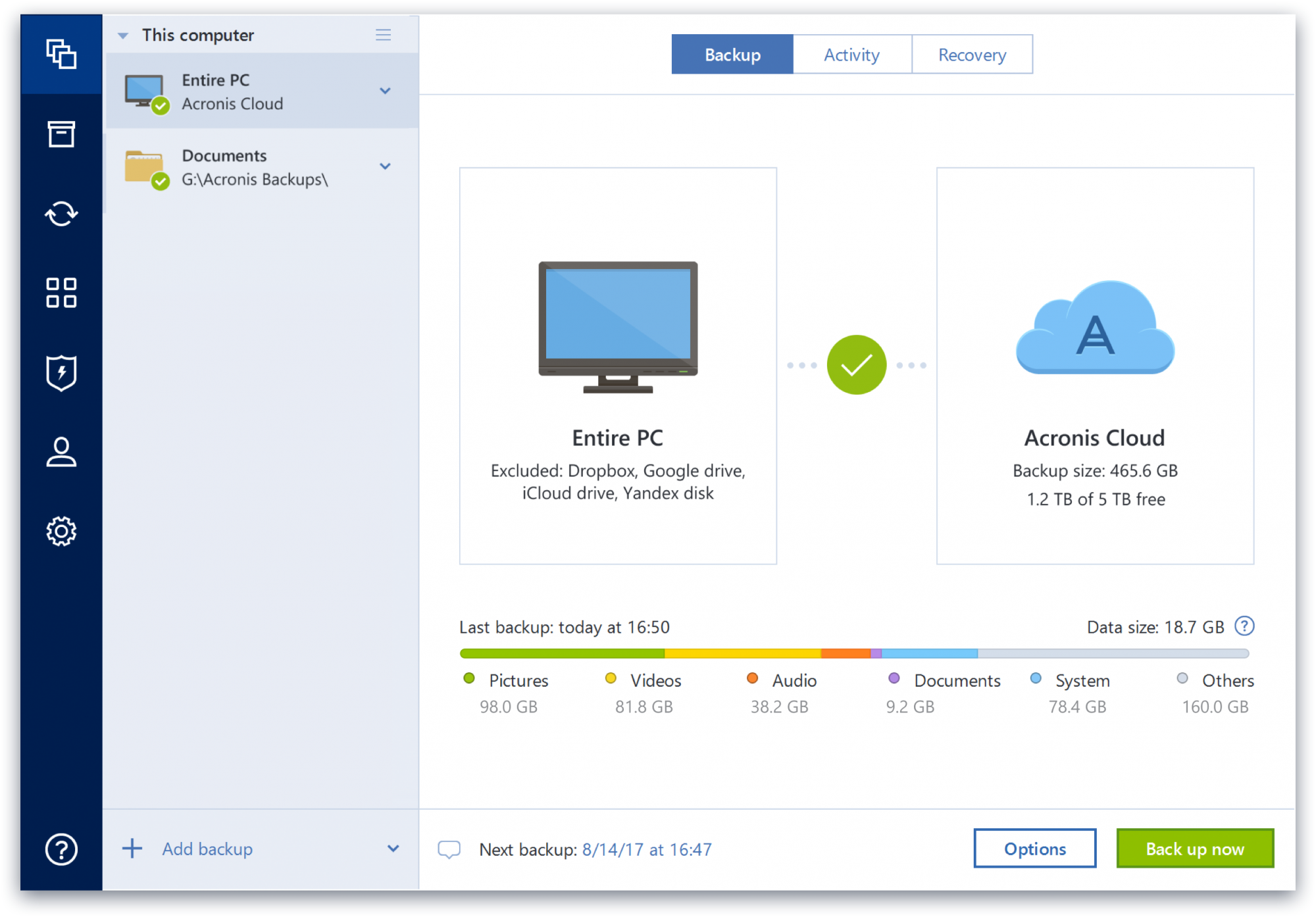
Acronis True Image is a backup, cloning, cyber protection and privacy tool suite for home users.
N/A
Webroot Antivirus + Internet Security Complete (SecureAnywhere)
Score 9.2 out of 10
N/A
Webroot Security Complete (formerly under the brand name SecureAnywhere) is a suite of antivirus, multi-endpoint security and Internet security solutions available for home offices, and possibly small businesses with limited security needs.
$30
per seat/per year
Pricing
Acronis True Image
Webroot Antivirus + Internet Security Complete (SecureAnywhere)
Editions & Modules
No answers on this topic
Webroot Business Endpoint Protection
$30
per seat/per year
Offerings
Pricing Offerings
Acronis True Image
Webroot Antivirus + Internet Security Complete (SecureAnywhere)
Free Trial
Yes
No
Free/Freemium Version
No
No
Premium Consulting/Integration Services
No
No
Entry-level Setup Fee
No setup fee
No setup fee
Additional Details
—
—
More Pricing Information
Community Pulse
Acronis True Image
Webroot Antivirus + Internet Security Complete (SecureAnywhere)
Acronis provides all in one solutions for cyber security like it protects data(Antimalware and vulraneblity scanners), Backup data and also recover data also use for data privacy that will encrypt data backup for unauthorized use of sensitive data. Acronics also provides full …
Protects all of local PC resources as well as cloud and web services for small business at a good value price.
Has similar functionality with rolling all products into one central site manager which allows you to do backups, file restoration as well as endpoint protection with …
We used SpiderOak for a while, but when we had a massive data failure, we figured out that it is very difficult to download a past version of your data set (ie, download all data, as of two days ago - If I remember correctly, you had to do it folder by folder). Thankfully, I …
iDrive is incredibly faster than Acronis on cloud backup. After Acronis' failures on cloud storage I moved to iDrive for peace of mind. iDrive can also do local backups, and either variant of system state, server, outlook, exchange, etc. It does not however have the ability to …
Acronis True Image is the perfect program when it comes to backing up data. It supports all kinds of backup like file and/or folder backup and has a better and easier to use interface than the 2 products. I also like that I have the option to backup data in local drives also …
CrashPlan no longer provides software for local backups so I have migrated away from them. They still remain a viable alternative if cloud backups are important. Unfortunately, cloud solutions in ATI are fairly limited in offerings. ATI also has a slightly easier learning curve …
Overall, Acronis has been my preferred full backup product. This is due
in large part to my positive experiences with it over the years, where I
was able to successfully recover both files and full systems when the
I use another backup product for Windows previously but it went out of business and discontinued their support and even stopped the work of running copies of their product. I am using AWS backup. AWS backup is useful for specific files you can store on the cloud. I am using …
It's more targeted on single deployments and you can backup multiple PCs if you need to, also the imaging software is the best, paid solution. Veeam can compare but I think it is on a different feature set than Acronis TI.
I chose Acronis True Image in addition to QuickBooks' built-in online backup because I have had that service fail from time to time without any notice so I don't trust it to safeguard our data by itself.
Acronis was selected after someone's recommendation. Having used a variety of other products in the past, with mixed results felt it was time for something new. I now recommend this product to others. It is virtually foolproof. You can't go wrong with Acronis. It's that …
Acronis is steadily moving toward the functionality of Time Machine without having to own a Mac. I chose True Image based on my experience with other Acronis software -- namely Disk Director. DD has worked miracles and allows the user to test different actions without …
Even though it worked, still preferred the paid product because it performed better and was more reliable. Acronis has a well established name and reputation. When I started using it back in 2009, I used it as a free/eval product and because it worked so well then, I decided to …
Acronis fits in with the rest of our software as it saves us a ton of time and money. Usability is incredibly intuitive - and a new employee can be taught the ins and outs in less than 15 minutes. The software is also updated regularly to improve the security and functionality …
Chose Webroot Antivirus + Internet Security Complete (SecureAnywhere)
As previously mentioned, Webroot is struggling to compete. Specifically, it is struggling to show value when similar products are catching more and offer more complete packages for remediation as well. We have discontinued the use of Webroot in favor of offering more advanced …
Chose Webroot Antivirus + Internet Security Complete (SecureAnywhere)
Webroot Antivirus + Internet Security Complete (SecureAnywhere) was cheaper. That was the main reason. Webroot also integrated with our RMM solution, which was a plus. Malwarebytes did not integrate with our RMM solution.
Chose Webroot Antivirus + Internet Security Complete (SecureAnywhere)
Webroot SecureAnywhere is so much easier to use than the other products we've used or tested. The small footprint of Webroot makes up for any enhanced features that a competitor might have. We chose Webroot SecureAnywhere because of the competitive cost, ease of management, and …
Chose Webroot Antivirus + Internet Security Complete (SecureAnywhere)
Both of the aforementioned products were heavy on the learning curve as far as configuration and deployment. Both had a rather nonintuitive interface to centrally manage your protected devices. They both did a good job, but with unnecessary effort to achieve the same result as …
Chose Webroot Antivirus + Internet Security Complete (SecureAnywhere)
We used Vipre before and it is a very heavy user interface had lots of malware and such that it was not catching. We switched to Webroot and have had no issues at all with virus or malware attacks getting through without detection.
Chose Webroot Antivirus + Internet Security Complete (SecureAnywhere)
When first introduced to Webroot Anywhere four years ago, the consulting firm we were using recommended it with very high marks. At that time we went with their first choice and I am so glad that we did. I brought it into my new organization. I am a convert and I haven't looked …
Chose Webroot Antivirus + Internet Security Complete (SecureAnywhere)
I believe Webroot is a much better product than Symantec Endpoint Protection and Trend Micro Endpoint Security. I believe it does a much better job of preventing security threats, has a better price point and ROI while being easier to administer. Overall, I believe Webroot is …
Chose Webroot Antivirus + Internet Security Complete (SecureAnywhere)
Webroot SecureAnywhere is superior to Symantec, Kaspersky, McAfee, AVG, and others, in our experience. It's more reliable, has less negative performance impact, and is easier to administer.
Chose Webroot Antivirus + Internet Security Complete (SecureAnywhere)
Webroot has an incredibly fast install & scan. I'm impressed with the cloud management console and cloud based updates. Managing users is fairly simple as is keeping up with license usage. Also, your mobile workers will get updates quickly, unlike some other anti-virus suites I …
Chose Webroot Antivirus + Internet Security Complete (SecureAnywhere)
I honestly have not put in enough research and time for alternative products to compare against Webroot. I don't think my opinion would be worth stating since I don't have a good comparison of apples to apples against other products.What continues to keep me interested in …
Chose Webroot Antivirus + Internet Security Complete (SecureAnywhere)
I am not a McAfee lover and have not been for a long while. I have on occasion had to support computers with it. In fact a business we provide support for now uses it. There are more incidents of malware infection and more complaints of computer performance for those using …
Chose Webroot Antivirus + Internet Security Complete (SecureAnywhere)
While we consider alternatives from time to time when putting together our budget, we haven't felt the need to thoroughly test a competitor since webroot has been working well for us and we are comfortable with the pricing.
Chose Webroot Antivirus + Internet Security Complete (SecureAnywhere)
Symantec.cloud, Sophos, McAfee (which was terrible, and we had to replace McAfee with Symantec.cloud at another company). However, the difference between Symantec.cloud and Webroot is primarily with notifications and installations of definition updates. There was a lot more …
Chose Webroot Antivirus + Internet Security Complete (SecureAnywhere)
I have not had the opportunity to try out other AV or web filtering products in my production environment, however through personal use of numerous other AV products over the years I can attest that Webroot is a product that will bug you the least in terms of notifications, …
Chose Webroot Antivirus + Internet Security Complete (SecureAnywhere)
I have evaluated numerous other security products including Norton, McAfee, Kapersky, and Panda. Nothing comes close to Webroot in terms of system performance impact. It is almost like nothing is even installed - it is that low-resource intensive. Same thing with scanning …
Webroot Antivirus + Internet Security Complete (SecureAnywhere)
Likelihood to Recommend
The imaging capability seems to be solid [with Acronis True Image], although I have not had to recover a drive yet so cannot compare. The logs tell me when it is (and isn't) working. The "Cloud Replication" that is supposed to simultaneously replicate the local backup image is perfectly awful and the months of tech support ended with them telling me I had a "VSS issue" on a brand new workstation and that I should just create a separate cloud image. After months of it taking 3-4 DAYS to run, IF it worked, and then failing altogether, I discontinued it. It was even logging (running?) under another separate critical files backup, and forced to use the same encryption password. Setting up a new one failed. The cloud backup of my critical files is still running at kb/sec speeds. The ransomware protection hasn't caught anything yet to my knowledge, and consumes a lot of resources. Changing the settings takes at least 10 minutes to log into the cloud. Cloud storage is tiny and a push to get you to pay more. Will not be renewing.
Webroot can be great if you have many employees using computers. Sensitive business information can be accessed by malicious threats online if your employees are not trained to avoid these problems. In this case, I think it's important to have software to protect you. If working with a smaller team (and not doing any sort of video production or other intensive software/applications) I can't see a need for anything like Webroot. Learning how to use the internet safely and protecting your file storage are things to be done on the cheap and with smarts.
It is very lightweight. You dont even know it is running, yet it is always protecting the endpoint.
It has protected us from various threats, including ransomware - even when wannacry was hitting companies everywhere.
They have a good console with multiple provisioning options, so we were able to push it to everyone when we first started using it, and then include it as part of our deployment process going forward.
Upon a system restore after a crash, the program was able to see my server but was unable to complete the process. However, once I copied everything to a detachable USB hard disk, it had no further problems.
I'd love to see an exact copy of the functionality of Time Machine, except on a PC. Seamless, nearly flawless. It's already pretty decent, though.
Okay, Acronis, you've knocked it out of the park already, but ...it's time to offer some hardware! Develop your own secure version of the Time Capsule that can be plugged into the network. It will only do one thing, and it will be the best at what it does.
If there is no network connection to the cloud infrastructure, there will be no protection (drawback if there is no "layer 1" connection).
Heuristics can only combat some viruses, so it probably needs more methods to combat different viruses.
There are some instances where the server fails to push out (the server's fault), leaving a small fraction of users unprotected when they are set up for the first time.
It's easy to renew with Webroot, their support is very attentive and highly available. However if you do choose to change products, they even provide means of removing the software from your endpoints via the admin portal which is very convenient.
Protect my system from data loss and also can manage multiple devices via online cloud from any where and also can set Multifactor authentication for more secure login access. Archive any backup which will use less space and we can transfer it to any other space also so it is very easy as server admin to manage acronics utilities
I have never had an issue with their software and therefore have never had to reach out to their support for anything. I have however used their online help to answer questions about functionality. I found no issues getting the information I was looking for. It seemed that if their own support didn't have the answer, there was a user on their forums who did.
We have not had to use Webroot support much over the years. The one or two times we did we were referred to online documentation and in a somewhat condescending manner in one case and in another case, the support person did not demonstrate much knowledge of their product and referred us to the user community for support.
Acronis fits in with the rest of our software as it saves us a ton of time and money. Usability is incredibly intuitive - and a new employee can be taught the ins and outs in less than 15 minutes. The software is also updated regularly to improve the security and functionality of the suite.
I honestly have not put in enough research and time for alternative products to compare against Webroot. I don't think my opinion would be worth stating since I don't have a good comparison of apples to apples against other products.What continues to keep me interested in Webroot is just not the product - but the technology behind the product that makes Webroot a leading industry standard.
The Windows version is generally reliable and only ran into one issue thus far. Restores are easy and there are many features. On MacOS, it's a completely different story. There is significant resource leakage related to the updater app that can bog down part of a CPU core continuously until it is disabled. The mobile backup feature also needs to be disabled via UNIX command line or CPU usage will go up when a mobile device on the same network like an iPad or iPhone's screen is turned on.
Ease of implementation across various devices is easy and efficient regardless of scale. Whether it is 5 devices or 500 the product continually proves its the best in its class.
It has had a mostly positive impact as we have not had any breaches.
The only negative impact has been when Webroot Antivirus + Internet Security Complete (SecureAnywhere) changed something on their end that caused one of our business applications to not be usable by end-users. That cost our business a fair amount as it took 4 days before it could be used again.