Email automation software with optimized personalization to drive engagement.
N/A
Emma by Marigold
Score 9.4 out of 10
N/A
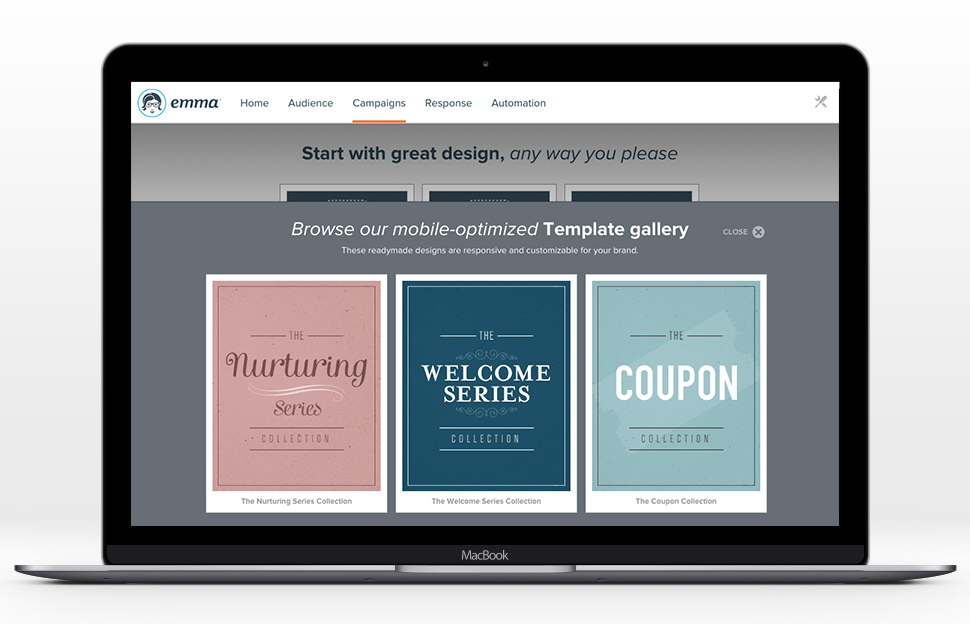
Emma by Marigold is an email marketing solution. Its key features include mobile-ready design templates, email automation, audience segmentation, and dynamic content. The software includes integration with third-party CRM solutions, ecommerce platforms, and social networks.
For medium and large sized businesses, Adestra competes well with dotMailer. While many of the functions are available through either provider, creating campaigns, managing lists and reviewing metrics are somewhat different.
As of this writing, dotMailer's drag-and-drop editor …
Emma is a step up from Constant Contact and two steps up from Mailchimp. Emma is affordable and easy to use for all types of companies, but especially for smaller firms and startups. It’s in compliance with SPAM laws, but has an advanced platform to keep your emails from going …
I like Emma much better than MailChimp because of the flexibility and ease of the user interface. I used MailChimp for a previous position and I felt like the home page was definitely more cluttered and it had a clumsier navigation portal. I also think Emma's email design …
Emma had a more robust multi-level account structure which empowered individual locations to participate at the ground-level. Additionally corporate was able to maintain oversight, template creation, marketing automation, and data reporting. The goal is to provide the locations …
I use MailChimp a lot, and while I like it, at the end of the day Emma simply is the most cost-effective. There's not a HUGE learning curve, compared to MailChimp, which is nice, since our non-designers can take a proverbial 'whack' at an email and we can trust that it will get …
Compared to Act-On, Emma is miles above regarding the ease of use and simplification of complex features. Drip campaigns really are a breeze with Emma's intuitive data. You will experience WYSIWYG glitches due to the nature of the program but Emma offers better templates to …
Emma is a good alternative, but I think mailchimp may be a better and more affordable alternative. Especially since mailchimp is continuously releasing new features and improving their product.
MailChimp seems to offer more customizable options than Emma, but Emma is far less buggy. I used Constant Contact while working with another nonprofit organization and did not anything about it.
We moved away from Constant Contact because of the reputation it was starting to get with not auditing its domain and not providing us with the best possible brand reputation and also because we just didn't get the analytics we wanted to improve our process. With Emma, we can …
Emma is the easiest to use platform I've tried so far. It was easy to setup and send the first enewsletter. The functionality is very user friendly and it "makes sense" as you go through to add content and users. It's made being a marketing team of one very efficient.
Mail Chimp: the price was better, but the platform was not predictable. You did not get the same support with mailchimp. Constant Contact: This is an outdated system that does not make it easy to design modern, clean emails and I consider it a dinosaur.
Emma was the perfect solution for what we were looking for due to its easy to use interface, relatively low cost and basic functionality. We were not looking for expensive, complex tools to send out multiple campaigns with various controls and tests. We also were impressed with …
At the time we made the decision to move to Emma, my organization was using both MailChimp and Constant Contact. Emma's drag-and-drop template editor surpassed both, and even editing the pre-made template HTML in Emma was easier. List management was much smoother than the …
We moved from Emma to SendGrid. The deliverability of Emma is lower than Sendgrid and the overall functionality of Sendgrid feels more fit for a digital marketing agency. The number and design of the Emma templates far surpasses that of Sendgrid though. Emma is much more suited …
None of those platform were good for an agency and their clients. Managing multiple email clients in one system isn't something you find everywhere. It's also not easy to pay for the other platforms since they are built for the enterprise and not SMB.
Our internal competitors are the individual email platforms our stores have signed up for. In general, they need to take our HTML and upload it themselves, making Constant Contact and MailChimp very cumbersome. Emma, on the other hand, allows us to take charge of that. Users …
We chose Emma in addition to Sendgrid to protect the integrity of our transactional email deliverability. Emma's delivery rates were good. We later found Mailchimp a bit cheaper and easier to work with in our specific use case but I still think it's worth testing Emma if you're …
MUCH more straightforward and usable, PeopleVine requires someone with a lot more coding knowledge to do simple things like change a font color or hyperlink text and is better used by an agency with extensive access to those experts whereas Emma can be taught to just about …
Emma is night and day difference from Constant Contact in terms of customer support, feature set, and usability. It is so much better and more affordable. Emma is a step down in feature set and functionality from Pardot, Marketo, or Hubspot, but if you are a company that is not …
Small businesses with even smaller marketing budgets and no email marketing experience would be better off selecting a lower-end email marketing provider. However, Adestra will provide a growing company with every email marketing tool along the way.
Using Emma for weekly templated email use with minimal changes is awesome. If you want you can create a master and make minor graphic edits quickly and easily from your smartphone. Any edit is possible as long as the artwork is on the online server. Only time I hit a bump in the road is when I was asked to change the style sheet and did not know that the pricing plan I was on did not include this feature. Client had to wait to send new format until Emma performed the requested changes.
Adestra's "dynamic" list allows users to consolidate multiple lists in combination with data filters and exclusion lists. This implements segmentation and is a powerful marketing tool.
Adestra's MessageFocus API integration provides developer-tools for list, campaign or transactional automated requirements.
Campaigns can be sorted into project folders. This allows marketers to group campaigns together for management or reporting requirements. Moving or copying campaigns from one project to another is a simple process.
Data downloads via Reporting is available at every level, from overview to individual KPI.
Creating "core" tables helps marketers develop lists with similar attributes. Whether a list has many fields or simply the one required email address field, a "core" table helps to quickly map data labels from spreadsheet to online database. Creating data labels on the fly is a simple process, as well. The "core" table also groups similar contacts into one core database.
Any list can be quickly "emptied" for to manage refreshed data. The contacts within the "emptied" list would still be members of the "core" table and so the process does not negatively impact reporting.
Unsubscribes can be managed in one list (as a default) or individual lists. Creating individual unsubscribe lists -- dependent on business requirements -- would allow for a preference center, whereby recipients could be given a choice as to which campaigns they receive.
The Form tool creates signup forms, simple surveys and landing pages. These can be hosted via Adestra or otherwise on the web. The tool provides for branding and proprietary cascading stylesheets, with a number of actions available through a drag-and-drop interface.
Drag and Drop Interface - I love the drag-and-drop interface used to design campaigns. It makes it easy for creative types to get the look they want, and it helps less technically and aesthetically adept users to create campaigns that still look great. After using both Constant Contact and Mailchimp, I think Emma comes out on top in terms of ease of template design.
Master Admin Account - Having a master admin account controlled by one person allows us to deploy brand assets to each sub-account, and we're also able to push out templates for users who aren't ready or don't have the time to design their own.
Dynamic Content - Dynamic content has proven so useful to us, especially in our Admissions Office. Making it possible for regular users to easily create emails using dynamic content is a VERY strong feature that, in my experience, is unique to Emma.
Great Tutorials - Emma does a great job taking care of its users. The support folks are always kind and helpful, but Emma publishes an array of tutorials and resources to help with just about anything its users encounter, from how to use custom merge fields to advice on creating the best campaigns.
As of this writing, there are at least 3 different editors available (a drag-and-drop, a WYSIWYG and HTML). However, only a small template library is available if requested through support. Those expecting to find ready-built templates for re-branding would find them through the third-party EDM Designer drag-and-drop editor.
Setup of users - We used to be able to setup a user and send them our own welcome email. Emma has since set up the ability to add users where they send the welcome email. It's a great new feature, but it doesn't always work. We've had some users who never receive these emails and then we need to reach out to support anyway.
The code to set up a configurable email is cumbersome. It's great that it is so customizable, but there is a learning curve.
Easy to use and gets the job done without too many "extras" (ex. we didn't need a full marketing automation platform so Emma had what we needed to send email marketing communications without having to pay for the stuff we didn't need)
I have been self-trained on different ESPs for over 10 years, so my experience isn't comparable to most users. However, I've trained people on various email marketing platforms, and with some training, clients have a positive user-experience with Adestra.
While every WYSIWYG software will experience glitches, Emma handles them well. Keep in mind they rarely happen, but they do, it can be of annoyance. Regardless, Emma allows my organization to create seamless email campaigns using fresh data. Emma makes coming up with strategic decisions very easy. The list segmentation that Emma feature allows us to easily manage a large list without issues. Overall, Emma is extremely usable with nearly no learning curve!
I have had campaign related issues solved very quickly. When there are technical issues, that involve more than one departmental, it may involve a longer turn-around and management.
I hate that to get support I have to submit a question to a public forum and wait for a response. I just want the ability for a quick live chat to answer my simple help questions quickly or at the very least submit a ticket via email and get a status update.
For medium and large sized businesses, Adestra competes well with dotMailer. While many of the functions are available through either provider, creating campaigns, managing lists and reviewing metrics are somewhat different. As of this writing, dotMailer's drag-and-drop editor dominates that platform and performs well for low-end users with little-to-no HTML experience. Even high-end users will appreciate how quickly campaigns can be built via the drag-and-drop editor. While Adestra utilizes the EDM Designer drag-and-drop, the third-party functionality is not completely cohesive and lack of a template library gives dotMailer a bit of an advantage.
Emma had a more robust multi-level account structure which empowered individual locations to participate at the ground-level. Additionally corporate was able to maintain oversight, template creation, marketing automation, and data reporting. The goal is to provide the locations with the ability to send their own marketing messages, saving corporate marketing time, and providing more genuine, locally-focused email campaigns. Emma was very effective at making that happen.