Adobe Bridge is a creative digital asset manager that lets you preview, organize, edit, and publish multiple creative assets (including Adobe Photoshop, InDesign, Illustrator, After Effects, and Dimension files) with thumbnails and rich previews.
Edit metadata. Add keywords, labels, and ratings to assets. Organize assets using collections, and find assets using powerful filters and advanced metadata search features. Collaborate with Libraries and publish to Adobe Stock from Bridge.
N/A
CoSchedule Marketing Suite
Score 10.0 out of 10
N/A
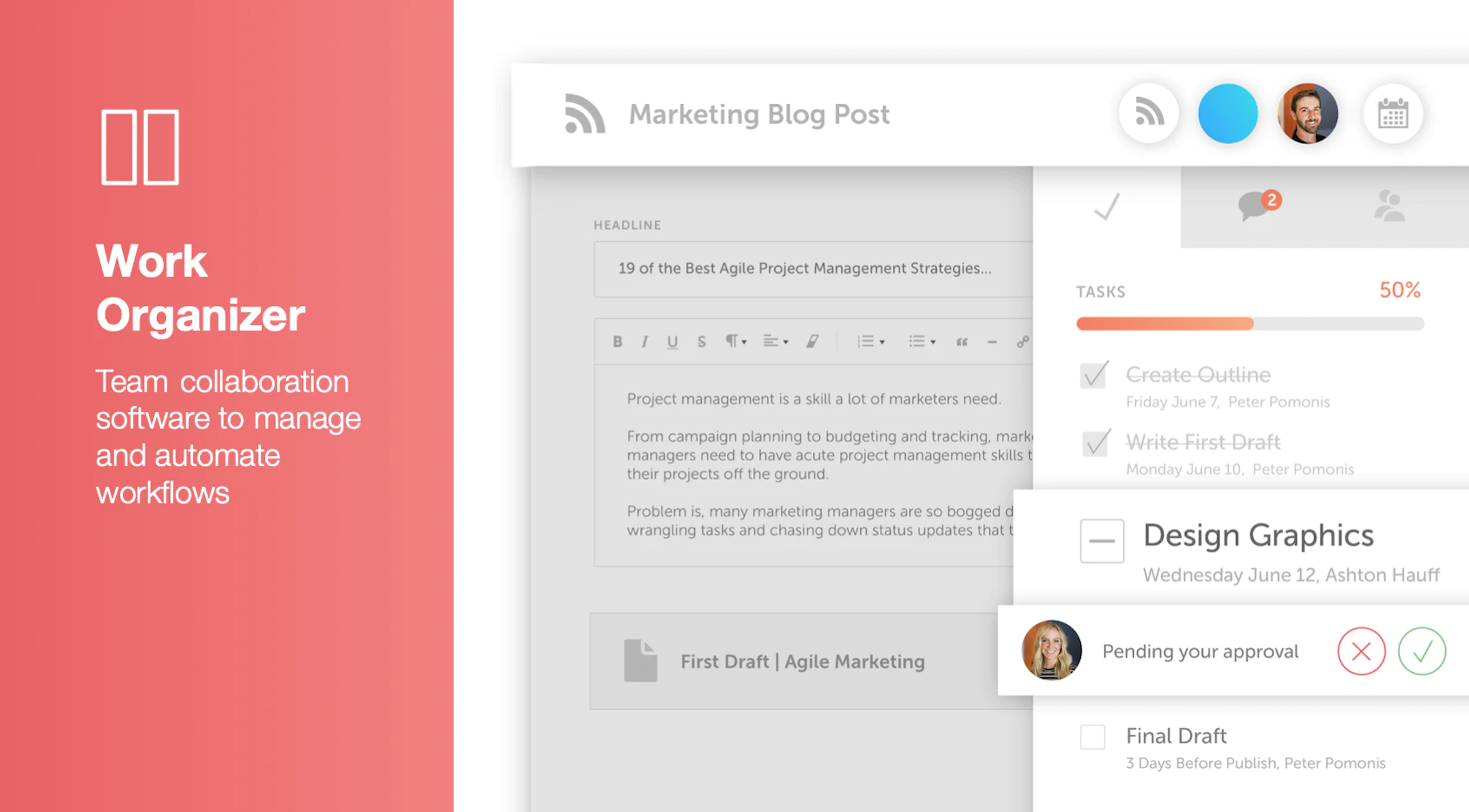
CoSchedule provides a content calendar, content optimization, and contentmarketing products, with users among 50,000 marketers worldwide, helping them organize their work, deliver projects on time, and prove marketing team value.
N/A
Pricing
Adobe Bridge
CoSchedule Marketing Suite
Editions & Modules
No answers on this topic
No answers on this topic
Offerings
Pricing Offerings
Adobe Bridge
CoSchedule Marketing Suite
Free Trial
No
No
Free/Freemium Version
No
Yes
Premium Consulting/Integration Services
No
No
Entry-level Setup Fee
No setup fee
No setup fee
Additional Details
—
—
More Pricing Information
Community Pulse
Adobe Bridge
CoSchedule Marketing Suite
Features
Adobe Bridge
CoSchedule Marketing Suite
Reporting & Analytics
Comparison of Reporting & Analytics features of Product A and Product B
Adobe Bridge
9.9
Ratings
33% above category average
CoSchedule Marketing Suite
-
Ratings
Dashboards
10.00 Ratings
00 Ratings
Standard reports
10.00 Ratings
00 Ratings
Custom reports
10.00 Ratings
00 Ratings
Data exportability
9.30 Ratings
00 Ratings
Content analytics
10.00 Ratings
00 Ratings
DAM Features
Comparison of DAM Features features of Product A and Product B
Adobe Bridge
9.2
Ratings
10% above category average
CoSchedule Marketing Suite
-
Ratings
Uploading assets
10.00 Ratings
00 Ratings
Downloading assets
10.00 Ratings
00 Ratings
Categories
9.30 Ratings
00 Ratings
Asset storage
9.30 Ratings
00 Ratings
Asset sharing
8.30 Ratings
00 Ratings
Asset search
8.30 Ratings
00 Ratings
Tagging system
9.00 Ratings
00 Ratings
Content editing
8.30 Ratings
00 Ratings
Embed codes
9.00 Ratings
00 Ratings
Metadata
9.70 Ratings
00 Ratings
Collections
9.00 Ratings
00 Ratings
User access
9.00 Ratings
00 Ratings
DAM Integrations
9.00 Ratings
00 Ratings
DAM API
10.00 Ratings
00 Ratings
Workflow automations
9.70 Ratings
00 Ratings
Related asset discovery
8.70 Ratings
00 Ratings
Content Creation
Comparison of Content Creation features of Product A and Product B
Adobe Bridge
-
Ratings
CoSchedule Marketing Suite
7.3
Ratings
10% below category average
Ideation
00 Ratings
5.00 Ratings
Content collaboration
00 Ratings
7.00 Ratings
Content calendar
00 Ratings
10.00 Ratings
Content Publishing
Comparison of Content Publishing features of Product A and Product B
Adobe Bridge
-
Ratings
CoSchedule Marketing Suite
10.0
Ratings
21% above category average
Content distribution
00 Ratings
10.00 Ratings
Content promotion
00 Ratings
10.00 Ratings
Content automation
00 Ratings
10.00 Ratings
Content Reporting & Analytics
Comparison of Content Reporting & Analytics features of Product A and Product B
I love to use it when I need to rename a group of photos from one of my photographers because they named the files incorrectly. My team seems happy to use it from now and then in combination with InDesign and Photoshop
CoSchedule does more than just content planning, it helps you organize your content, betters your content with headline analyzers, and allows you to organize your work and marketing calendars as well. If your organization is in a spot where you need a well-rounded tool to help with content, marketing, or even task organization, CoSchedule might be the right fit.
It took me a while to figure out how to get Bridge to work faster. Apparently, you need it to cache your entire library and once that library is cached then it can refer to those files quickly.
It takes up more space on your computer and you should consider buying a computer with plenty of space and a great graphics card to help this program work at its best.
I wish it would recognize that firewall software and virus protection software isn't its enemy and work with them running all the time. This error doesn't always occur for me, but when it does, I am annoyed.
The import Google Doc to WordPress functionality never worked successfully or reliably for me. So I just manually copy and paste Google Docs to the WordPress editor instead.
The social sharing counter was not that helpful, because it only counted Facebook and Google+. Who uses Google+ anymore? Plus, now they don't even show the social counter in the monthly calendar view. so you can't see the numbers without doing some extra digging.
In the monthly calendar view, some titles get cut off if they don't wrap cleanly in the day's box. So I would make it look cleaner instead of having words broken up by a hyphen.
Adobe Bridge is useful as a jumping off point for file organization within the CC environment. It is a little slow and clunky at times but is useful for preliminary photography selection development including contact sheets, file renaming, and the overall selection process.
The interface is very intuitive, from setting up social profiles, to posting, to tags, to optimizing for best day/time to post. It's super easy to scan the aggregate analytics. The calendar is very easy to grok at a glance, and the more advanced functionality is intuitive to set up.
I didn't have to use their official support, but I can say that they put out a lot of content online to help users. Their YouTube page has quite an array of tutorial videos explaining how things work and how to get the most out of their tools. If you're struggling, before picking up a phone or blasting off an email, try searching for your problem on YouTube or their forums.
Okay so I've actually tried to use Lightroom. Photoshop is its own beast and doesn't have the catalog that Bridge of Lightroom has. Lightroom is not as powerful with being able to check between images, finding files, etc. I wanted to love it, but Bridge won hands down with all the time it has saved me so I can get back to my children instead of complaining that it takes me so much time to narrow down images
CoSchedule is definitely a more powerful marketing tool than Loomly or Buffer, which are more dedicated to straight social media scheduling. I preview the calendar overview offered by CoSchedule, which makes it easy to see everything at a glance. PromoRepublic is similar but has the added Canva-type integration, which makes it more appealing to our clients who want to be able to easily put together their own images. CoSchedule is a bit pricy, which can be prohibitive for clients who don't pay in dollars.