Adobe Firefly vs. InVideo AI

Overview
ProductRatingMost Used ByProduct SummaryStarting Price
Adobe Firefly
Score 8.0 out of 10
N/A
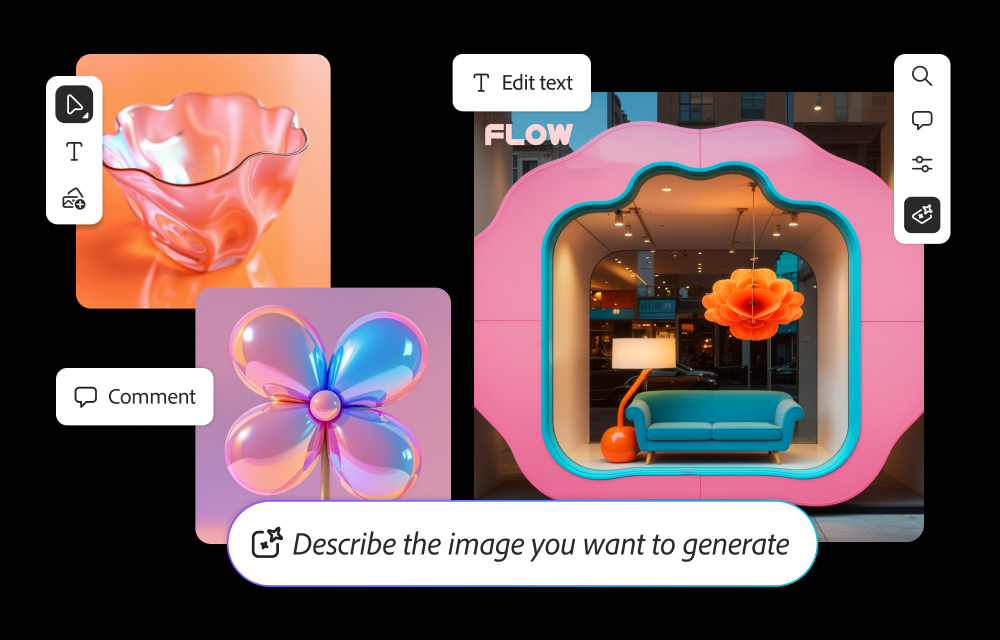
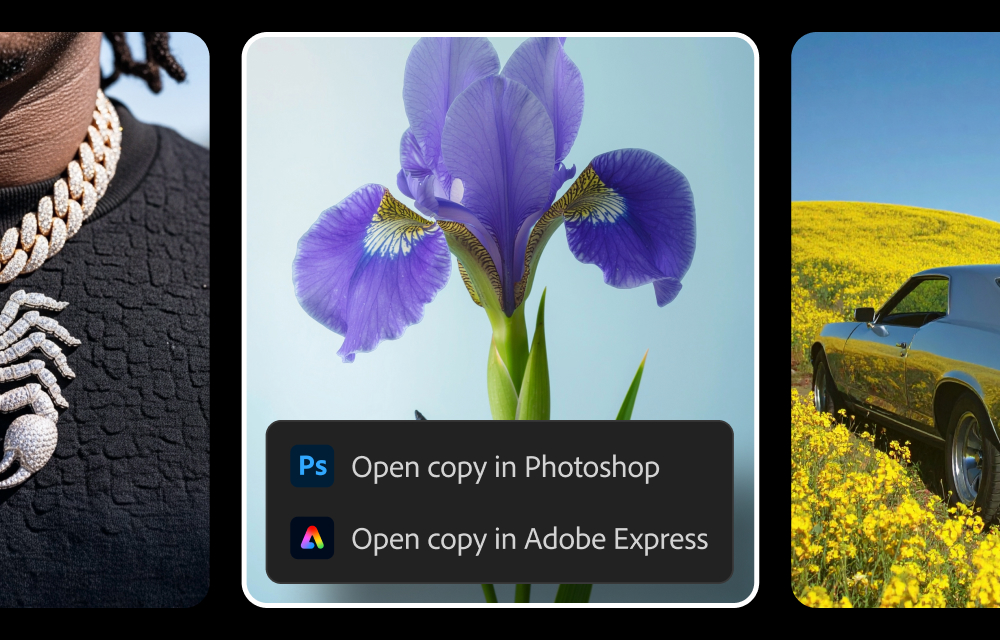
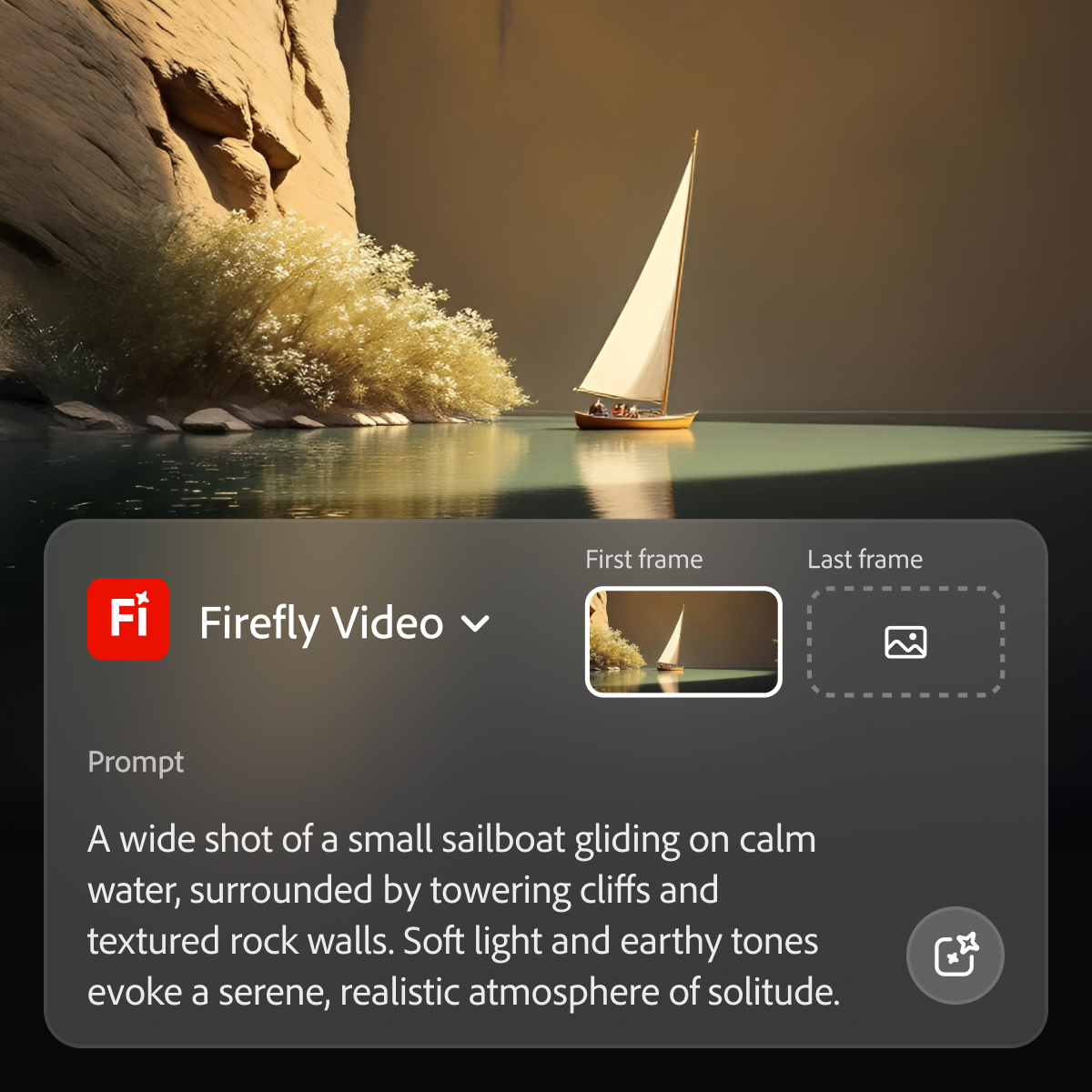
Adobe's Firefly models and services power generative AI features in Adobe creative apps, with features that can be used in Photoshop, Premiere Pro (beta), and the Firefly web app.
$9.99
per month (1 user & 2000 generative credits per month)
InVideo AI
Score 8.5 out of 10
N/A
InVideo is an AI video generation platform used to create video ads, promo videos, and social media videos. InVideo features a library of 4000+ templates, a full-fledged editor, millions of stock videos and images, and effects.
$24
per month
Pricing
Adobe FireflyInVideo AI
Editions & Modules
No answers on this topic
Plus
$25
per month
Max
$60
per month
Offerings
Pricing Offerings
Adobe FireflyInVideo AI
Free Trial
YesYes
Free/Freemium Version
NoNo
Premium Consulting/Integration Services
NoNo
Entry-level Setup FeeNo setup feeNo setup fee
Additional Details20% discount for annual pricing.
More Pricing Information
Community Pulse
Adobe FireflyInVideo AI
Best Alternatives
Adobe FireflyInVideo AI
Small Businesses
InVideo AI
InVideo AI
Score 8.5 out of 10
iMovie
iMovie
Score 10.0 out of 10
Medium-sized Companies

No answers on this topic

iMovie
iMovie
Score 10.0 out of 10
Enterprises

No answers on this topic

Vyond
Vyond
Score 8.6 out of 10
All AlternativesView all alternativesView all alternatives
User Ratings
Adobe FireflyInVideo AI
Likelihood to Recommend
8.0
(87 ratings)
1.0
(3 ratings)
Likelihood to Renew
8.4
(2 ratings)
-
(0 ratings)
Usability
8.4
(87 ratings)
-
(0 ratings)
Support Rating
9.0
(1 ratings)
-
(0 ratings)
User Testimonials
Adobe FireflyInVideo AI
Likelihood to Recommend
Adobe
As I mentioned before, Adobe Firefly is a good AI generation tool, however it has both its pros and cons. If you are in a fast-paced scenario, streamlining your work and/or looking for momentary inspiration to get a project done is ideal; since it is integrated within the same Adobe suite (at least in Photoshop, Illustrator and Premiere Pro along with After Effects in beta) and usually saves you time in searches in browsers as well as in other services that, although they can help, are not fully integrated into the suite. However, as a downside, it must be clarified that since it is not perfect in content generation, you tend to waste some time trying to properly generate the prompt necessary for the optimal generation of the desired result. It is essential to clarify that it is also tiring that the prompt is not generated at all, causing you to fall behind in delivery times as well as in the quality of the material that was requested to be generated.
Read full review
InVideo
InVideo should always be used without hesitation. I highly recommend it to use for your video editing journey, because It's a wonderful piece of software that will make creating films a breeze for everyone. External individuals aren't required. Occasionally, the program will hang when editing big movies. The fact that my system isn't very strong might potentially be a factor in this. Before finding InVideo, I explored and performed trials with dozens of various video providers. Most importantly, it offers the greatest customer support and is the smoothest to use!
Read full review
Pros
Adobe
  • Generative fill is a real time-saver, enabling us to modify images to suit our needs quickly and easily.
  • Text to image is an effective and fun tool to use, enabling us to create hard-to-find images for projects, or to create fantasy-like images that would otherwise require lots of manual effort to generate.
  • Firefly enables non-designers and artists to generate ideas, helping them to brief the design team in more detail.
Read full review
InVideo
  • quick editing
  • photo resizing cropping
  • fitting content in different format
  • background music
  • different slideshow effects
Read full review
Cons
Adobe
  • Has mild compatibility issues depending on what software or needs you have pre existing.
  • While it does have deep customization, the areas it can apply to are bit narrow. It’s good quality, but we still find a few missing features and often supplement with human interaction.
  • Has a bit of a problem with file size uploads, which is tough in media related tasks.
Read full review
InVideo
  • Requires a good & stable internet connection for smooth working.
  • Switch between templates can't possible.
  • Long and time-consuming procedure of exporting.
Read full review
Likelihood to Renew
Adobe
Adobe Firefly is a very useful tool. It is compatible with my other graphic design tools in the Adobe Suite. It performs well and I have an understanding of many of its capabilities. Due to those factors alone, I find that I am able to incorporate it into my workflow pretty seamlessly.
Read full review
InVideo
No answers on this topic
Usability
Adobe
I’m giving Adobe Firefly a 6 because, while it’s great for quickly generating design options, it has its limitations. It’s user-friendly for basic tasks and definitely helps speed things up, but when we need more customization or a specific style, it can feel a bit restrictive. The collaboration tools are also somewhat limited, which can be challenging for larger teams working together. Overall, it’s a helpful tool, but there’s room for improvement in advanced features and team collaboration.
Read full review
InVideo
No answers on this topic
Support Rating
Adobe
No major problems with support on this end.
Read full review
InVideo
No answers on this topic
Implementation Rating
Adobe
As I have noted in previous answers, the integration of Adobe Firefly is already done for you. It is part of the Adobe Suite and works seamlessly with all other Adobe products. If you don't happen to use Adobe products, it works just like any other AI image creation tool in that you can save and download your creations to edit in whatever software tools you prefer.
Read full review
InVideo
No answers on this topic
Alternatives Considered
Adobe
Midjourney was not in this list but that is the most similar to Firefly in my opinion. I find that Adobe Firefly and Midjourney have a lot of overlap. The generative fill options on Photoshop and Illustrator also include very similar use cases with generating photography and extending areas of a photo to imagine outside of the crop.
Read full review
InVideo
I also used Powtoon for video-making service before InVideo. I am using InVideo for the last year and I found it very beneficial & effective than Powtoon because InVideo provides lots of features like Bulk Uploading, Closed captions, Engagement Tracking, Inside the Video Search, Speed Adjustment, Video Looping, and much more which are not provided by Powtoon. That is the main reason to choose InVideo against it.
Read full review
Return on Investment
Adobe
  • Overall, we have eliminated one of our paid stock subscriptions since we can get a good bit of image support through Adobe AI integrations
  • We are still at a bit of a break-even with firefly if you consider the credits cost and the additional "touchup" time needed when the AI generated image is not quite there.
  • Again, I think in 2-3 years, Firefly will be a bigger part of our daily workload. Right now, its more of a novelty that can help with quick fixes, an icon, a background pattern...just moving towards less stock resources and towards generating our own through ai
Read full review
InVideo
  • PR is very good and so many positive response
Read full review
ScreenShots

Adobe Firefly Screenshots

Screenshot of how to generate images from text prompts and edit them within Firefly.Screenshot of where to send generated images from Firefly to Photoshop and Express.Screenshot of where to generate videos from prompts within Firefly.