Adobe XD vs. SAP Signavio Process Transformation Suite

Overview
ProductRatingMost Used ByProduct SummaryStarting Price
Adobe XD
Score 6.1 out of 10
N/A
Adobe XD is a prototyping and UX/UI option for website and mobile application design, featuring a range of UI tools and and templates, a versatile artboard and contextual layer panels, and deep integration with Adobe's creative suite of products for fast import of objects from these applications.
$33.99
per month per license
SAP Signavio Process Transformation Suite
Score 7.7 out of 10
N/A
The SAP Signavio portfolio offers an integrated platform that helps usersto realign the organization and bring changes, with a suite of products that support business processes. The SAP Signavio portfolio offers a range of business transformation solutions to serve the emerging practice of customer excellence (CEX). SAP Signavio solutions bring together a full 360-degree view of outside-in and inside-out thinking, translating experiences into operational reality by putting the customer at the…N/A
Pricing
Adobe XDSAP Signavio Process Transformation Suite
Editions & Modules
Individual
$9.99 ($119.88)
per month (annual, prepaid)
Students & Teachers - All Apps
$19.99 ($239.88)
per month, annual plan (for the year)
Business - Single App
$33.99
per month per license
Business - All Apps
$79.99
per month per license
Schools & Universities - Institution Wide
Contact Sales
No answers on this topic
Offerings
Pricing Offerings
Adobe XDSAP Signavio Process Transformation Suite
Free Trial
NoYes
Free/Freemium Version
NoNo
Premium Consulting/Integration Services
NoNo
Entry-level Setup FeeNo setup feeOptional
Additional Details
More Pricing Information
Community Pulse
Adobe XDSAP Signavio Process Transformation Suite
Considered Both Products
Adobe XD
Chose Adobe XD
Adobe XD used to be able to stack great, but I would select Figma over Adobe XD any day. Much better features, better quality of life features and includes darkmode. Another great part of Figma is the fact you can strickly use it in a browser without having to install any apps, …
Chose Adobe XD
So far I've had minimal issues with Photoshop, Illustrator, and InDesign. All my issues have been with Adobe XD simply not being that great.
Chose Adobe XD
More and more competitors, agencies, start-ups, tech companies are using Figma instead of Adobe XD or sketch so our company is trying to get licenses of Figma in addition to Adobe XD. At a large company like us, we already have an Adobe Creative Cloud license so it makes sense …
Chose Adobe XD
First off if we talk about Sketch, then Adobe XD has the upper hand because it supports both Windows and Apple Macintosh. Then coming on Axure RP, Adobe XD is far better than Axure. Because it comes with extensive features. Finally, about Figma, Figma is the only rival to Adobe …
Chose Adobe XD
Figma is also a very good product, but the reason we are still using Adobe XD is because we can grab this software and have multiple projects that are going on at the same time, so it's very hard for to move on to other software. ** The Repeat Grid Feature is super good and, in …
Chose Adobe XD
If we compare with Sketch, I would still prefer Adobe XD. Sketch is a pioneer as a UI design tool, but the features and integration (without plugins) that Adobe XD provides are number 1, especially on the prototyping side.
Chose Adobe XD
Before XD came to the company, screens were designed in Illustrator or Photoshop and a PDF presentation was generated, which was extremely time-consuming. XD saved us a lot of time (and money) by generating interactive prototypes, which are much more tangible for the client …
Chose Adobe XD
A little change in layout can lead to massive process in Wix, Although templates and ADI system is good it makes issues sometimes. ADOBE XD has more powerful tools than it and for a customized website, It works very well. basic designing particles in the library can be used …
Chose Adobe XD
While I have used Zeplin, Invision, and Adobe XD on various projects, partly dependent on in-house client teams preferences, Adobe XD is the most familiar to me based on 20+ years [of] working within Adobe applications. They all can do most of what I am looking to do within …
Chose Adobe XD
Sketch, InVision, Affinity, Adobe After Effects, Adobe Illustrator CC, Adobe Photoshop, KeyShot and Balsamiq
Chose Adobe XD
It's a lot easier to prototype ideas and make mock-ups faster in Adobe XD than it is to in say Photoshop. Figma is fairly similar but XD works with the Adobe ecosystem and I feel is easier to learn and use and the way you can share XD links is what I really like.
Chose Adobe XD
I have tried Sketch to see how it compares to Adobe XD but that didn't last long and i will stick to XD.
Chose Adobe XD
Adobe XD is very comparable to most of the other wireframing and UX builders on the market. One of the big advantages is that it works on both a Mac & PC environment removing a possible tech barrier. The similarity with the other Adobe products makes it easy to get up to …
Chose Adobe XD
I do not use Sketch consistently as it is designed for Mac computers but Sketch is an alternative to consider if you don't have an Adobe Creative Cloud Subscription. Sketch is a one-time charge, has an intuitive interface. There is a low learning curve and has useful …
Chose Adobe XD
Compared to Sketch, Adobe XD is perfectly capable for most prototyping needs that we have. And it's free! I am less familiar with Figma, but can only say that it was a cost-prohibitive choice at the time we were evaluating. I do believe that Figma has become more sophisticated …
Chose Adobe XD
Highlighted previously, but Sketch is likely a better product. We have XD included in Creative Cloud so it was no additional cost, and half the team is on Windows. Otherwise would be paying for Sketch.
Chose Adobe XD
Adobe XD is a very useful tool for building wireframes, but I've now turned to Figma for my go-to wireframing and prototyping software. The thing that both Adobe and Figma have going for them is that they're available on Windows, as well as Mac. A lot of tools are Mac-only. …
Chose Adobe XD
I think in the next year XD will make Sketch irrelevant. It's sad to see giants like Adobe flat out copying independent companies, but it's hard to say no when XD is already included in my CC subscription. They have (mostly) the same features, so it's just a no-brainer.
Chose Adobe XD
We actually use Figma, Sketch, and InVision along with XD in our design practice. We mainly use XD on quick prototypes or experimentation for mobile projects. We always end up falling back to Sketch+InVision for our Design System Implementations and developer collaboration …
Chose Adobe XD
I'm still trying to explore why I should choose XD over Figma.
Chose Adobe XD
In terms of visualization, it is best when compared to any other software.
Chose Adobe XD
We have used Sketch software alongside Adobe XD to make prototypes and wireframes of our projects. There are some features which are exclusively available into Sketch and we don't want our clients to get shorted on any features, so that's why we use both.
Chose Adobe XD
Standard Adobe type expectations as far as integrating with other apps.
SAP Signavio Process Transformation Suite
Chose SAP Signavio Process Transformation Suite
I reviewed Chelonia as it has a lot of reviews that it is more user friendly than Signavio. I have also seen that it integrates well with UI Path which is helpful with RPA. Ultimately went forward with Signavio due to the cost of Celonis. I hope I made the right decision.
Chose SAP Signavio Process Transformation Suite
was a bundle offering years ago
Chose SAP Signavio Process Transformation Suite
faster , simpler, better
Chose SAP Signavio Process Transformation Suite
due to better connection with SAP product and usage of SAP best practices
Chose SAP Signavio Process Transformation Suite
Simpler tu use and more modern
Chose SAP Signavio Process Transformation Suite
SAP Signavio Process Transformation Suite stacks up mainly in collaboration features and definition of standards.
Chose SAP Signavio Process Transformation Suite
Easier to use and understand. Users liked it and rated it better!
Chose SAP Signavio Process Transformation Suite
Yes, SAP Signavio Process Transformation Suite is much more advanced and robust tool. While Visio helps visualize process in a good way, it lacks an analysis or reporting feature making it a basic tool.
Chose SAP Signavio Process Transformation Suite
SAP Signavio Process Collaboration Hub is a standout feature, providing a centralized platform for stakeholders to access, share, and collaborate on process models in real-time. This level of collaboration was superior to what we experienced with other tools such as Lucidchart …
Chose SAP Signavio Process Transformation Suite
User friendly interface with wide variety of process design and modelling features, which is easy to learn and understand. Plus, it is from a reputed brand SAP, hence clients readily accept this choice of tool for modelling.
Chose SAP Signavio Process Transformation Suite
Celonis is more matured and easy to use
Chose SAP Signavio Process Transformation Suite
Signavio loses in process mining capability against Celonis in many areas like usability and look and feel. Signavio is superior in its BPM related capabilities against e.g. QPR and MS Visio due to its feature set. Against all of them Signavio has better overall solution suite …
Chose SAP Signavio Process Transformation Suite
Celonis
Chose SAP Signavio Process Transformation Suite
We are involved in a sap erp implementation and signavio was the easiest choice, the team appreciate mostly the collaboration hub.
Chose SAP Signavio Process Transformation Suite
The features we knew from Signavio regarding approval workflows were the reason why we considered Signavio as our single source of truth for processes. But the possibilities are much wider. That is what we learned during the last couple of weeks and months during our project. …
Chose SAP Signavio Process Transformation Suite
User-friendliness was a key determinant. The other main reason was already having other SAP systems implemented across the company.
Chose SAP Signavio Process Transformation Suite
The application is very simple to use and provides a number of features that allow me to visually represent my thoughts and ideas. Particularly intriguing to me is the potential for real-time collaboration with clients and external partners. This greatly facilitates teamwork …
Chose SAP Signavio Process Transformation Suite
We were able to end the use of archive versions thanks to SAP Signavio Process Transformation Suite, and everyone has access to the most recent archive. Mac and Windows users can collaborate on a single document. A design tool that spans the concept phase, design phase, and …
Chose SAP Signavio Process Transformation Suite
We considered a number of comparable solutions, including Lucidchart and Bizagi, before settling on SAP Signavio. Although they have respectable process mapping capabilities, none of these solutions could compare to SAP Signavio's sophisticated process simulation and seamless …
Chose SAP Signavio Process Transformation Suite
We considered alternatives like Microsoft Visio and Bizagi before deciding on SAP Signavio Process Transformation Suite. Although these technologies have their advantages, SAP Signavio Process Transformation Suite stood out thanks to its user-friendly design, powerful …
Chose SAP Signavio Process Transformation Suite
Business process management platform, Bizagi, is powerful but often too complex for smaller organizations. This is why our team opted for SAP Signavio, which offers simplicity and ease of use making it a more practical choice. SAP Signavio offers the right balance of features …
Chose SAP Signavio Process Transformation Suite
I have not evaluated other products as we were looking to implement S4 and use Signavio for business process mapping
Features
Adobe XDSAP Signavio Process Transformation Suite
Reporting & Analytics
Comparison of Reporting & Analytics features of Product A and Product B
Adobe XD
-
Ratings
SAP Signavio Process Transformation Suite
7.6
Ratings
7% below category average
Dashboards00 Ratings7.70 Ratings
Standard reports00 Ratings8.20 Ratings
Custom reports00 Ratings7.00 Ratings
Process Engine
Comparison of Process Engine features of Product A and Product B
Adobe XD
-
Ratings
SAP Signavio Process Transformation Suite
8.0
Ratings
5% below category average
Process designer00 Ratings8.80 Ratings
Process simulation00 Ratings9.00 Ratings
Business rules engine00 Ratings7.10 Ratings
SOA support00 Ratings8.50 Ratings
Process player00 Ratings7.40 Ratings
Support for modeling languages00 Ratings8.90 Ratings
Form builder00 Ratings8.10 Ratings
Model execution00 Ratings6.40 Ratings
Collaboration
Comparison of Collaboration features of Product A and Product B
Adobe XD
-
Ratings
SAP Signavio Process Transformation Suite
8.1
Ratings
4% below category average
Social collaboration tools00 Ratings8.10 Ratings
Content Management Capabilties
Comparison of Content Management Capabilties features of Product A and Product B
Adobe XD
-
Ratings
SAP Signavio Process Transformation Suite
7.2
Ratings
13% below category average
Content management00 Ratings7.20 Ratings
Best Alternatives
Adobe XDSAP Signavio Process Transformation Suite
Small Businesses
OmniGraffle
OmniGraffle
Score 9.1 out of 10
Square 9 Softworks
Square 9 Softworks
Score 9.1 out of 10
Medium-sized Companies
OmniGraffle
OmniGraffle
Score 9.1 out of 10
Square 9 Softworks
Square 9 Softworks
Score 9.1 out of 10
Enterprises
OmniGraffle
OmniGraffle
Score 9.1 out of 10
CMW Platform
CMW Platform
Score 8.9 out of 10
All AlternativesView all alternativesView all alternatives
User Ratings
Adobe XDSAP Signavio Process Transformation Suite
Likelihood to Recommend
5.5
(0 ratings)
7.7
(0 ratings)
Likelihood to Renew
7.7
(0 ratings)
7.1
(0 ratings)
Usability
5.5
(0 ratings)
6.7
(0 ratings)
Availability
-
(0 ratings)
8.0
(0 ratings)
Performance
-
(0 ratings)
7.0
(0 ratings)
Support Rating
8.3
(0 ratings)
7.8
(0 ratings)
Implementation Rating
10.0
(0 ratings)
8.4
(0 ratings)
Configurability
-
(0 ratings)
8.0
(0 ratings)
Product Scalability
-
(0 ratings)
10.0
(0 ratings)
Vendor post-sale
-
(0 ratings)
5.0
(0 ratings)
Vendor pre-sale
-
(0 ratings)
8.0
(0 ratings)
User Testimonials
Adobe XDSAP Signavio Process Transformation Suite
Likelihood to Recommend
Adobe XD is particularly useful and extremely easy to learn if you are a designer or a frequent user of the Adobe Creative Suite. Like all Adobe software, the tools, shortcuts, and interface are very similar to each other and allow for easy migration. Now, if you are not a frequent user of Adobe, it will probably cost a bit more to learn how to use the software, plus it is probably not going to be worth the price just for Adobe XD.
Read full review
Pros: 1. It reduces technical debt and accelerates a smooth transition, while harmonizing across data migration regions which replaces the legacy customization that are not for S4/HANA. 2. It cuts operational cost by 30% - 40% and improves SLA adherence, while process intelligence identifies duplicate or redundant approval steps when we know SAP ecosystems ties all modules together for better data insights. Cons: 1. Complicated and costly for small businesses. 2. Mature process required for better data feeding and data insights. 3. If non-SAP system data feed might cause misleading and incomplete data insights
Read full review
Pros
  • Wireframing/high fidelity mockups. We're using it for both responsive websites and apps.
  • Prototyping. It just gets better with each update, especially with auto-automate.
  • Ridiculously small learning curve. In my opinion, everything seems to be just where I would expect it to be, especially being familiar with other Adobe products.
Read full review
  • We primarily use SAP Signavio Process Transformation Suite to create UX designs and concepts as well as A/B test variants.
  • Specifically, SAP Signavio Process Transformation Suite NOS serves as a design tool for our internal and external UX designers.
  • We are able to communicate design ideas across all corporate directions.
Read full review
Cons
  • Doesn’t have image editing tools, so having to go back to Photoshop or Lightroom just to make a sight edit can be a pain.
  • Could add some text editing functionality. It feels silly that I have to draw a line under text when I should just be able to underline.
  • Would be nice to have some real-time collaboration functionality.
Read full review
  • One small disadvantage is that the mobile app has fewer features than the web interface. It is primarily handy for viewing process maps while on the go.
  • Another minor drawback is that, based on the complexity of your operations, the process of onboarding and setup may require a considerable amount of time, necessitating several weeks of onboarding activities.
  • Finally, a handful of the third-party integrations felt functionally tacked on. But, the basic product works flawlessly.
Read full review
Likelihood to Renew
We utilize many of the applications in the Adobe CC suite and our usage of this application came about simply because it was the one that was already paid for. Bearing that in mind we will definitely be renewing the software upon the expiration of the licensing. I am not sure if this is the solution we would go with were it not already included, we would have to evaluate all other options
Read full review
Straight forward and smooth approach!
Read full review
Usability
Adobe XD is basically on life-support now, there are much better software out there that do everything XD can do, and a few that you don't even have to pay a monthly subscription fee on. While Adobe XD is great as shortcuts that are used in other CC software works, and its integration with CC is great. But it still lacks compared to its closest competitor.
Read full review
It's very simple and easy to use
Read full review
Reliability and Availability
No answers on this topic
Yes its always available
Read full review
Performance
No answers on this topic
Everything is very fast
Read full review
Support Rating
I have not had a need to connect with the Adobe XD support team as of yet, but from past experience when dealing with the other products, the support has been very very good, and I would have no reason to think that this product would be any different. There are a good number of training videos on the Adobe site for this product as well as on other social media sites so a quick search should let you find the answers in several different ways.
Read full review
Whenever we needed assistance, the support team was prompt and knowledgeable, providing clear and effective solutions to our issues.
Read full review
In-Person Training
No answers on this topic
Real useful trainings and hand ons
Read full review
Online Training
No answers on this topic
Very complete and useful for day to day operations
Read full review
Implementation Rating
Implementation was a snap
Read full review
Training is taking way longer than expected. We have had more than 50 hours of training and still do not feel proficient enough to do anything meaningful with Process Intelligence. The Process Insights are pretty intuitive but does take a willingness to dig in and explore, but in general good right out of the box.
Read full review
Alternatives Considered
Adobe XD used to be able to stack great, but I would select Figma over Adobe XD any day. Much better features, better quality of life features and includes darkmode. Another great part of Figma is the fact you can strickly use it in a browser without having to install any apps, but if you do install the apps, it works great if not better.
Read full review
The application is very simple to use and provides a number of features that allow me to visually represent my thoughts and ideas. Particularly intriguing to me is the potential for real-time collaboration with clients and external partners. This greatly facilitates teamwork and enables quick response to changes or fresh ideas. Another benefit of SAP Signavio Process Transformation Suite is the large number of applications that can be integrated and the ability to directly transfer concepts, mental maps, and solution blueprints to presentations. I am generally very pleased with SAP Signavio Process Transformation Suite, and I would highly recommend it to any business looking for an effective and user-friendly solution to foster the development of creative ideas and innovative foci
Read full review
Scalability
No answers on this topic
Definitely a 10!
Read full review
Return on Investment
  • The time it takes to design in Adobe XD is significantly faster. Saving time.
  • It boosts productivity, causing better ideas to be created.
  • It's easy to use and quick to learn. Not much of a learning curve so we can get to work pretty quickly.
Read full review
  • By locating and removing process bottlenecks and redundancies, SAP Signavio Process Transformation Suite has greatly improved our operational efficiency.
  • The software has been crucial in ensuring that our processes adhere to industry norms and regulations while lowering the risks associated with compliance.
  • Real-time collaboration capabilities in SAP Signavio Process Transformation Suite have accelerated cross-functional communication, facilitating quicker decision-making and more successful process upgrades.
Read full review
ScreenShots

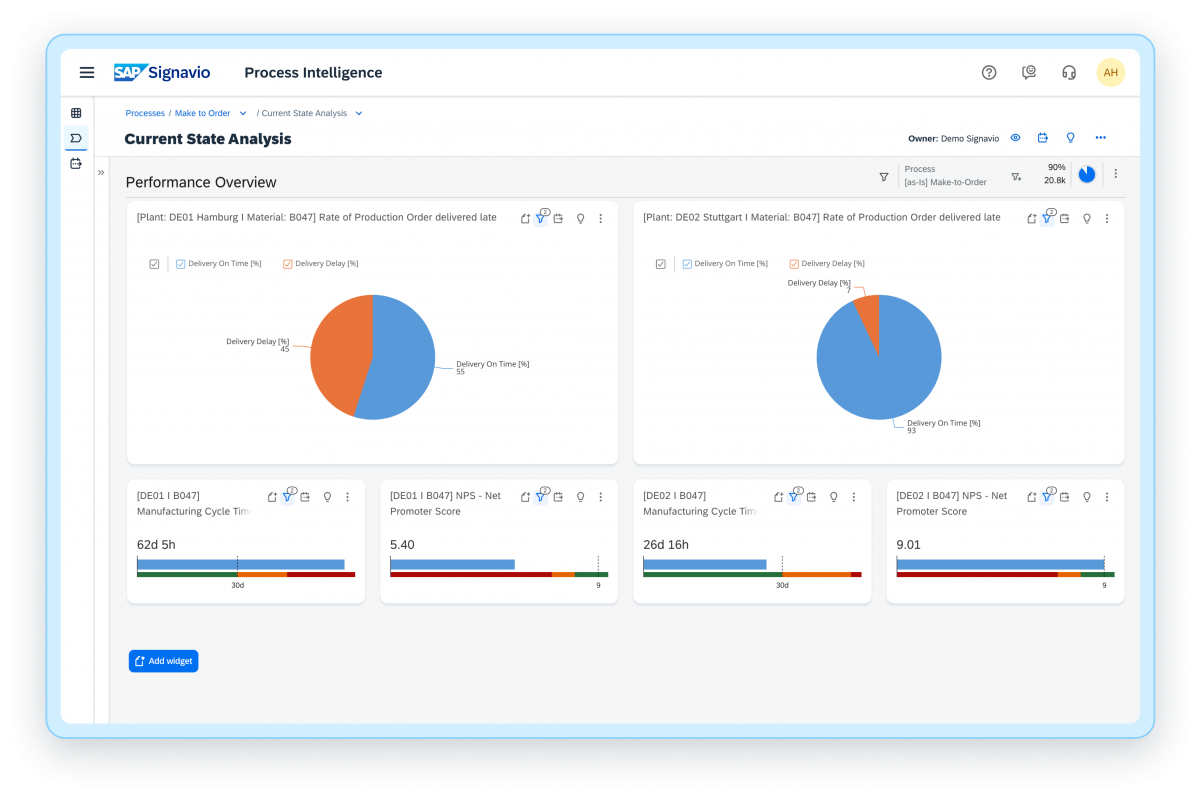
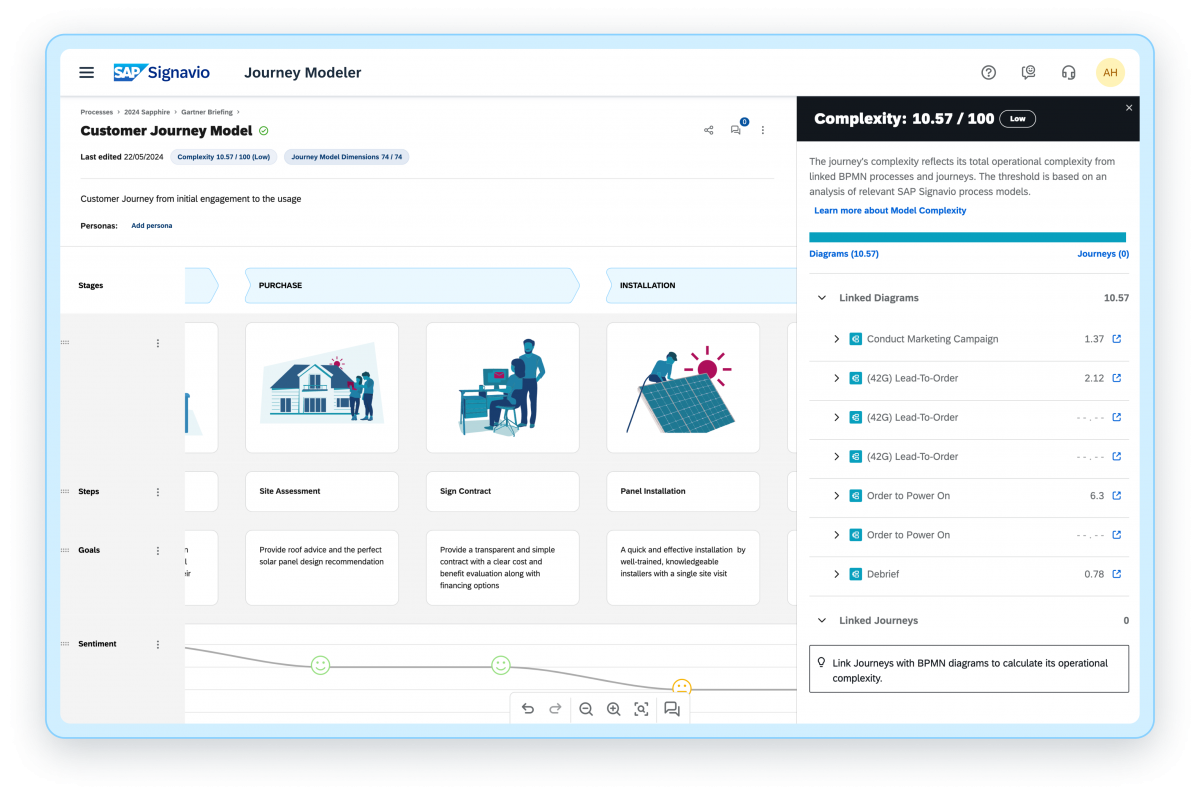
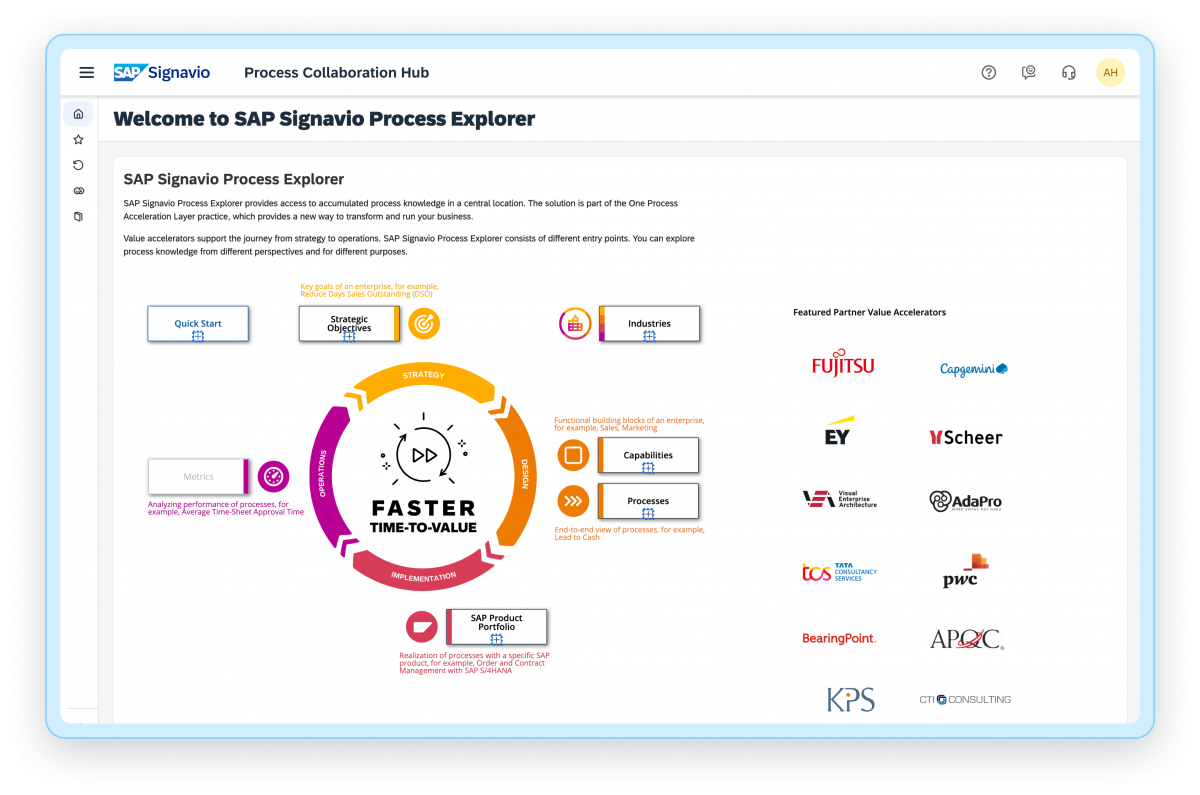
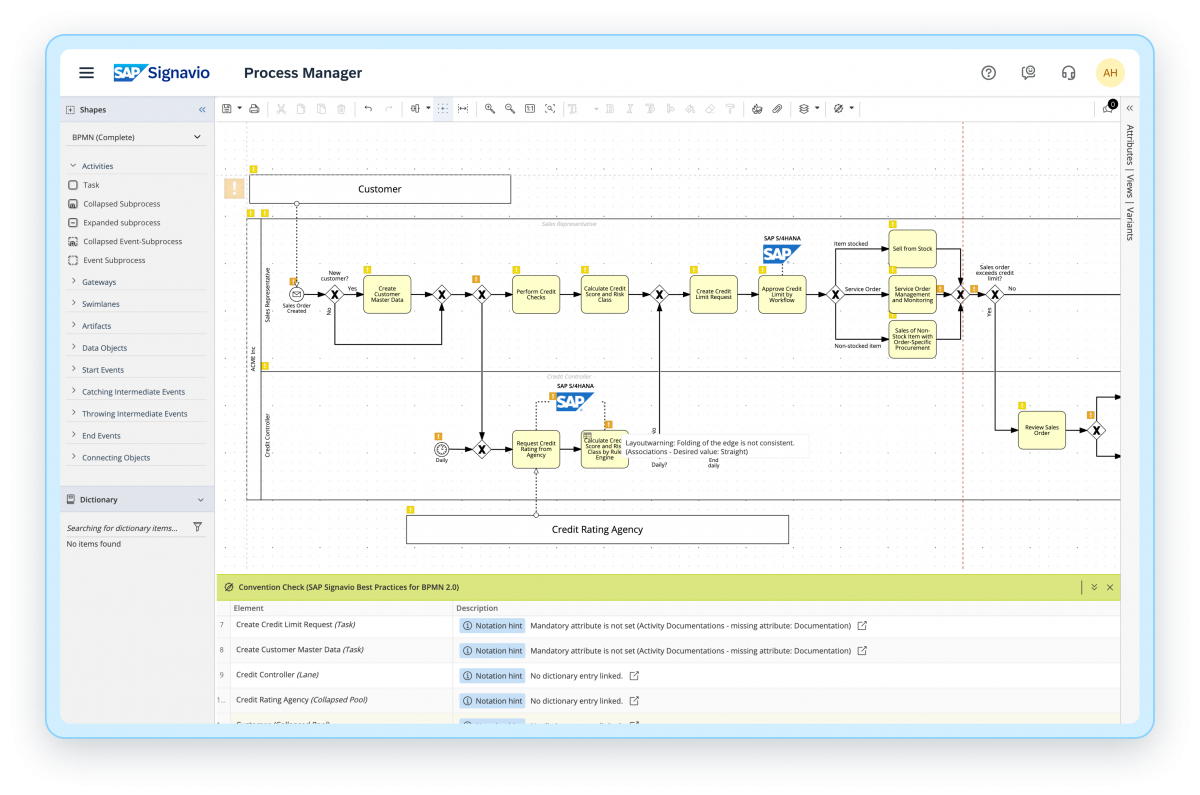
SAP Signavio Process Transformation Suite Screenshots
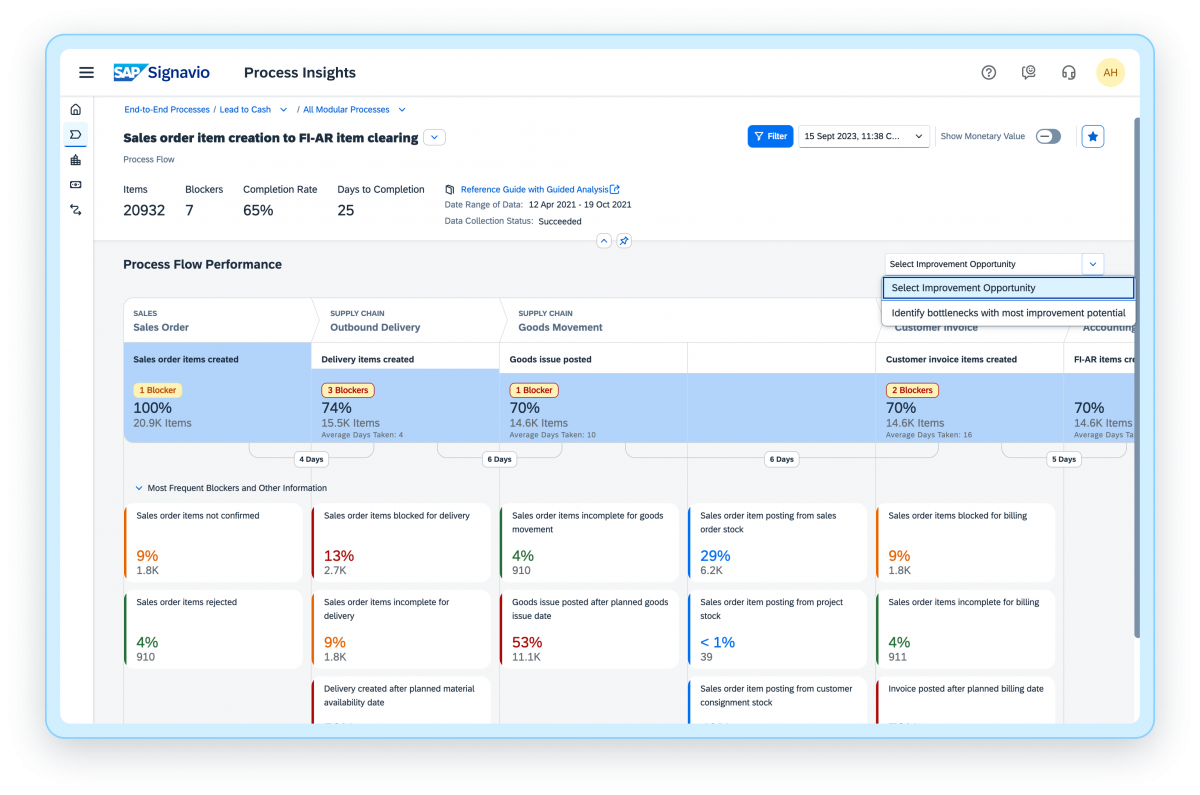
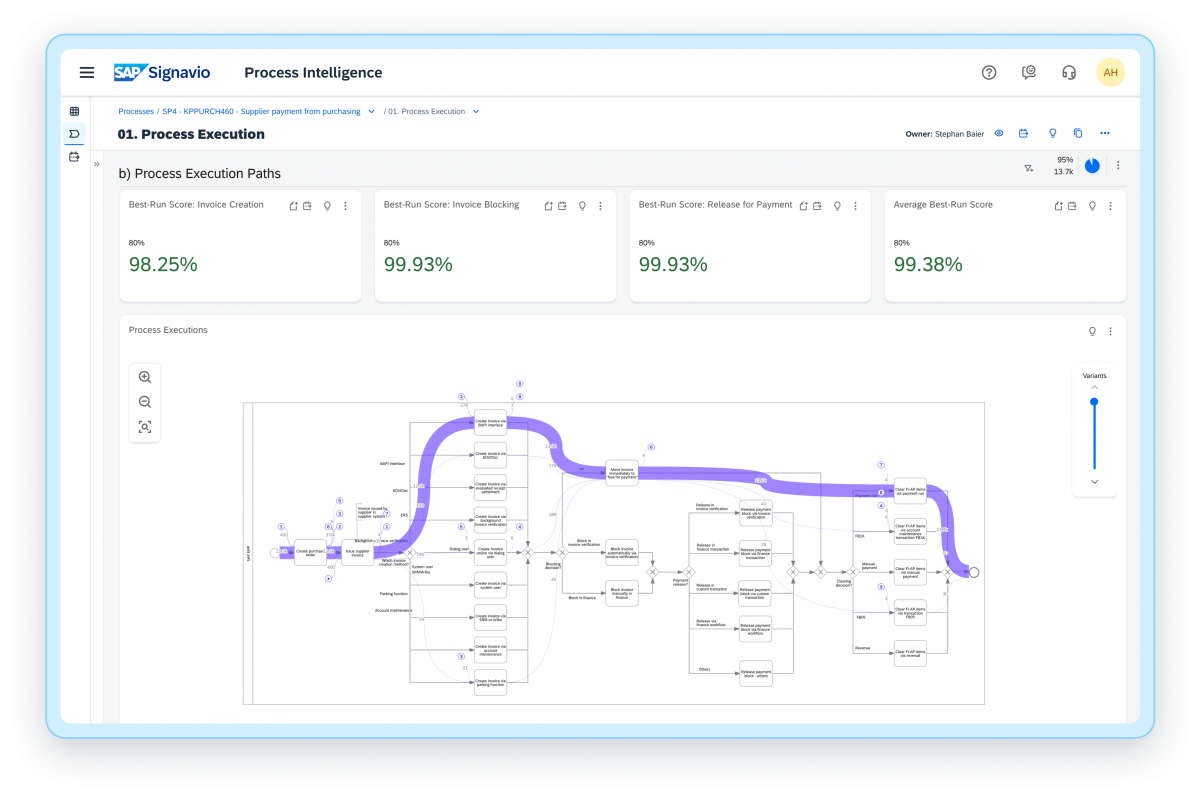
Screenshot of SAP Signavio Process InsightsScreenshot of SAP Signavio Process Intelligence - InvestigationScreenshot of SAP Signavio Process Intelligence - DashboardsScreenshot of SAP Signavio Journey Modeler - Journey Complexity ScoreScreenshot of SAP Signavio Process Explorer - Best practice and process knowledgeScreenshot of SAP Signavio Process Manager - Live Insights