Chose ADP ezLaborManager
ezLaborManager fits the smaller size of our company.

| Product | Rating | Most Used By | Product Summary | Starting Price |
|---|---|---|---|---|
 ADP ezLaborManager | Mid-Size Companies (51-1,000 employees) | ADP's ezLaborManager is a time tracking and attendance offering. | N/A | |
 UKG Workforce Central (discontinued) | N/A | UKG Workforce Central (formerly Kronos Workforce Central) was a suite of HR Management offerings targeted mainly at enterprise customers with larger-scale and more complex HR and workforce management issues. The product is discontinued. | N/A |
| ADP ezLaborManager | UKG Workforce Central (discontinued) | |||||||||||||||
|---|---|---|---|---|---|---|---|---|---|---|---|---|---|---|---|---|
| Editions & Modules |
| No answers on this topic | ||||||||||||||
| Offerings |
| |||||||||||||||
| Entry-level Setup Fee | Required | Required | ||||||||||||||
| Additional Details | — | — | ||||||||||||||
| More Pricing Information | ||||||||||||||||
| ADP ezLaborManager | UKG Workforce Central (discontinued) | |
|---|---|---|
| Considered Both Products | ADP ezLaborManager  Ryan Husbands, MBA, CPA Controller Chose ADP ezLaborManager It was the complete package. Resources & support were best in marketplace.  Adam Kasten, PHR Human Resources Generalist Chose ADP ezLaborManager ADP exLaborManager - I prefer ADP over the Paycor and Aon Hewitt timecard applications. This software was more user friendly, had easier access, reporting, and tracking hours than the others I have used. I am not saying the others are horrible, just that ADP was more simplistic …  Lucy Franco Andrade HR Director Chose ADP ezLaborManager Cost and time spent on implementation were factors. ADP is reputable as well. Concerns were costs are high and extra modules that should be part of the standard are high.  Kelsey Jackson Finance Director Chose ADP ezLaborManager QuickBooks. No comparison. |  UKG Workforce Central (discontinued)  Matt McGarvey Vice President Of Business Development Chose UKG Workforce Central (discontinued) UKG Workforce Central advertises itself as a more complete system, and it is. The main area of need for us at the time was the ability to manage overtime on the fly. It does that well enough. The integration with job boards is just OK. It could be better as it is not as fluid …  Grace Wachina Software Architect Chose UKG Workforce Central (discontinued) In comparison to Kronos, UKG Workforce Central offers an enhanced user experience. Employees are notified of their schedules for the coming weeks. The system allows users to view the work schedule of others on their team for that day, making shift swapping more convenient.  Jamaal Dickerson Certified Personal Trainer Chose UKG Workforce Central (discontinued) Kronos Workforce Central is a robust software and is very easy for everyone to use. From management to employees, each person plays their part in using the software and our department was able to learn how to use it right away. We are constantly still learning new things but …  Becca Guler Learning Specialist Chose UKG Workforce Central (discontinued) I used Oracle People Soft HCM for four years at my last organization and rarely had a good day with it. While I was not part of the selection process for Kronos as it was already in use at my new organization when I began there, I have found Kronos much simpler to use. Many of …  Betsy Scruggs Site Support Coordinator Chose UKG Workforce Central (discontinued) Kronos is the only company that isn’t company owned that I’ve used. I’ve used it at two different companies and really enjoy it.  John Pavarini Operations Supervisor Chose UKG Workforce Central (discontinued) Kronos and Dayforce are the two timekeeping systems I’ve worked with in recent years. Kronos feels a little more comprehensive and is my primary timekeeping tool both for myself as well as my staff. Kronos is a great tool for a wide range of shifts, working locations, and pay …  Juan Osegueda Payroll Manager Chose UKG Workforce Central (discontinued) Other than Kronos, I've only used Oracle Peoplesoft HCM for time and attendance. In comparing the two, I find that Kronos is far more high-end and busy and complicated, whereas PeopleSoft is simpler and to the point. With Kronos, there is some refining to do to it to get the …  Scott Richardson Applications Project Manager Chose UKG Workforce Central (discontinued) WFC was and still is - the best single point HR/PR and Timekeeping system on the market - bottom line.  Dan Hill Systems Administrator Chose UKG Workforce Central (discontinued) I have not been involved in the product selection process.  Raul Rodriguez Production Support - Level 3 Chose UKG Workforce Central (discontinued) I've worked with this when it was called e-time. Nowhere near as good as Kronos. |
| ADP ezLaborManager | UKG Workforce Central (discontinued) | |
|---|---|---|
| Small Businesses |  Traqq Score 9.1 out of 10 |  When I Work Score 8.6 out of 10 |
| Medium-sized Companies |  TimeClock Plus Score 9.5 out of 10 |  Paypro Workforce Management Score 9.7 out of 10 |
| Enterprises |  Zoho People Score 8.4 out of 10 |  Hubstaff Score 9.4 out of 10 |
| All Alternatives | View all alternatives | View all alternatives |
| ADP ezLaborManager | UKG Workforce Central (discontinued) | |
|---|---|---|
| Likelihood to Recommend | 8.0 (0 ratings) | 6.6 (0 ratings) |
| Likelihood to Renew | 8.0 (0 ratings) | 5.0 (0 ratings) |
| Usability | 7.0 (0 ratings) | - (0 ratings) |
| Availability | 7.0 (0 ratings) | - (0 ratings) |
| Performance | 7.0 (0 ratings) | - (0 ratings) |
| Support Rating | 8.1 (0 ratings) | 7.1 (0 ratings) |
| Online Training | 8.0 (0 ratings) | 8.0 (0 ratings) |
| Implementation Rating | 3.0 (0 ratings) | - (0 ratings) |
| Configurability | 5.0 (0 ratings) | - (0 ratings) |
| Ease of integration | 7.0 (0 ratings) | - (0 ratings) |
| Product Scalability | 7.0 (0 ratings) | - (0 ratings) |
| ADP ezLaborManager | UKG Workforce Central (discontinued) | |
|---|---|---|
| Likelihood to Recommend |
|
|
| Pros |
|
John Pavarini Operations Supervisor |
| Cons |
|
Juan Osegueda Payroll Manager |
| Likelihood to Renew |
Lucy Franco Andrade HR Director |
 Spencer Hamons, MSOL, CHCIO Deputy CIO / Director of Corporate Project Management |
| Usability |
Lucy Franco Andrade HR Director | No answers on this topic |
| Support Rating |
|
Jamaal Dickerson Certified Personal Trainer |
| Online Training |
Lucy Franco Andrade HR Director | No answers on this topic |
| Implementation Rating |
Lucy Franco Andrade HR Director | No answers on this topic |
| Alternatives Considered |
|
|
| Return on Investment |
|
|
| ScreenShots | ADP ezLaborManager Screenshots  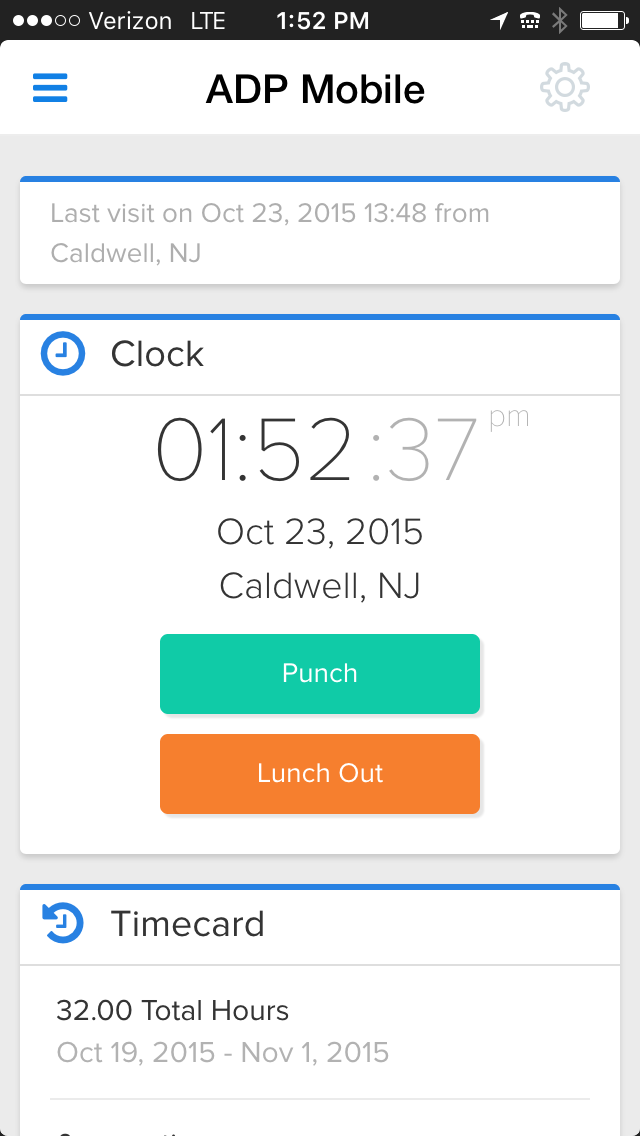 |