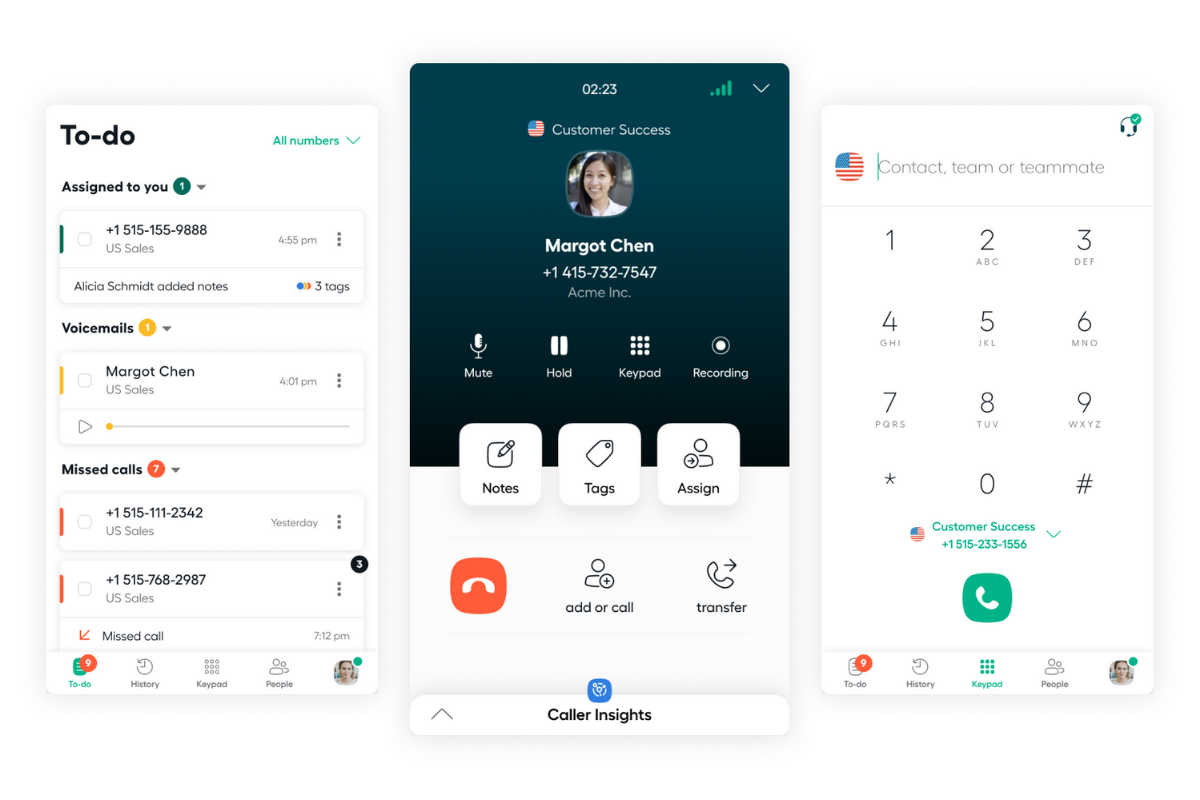
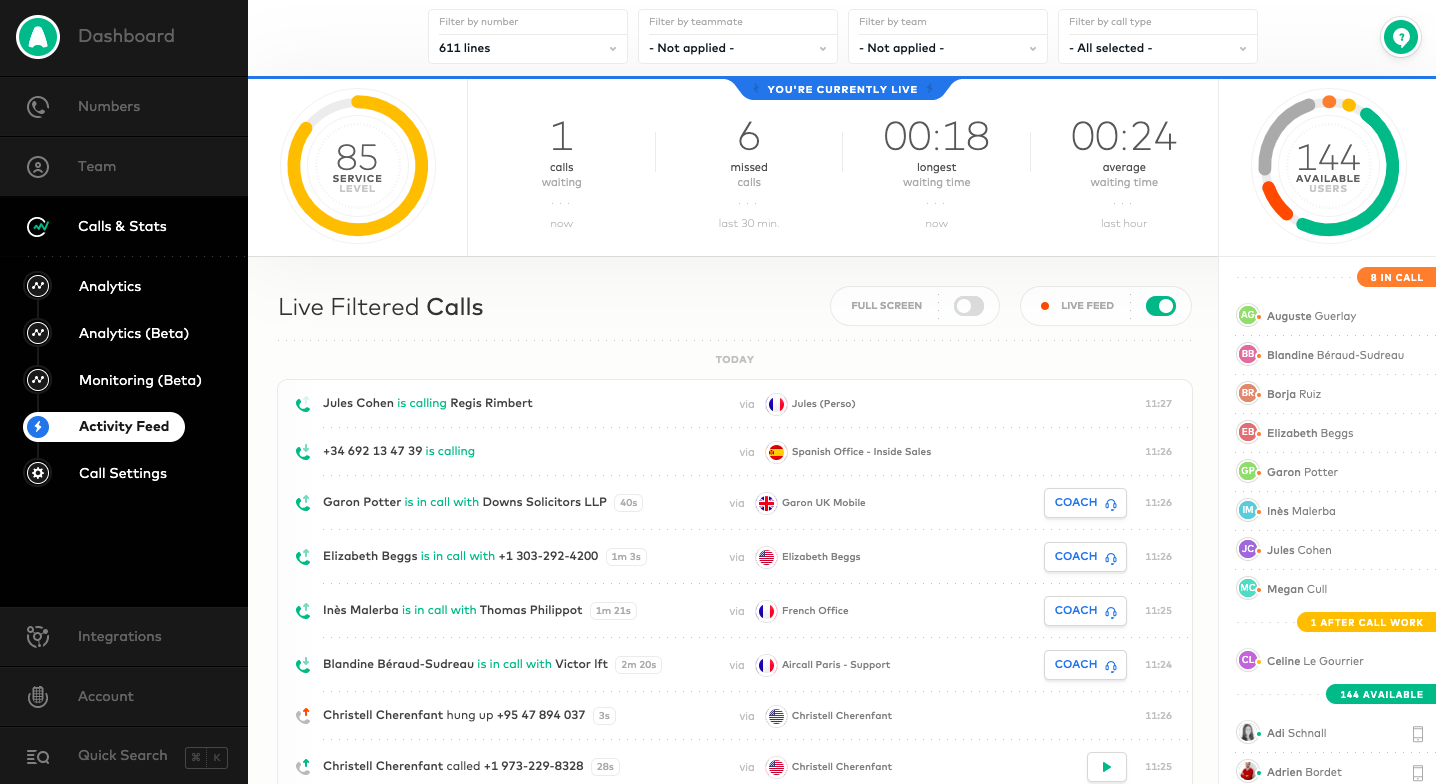
Aircall headquartered in Paris provides a VOIP system for business designed to support contact centers, featuring IVR and automated call routing, conference calls, shared call inbox and call notes, unlimited concurrent calls and call queuing, and many integrations with CRM or marketing systems to support a variety of support or sales purposes.
$30
per user/per month
Webex Contact Center
Score 9.0 out of 10
N/A
Cisco Webex Contact Center is a cloud-based omni-channel (e.g. voice, email, and chat) contact center solution providing customer / agent matching, customer service self-service agent, and built-in chat and voice for collaboration between agents.
Aircall’s integration to our CRM, salesforce is second to none. Right after a call is made it is uploaded into salesforce right away and is a great way for our reps to reference back on.
dialpad was far more of a struggle to access call recordings for my reps as not only was …
Aircall is a little different from Intercom in that it is specifically for phone and text BUT Intercom just released phone calls and texting options.....
Aircall has a better interface and IVR system then Groove. It also does a much better job integrating with our CRM (Salesforce) and pulling caller IDs from our database vs Groove. I prefer Aircall over Groove and HubSpot, primarily becasue we are a smaller organization and it …
I am not the right person to answer this because I don't make the purchase decisions within our company. I have worked with several companies, and every one of them has their tools. I particularly liked Aircall among all of them because of the different reasons I have already …
We have used Aircall for so long that I cannot remember the name of the company we were using beforehand. I remember that we did make the switch to Aircall because the connection was stronger. We often had call quality issues with the other guys. While this does occur every now …
Aircall is loads better than Grasshopper due to its ease of use and overall platform. Grasshopper is fine, but the price is about the same and Aircall is smoother (and prettier). The only disadvantage if moving from RingCentral to Aircall is the texting feature. Aircall does …
Zendesk could not help us expand our numbers abroad due to too restrictive regulations applied. Aircall however, if provided with appropriate documents, allowed us to keep existing phone numbers and expand them
We used to answer phone calls on our fix line when at the office. The quality was very bad but we had in mind that a VOIP solution would be too expensive. When lockdown began last year, I had to redirect calls on my own mobile phone which was not efficient. Also I couldn't …
Groove was easily integrated with Salesforce CRM and meant that certain administrative tasks were a lot easier and less time consuming to do. The standalone dialer application (Windows) is easier to use than the Groove dialer, and uses far less resources. The addition of …
The only thing that is better than Aircall against Google Meets, is that Google meets has a camera option. However, that is not applicable for speaking to customers, but rather team mates.
It is the first product that we have used. We have not evaluated another option.It is the first product that we have used. We have not evaluated another option.It is the first product that we have used. We have not evaluated another option.It is the first product that we have …
We previously used Grasshopper. It was cumbersome and the web option was not user-friendly. It did incorporate texting but would not integrate with our CRM so we switched to Aircall. Aircall's interface is nicer to use and we are happy with the switch.
They had strong support, but their connectivity was the worst out of all of them and their product was also probably the least customizable for your company.
Aircall is a more smooth and easy to use against other tools that are out in the market today. This is the tool I used for two different companies and by just that it proves how effective and good Aircall is. I love the functions and how user friendly it is.
Webex Contact Center works great in conjunction with the above product to produce a better system from businesses and more options to reach the maximum number of clients to make the business thrive. It makes it easier to reach all generations and remove any limitation or …
We use Webex Calling, but we chose to add Cisco Webex Contact Center to help direct calls to their intended destinations, depending on the time of day or night. So, not a direct competitor, but rather a helper. I would consider looking at Webex Contact Center if you need more …
In my opinion, Webex Contact Center can compete with Five9 Contact Center for small, less complex CX environments. Issue is when you are looking for a more complex, cloud base cx application, Five9 is more a better fit becuase of its maturity in the industry and how it can …
I think in general, they're all great products, I can't really say one is better than the other. I think building flows is somewhat easier in Webex Contact Center compared to the other two. Webex Contact Center was lacking some advanced features mainly in the AI and agent …
Due to the Cisco Ecosystem Integration we have migration step to transitioning from legacy Cisco contact center solutions (UCCX and this process was more easier to make with the Webex Contact Center. It is a Scalable Cloud Solution that help with the features that it have to …
The Webex Contact Center is somewhat on par with the feature set provided by Genesis Cloud. These are enterprise grade business solutions and provides rich end to end features. The Cisco solution works very in well within native Cisco environments and with the Cisco ecosystem. …
We trialed a fair few starting from anywhere, Microsoft 365 Call Center, the Genesys, 8x8 Contact Center. Some of the on-premise stuff. I think when it comes to the licensing model and just the flexibility of things, WebEx Center was a standout.
Webex Contact Center feels the most modern of the solutions we evaluated. It is an all in one package which required no capital expenditure up front. Webex Contact Center was able to integrate with the AI packages which our IT team investigating for future use. Webex Contact …
Calabrio and Webex Contact Center are both valuable for me working in tandem. They both provide their own information and processes that have become essential in delivering an efficient and effective working environment. They have allowed us to automate processes that were …
Have not performed any Five9 deployments so I am not 100% sure how they differ but the Webex Contact Center solution is very robust and well thawed out.
Customers will benefit a great deal from webRTC, out-of-the-box VoiceBot integration, easy management of all services using a single web-based portal, and better-expected stability using newer cloud server strategies compared to former redundant servers using the A and B sides.
They all have the niche, but I feel Webex is the most well rounded complete suite. It provides exactly what a business would need, from an onboarding, training, security, updates, road mapping all the way to great user experience and beyond.
Webex Contact Center has good customer support and the operators are happy. The operators initially had difficulties using the platform but the Webex team has guided multiple times to help the operators get used to the platform. Lead time to reply to students is also less on …
Amazon Connect appears to be a very complete system. But we still prefer to stick with Webex, as it is more accessible and cheaper in many ways. In our region, it is difficult to acquire Amazon Connect as well, and that is why we stayed with Webex. But since we're already …
Aircall is great for anyone who has multiple team members calling from the same number or a team that needs to call from many different numbers. The way Aircall allows users to organize people and numbers is extremely customizable and efficient. I think just about any business could benefit from using Aircall and highly recommend it!
It depends on your needs. If you only need simple call flows, consider using Cisco Webex Calling Auto-Attendant. If you require more complex call flows and time-of-day routing, you can utilize Cisco Webex Contact Center. You only have to purchase 1 Agent to use the Call Flow Designer.
Things that it does particularly well include a really good UX or UI so that our agents as well as our administrators, can easily provide remote access from agents, new agents, and old agents, manage interactions with customers, and have a good call experience from start to finish.
The uptime is a big selling point of Cisco.
I feel supposed by Cisco in terms of new features/functionality coming down the line.
No feature to update more than one phone line at the same time
Admins don't have access to the timeline of a call to see with which agent it rang
Missing agent-specific stats when your phone lines are organized in teams
If calls are setup to ring to a first group and then a second, if the whole first group is already busy, it does not go to the second group but puts the customer on hold
More on premise features integrated into the cloud solution.
Better documentation for pebble templates.
Better information for changes and when new features are available. Instead of having to look on the what’s coming webpage alerts or a pop-up inside Webex control hub would be nice.
I give this rating as aircall is very easy to use but also lacks a parallel dialing feature which makes it slower to use. aircall has a pretty seamless integration with salesforce which is helpful. For the cost it is definitely very reasonable but it also lacks a live coaching/listening feature which is very valuable as a manager.
We are happy with the product, with Cisco as a partner and the roadmap looks mightily impressive. Webex Contact Center is one of our growth areas so we're keen to get more agents on the platform, we want to get more customers on it and we want to make use of all the features and functionalities it offers, so that we can help our customers do what they do best.
I provide this rating based on my overall experience using Aircall. I have used it on my previous company as well and that being said, it is a proof that Aircall is a great tool to use in contact centers and with B2B businesses that has direct communication with clients.
It is great to use Webex Contact Center as it delivers the call routing and workflow for agent and call routing. In addition to this the noise reduction helps to focus attention on the call and with the client. The notes feature and the ability for the transcription really helps with translation and language barriers.
We've enjoyed using Aircall so far and have had no issues with it. The platform is easy to use, looks nice, and makes it easy to keep track of everything.
I am not the right person to answer this because I don't make the purchase decisions within our company. I have worked with several companies, and every one of them has their tools. I particularly liked Aircall among all of them because of the different reasons I have already mentioned before.
Webex Contact Center works great in conjunction with the above product to produce a better system from businesses and more options to reach the maximum number of clients to make the business thrive. It makes it easier to reach all generations and remove any limitation or obstetrical and makes the business have a better chance of success.
Because of the lack of local partnerships with South African telecoms companies, calls to South Africa is very expensive. This was not originally apparent when opening the Aircall account.
Not having the option to display a local South African number in the CLIP, means that people are not always eager to pick up the phone when they see an overseas number ringing.
The only positive impact has been the collaborative experience and being able to maintain a virtual office
No Capex required for this solution (which makes our CFO very happy)
Digital channels are builtin and therefore very easy to deploy
The built in CRM integration was missing features so we had to install a thirdparty connector which we had to pay for (and wasn't in our budget) in order to get the features which our business demanded