Aiwozo Automation Suite vs. Fortra’s Automate

Overview
ProductRatingMost Used ByProduct SummaryStarting Price
Aiwozo Automation Suite
Score 0.0 out of 10
N/A
Aiwozo Enterprise Automation Suite is an intelligent automation platform that facilitates digital transformation initiatives. The suite is a set of tools and functionalities for the discovery, management, development, and execution of automation bots within a unified environment. It offers tools to analyze and optimize processes while implementing Robotic Process Automation (RPA). Aiwozo has minimal coding requirements through its drag-and-drop features supplemented by AI integration. Aiwozo…
$14,000
per year per installation
Fortra’s Automate
Score 8.0 out of 10
N/A
Fortra's Automate (formerly HelpSystems Automate) is a robotic process automation platform for desktop applications. According to the vendor, it offers the ability to automate almost any business process, and no technical expertise is required—IT and business users alike can understand the drag-and-drop interface.N/A
Pricing
Aiwozo Automation SuiteFortra’s Automate
Editions & Modules
Starter
14,000
per year per installation
Professional
32,500
per year per installation
Enterprise
99,000
per year per installation
No answers on this topic
Offerings
Pricing Offerings
Aiwozo Automation SuiteFortra’s Automate
Free Trial
YesYes
Free/Freemium Version
YesNo
Premium Consulting/Integration Services
NoNo
Entry-level Setup FeeNo setup feeOptional
Additional Details
More Pricing Information
Community Pulse
Aiwozo Automation SuiteFortra’s Automate
Considered Both Products
Aiwozo Automation Suite

No answer on this topic

Fortra’s Automate
Chose Fortra’s Automate
It has similar usage cases and functions. However, many tools are stuck behind paywalls and always try to upsell you to the next version. It's very upsetting. Even if it's cheaper, whenever I try to replicate the functionality, I get that annoying message, "not available in …
Chose Fortra’s Automate
At an older job we used to use SSIS as kind of an automation tool as well as it could also be used to connect to FTP sources, read files, etc. AutoMate is simply centrally designed to be true automation software. It is much more robust, can work with a variety of software …
Best Alternatives
Aiwozo Automation SuiteFortra’s Automate
Small Businesses
airSlate WorkFlow
airSlate WorkFlow
Score 7.5 out of 10
airSlate WorkFlow
airSlate WorkFlow
Score 7.5 out of 10
Medium-sized Companies
SAP Extension Suite (discontinued)
Score 8.3 out of 10
SAP Extension Suite (discontinued)
Score 8.3 out of 10
Enterprises
IBM Robotic Process Automation
Score 8.8 out of 10
IBM Robotic Process Automation
Score 8.8 out of 10
All AlternativesView all alternativesView all alternatives
User Ratings
Aiwozo Automation SuiteFortra’s Automate
Likelihood to Recommend
-
(0 ratings)
10.0
(0 ratings)
Usability
-
(0 ratings)
10.0
(0 ratings)
Support Rating
-
(0 ratings)
10.0
(0 ratings)
User Testimonials
Aiwozo Automation SuiteFortra’s Automate
Likelihood to Recommend
No answers on this topic
Anything where automation would be helpful, I'd recommend. If you're doing a task over and over again, Automate can likely work and do it for you. It helps to keep things running exactly the same so that when failures occur, they can easily be traced to their source.
Read full review
Pros
No answers on this topic
  • Wiki pages
  • Blogs
  • Articles
  • Triggers
  • Building crons
  • Automating daily tasks
Read full review
Cons
No answers on this topic
  • There should be more tools around system stability and recovery.
  • Better ways to manage resources to prevent OS crashes.
  • Automate backups internally without tasks.
  • System failure alerts if the machine crashes or reboots.
Read full review
Usability
No answers on this topic
It's just very easy to use, extremely versatile, and very reliable. It's hard to find use cases where it won't work.
Read full review
Support Rating
No answers on this topic
Support is very helpful and responsive, although using the tool is very user-friendly, so I hardly use the service.
Read full review
Alternatives Considered
No answers on this topic
It has similar usage cases and functions. However, many tools are stuck behind paywalls and always try to upsell you to the next version. It's very upsetting. Even if it's cheaper, whenever I try to replicate the functionality, I get that annoying message, "not available in this version." As an IT professional who needs approval for every purchase, I can't keep asking for upgrades to existing tools.
Read full review
Return on Investment
No answers on this topic
  • Positive: Reliability on FTP jobs - really important on bank files.
  • Negative - annual support a little pricey - but not unusual for this level of software.
  • Positive: Does not require a dedicated administrator, especially after the jobs are created and tested. I perform other job duties and this rarely interferes with them.
  • Positive - Since it is easy to learn and use it makes it easy to have a back up administrator

Read full review
ScreenShots

Aiwozo Automation Suite Screenshots

Screenshot of the Aiwozo WorkZone, which is a centralized control mechanism for Aiwozo and all of its components. It provides reporting and monitoring capabilities to supervise and control the bots and processes from anywhere, using cloud-based feature. The WorkZone is a one-stop interface for starting, stopping, adding, fixing issues, and prioritizing Aiwozo Bots.Screenshot of Aiwozo Studio, which is a package for building software bots. It provides a drag-and-drop interface and tools for testing and debugging, so users can develop a digital workforce in no time. Aiwozo Studio contains pre-built activities, integrates with several languages, and offers the ability to custom-build activities. Aiwozo studio comes with intelli-sense and inbuilt error checks to ensure automations can begin in a matter of days.Screenshot of Aiwozo Discover, which helps identify, analyze, and visualize business processes within an organization. It allows organizations to understand how work is being done, identify bottlenecks and inefficiencies, and optimize processes for maximum efficiency and productivity. By automating discovery, organizations can uncover hidden processes, allowing them to make data-driven decisions that can improve overall performance. Aiwozo Discover also generates the Process Design Document (PDD) and pushes the available data into Aiwozo Studio to ease the development process. Aiwozo Discover helps reduce Bot development time.Screenshot of Aiwozo Unattended bots, which work independently without human intervention. They usually work on backend office functions, on predefined schedules, or using server-based triggers. Operating round the clock, Aiwozo Unattended bots keep an eye out for any new task coming either as an email, a file in a folder, or a specific time or anytime a new task enters the Queue.Screenshot of Aiwozo DocuBot, which is an Intelligent Document Processing (IDP) solution using AI and ML that reads data from scanned documents. It automatically extracts and analyzes information from various types of documents, such as invoices, KYC and government-issued documents, receipts, contracts, and forms. Aiwozo DocuBot automates the time-consuming and error-prone task of manual data entry and document classification, to improve the efficiency of document-related tasks. Aiwozo DocuBot is a unified console that gives access to pre-trained models and offers the flexibility to use one's own models. Built-in AI features for document classification and image enhancement give it an added edge.Screenshot of Aiwozo Integration Service, a cloud-based iPaaS (Integration Platform as a Service) framework that enables businesses to integrate and share data across multiple applications and systems. It allows organizations to connect different applications and data sources, automate workflows, and streamline business processes. The framework is used to build custom connections, but also offers pre-built connectors and APIs. This allows the tool to integrate with different systems and exchange data, and ensure it is consistent, accurate, and up-to-date across all applications. The API Integration platform offers other tools and features that enable users to design, deploy, and manage integrations without extensive coding or technical expertise.

Fortra’s Automate Screenshots

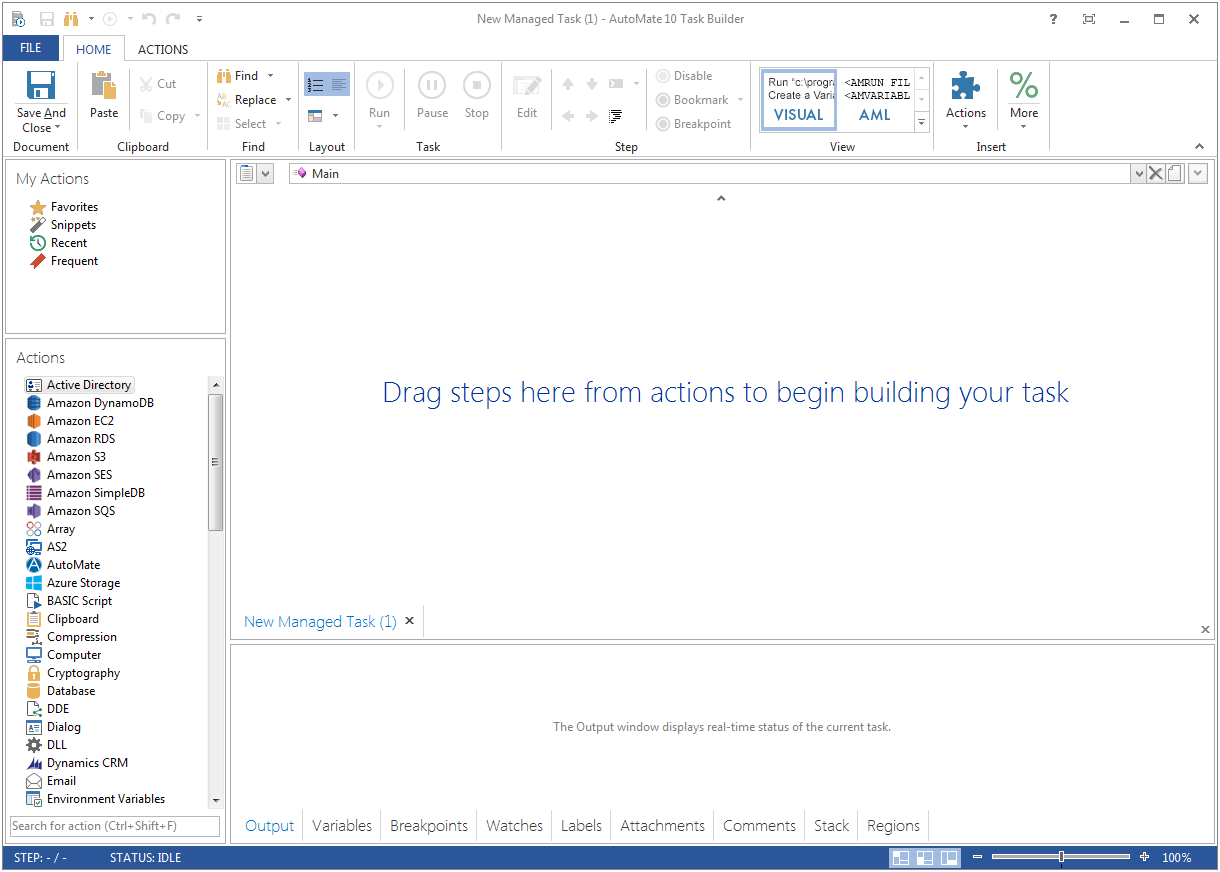
Screenshot of Screenshot of