TrustRadius: an HG Insights company

Fortra’s Automate

Score8 out of 10

16 Reviews and Ratings

What is Fortra’s Automate?

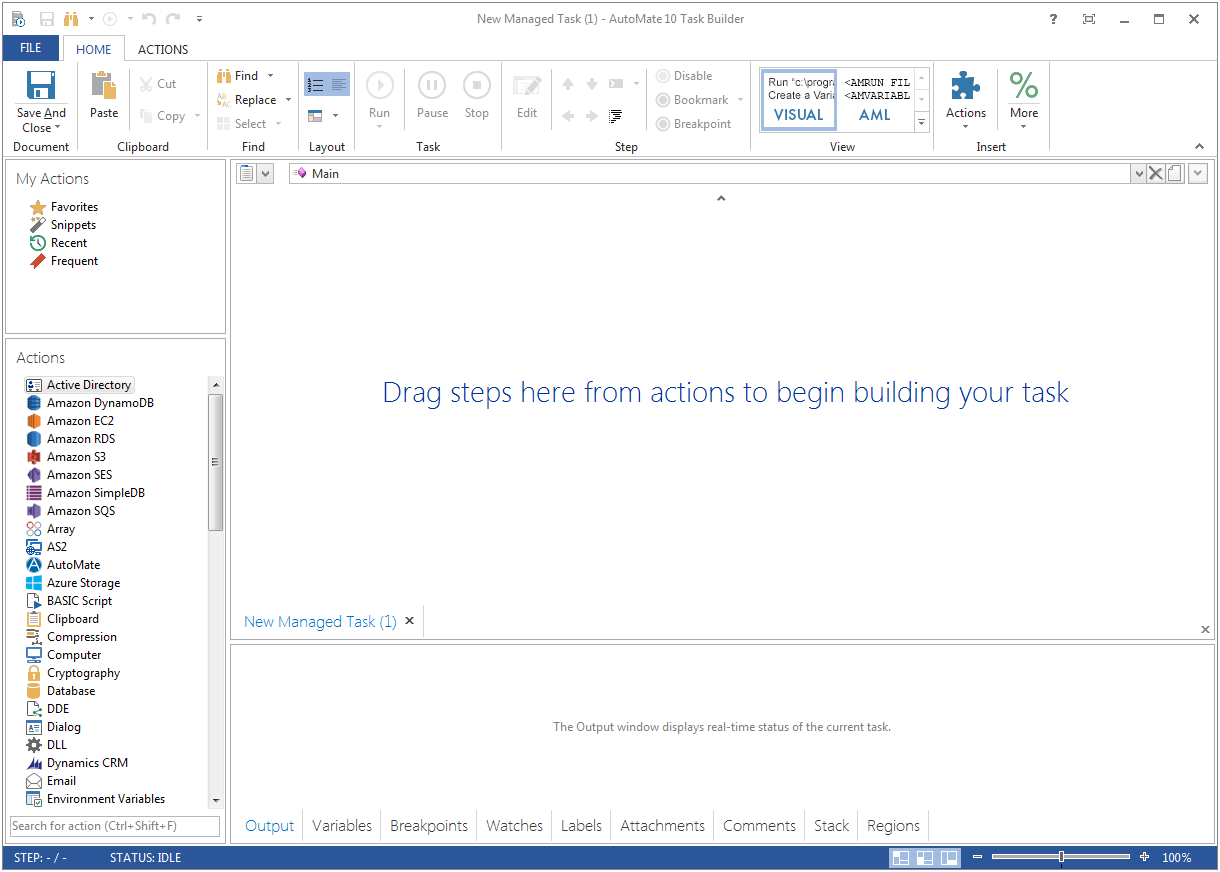
Fortra's Automate (formerly HelpSystems Automate) is a robotic process automation platform for desktop applications. According to the vendor, it offers the ability to automate almost any business process, and no technical expertise is required—IT and business users alike can understand the drag-and-drop interface.

Media

Fortra’s Automate
Fortra’s Automate

1 / 2

The super tool that makes any IT professional a Super hero for their company

Use Cases and Deployment Scope

HelpSystems Automate is an essential part of our everyday work. It not only the primary tool for EDI and data transfers, but it is also our primary automated reporting tool. IT does both running of custom SQL reports directly and sends automated reports generated by other systems. It lifted the burden of manual reports run by our customer service team, it sends exception alerts to our management team from everything from inventory changes, time and attendance, and system stability reports when machines crash. It even does reminders when certain data criteria are met and things need to get done based on a schedule. It's just amazing. It's also refreshing that it's a fully-featured tool that doesn't limit the tools behind a paywall. The next level up is due to management and complexity. It's just amazing.

Pros

  • SQL queries.
  • FTP communications.
  • Email/SMTP communications.
  • File transfers and augmentation.
  • Office to SQL conversions.
  • Office file management.
  • Scheduling and timing/exceptions and triggers.
  • Logic-based tools.

Cons

  • There should be more tools around system stability and recovery.
  • Better ways to manage resources to prevent OS crashes.
  • Automate backups internally without tasks.
  • System failure alerts if the machine crashes or reboots.

Return on Investment

  • It has removed many redundant tasks from everyone at the company.
  • It provides alerts and reminders and helps maintain stability company-wide.
  • It dramatically increases our bandwidth of tools and services we provide to our customers.

Usability

Automate - does what it says

Use Cases and Deployment Scope

[It's] mainly used as a platform for FTP jobs - approximately 30 vendors. It's also used to check completion of processes and to copy files. It has a very flexible job triggering capability...either schedules or files can trigger a job. While programming knowledge is not required, a knowledge of programming principles is recommended (If/then, loops, etc.).

Pros

  • FTP jobs. Flexible scheduling and file watching options (send a file when added to a folder). Also flexible file naming capabilities - when a vendor wants a file with a different format (or vice-versa) Also the new encryption steps are handy.
  • File watching capabilities - If you have files that have to be somewhere by a certain time this is very handy. You can pair this with Automate's email capability (easy to use).
  • File Copying - If you have a lot of files that have to be sent on a schedule this is the way to go. You can also filter by date so only recent files are copied.
  • File Purging - like copying you can use date filters to purge old files - no more clogged folders!
  • Conditional statement functionality - If/Then, Loops, etc. Easy to use and makes the tasks MUCH more useful.

Cons

  • A reporting capability on tasks: enabled, disabled, by folder, by trigger, etc. Currently there is none.
  • An "OR" in their conditional statements - currently there is only "AND".
  • Some kind of temporary backup when changing a task - separate from the current back up/restore functionality (which works well).

Return on Investment

  • Positive: Reliability on FTP jobs - really important on bank files.
  • Negative - annual support a little pricey - but not unusual for this level of software.
  • Positive: Does not require a dedicated administrator, especially after the jobs are created and tested. I perform other job duties and this rarely interferes with them.
  • Positive - Since it is easy to learn and use it makes it easy to have a back up administrator

Other Software Used

Symantec pcAnywhere, DameWare Remote Support

AutoMate Integration and alternatives

Use Cases and Deployment Scope

We have a customer who is using AutoMate. They wanted us to see the functionality provided by AutoMate. They were using it for wiki pages and blogs etc. They were using it to automate the publication and approval process. They were also using the triggers component of AutoMate. Overall they were using the minimal components.

Pros

  • Wiki pages
  • Blogs
  • Articles
  • Triggers
  • Building crons
  • Automating daily tasks

Cons

  • Calendars
  • Tasks scheduling

Return on Investment

  • Productivity and communication is way better with automate

Alternatives Considered

MS SharePoint, Azure API Management and Microsoft Dynamics CRM

Other Software Used

MS SharePoint

Automation for everybody.

Use Cases and Deployment Scope

We use Automate BPA Server just in our department to manage a number of tasks. Our primary jobs are essentially ETL related. Retrieving files from an FTP server, importing those files, processing, then sending email notifications on the results. Due to the vast number of jobs each day, AutoMate solves most of our issues and allows us to be less hands-on throughout the day.

Pros

  • Very detailed task builder. Easy to read step by step a task's operation even if you don't have much programming knowledge.
  • Scheduling for automation jobs is very flexible. Allows us to create all kinds of job schedules as needed.
  • Organization of jobs, tasks, conditions is done well. Allows us to easily manage our items.

Cons

  • AutoMate's Windows interface can be quite buggy at times. We are using the latest and final build of AutoMate 10. It took many iterations to get this most stable build, but there are still many little issues that happen when building tasks. Copying and pasting too much causes GUI errors and can crash. Things don't indent properly, success/failure arrow lines in the Job window don't flow perfectly straight, etc. There is a newer version AutoMate 11, but it's so buggy we can't even use it properly.
  • Memory management is terrible on Aut 10 and 11. Just working in the program for a little bit building tasks has memory leaks that don't resolve until you close out of the program. You'll be using several GB of ram in no time.
  • Dashboard reporting could be better. We'd like a better way to track how jobs are running, when failures occur, etc. You can do that now, but the interface is cumbersome.

Return on Investment

  • It's been a net positive as AutoMate requires less eyes on specific tasks so that people can focus attention elsewhere and do more analysis.
  • Less manual work also decreases the chances of mistakes and/or missed jobs. Since Automate can schedule everything, send email notifications, etc., there is less time wasted.

Alternatives Considered

SQL Server Integration Services

Other Software Used

SQL Server Integration Services, Microsoft SQL Server