Altair SLC (formerly the WPS industrial analytics platform, acquired by Altair in late 2021) is designed for data science and heavyweight data processing with the languages of SAS and R. Best known for its SAS language compiler, the software includes advanced graphical user interfaces, robust, high-performance data processing and production-ready application frameworks.
N/A
Posit
Score 10.0 out of 10
N/A
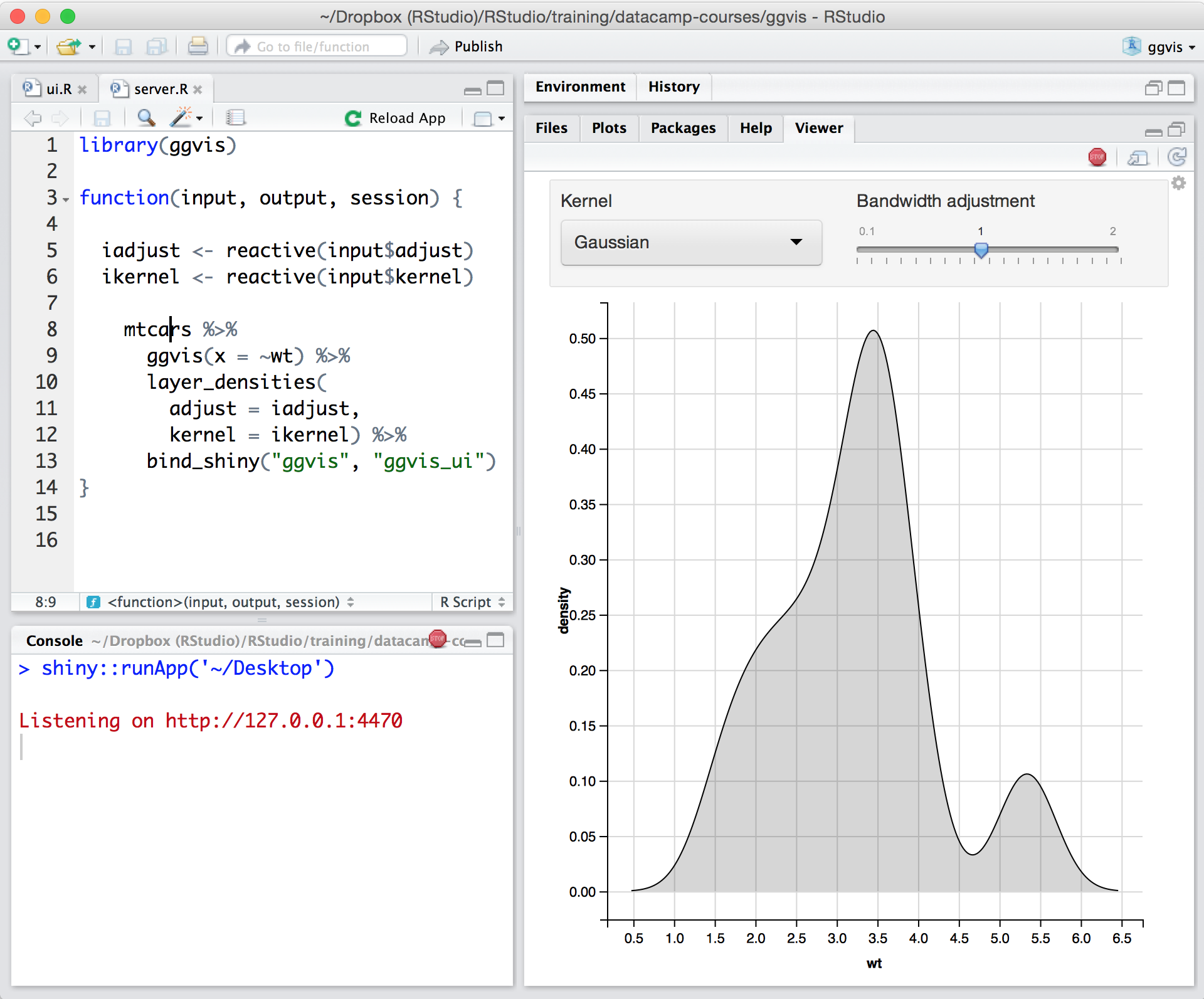
Posit, formerly RStudio, is a modular data science platform, combining open source and commercial products.
To better understand the data I work with, I extensively use the data discovery and visualization tools available on my workstations, and I always go for the best. Unfortunately, some other tools does not offer any tutorials for the features, making it difficult and …
Unfortunately, Tableau Desktop does not offer tutorials for the features making it hectic and complicated to analyze data, mainly after implementation. WPS Analytics offers detailed tutorials in form of videos and articles for all features.
I use a lot of data discovery and visualization tools at workstations to help me gain deep insights into data. WPS Analytics doesn't vary much from all the DVD tools that I have listed, I always go for the best.
SPSS is good for folks who are not as familiar with statistics, and for those who are older or more technologically-experienced and may be overwhelmed by Posit's products. It's also really great for teaching students and getting them exposed. However, because Posit is free, …
Posit is far better than Jupyter Notebook and Minitab in this regard that Posit is actually capable of doing all kind of analytical stuffs like data pre-processing, wrangling, validation and visualization. On the other hand, Jupyter Notebook can be used for python programming …
Posit is way way way more reliable than Excel for anything more involved than a quick spreadsheet. Faster speeds, greater charting abilities, flexible functionality and more efficient memory usage. Python is still my go-to for anything that needs integration, but Posit beats …
I've used ArcGIS and ESRI for similar analysis and while both have their advantages, RStudio is much better suited for running advanced statistics and processing large volumes of data. It can also produce quality maps, however, for visually attractive maps and graphs, ArcGIS is …
RStudio is better than python for visualizations but it is less common to use it in many organizations. Excel and PowerBI are better for visualization but, they can only be used for simple models. I would choose R Studio for statistical analysis, ML, or DL because the language …
RStudio works really well compared to competitors such as Jupyter Notebook where there is no environment to visualize variables. RStudio on the other hand is much easier to use and provides the right set of environments for users.
inter-departmental collaboration - my first choice would be TIBCO Spotfire natural language processing and knowledge graphs - my first choice would be Python information security & visualizations (including d3.js libraries) - my first choice is RStudio
RStudio is more than a home for a dashboard. It is a content management system for data science. It hosts models, APIs, runs scripts, AND hosts dashboards.
RStudio stacks up pretty well against its competition. For me, it is really up to personal preference and what you are used to when deciding between the competitions. I like that Python packages have the most external resources, so it's easier to troubleshoot. But RStudio does …
The most similar products to RStudio that I have used include IBM SPSS and Tableau Prep. In my experience, SPSS is more intuitive and has less of a learning curve; I used it extensively in my undergraduate career in Statistics and Cognitive Science research. While RStudio has …
RStudio stacks up pretty well against Anaconda. However, Anaconda might be the first choice for someone who likes Python for their analytics and machine learning needs. In the past, I have found it seamless to connect Jupyter Notebook (in Anaconda suite) to integrate with other …
RStudio was provided as the most customizable. It was also strictly the most feature-rich as far as enabling our organization to script, run, and make use of R open-source packages in our data analysis workstreams. It also provided some support for python, which was useful …
Personally, I would prefer SPSS over RStudio and SAS, but the cost for licenses for SPSS deters me from continuing to go with IBM's statistics software. RStudio has the advantage in that it is low cost and there are a lot of available resources on YouTube available for users …
Using [RStudio] requires greater knowledge of statistics and code than SPSS, which has a more simple "point and click" interface. [RStudio] is similar to SAS in its user interface and [requires] the user to write their own queries. [RStudio]'s main advantage is an open-source …
I tried Stata because it's a standard tool for economists but it doesn't have the flexibility and breadth of R and RStudio. I didn't try other IDEs for R.
RStudio is free and so that is the main reason that I use it. I like that it is open source and so there are lots of support on the internet. I tried SAS JMP and Python in a text editor but RStudio was better than either of those options for cost and code flexibility …
RStudio is as good as any software available in the market and is better off than some as it is free. Since it is open source it is improving day by day. I would prefer RStudio over any other tool any day. I would recommend every data analyst to give RStudio a try.
I understand the Jupyter notebook is supposed to be good like RStudio, and I've been exposed to it a little bit. But my experience using it has been very little.
I prefer SPSS to RStudio, but RStudio is very cheap in comparison to the cost of SPSS. IBM's SPSS does a better job holding the hands of users, but it does come at a very expensive license cost. RStudio is a little bit more difficult to use but is cheap.
These all work synergistically and fulfill slightly different roles. In general this is determined by complexity of task and the degree of training and expertise of the end user. RStudio works well for organisations looking to move into doing more complex analytics. In general …
There are loads of people in the BI (Business Intelligence) space, of course... but I wouldn't touch any of them because none of them offer anything like the R and Python support that RStudio does. RStudio publishes open-source, they're a public benefit corporation, and they …
For now coders, I would emphasize them to use drag and drop functionality. Otherwise, WPS Analytics is a robust tool for app development and data visualization that offers multiple languages such as SAS, SQL, R, and Python.
In my humble opinion, if you are working on something related to Statistics, RStudio is your go-to tool. But if you are looking for something in Machine Learning, look out for Python. The beauty is that there are packages now by which you can write Python/SQL in R. Cross-platform functionality like such makes RStudio way ahead of its competition. A couple of chinks in RStudio armor are very small and can be considered as nagging just for the sake of argument. Other than completely based on programming language, I couldn't find significant drawbacks to using RStudio. It is one of the best free software available in the market at present.
Ability to scale across the company is limited based on the users license, cannot share a dashboard to the general view of the company.
Ability to retain session - not simple method to customize view per user (e.g., once session is ended, the users will return next time to the baseline view).
Ability to enable communication between multiple users - leave notes, tag other users, or share specific view.
There is no other platform that meets our needs. Even if it was terrible we would still use it but fortunately for us it is a very solid project with a great support team. I hope in the future to expand our use and get more licences as well as upgrade to RStudio workbench but for now we are very happy.
For someone who learns how to use the software and picks up on the "language" of R, it's very easy to use. For beginners, it can be hard and might require a course, as well as the appropriate statistical training to understand what packages to use and when
RStudio is very available and cheap to use. It needs to be updated every once in a while, but the updates tend to be quick and they do not hinder my ability to make progress. I have not experienced any RStudio outages, and I have used the application quite a bit for a variety of statistical analyses
Since R is trendy among statisticians, you can find lots of help from the data science/ stats communities. If you need help with anything related to RStudio or R, google it or search on StackOverflow, you might easily find the solution that you are looking for.
To better understand the data I work with, I extensively use the data discovery and visualization tools available on my workstations, and I always go for the best. Unfortunately, some other tools does not offer any tutorials for the features, making it difficult and time-consuming to analyze data, mainly after it has been implemented. In addition to videos and articles, WPS Analytics provides comprehensive tutorials for each feature.
RStudio was provided as the most customizable. It was also strictly the most feature-rich as far as enabling our organization to script, run, and make use of R open-source packages in our data analysis workstreams. It also provided some support for python, which was useful when we had R heavy code with some python threaded in. Overall we picked Rstudio for the features it provided for our data analysis needs and the ability to interface with our existing resources.
I think that RStudio scales pretty well based on the size of the datasets I'm using. It has multithreading capabilities unlike some other statistical analysis programs which is very useful in cutting down on time. The format of RStudio's syntax also makes it very easy to replicate regardless off the scale of the analysis and data set
Using it for data science in a very big and old company, the most positive impact, from my point of view, has been the ability of spreading data culture across the group. Shortening the path from data to value.
Still it's hard to quantify economic benefits, we are struggling and it's a great point of attention, since splitting out the contribution of the single aspects of a project (and getting the RStudio pie) is complicated.
What is sure is that, in the long run, RStudio is boosting productivity and making the process in which is embedded more efficient (cost reduction).