Apache Spark is a multi-language engine for executing data engineering, data science, and machine learning on single-node machines or clusters.
N/A
Devart Excel Add-ins
Score 9.0 out of 10
N/A
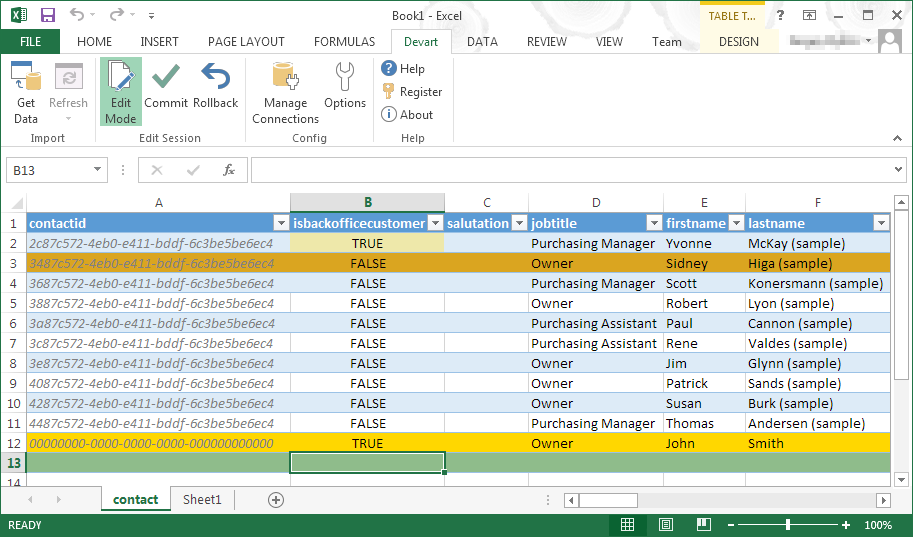
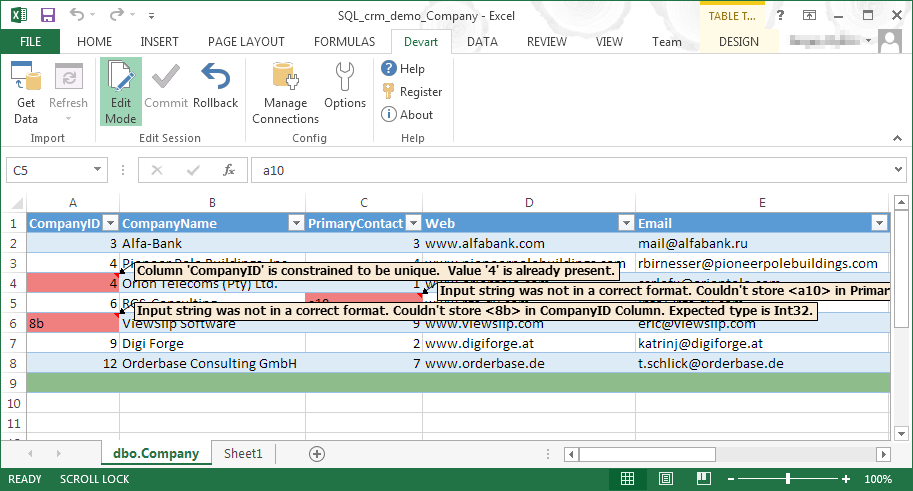
Devart Excel Add-ins allow you to use Excel capabilities to import, process, and analyze data from cloud applications and relational databases. The Excel Add-ins also allow users to make data changes and then save those changes back to the data source they were originally imported from.
$399.95
one-time fee
Pricing
Apache Spark
Devart Excel Add-ins
Editions & Modules
No answers on this topic
Excel Add-in Database Pack
$399.95
one-time fee
Excel Add-in Cloud Pack
$499.95
one-time fee
Excel Add-in Universal Pack
$599.95
one-time fee
Offerings
Pricing Offerings
Apache Spark
Devart Excel Add-ins
Free Trial
No
Yes
Free/Freemium Version
No
No
Premium Consulting/Integration Services
No
No
Entry-level Setup Fee
No setup fee
No setup fee
Additional Details
—
Purchases include a perpetual license and 1 year of subscription which includes the product updates and premium support.
Apache Spark has rich APIs for regular data transformations or for ML workloads or for graph workloads, whereas other systems may not such a wide range of support. Choose it when you need to perform data transformations for big data as offline jobs, whereas use MongoDB-like distributed database systems for more realtime queries.
One of the biggest benefits of Excel is its primary function: The ability to organize large amounts of data into orderly, logical spreadsheets and charts. With the data organized, it's a lot easier to analyze and digest, especially when used to create graphs and other visual data representations. Excel crunches numbers almost instantly, making batch calculations much easier than working things out yourself with a calculator. Depending on your understanding and skill with Excel, the formulas and equations are used to quickly compute both simple and complex equations using large amounts of data.
It performs a conventional disk-based process when the data sets are too large to fit into memory, which is very useful because, regardless of the size of the data, it is always possible to store them.
It has great speed and ability to join multiple types of databases and run different types of analysis applications. This functionality is super useful as it reduces work times
Apache Spark uses the data storage model of Hadoop and can be integrated with other big data frameworks such as HBase, MongoDB, and Cassandra. This is very useful because it is compatible with multiple frameworks that the company has, and thus allows us to unify all the processes.
If the team looking to use Apache Spark is not used to debug and tweak settings for jobs to ensure maximum optimizations, it can be frustrating. However, the documentation and the support of the community on the internet can help resolve most issues. Moreover, it is highly configurable and it integrates with different tools (eg: it can be used by dbt core), which increase the scenarios where it can be used
1. It integrates very well with scala or python. 2. It's very easy to understand SQL interoperability. 3. Apache is way faster than the other competitive technologies. 4. The support from the Apache community is very huge for Spark. 5. Execution times are faster as compared to others. 6. There are a large number of forums available for Apache Spark. 7. The code availability for Apache Spark is simpler and easy to gain access to. 8. Many organizations use Apache Spark, so many solutions are available for existing applications.
We used Surprise Kit for one of the other research works. It is more fine-tuned to Recommendation systems and their algorithms. Apache Spark has MLlib for majority of ML problems. Where as software like Surprse Kit - it suitable for a specific task of Recommendations only
Microsoft Excel is the most used tool in the software universe. As such, asking Microsoft Excel to be the tool used post data acquisition makes a ton of sense. Almost everyone we hire has some idea on how to use this tool, which decreases the time spend training new employees.
Faster turn around on feature development, we have seen a noticeable improvement in our agile development since using Spark.
Easy adoption, having multiple departments use the same underlying technology even if the use cases are very different allows for more commonality amongst applications which definitely makes the operations team happy.
Performance, we have been able to make some applications run over 20x faster since switching to Spark. This has saved us time, headaches, and operating costs.