ApprovalMax vs. Emburse Nexonia

Overview
ProductRatingMost Used ByProduct SummaryStarting Price
ApprovalMax
Score 8.1 out of 10
N/A
ApprovalMax provides approval workflow automation for cloud accounting platforms such as Xero and QuickBooks Online. It replaces paper- and email-based approval processes with multi-step and multi-role automated approval workflows that enable automated notifications to approvers, automated audit trails, and mobile approvals. Approval workflows include: Invoice approvals / bill review and bill approval Purchase order approval, including the functionality to create…
$54
per month per organization
Emburse Nexonia
Score 7.0 out of 10
N/A
Nexonia, by Emburse, is a tool designed to streamline employee expense reporting. It is designed to increase visibility into spendings and make the expense tracking, approval, and reporting process paperless. Nexonia was part of a merger with Certify in 2017 and is now part of the larger company formed from it and Chrome River, Emburse.N/A
Pricing
ApprovalMaxEmburse Nexonia
Editions & Modules
ApprovalMax Standard
$54
per month per organization
ApprovalMax Advanced
$83
per month per organization
ApprovalMax Premium
$121
per month per organization
No answers on this topic
Offerings
Pricing Offerings
ApprovalMaxEmburse Nexonia
Free Trial
YesYes
Free/Freemium Version
NoNo
Premium Consulting/Integration Services
NoNo
Entry-level Setup FeeOptionalNo setup fee
Additional DetailsDiscount available for annual pricing and for management of multiple organizations.
More Pricing Information
Community Pulse
ApprovalMaxEmburse Nexonia
Considered Both Products
ApprovalMax
Emburse Nexonia
Chose Emburse Nexonia
As mentioned earlier in the several questions, Emburse Nexonia is easy to use compared to all the above applications. Integration is easy and plenty of automation opportunities in Emburse Nexonia. Capturing a time sheet is an additional option that no other application has this …
Chose Emburse Nexonia
I just used it for a client so not much experience into that to compare with nexonia which I have used extensively.

So my tendency is more towards nexonia which is satisfying the needs and hence not going to search for any other options.
Chose Emburse Nexonia
It captures receipts through the mobile app and is more convenient Easy to code time sheets and User-friendly and It will sync with Intacct and BILL for payments it greatly Improves suppliers and partner relationships it si very much Cost management it has good Product …
Chose Emburse Nexonia
The price point was right for us with enough critical features to meet our main business goals.
Chose Emburse Nexonia
Concur was significantly higher in price than Nexonia Expenses which is why we chose Nexonia Expenses instead.
Chose Emburse Nexonia
I used in the past Nexonia Expenses in my previous company and in my current company, we use SAP Concur. I think that Nexonia is clearly a good alternative and very affordable. Again, it seems like it has problems of scalability so when your company get to a certain size, it …
Chose Emburse Nexonia
Nexonia's price point is hard to beat, and their integration with NetSuite is the best I have seen out there.
Chose Emburse Nexonia
Nexonia was inexpensive and had all the features that we needed when we implemented it.
Chose Emburse Nexonia
Nexonia is probably more expensive than Expensify but has been around longer and has more features (accounts payable, time entry, etc). We decided on Nexonia for their customization features and amazing customer support.
Features
ApprovalMaxEmburse Nexonia
Payment Management
Comparison of Payment Management features of Product A and Product B
ApprovalMax
8.0
Ratings
6% above category average
Emburse Nexonia
9.0
Ratings
9% above category average
Customizable Approval Policies9.00 Ratings9.40 Ratings
Financial Document Management9.00 Ratings10.00 Ratings
Payment Status Tracking9.00 Ratings9.70 Ratings
Payment Audit Trail9.00 Ratings9.50 Ratings
Duplicate Bill Detection4.00 Ratings9.50 Ratings
Advanced OCR00 Ratings9.00 Ratings
Electronic Funds Transfer00 Ratings6.10 Ratings
Accounts Payable
Comparison of Accounts Payable features of Product A and Product B
ApprovalMax
8.5
Ratings
25% above category average
Emburse Nexonia
-
Ratings
Automated Accounts Payable Processes9.00 Ratings00 Ratings
Vendor Management8.00 Ratings00 Ratings
Expense Management
Comparison of Expense Management features of Product A and Product B
ApprovalMax
-
Ratings
Emburse Nexonia
9.3
Ratings
8% above category average
Employee Expense Reporting00 Ratings9.30 Ratings
Corporate Card Reconciliation00 Ratings9.30 Ratings
Best Alternatives
ApprovalMaxEmburse Nexonia
Small Businesses
Square 9 Softworks
Square 9 Softworks
Score 9.1 out of 10
Dext
Dext
Score 9.8 out of 10
Medium-sized Companies
Square 9 Softworks
Square 9 Softworks
Score 9.1 out of 10
Precoro
Precoro
Score 2.8 out of 10
Enterprises
Webexpenses
Webexpenses
Score 9.2 out of 10
Emburse Chrome River
Score 9.2 out of 10
All AlternativesView all alternativesView all alternatives
User Ratings
ApprovalMaxEmburse Nexonia
Likelihood to Recommend
9.0
(0 ratings)
9.0
(0 ratings)
Support Rating
-
(0 ratings)
6.6
(0 ratings)
User Testimonials
ApprovalMaxEmburse Nexonia
Likelihood to Recommend
As mentioned previously - able to send invoice based on amount , program code and division code ,supplier is very useful feature ; If an invoice does not fit into approval process than it is rejected and an email is received mentioning the reason
Read full review
Well suited for businesses where the billing goes based on time and expenses. Easy tracking and integration helps to solve the accounting entry flow in the accounting system. Less appropriate where there is only fixed fee billing and time tracking metrics are not much required.
Read full review
Pros
  • choice based on Program codes / division codes - we use Xero accounting system and we have 22 program codes and 11 divison codes ; once invoice is entered in Xero depending on relevant program code and divison code, Approval max automatically send invoice to relevant person depending on approval workflow process . One manager could be handling multiple divison and program codes; if our approval work flow process is properly designed - it is accurate in sending invoice to relevant manager.
  • invoice can also send to various managers based on General ledger codes ; this flexibility makes useful when manager is handling only certain nature of expenses regardless of program codes / divisionl.
  • Approval process can also be designed based on level of amount ; and level of amount is derived from our Delegation policy. it makes audit of application of delegation policy easy ; we give copy of delegation policy and print of approval work flow process to auditor.
Read full review
  • The integration with NetSuite is well executed.
  • The system is intuitive for both users and approvers.
  • Ability to feed credit card data into the system is super helpful.
Read full review
Cons
  • date and time of change in approval process ; for example if Mr. A was responsible for all expenses above $1000 in Oct 23 and from Nov 23 it is changed to $5000 . in Dec 23 if it is checked - it will show approval limit of $5000 ; but will not show from which date limit was changed. Auditor always asks this question when the limit was changed in approval max - we cannot prove it.
  • If there is audit trail of who made the changes , when and what changes were made ; will be good.
  • when we are in main page of seeing invoices awaiting approval - there are hundreds of invoices - searching for one invoice from particular supplier is very cumbersome job - we have to go by each and every invoice in order to find that invoice ; it will be good if we have search function on main page itself ; in current scenario we have to go to report section - input all filters and than search for that particular invoice.
Read full review
  • The design interface isn't intuitive or attractive. Because I use it irregularly (less than once a month), I spend a lot of wasted time trying to remember how to use it.
  • If you have complicated submissions, it's challenging to figure out how to submit it correctly. I have to break each submission down into individual charges, although there's supposed to be a way to use a "split" feature or other features that would allow you to add multiple receipts to 1 day. After a year, I still haven't figured out how to use anything beyond one receipt = 1 submission.
Read full review
Support Rating
No answers on this topic
I was not talking directly with the customer support. My understanding was that, there was some maintenance on the platform but it was never inconvenient for employee or during pick time when employee would put their expenses in the tool. To that extent, I think the support for Nexonia is correct
Read full review
Alternatives Considered
Read full review
It captures receipts through the mobile app and is more convenient Easy to code time sheets and User-friendly and It will sync with Intacct and BILL for payments it greatly Improves suppliers and partner relationships it si very much Cost management it has good Product functionality and performance it helped in Overall cost reductions for small firms
Read full review
Return on Investment
  • It has certainly made a positive impact ; it is definately worth its value ; when we are processing hundreds of invoices every fortnight ; getting approval of invoices in timely manner for all invoices is of paramount importance . as approval max has its own app - approval can be done on mobile phone also ; this is particularly helpful when staff is travelling .
Read full review
  • Nexonia Expenses has provided a positive impact on ROI because it saves time for employees who are submitting expenses for reimbursement.
  • Nexonia Expenses provides a positive impact on ROI because it saves time for employees who are issuing and managing POs.
Read full review
ScreenShots

ApprovalMax Screenshots

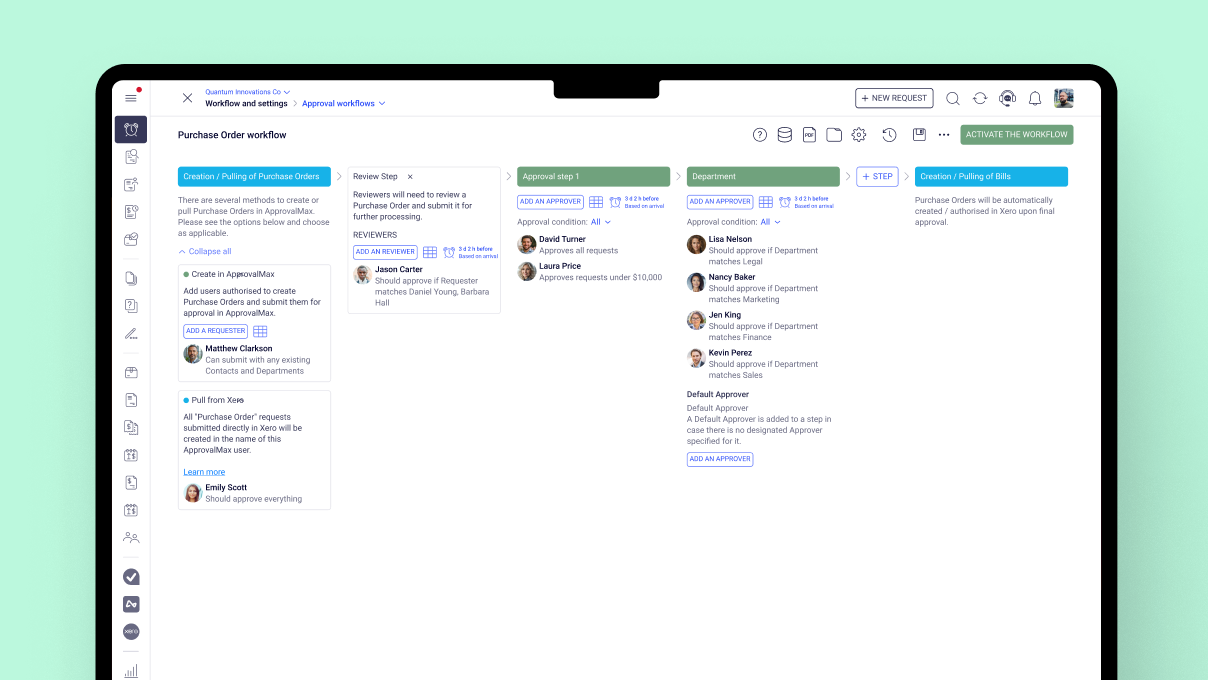
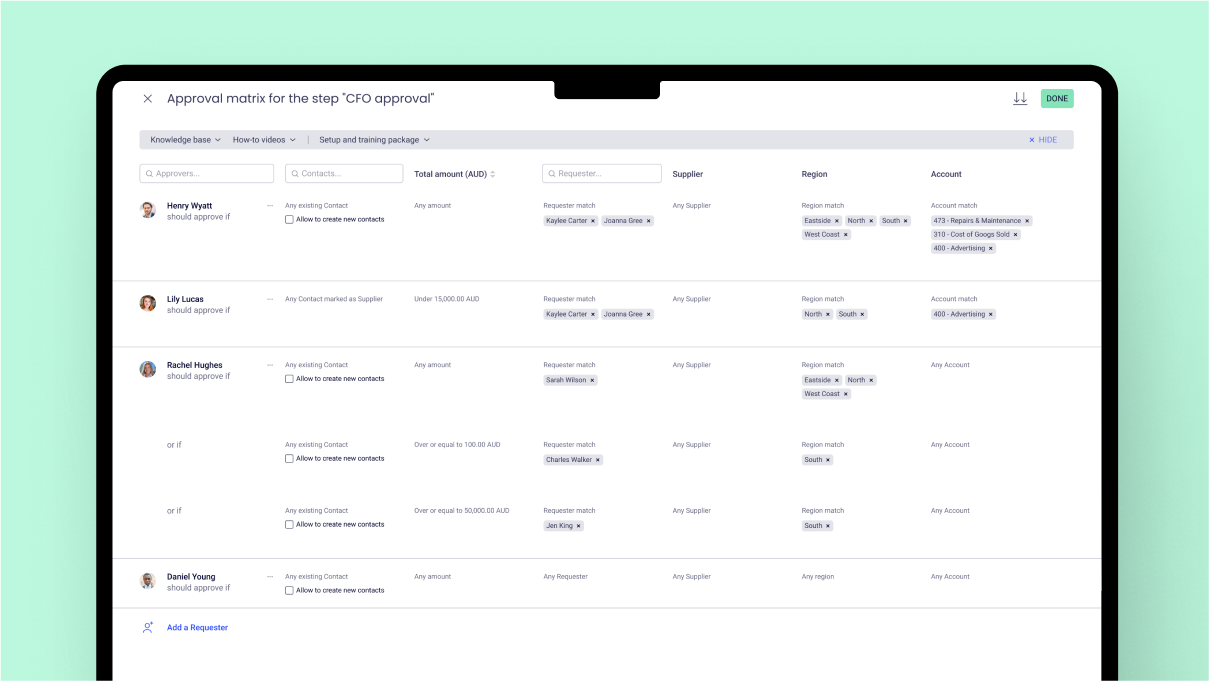
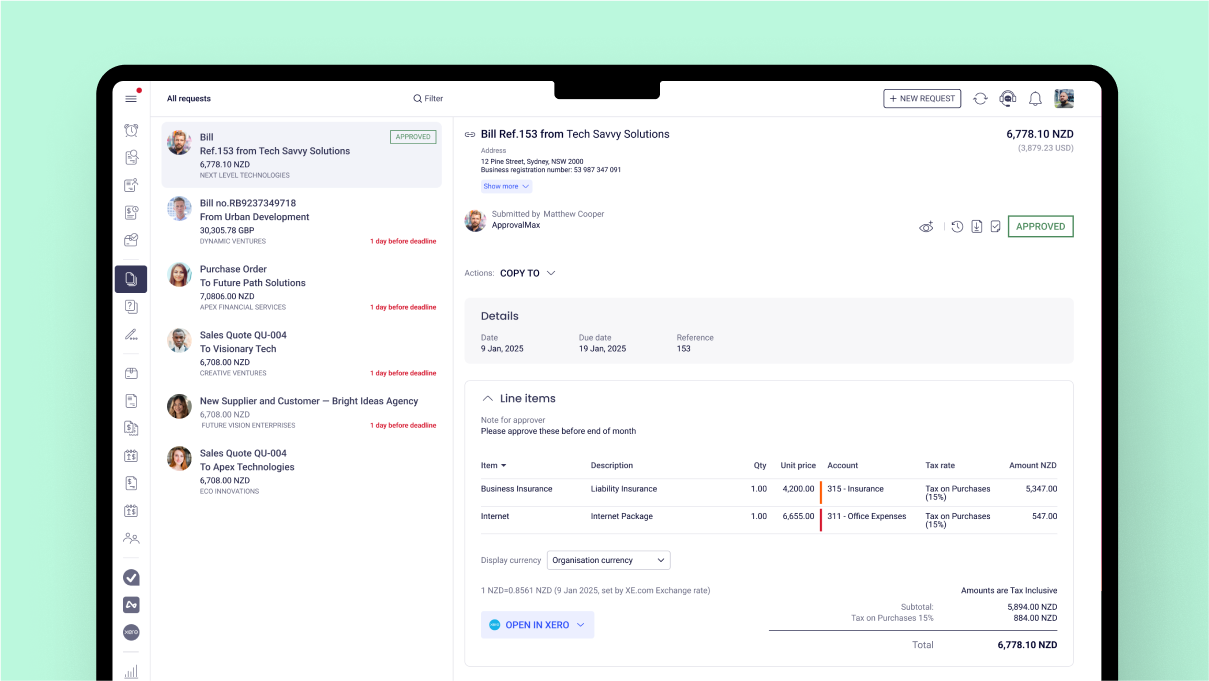
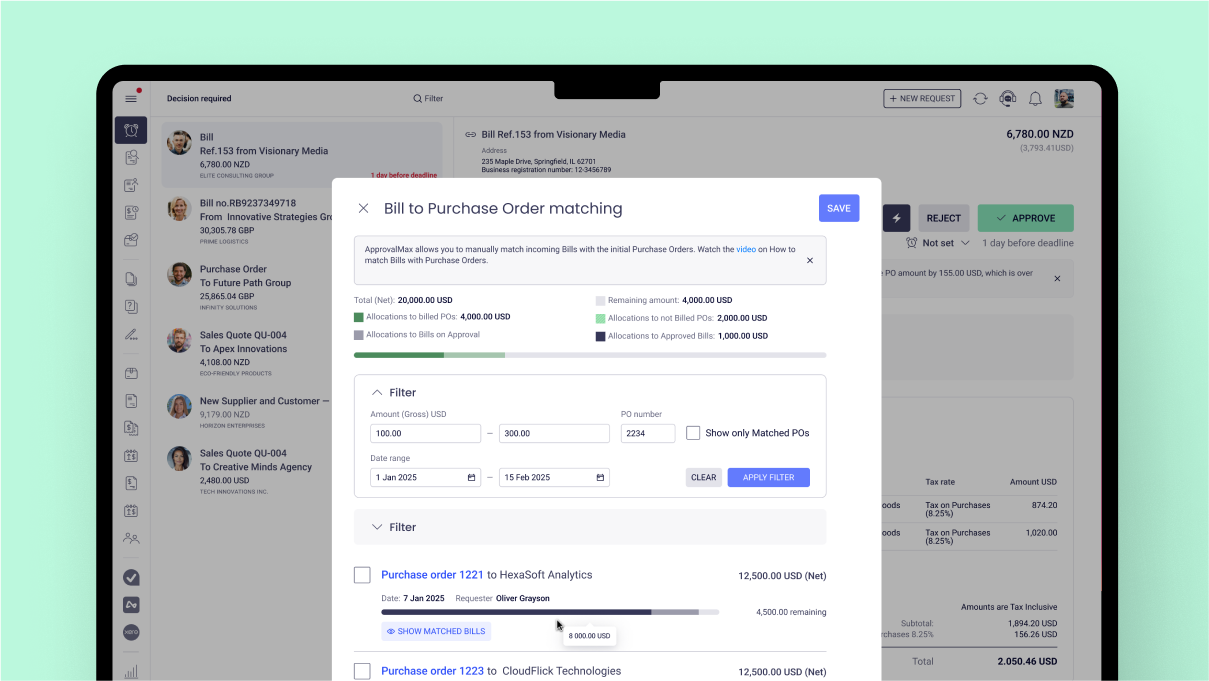
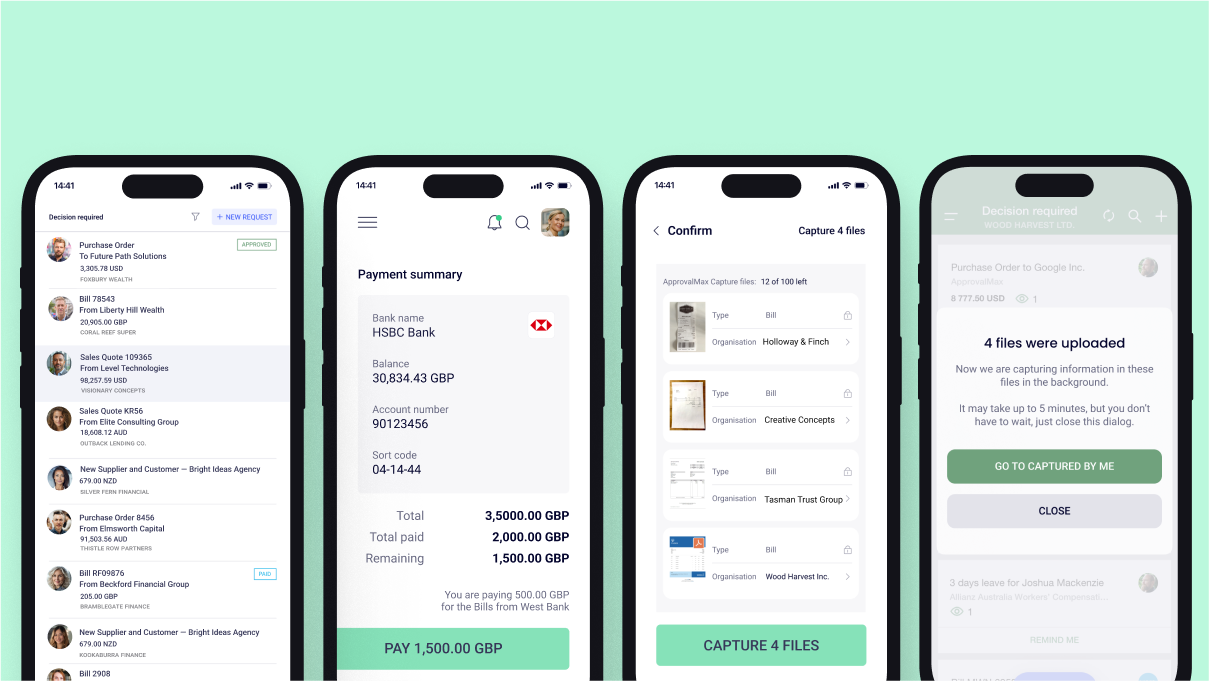
Screenshot of where approval processes are set up  – no matter how simple or complex.Screenshot of the interface to build approval steps that follow any business rules – whether approvals happen one after another, all at once, or only in certain cases. The user can also control who approves based on things like amount, supplier, account code, or category.Screenshot of where to approve bills and purchase orders the way that works best.Screenshot of the interface that matches bills to approved purchase orders from the same supplier to keep coding accurate and control spending. Unmatched bills can also be stopped from being approved.Screenshot of where to mention others in comments to bring them in or get their input – even if they’re not part of the original approval. If they don’t have access, a prompt to add them as a Watcher is sent. Mentions work on web and mobile, sending notifications as soon as access is granted.Screenshot of where to raise purchase orders, approve requests, and extract key details from bills and purchase orders – all on the go with the ApprovalMax mobile app for iOS and Android.

Emburse Nexonia Screenshots

Screenshot of Nexonia Mobile App