AppSheet vs. Salesforce Lightning Platform

Overview
ProductRatingMost Used ByProduct SummaryStarting Price
AppSheet
Score 9.0 out of 10
N/A
Acquired by Google in Spring 2020, AppSheet is an intelligent, no-code app platform for everyone. Users can create apps to transform the workplace. Common use cases include field service, transportation, customer surveys, incident reports, field data capture, compliance reports, delivery tracking, and property surveys. Used by the Fortune 500 & Industry Leaders Customers include Clearlink, Enterprise Holdings, ESPN, Pepsi, the University of Michigan, and the State of…
$5
per user/per month
Salesforce Lightning Platform
Score 7.7 out of 10
N/A
Salesforce Platform is designed for building and deploying scalable cloud applications with managed hardware provisioning and app stacks. It provides out-of-the-box tools and services to automate business processes, integrate with external apps, and provide responsive layouts and more.
$25
Per User Per Month
Pricing
AppSheetSalesforce Lightning Platform
Editions & Modules
Premium
$5.00
per user/per month
Pro
$10.00
per user/per month
Business
Contact sales team
Enterprise
Contact sales team
Starter
$25.00
Per User Per Month
Plus
$100.00
Per User Per Month
Offerings
Pricing Offerings
AppSheetSalesforce Lightning Platform
Free Trial
YesNo
Free/Freemium Version
YesNo
Premium Consulting/Integration Services
NoNo
Entry-level Setup FeeNo setup feeNo setup fee
Additional DetailsPersonal apps and prototype are always free to build. Don't pay until you're ready to deploy. What can I do for free? Use the complete set of AppSheet features for free while building one or many app prototypes (for as long as you like). Invite up to 10 users for free to use your apps & share feedback. How do Business Subscription pricing work? Business Subscriptions enable a suite of performance & management features for organizations with cross-departmental app creators, and pricing is based on each unique requirements. Connect with the AppSheet team at solutions.appsheet.com/contact to learn more.
More Pricing Information
Community Pulse
AppSheetSalesforce Lightning Platform
Considered Both Products
AppSheet
Chose AppSheet
In the hands of anyone who has formally learnt programming and database SQL querying, AppSheet is a golden compass that takes you anywhere you want to go.

Chose AppSheet
Haven't used any other products like AppSheet
Chose AppSheet
Frankly I chose Appsheet it was simple, that is because of Google. I've also known several other applications from several vendors. But I believe more in the infrastructure that is already owned by Google. I have tried several applications from other vendors, the results are …
Chose AppSheet
Way above all of them for the simplicity of setup, usage, and intuitiveness. I have used it primarily with Google Drive, but, am sure it works well with other data sources as well. The community support is strong, really strong.
Chose AppSheet
The ease that AppSheet provides to the developer is limitless. Before starting with AppSheet I used other software, but they didn't give me the tools at my fingertips. When I learned about AppSheet and everything it could do, I understood that it was what I was looking for, the …
Chose AppSheet
The good working relationship/merger between AppSheet and Google is what made everything better than the others. I don't have to be changing and/or migrating from too many things. The addition of allowing googles forms to just upgrade and become an app is perfect.
Chose AppSheet
Appsheets are used for small applications that should be built quickly and deployed, Outsystems is used for more sophisticated applications that require more functionalities and better-personalized UI.
Chose AppSheet
Google Calendar and Google Sheets
Chose AppSheet
AppSheet is good for who know IT, in terms of various development tools and functions against Openasapp
AppSheet provides more screen UX options and instant default setting once source is assigned than Airtable which more focus on database itself without deployment
Chose AppSheet
Even though I'm not a programmer, I'm also able to use it to develop my record application. This is good for me.
Chose AppSheet
Trucker's Office Pro is designed for the trucking industry all around, however, all trucking companies are not equal. They'll do different jobs, require different permits, etc. With AppSheet I keep the information pertaining to my trucking company and not everyone else's.
Chose AppSheet
Much, much easier and lightweight than its competitors. Support and user community are well-maintained. The staff from techs to the CEO are very involved in the community forums. There is a strong positive culture attached to the brand.
Chose AppSheet
Fastfield is great for forms but doesn't provide a holistic view of all of the data. Like iAuditor it is just for inspections really rather than being a data platform.
Chose AppSheet
I have used various but can't remember them, including Google and Microsoft products. Still using those but nothing in production yet.
Chose AppSheet
  • Entry-level pricing is much affordable with AppSheet
  • Data modeling is much better than other solutions
  • Google Sheets as a data backend for prototype is great
Chose AppSheet
AppSheet's free version is much much better. Since I have low level experience on paid version, I cannot confirm which app is better for the paid version.
Chose AppSheet
AppSheet has a great price $0 for learning and developing. AppSheet seems to be well rated by industry review organizations. AppSheet was fairly easy to get started.
Salesforce Lightning Platform
Chose Salesforce Lightning Platform
Salesforce Lightning Platform provides a more sales-focused CRM. It allows the sales force of an organization to be able to stay organized and can pull necessary reports to get a better understanding on how the business is performing regarding sales and customer activity. …
Chose Salesforce Lightning Platform
I have only used Salesforce Lightning Platform for crm purposes
Chose Salesforce Lightning Platform
Salesforce stands out purely for its enterprise pedigree. No other competitor out there knows Enterprise business as well as Salesforce does. It is levels about the rest of the competition in terms of managing heavy processing requirements of a large enterprise. I did not have …
Chose Salesforce Lightning Platform
Compared to Sage CRM, Salesforce Lightning Platform is leaps and bounds ahead. Sage CRM feels outdated and very slow compared to Salesforce Lightning Platform. There is a lot more ability to integrate Salesforce Lightning Platform with other APIs and systems. There is more of …
Chose Salesforce Lightning Platform
I have been using Salesforce for two years now. Ans I have not used any other platform before similar on this. I find Salesforce very easy to use and this really makes your job much easier and faster. Its features are easy to understand and use and I am glad I have learned …
Chose Salesforce Lightning Platform
We have always been a Salesforce shop, but have grown with the App Cloud platform as it's evolved. We eventually moved to lightning based on the streamlined interface and increased ease of use for our employees. So far we are happy with the results. Would definitely recommend …
Chose Salesforce Lightning Platform
Salesforce, while more expensive, provides faster support, higher scalability options, and an increased opportunity to change any details whether it's about user permissions management, custom field or object creation, or an integration of another application. What really sets …
Chose Salesforce Lightning Platform
Salesforce has more functionality as a CRM platform. The major disadvantage is the ability to integrate with Microsoft products. Ability to integrate with Microsoft is the best part about 356 given that it is a Microsoft product. Even though the price is more expensive, it …
Chose Salesforce Lightning Platform
We were previously using an older version prior to it becoming Salesforce Lightning Platform so we were well adverse on the advantages of using a CRM, to begin with. It made sense to convert to Salesforce Lightning Platform after we were given a free trial of the platform. …
Chose Salesforce Lightning Platform
It offers way more functionalities and the interface/design can be fully customized to best support your companies needs.
Chose Salesforce Lightning Platform
NA - I've only used [Salesforce Lightning Platform (formerly Salesforce App Cloud)] in my tenure as a CSM
Chose Salesforce Lightning Platform
I think Salesforce has the most powerful developer engine - I have yet to need a module that I couldn't create (maybe with help). I probably could have made the others work but Salesforce, in my opinion, made it the easiest. Salesforce is reliable and established as well so …
Chose Salesforce Lightning Platform
I would love to switch back to Service Cloud as it was much, much more intuitive and fast. I would even take Salesforce Classic over Lightning. It at least wasn't this slow.
Chose Salesforce Lightning Platform
I used a program formerly known as "CP." I considered it somewhat outdated, and it does not have any of the modern features that the Salesforce Lightning Platform (formerly Salesforce App Cloud) has. I consider the Salesforce Lightning Platform (formerly Salesforce App Cloud) …
Chose Salesforce Lightning Platform
I use both. SF is the constant through the organization and I receive leads into SF and pass on opportunities through SF.
SL is better for internal processes within business dev.
Chose Salesforce Lightning Platform
Salesforce is the premeire product. Period. The others are cheaper and less capable, they may fulfill your organisation's needs but you will always be looking at Salesforce with wishful eyes. If you are a company that needs to bootstrap then spend the time to evaluate your …
Chose Salesforce Lightning Platform
Microsoft is pretty limited in functionality compared to Salesforce. Most folks coming into your organization are going to have some level of Salesforce experience but will most likely not have experience with Dynamics. Dynamics doesn't connect as well to other platforms.
Chose Salesforce Lightning Platform
I believe the only reason we didn't choose Monday.com is because we're just a bit bigger (company size- 75 people) than what Monday.com handles. We also are in San Francisco, and Salesforce pretty much owns this entire city. I was also not part of the selection process of the …
Chose Salesforce Lightning Platform
There is a reason why the Salesforce Lightning Platform is the market leader for all things related to customer relationship management. While Close is somewhat user-friendly, it pales in comparison to all the features, bells, and whistles that the Salesforce Lightning Platform …
Chose Salesforce Lightning Platform
We originally used spreadsheets when we first started. That worked fine until we started growing by over 100% year over year. We were able to upload all of our previous accounts in Salesforce Classic once it was called for. However, Salesforce Classic soon became redundant and …
Chose Salesforce Lightning Platform
We needed a product that would allow for easy and dynamic reports for potential and new clients. Account Managers use other products as well to monitor the client's success and Salesforce allows for seamless integration to other platforms. This serves as a one-stop-shop for all …
Chose Salesforce Lightning Platform
We currently use the two together, along with Hubspot sales. Salesforce is our primary CRM and where we track and manage account and contact information.
Salesforce is much more flexible and intuitive - everything is where you would expect it to be.
Hubspot reporting is …
Chose Salesforce Lightning Platform
I think that the Lightning platform is not as clean and doesn't integrate that well. Whenever I was logged out, it was such a treck to have to log back in and I never actually knew if my activity was being saved or actually being tracked. Personally, Lightning is not my …
Chose Salesforce Lightning Platform
Close and Salesforce are two very different beasts. Close is much more user friendly but lacks the ability to serve complex infrastructures and hierarchies provided by Salesforce. Close is much simpler and faster--great for high volume but will not provide you with rich, …
Features
AppSheetSalesforce Lightning Platform
Low-Code Development
Comparison of Low-Code Development features of Product A and Product B
AppSheet
8.2
Ratings
2% below category average
Salesforce Lightning Platform
-
Ratings
Visual Modeling6.40 Ratings00 Ratings
Drag-and-drop Interfaces9.10 Ratings00 Ratings
Platform Security8.80 Ratings00 Ratings
Platform User Management7.90 Ratings00 Ratings
Reusability8.90 Ratings00 Ratings
Platform Scalability7.90 Ratings00 Ratings
Platform-as-a-Service
Comparison of Platform-as-a-Service features of Product A and Product B
AppSheet
-
Ratings
Salesforce Lightning Platform
7.5
Ratings
6% below category average
Ease of building user interfaces00 Ratings5.90 Ratings
Scalability00 Ratings8.80 Ratings
Platform management overhead00 Ratings7.10 Ratings
Workflow engine capability00 Ratings7.10 Ratings
Platform access control00 Ratings8.80 Ratings
Services-enabled integration00 Ratings9.00 Ratings
Development environment creation00 Ratings7.30 Ratings
Development environment replication00 Ratings7.40 Ratings
Issue monitoring and notification00 Ratings7.30 Ratings
Issue recovery00 Ratings6.30 Ratings
Upgrades and platform fixes00 Ratings7.90 Ratings
Best Alternatives
AppSheetSalesforce Lightning Platform
Small Businesses
Creatio
Creatio
Score 9.7 out of 10
AWS Lambda
AWS Lambda
Score 8.6 out of 10
Medium-sized Companies
Quixy
Quixy
Score 9.9 out of 10
Red Hat OpenShift
Red Hat OpenShift
Score 9.3 out of 10
Enterprises
Creatio
Creatio
Score 9.7 out of 10
Red Hat OpenShift
Red Hat OpenShift
Score 9.3 out of 10
All AlternativesView all alternativesView all alternatives
User Ratings
AppSheetSalesforce Lightning Platform
Likelihood to Recommend
9.0
(0 ratings)
6.7
(0 ratings)
Likelihood to Renew
9.1
(0 ratings)
-
(0 ratings)
Usability
8.7
(0 ratings)
7.3
(0 ratings)
Support Rating
6.4
(0 ratings)
8.1
(0 ratings)
Implementation Rating
9.1
(0 ratings)
-
(0 ratings)
User Testimonials
AppSheetSalesforce Lightning Platform
Likelihood to Recommend
Suitable for database work. Access controller for personnel, products, sales, distribution, etc. Not suitable for applications that require visual and graphic demands. There are graphically interactive applications that have buttons or action gestures that are not common. It should be possible, to create the App. Remove information relevant to the specific company or business for which the App was generated. And then be able to share it with other similar businesses independently.
Read full review
We use Salesforce Lightning Platform in everyday business as sales coordinators. By using this tool, we are able to send new requests to clients and communicate regarding pending proposals in real-time. This also tool holds many of our client accounts where we are able to monitor their sales and revenue.
Read full review
Pros
  • Calculations - I have several apps that do some pretty complicated calculations, and decision making to build things like Shopping Lists for a Kanban assembly team, where the app will help a stocker determine whats low in a kanban assembly line stock box.
  • Document generation and record keeping - I have an app that users digitally sign and receive PDF contracts, and the system automatically records all records from the transaction. Everything is held in files on YOUR OWN DRIVE (Google Drive) so when you're done with the project or AppSheet you DONT loose your data.
  • Client/Customer Management - I follow the old school "Swimming with Sharks" model for client retention and customer engagement, and have built several small customer tracking tools for local businesses. This tool is limited ONLY by your imagine and desire to learn.
Read full review
  • Reporting and Dashboards are thorough and can show a wealth of important data to inform and scale processes. It's helpful in a high volume sales cycle to be able to quickly identify weak points in performance and productivity so that adjustments can be made.
  • Highly customizable. We are able to customize just about everything which allows us to track very specific things and in theory create better efficiency.
  • Parent/Child account hierarchy exists which is helpful.
  • Contact records can be associated with multiple accounts and opportunities. This, in theory, should minimize duplicates and mismanagement of contacts.
  • Console helps a lot with data nesting. Having a fairly comprehensive look at an account without searching through various tabs and sections speeds up an otherwise cumbersome platform.
Read full review
Cons
  • GPS on the maps are terrible. We dont use the map to collect data as the signal is erratic only in Appsheet. We have another app installed on the same phone to get X,Y data which is copied and pasted into the appsheet solution. We have tried everything but Appsheet map and coordinate accuracy and erratic behaviour is below par.
  • Deployment management. While it is great that people see your changes right away, it sometimes leads to downtime if one makes a mistake. In the beginning it was hard to tell which changes would negatively effect the users and in some cases the data got jumbled due to table changes. Would be good if development, testing and deployment were better streamlined. No need for auto testing (like selenium etc.) just a place we can test before deploying. Now we have several "dev" versions with a cumbersome copy and paste system.
Read full review
  • Can be cumbersome: takes multiple clicks to get where you need to go
  • Lightning is slower than original Salesforce, and it is very noticeable
  • The UI change means sometimes I can't find what I need, so I have to switch back to the Classic version to find it
Read full review
Likelihood to Renew
We are still less than 10 users and probably may continue to be so. But, this being a franchisor set up, could be of use to other users like us.
Read full review
No answers on this topic
Usability
It's just great. The usability is the best thing about Appsheet. You must choose which things will really be used later. You have to be careful of not generating something too big and then it feels like something that need to be learned. This is something that resolve problems, but you had to be able to think before doing. It will not solve problems itself. You need to find the problem, think a solution, and then use appsheet to make this solution a reality
Read full review
UI can be quite complex, but the more that is required will bring more complexity. Can handle complexity and variety very well, but makes ground-level views harder when not knowing full extent of functionality. Finding new functionalities can be difficult to pinpoint on some pages
Read full review
Support Rating
AppSsheet has a support group and they show videos to help app builders. Though I have truck drivers' hours and can't join the webinars. Support groups with better assists me on a Saturday evening or a Sunday that I have time off. It's hard to watch videos driving down the highway.
Read full review
Salesforce's support is top-notch. They have subject-matter experts that are accessible at all times to address needs as they come up. They let you know in advance when there are system updates and enhancements so that you are prepared for upcoming changes. I've never had an issue that wasn't addressed immediately when reaching out for support.
Read full review
Implementation Rating
I did everything on my own
Read full review
No answers on this topic
Alternatives Considered
We started to try Glide, but we had already started our learning curve with Appsheet, and as the cost is part of our plan, the choice was easy. Since there is no cost for each feature we want to develop, Appsheet can serve as a replacement for tools like Docs, Sheets, and Slides. It just turns into another piece of software the employees are using, so thinking of moving to another product is nonsense.
Read full review
We were previously using an older version prior to it becoming Salesforce Lightning Platform so we were well adverse on the advantages of using a CRM, to begin with. It made sense to convert to Salesforce Lightning Platform after we were given a free trial of the platform. Certain reps were chosen to experiment with it and from there a decision was made to move forward. We've been customers ever since.
Read full review
Return on Investment
  • A good impact in general at the beginning since the free version allows great development so the investment in the implementation is of knowledge and time.
  • As a consultant I have expanded my services through this platform including new low code application building services.
Read full review
  • Better visibility of Accounts and Contacts interactions makes it easier to maintain during employee transitions.
  • Tracking of current jobs and relating them to past jobs is very useful.
  • More efficient use of Sales Reps time.
  • Sales Managers have good visibility into how their people are working.
Read full review
ScreenShots

AppSheet Screenshots

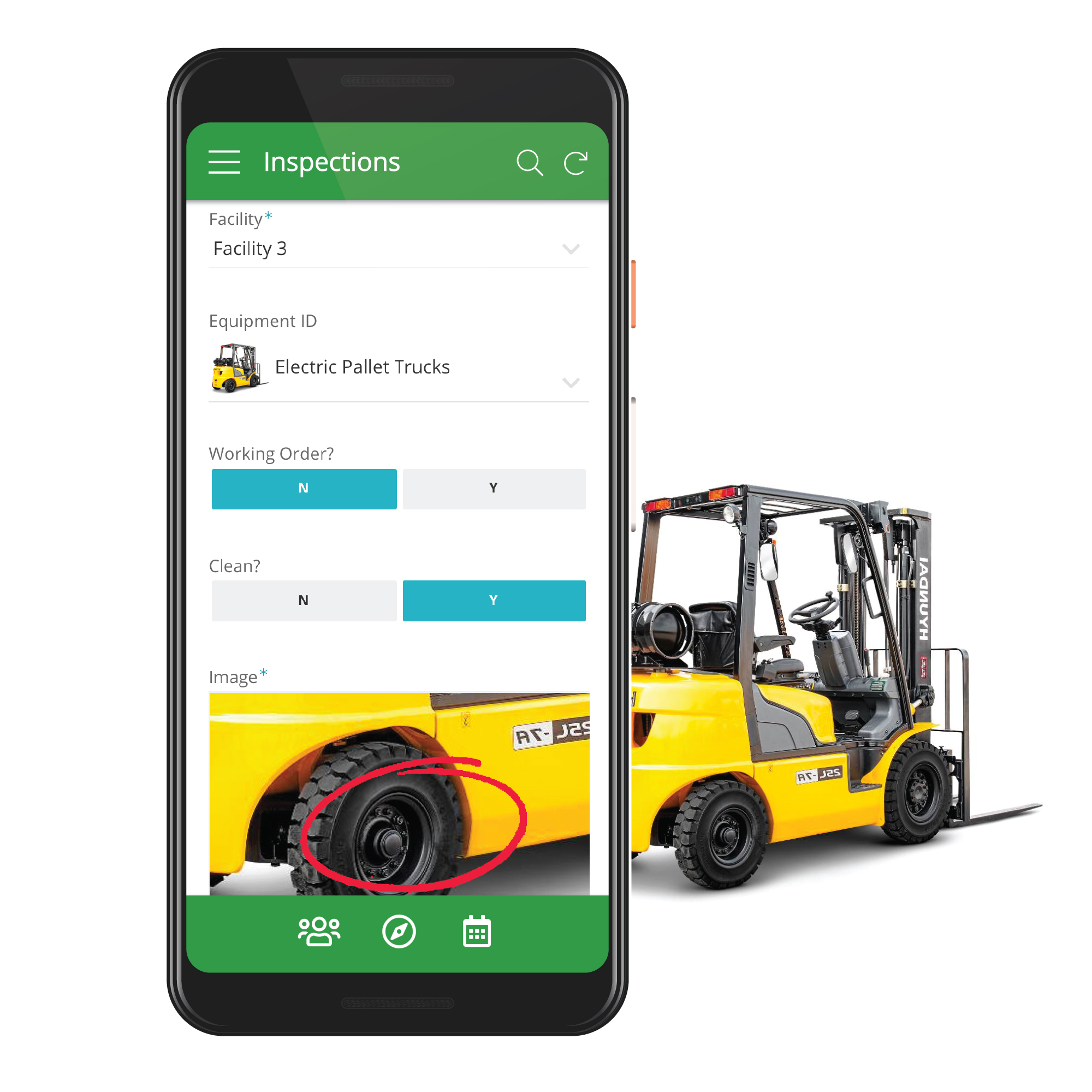
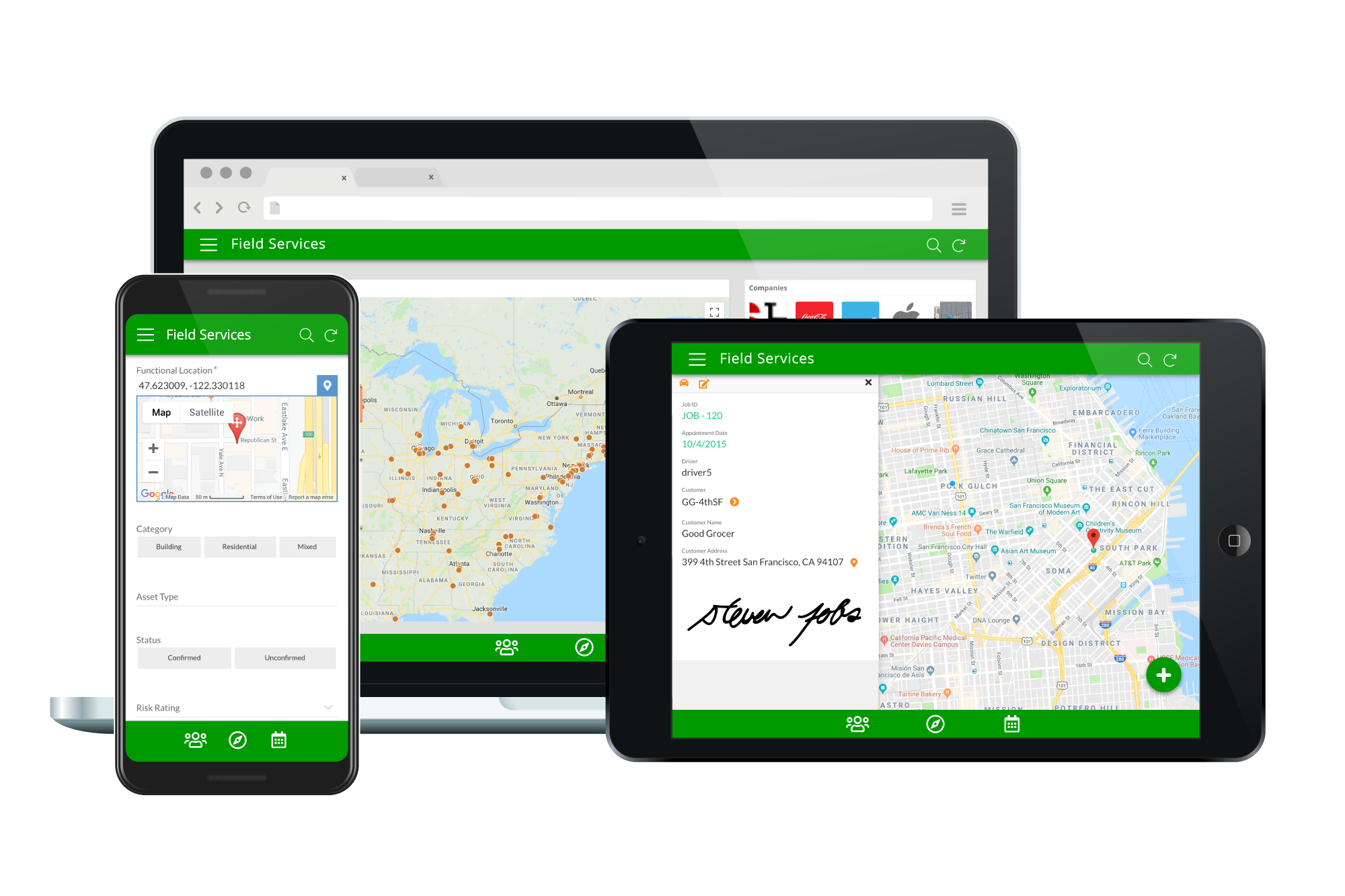
Screenshot of Capture rich data through customizable mobile appsScreenshot of Deploy apps on any device.Screenshot of Track inventory from supplier to warehouse to customer.Screenshot of Enable sales and marketing on-the-go.