Avaza vs. ExpenseOnDemand

Overview
ProductRatingMost Used ByProduct SummaryStarting Price
Avaza
Score 8.2 out of 10
Mid-Size Companies (51-1,000 employees)
Avaza is a software suite targeted for all business sizes. It includes modules for project management and collaboration, resource scheduling, team chat, time tracking, expense management, quoting and invoicing. Depending on their business needs, companies can use as many, or as few, of the modules as they need. Avaza offers reporting functionality, and the project management module is designed with both list view and Kanban style task management, so users can choose…
$0
Unlimited Project Collaborators, 1 Admin, 1 Timesheet/ Expense User, 1 Resource Scheduling User
ExpenseOnDemand
Score 10.0 out of 10
N/A
ExpenseOnDemand is headquartered in London and was founded in 2003 with a vision to enable companies and their talent to focus on their core job by offering a smart, simple, and intuitive expense management solution. Their solutions are priced at USD 1 or GBP 1 or Euro 1 or INR 35 per user per month.N/A
Pricing
AvazaExpenseOnDemand
Editions & Modules
Free Plan
$0
Unlimited Project Collaborators, 1 Admin, 1 Timesheet/ Expense User, 1 Resource Scheduling User
Startup Plan
$11.95
per month
Basic Plan
$23.95
per month
Business Plan
$47.95
per month
No answers on this topic
Offerings
Pricing Offerings
AvazaExpenseOnDemand
Free Trial
YesYes
Free/Freemium Version
YesNo
Premium Consulting/Integration Services
NoNo
Entry-level Setup FeeOptionalNo setup fee
Additional Details
More Pricing Information
Community Pulse
AvazaExpenseOnDemand
Considered Both Products
Avaza
Chose Avaza
Avaza takes the easy of Asana and adds the invoicing and bookkeeping capabilities you need all in one place.

Chose Avaza
Avaza's time tracking capabilities are much more detailed than Upwork's. Upwork focuses on simplicity, using a simple on/off button and a spot for taking notes about each project, but Avaza gives you more to work with, allowing you to add detailed notes and specify tasks.
Chose Avaza
I've used Trello before, but Avaza has way more features and is more applicable for cross-team collaboration. We selected Avaza for it's ability to not only project manage, but also for invoicing, expenses and it's ability to track time. We've gotten more accurate with estimate …
Chose Avaza
This is miles ahead of ActiveCollab. It has more features, the interface is easier to use and the invoicing is easier to use. Across the board better. We migrated from ActiveCollab, but that was just essentially a Fancier Wunderlist. If you just need one project and a few tasks …
Chose Avaza
I have not used any other products like Avaza.
ExpenseOnDemand

No answer on this topic

Features
AvazaExpenseOnDemand
Project Management
Comparison of Project Management features of Product A and Product B
Avaza
8.0
Ratings
4% above category average
ExpenseOnDemand
-
Ratings
Task Management10.00 Ratings00 Ratings
Resource Management7.00 Ratings00 Ratings
Gantt Charts7.00 Ratings00 Ratings
Scheduling8.00 Ratings00 Ratings
Team Collaboration10.00 Ratings00 Ratings
Support for Agile Methodology7.00 Ratings00 Ratings
Support for Waterfall Methodology7.00 Ratings00 Ratings
Document Management9.00 Ratings00 Ratings
Email integration8.00 Ratings00 Ratings
Mobile Access8.00 Ratings00 Ratings
Timesheet Tracking7.00 Ratings00 Ratings
Budget and Expense Management8.00 Ratings00 Ratings
Professional Services Automation
Comparison of Professional Services Automation features of Product A and Product B
Avaza
10.0
Ratings
28% above category average
ExpenseOnDemand
-
Ratings
Quotes/estimates10.00 Ratings00 Ratings
Invoicing10.00 Ratings00 Ratings
Project & financial reporting10.00 Ratings00 Ratings
Integration with accounting software10.00 Ratings00 Ratings
Expense Management
Comparison of Expense Management features of Product A and Product B
Avaza
-
Ratings
ExpenseOnDemand
9.5
Ratings
10% above category average
Employee Expense Reporting00 Ratings10.00 Ratings
Corporate Card Reconciliation00 Ratings9.00 Ratings
Payment Management
Comparison of Payment Management features of Product A and Product B
Avaza
-
Ratings
ExpenseOnDemand
9.7
Ratings
17% above category average
Customizable Approval Policies00 Ratings10.00 Ratings
Financial Document Management00 Ratings10.00 Ratings
Payment Status Tracking00 Ratings10.00 Ratings
Payment Audit Trail00 Ratings9.00 Ratings
Duplicate Bill Detection00 Ratings10.00 Ratings
Advanced OCR00 Ratings10.00 Ratings
Electronic Funds Transfer00 Ratings9.00 Ratings
Best Alternatives
AvazaExpenseOnDemand
Small Businesses
Stackby
Stackby
Score 9.0 out of 10
Dext
Dext
Score 9.8 out of 10
Medium-sized Companies
InEight
InEight
Score 8.3 out of 10
Precoro
Precoro
Score 2.8 out of 10
Enterprises
InEight
InEight
Score 8.3 out of 10
Emburse Chrome River
Score 9.1 out of 10
All AlternativesView all alternativesView all alternatives
User Ratings
AvazaExpenseOnDemand
Likelihood to Recommend
10.0
(0 ratings)
10.0
(0 ratings)
Likelihood to Renew
10.0
(0 ratings)
-
(0 ratings)
Usability
9.0
(0 ratings)
-
(0 ratings)
Support Rating
10.0
(0 ratings)
-
(0 ratings)
User Testimonials
AvazaExpenseOnDemand
Likelihood to Recommend
There are teams who work hard, and there are those who work smart. Avaza helps you be the latter--it's is a great tool for any team collaborating on several projects, especially multiple projects with a lot of simultaneously moving parts. It has just about everything you need - from team schedules to timesheets, down to the task and sub-task monitoring. The best part for me is that we can switch from List View to Kanban to Gantt charts!
Read full review
The software is easy to deploy and use. We create different profiles with different permissions to manage and use the system to add, edit and approve expenses. Management is simplified and allows us to create reports where we can see the expenses in minute detail and quickly approve them from anywhere. There are different other functions that can be used on demand and as needed. All quickly learned to use the tool and are satisfied.
Read full review
Pros
  • Helps keep track of time spent on each project
  • Helps employees break down their time spent throughout the day
  • Encourages better time management skills
Read full review
  • Possibility to create automation for the inclusion and approval of attachments.
  • Friendly interface.
  • Real-time and customizable reports.
  • Low cost per user license.
  • Scanning files online.
Read full review
Cons
  • I wish sub-tasks could also have due dates
  • For really big projects, we hope there could be phases (aside from sections)
  • In the chatbox, it would be great if photo attachments could be displayed as screenshots (instead of downloading the file)
Read full review
  • It lacks functions to create different graphs to analyze expenses.
  • Few bugs.
Read full review
Likelihood to Renew
Because it has been amazing and easy to work with.
Read full review
No answers on this topic
Usability
Avaza is very easy to use, but the mobile app needs work.
Read full review
No answers on this topic
Support Rating
They are always available and open to doing a call or a shared screen to walk through the issues.
Read full review
No answers on this topic
Alternatives Considered
I've used Trello before, but Avaza has way more features and is more applicable for cross-team collaboration. We selected Avaza for it's ability to not only project manage, but also for invoicing, expenses and it's ability to track time. We've gotten more accurate with estimate project hours, and therefore create more accurate proposals
Read full review
No answers on this topic
Return on Investment
  • Avaza has made it easier to see how long I spend on certain types of projects and where I could be spending more time.
Read full review
  • Optimization in life of travel and expenses.
  • Better expense control and easy identification in detail.
Read full review
ScreenShots

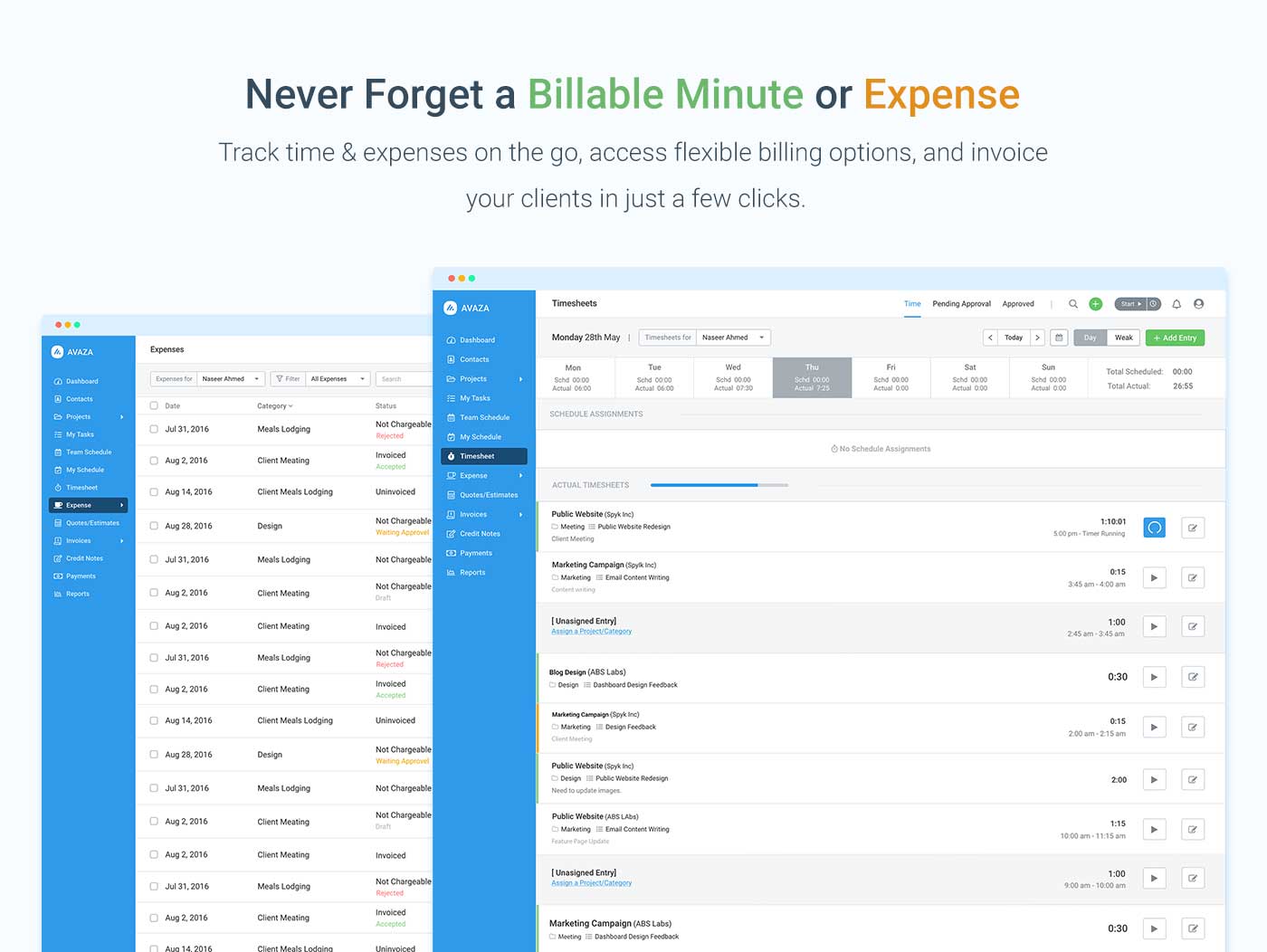
Avaza Screenshots

Screenshot of avaza, appearing across platformsScreenshot of visual project resource scheduling for teamsScreenshot of time and expense trackingScreenshot of team chatScreenshot of time trackingScreenshot of the expense management interface