Avaza vs. Time Doctor

Overview
ProductRatingMost Used ByProduct SummaryStarting Price
Avaza
Score 8.2 out of 10
Mid-Size Companies (51-1,000 employees)
Avaza is a software suite targeted for all business sizes. It includes modules for project management and collaboration, resource scheduling, team chat, time tracking, expense management, quoting and invoicing. Depending on their business needs, companies can use as many, or as few, of the modules as they need. Avaza offers reporting functionality, and the project management module is designed with both list view and Kanban style task management, so users can choose…
$0
Unlimited Project Collaborators, 1 Admin, 1 Timesheet/ Expense User, 1 Resource Scheduling User
Time Doctor
Score 8.8 out of 10
N/A
Time Doctor offers in-depth productivity analytics, giving business owners insight on how to improve performance and scale. Going beyond tracking and monitoring, Time Doctor’s suite of tools put data-driven improvement front and center, helping to ensure that teams of all sizes are actively working on the right things while also offering actionable insights to maximize performance and efficiency. Time Doctor tracks the collective hours a team puts in. But it also provides a…
$7
per month per user
Pricing
AvazaTime Doctor
Editions & Modules
Free Plan
$0
Unlimited Project Collaborators, 1 Admin, 1 Timesheet/ Expense User, 1 Resource Scheduling User
Startup Plan
$11.95
per month
Basic Plan
$23.95
per month
Business Plan
$47.95
per month
Basic
$7
per month per user
Basic
$7
per month per user
Standard
$14
per month
Standard
$14
per month per user
Premium
$20
per month
Premium
$20
per month per user
Offerings
Pricing Offerings
AvazaTime Doctor
Free Trial
YesYes
Free/Freemium Version
YesNo
Premium Consulting/Integration Services
NoNo
Entry-level Setup FeeOptional$9.99 per user
Additional Details
More Pricing Information
Community Pulse
AvazaTime Doctor
Features
AvazaTime Doctor
Project Management
Comparison of Project Management features of Product A and Product B
Avaza
8.0
Ratings
4% above category average
Time Doctor
-
Ratings
Task Management10.00 Ratings00 Ratings
Resource Management7.00 Ratings00 Ratings
Gantt Charts7.00 Ratings00 Ratings
Scheduling8.00 Ratings00 Ratings
Team Collaboration10.00 Ratings00 Ratings
Support for Agile Methodology7.00 Ratings00 Ratings
Support for Waterfall Methodology7.00 Ratings00 Ratings
Document Management9.00 Ratings00 Ratings
Email integration8.00 Ratings00 Ratings
Mobile Access8.00 Ratings00 Ratings
Timesheet Tracking7.00 Ratings00 Ratings
Budget and Expense Management8.00 Ratings00 Ratings
Professional Services Automation
Comparison of Professional Services Automation features of Product A and Product B
Avaza
10.0
Ratings
28% above category average
Time Doctor
-
Ratings
Quotes/estimates10.00 Ratings00 Ratings
Invoicing10.00 Ratings00 Ratings
Project & financial reporting10.00 Ratings00 Ratings
Integration with accounting software10.00 Ratings00 Ratings
User Ratings
AvazaTime Doctor
Likelihood to Recommend
10.0
(0 ratings)
8.0
(0 ratings)
Likelihood to Renew
10.0
(0 ratings)
10.0
(0 ratings)
Usability
9.0
(0 ratings)
10.0
(0 ratings)
Support Rating
10.0
(0 ratings)
5.0
(0 ratings)
Implementation Rating
-
(0 ratings)
10.0
(0 ratings)
User Testimonials
AvazaTime Doctor
Likelihood to Recommend
There are teams who work hard, and there are those who work smart. Avaza helps you be the latter--it's is a great tool for any team collaborating on several projects, especially multiple projects with a lot of simultaneously moving parts. It has just about everything you need - from team schedules to timesheets, down to the task and sub-task monitoring. The best part for me is that we can switch from List View to Kanban to Gantt charts!
Read full review
Time Doctor is great if you need to time how long you spend on different projects throughout the day. I am editing multiple books at once and I need to keep track of how long I spend on each one. It is not worth it if you don't need to keep track of how long you spend on a large project. I find it too cumbersome to time individual tasks and not useful enough to time just one project.
Read full review
Pros
  • Helps keep track of time spent on each project
  • Helps employees break down their time spent throughout the day
  • Encourages better time management skills
Read full review
  • One click to choose projects and tasks you've already created so that you can quickly choose what you're working on and basically set it and forget it.
  • Automatic screenshots so that I can always reference back to what I was working on.
  • The reports! There are reports for every project and time use. Helps me see exactly where my time is going and how I can better maximize it.
Read full review
Cons
  • I wish sub-tasks could also have due dates
  • For really big projects, we hope there could be phases (aside from sections)
  • In the chatbox, it would be great if photo attachments could be displayed as screenshots (instead of downloading the file)
Read full review
  • When checking/viewing Web and App Usage, I wish there's an option on this page to update or change the app's rating without going to settings page. It will be a lot easier for us to update the ratings on the Web and App Usage.
Read full review
Likelihood to Renew
Because it has been amazing and easy to work with.
Read full review
This is user friendly and can be tailored to our business' needs
Read full review
Usability
Avaza is very easy to use, but the mobile app needs work.
Read full review
I use this daily and it is very simple to use. The setup is very easy and customizing the fields is simple enough. Editing it is also very easy to do.
Read full review
Support Rating
They are always available and open to doing a call or a shared screen to walk through the issues.
Read full review
The support was terrible! They never responded in sufficient time and their assistance was always super vague. I never felt like they had an actual solution to my concerns. They were nice, but I don't feel like they were trained in their own system. It felt like I was talking to a wall.
Read full review
Implementation Rating
No answers on this topic
Other than we are happy with the way Time Doctor works for us, no key insights.
Read full review
Alternatives Considered
I've used Trello before, but Avaza has way more features and is more applicable for cross-team collaboration. We selected Avaza for it's ability to not only project manage, but also for invoicing, expenses and it's ability to track time. We've gotten more accurate with estimate project hours, and therefore create more accurate proposals
Read full review
We previously used the time tracking component within Kanbanflow.com. However, it was confined to a specific task and we needed something more holistic. Enter Time Doctor! The difference between the two was night and day. I know there are other similar time tracking apps that exist that we could have investigated. We started with Time Doctor Lite and that gave us enough of a taste to upgrade to Pro.
Read full review
Return on Investment
  • Avaza has made it easier to see how long I spend on certain types of projects and where I could be spending more time.
Read full review
  • It helps me to use my time more effectively.
  • For a small amount each month I believe I get a huge return on investment in form of traceability of my hours spent. The major factor that made me choose Time Doctor was the price and the value. I don't think I would still be interested if it was more expensive.
Read full review
ScreenShots

Avaza Screenshots

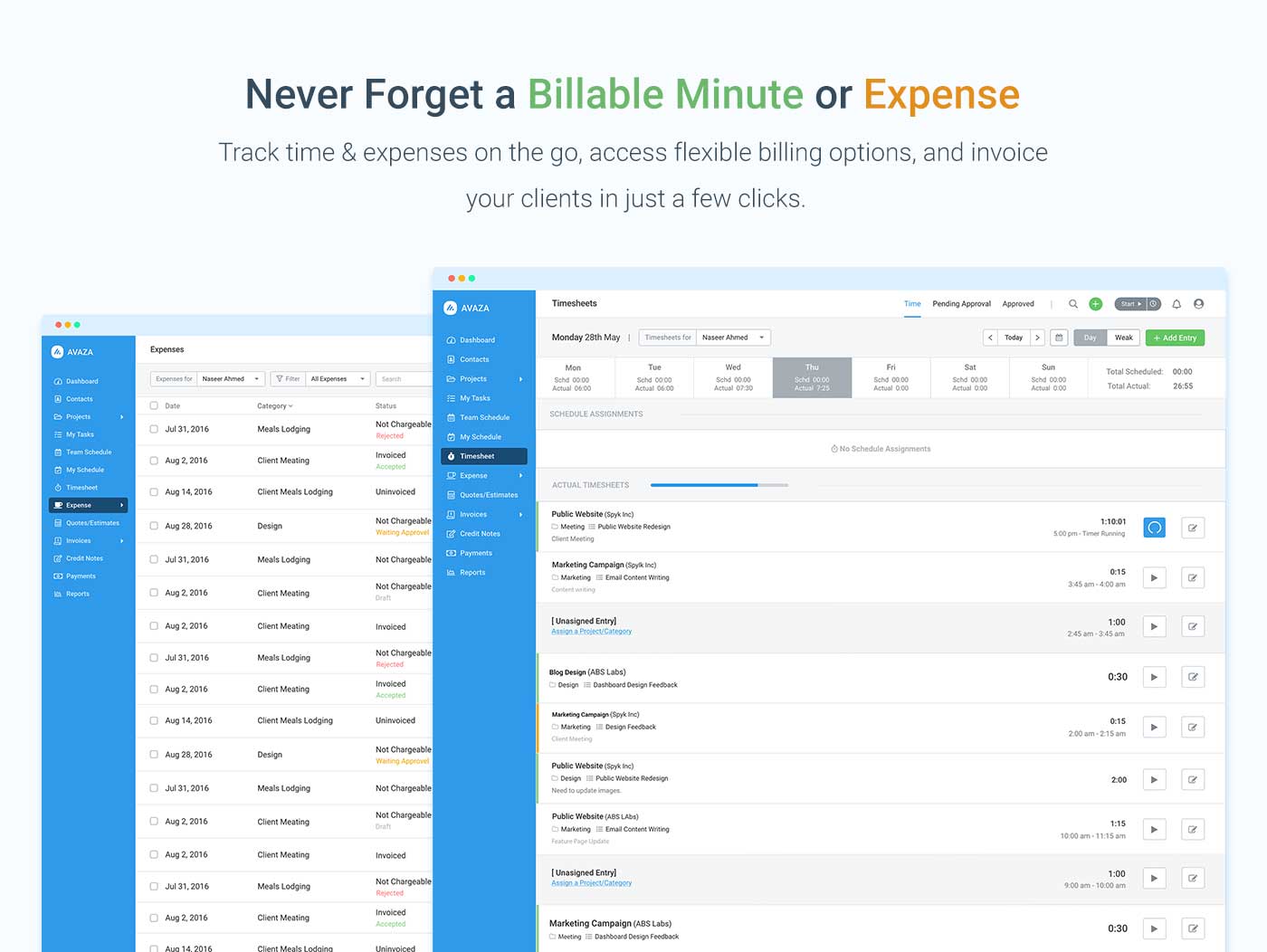
Screenshot of avaza, appearing across platformsScreenshot of visual project resource scheduling for teamsScreenshot of time and expense trackingScreenshot of team chatScreenshot of time trackingScreenshot of the expense management interface

Time Doctor Screenshots

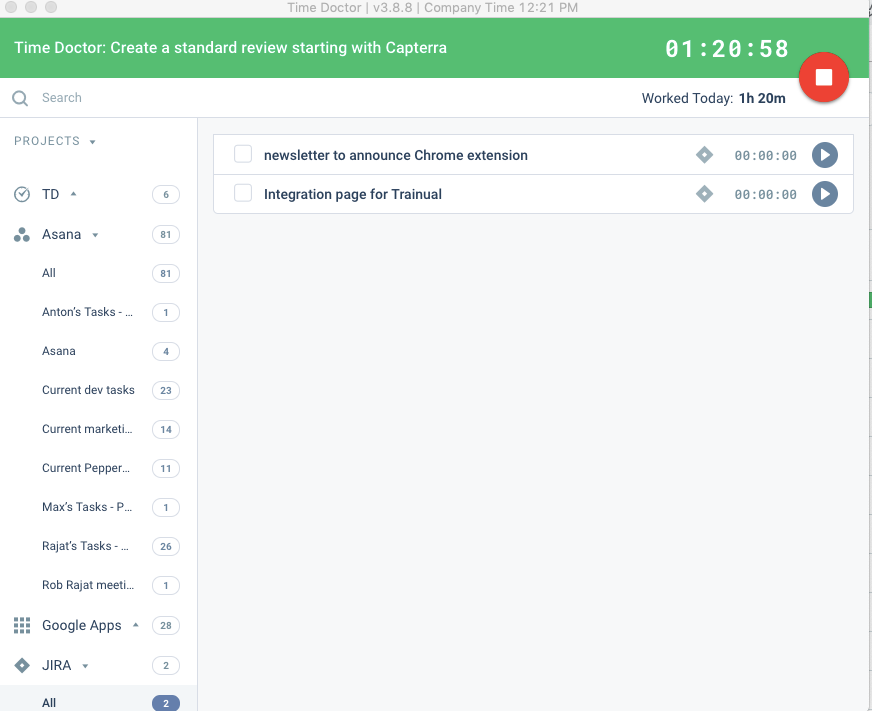
Screenshot of the Time Doctor web app and usage reportScreenshot of a timeline reportScreenshot of Time Doctor's realtime dashboardsScreenshot of an attendance reportScreenshot of a real-time email notificationScreenshot of the interactive desktop app